Ansys Assistant will be unavailable on the Learning Forum starting January 30. An upgraded version is coming soon. We apologize for any inconvenience and appreciate your patience. Stay tuned for updates.
3D Design

3D Design

Topics related to Ansys Discovery and Ansys SpaceClaim.

Unable to attach geometry file

    • abenman
      Subscriber

      I am facing an issue that I am unable to attach geometry in Ansys Workbench Steady-state Thermal ( ANSYS 2019 R3). I tried all the solutions I could find in the threads. In particular the 3D button to transform the curves to a surface. Question: What should happen after the button is clicked?

    • Rob
      Forum Moderator

      Which button?  If you look at the project do you have a green tick on geometry?

    • abenman
      Subscriber

      Yes I have the green tick on geometry. But when launching the model I have the error message: " ... Impossible to link the geometry "

    • Rob
      Forum Moderator

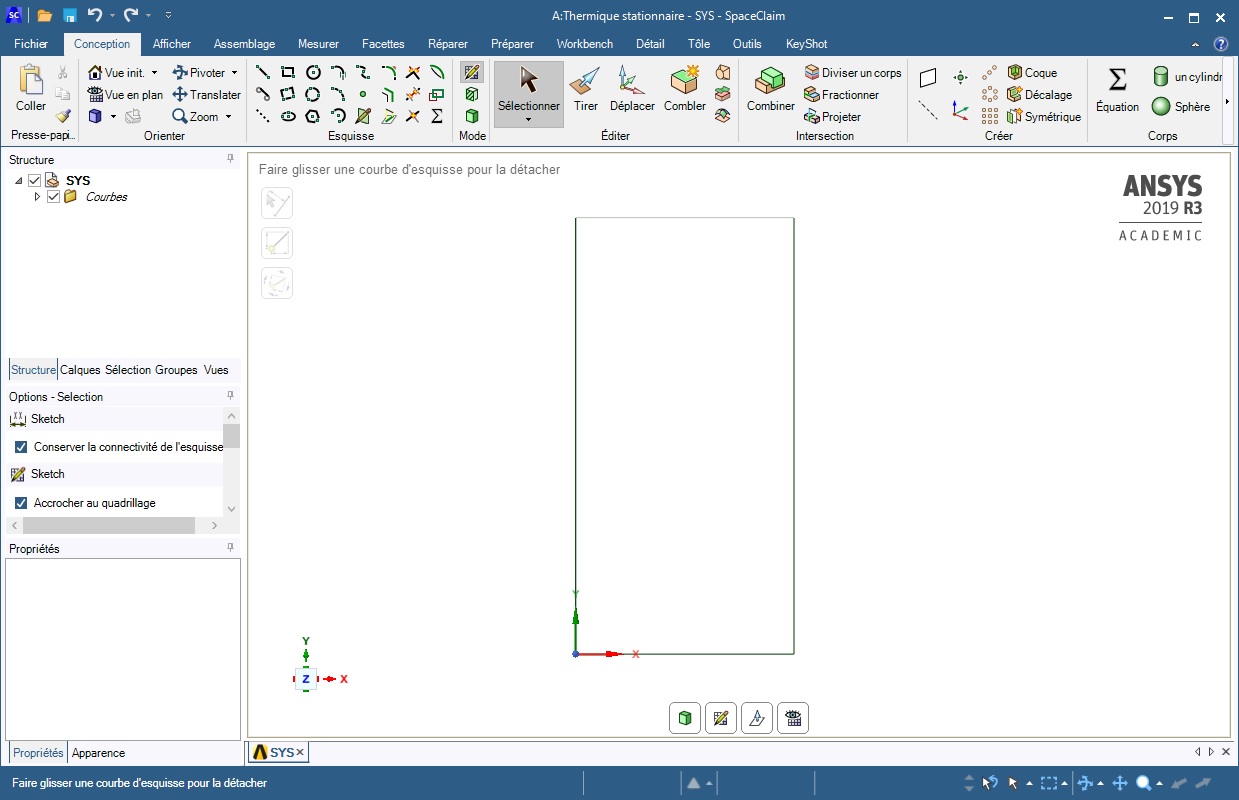
      Please post images of the geometry. 

    • abenman
      Subscriber

    • Rob
      Forum Moderator

      Can you create a surface and see if that'll transfer?  Does Thermal work with beams?

    • abenman
      Subscriber

      I am taking the course "A Hands-on Introduction to Engineering Simulations", and the first example proposed by the teacher is a 2D heat conduction problem. I followed the course exactly but it doesn't work. It is noted in the course, that if we have this problem of link with geometry, we must click the green cube below at leftmost to generate the surface. But it does not work. I still get the error message "Unable to link geometry".

    • abenman
      Subscriber

      I started again from the beginning and it worked.I probably missed a step.


      thanks anyway

    • malabbaas
      Subscriber

       hi


      ? have same problem and ?have two days tray to had solved this problem but ? can't

Viewing 8 reply threads
  • The topic ‘Unable to attach geometry file’ is closed to new replies.
[bingo_chatbox]