Ansys Assistant will be unavailable on the Learning Forum starting January 30. An upgraded version is coming soon. We apologize for any inconvenience and appreciate your patience. Stay tuned for updates.
I prepared the 3D model in SpaceClaim, but when I import the CAD file to Ansys Workbench the beam Elements don`t exist anymore. (I`ve checked the Geometry tree, only the midsurfaces appear, and I`ve also tried setting Share Topology to None, which was suggested in another Question of the forum) Can someone help me?
January 31, 2022 at 4:35 pm
ErKo
Ansys Employee
Hi
Can you explain a bit more. Why do you mean with import the cad file to Ansys Workbench. You should not need to import if you have used spaceclaim, since it is inside say a static system and the transfer from **** claim to mechanical is automatic.
Can you show some images of what you are doing and how the set up and model looks like?
All the best
Erik
February 1, 2022 at 11:39 am
Meister
Subscriber
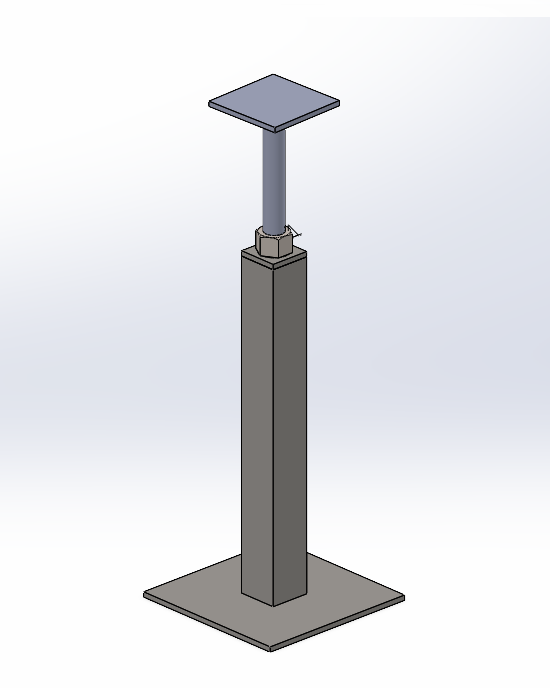
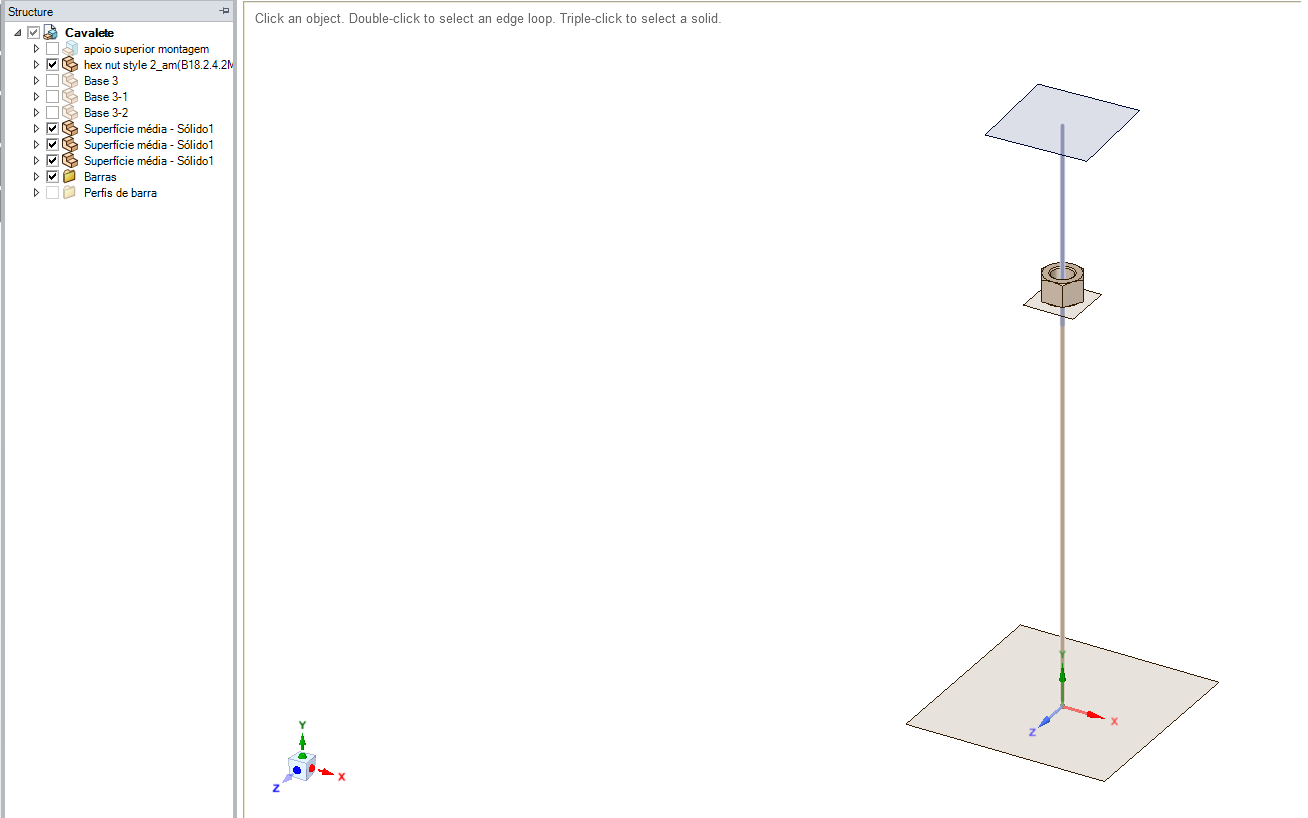
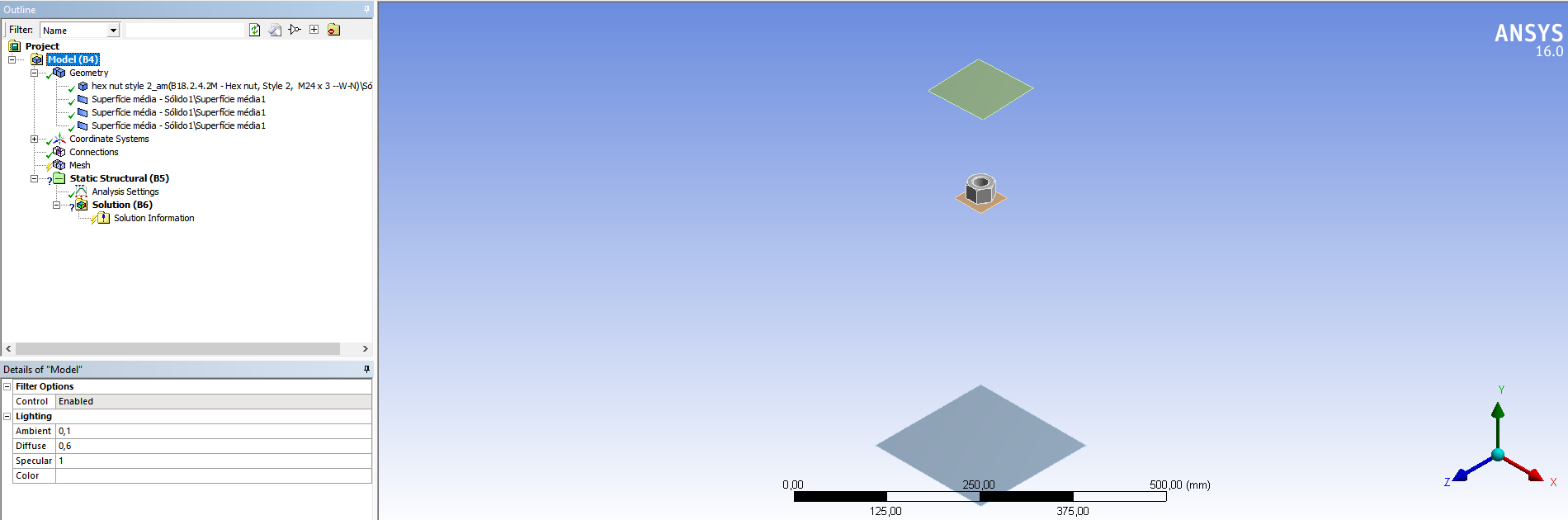
Sorry, "import" really isn't the right word. But the beam elements don't show in the mechanical simulation model as they do in SpaceClaim That's the CAD model
That's the SpaceClaim model, which has the Beam elements
and that's the model in the mechanical simulation, which doesn't have the beam elements
Hope that explains better the issue I'm having
Viewing 2 reply threads
The topic ‘Trouble Importing Beam Elements From SpaceClaim to Ansys Structural Simulation’ is closed to new replies.
The Ansys Learning Forum is a public forum. You are prohibited from providing (i) information that is confidential to You, your employer, or any third party, (ii) Personal Data or individually identifiable health information, (iii) any information that is U.S. Government Classified, Controlled Unclassified Information, International Traffic in Arms Regulators (ITAR) or Export Administration Regulators (EAR) controlled or otherwise have been determined by the United States Government or by a foreign government to require protection against unauthorized disclosure for reasons of national security, or (iv) topics or information restricted by the People's Republic of China data protection and privacy laws.
Please Login to Report Topic
Please Login to Share Feed
Edit Discussion
You are navigating away from the AIS Discovery experience
The Ansys Learning Forum is a public forum. You are prohibited from providing (i) information that is confidential to You, your employer, or any third party, (ii) Personal Data or individually identifiable health information, (iii) any information that is U.S. Government Classified, Controlled Unclassified Information, International Traffic in Arms Regulators (ITAR) or Export Administration Regulators (EAR) controlled or otherwise have been determined by the United States Government or by a foreign government to require protection against unauthorized disclosure for reasons of national security, or (iv) topics or information restricted by the People's Republic of China data protection and privacy laws.


















 You are navigating away from the AIS Discovery experience