

-
-
December 9, 2021 at 7:20 am
Mrroy
SubscriberDecember 9, 2021 at 10:44 amRuturaj Gavali
Ansys EmployeeHey !
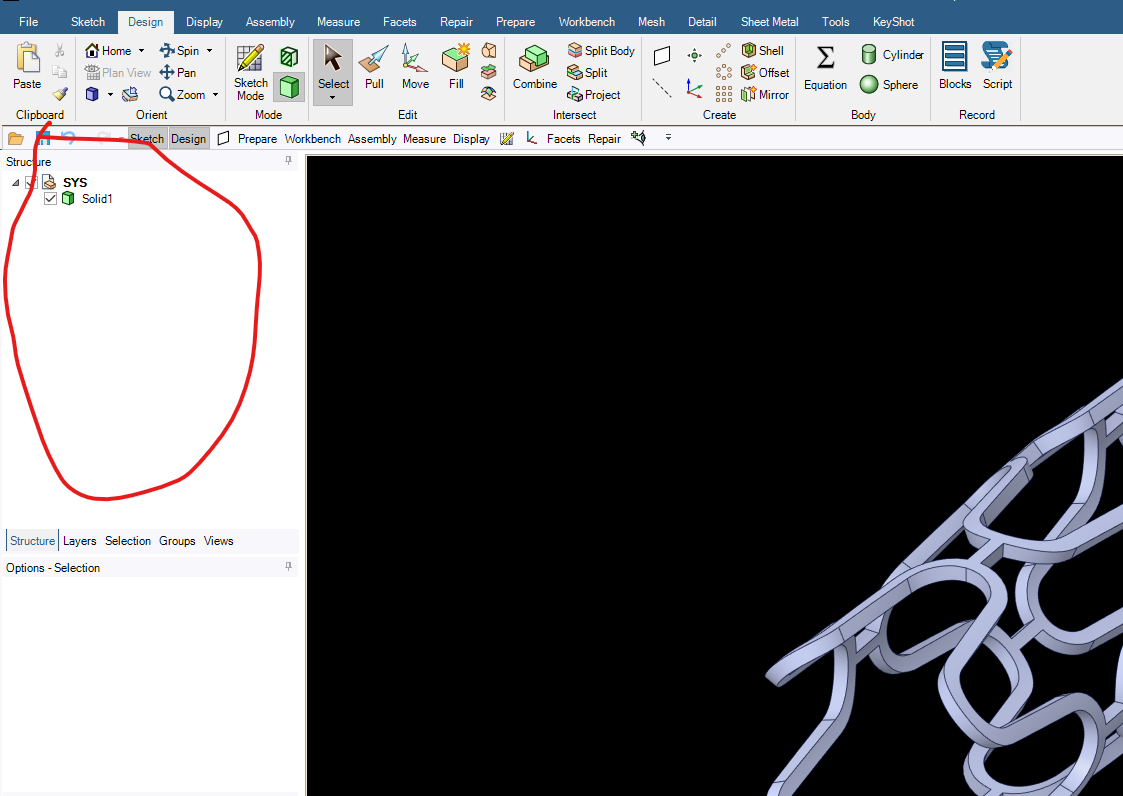
If you are expecting for a list of operations, like the one available in Design Modeler, you won't get it in SpaceClaim as it is not a history based modeler. Other than that I don't see anything missing in the tree.
Still, you can try the following:
Try uploading and editing the geometry again in SpaceClaim.
In SpaceClaim, go to File >SpaceClaim Options >Appearance and pick "Reset Docking Layout".
Thanks!
For more information, check out the following links:
Ansys Help
Ansys Learning Forum (Rules & Guidelines)
December 9, 2021 at 12:39 pmAnsys EmployeeHey !
If you are expecting a list of operations, like the one available in Design Modeler, you won't get it here as SpaceClaim is not a history based modeler. If not, I don't see anything missing in the tree.
Still, you could try the following:
Try uploading and editing the geometry once again.
In SpaceClaim, go to File> SpaceClaim Options> Appearance and pick "Reset Docking Layout".
Thanks!
For more information, check out the following links:
Ansys Help
Ansys Learning Forum (Rules & Guidelines)
December 9, 2021 at 5:20 pmSubscriberrgavali thank you for your reply,how to open in Design Modeler,geometry file was always opening in space claim
December 10, 2021 at 10:36 pmpeteroznewman
SubscriberThe geometry shown in the image is from this course: /courses/index.php/courses/cardiovascular-stent/lessons/geometry-lesson-3-4/
The stent was designed in SolidWorks, which is where all the features used to create the shape would be visible if you had SolidWorks and the original file.
However, the geometry is provided for the ANSYS course as a Parasolid file, which means it is purely a boundary representation of the solid with no feature history.
The file name is simpleStent.x_t and you would first start DesignModeler, then use the File, Import External Geometry File and select this file.
I suggest you learn SpaceClaim. Why do you want to open the file in DesignModeler?
Viewing 4 reply threads- The topic ‘Tree outline is missing for my geometry please help’ is closed to new replies.
Innovation Space Trending discussions
 Top Contributors
-
peteroznewman
 6570
6570 -
scabo
 1906
1906 -
Dennis Chen
 1463
1463 -
javat33489
 1311
1311 -
Shyam Prasad V Atri
1022
Top Rated Tags
© 2026 Copyright ANSYS, Inc. All rights reserved.
Ansys does not support the usage of unauthorized Ansys software. Please visit www.ansys.com to obtain an official distribution.
-


The Ansys Learning Forum is a public forum. You are prohibited from providing (i) information that is confidential to You, your employer, or any third party, (ii) Personal Data or individually identifiable health information, (iii) any information that is U.S. Government Classified, Controlled Unclassified Information, International Traffic in Arms Regulators (ITAR) or Export Administration Regulators (EAR) controlled or otherwise have been determined by the United States Government or by a foreign government to require protection against unauthorized disclosure for reasons of national security, or (iv) topics or information restricted by the People's Republic of China data protection and privacy laws.

 You are navigating away from the AIS Discovery experience