Ansys Assistant will be unavailable on the Learning Forum starting January 30. An upgraded version is coming soon. We apologize for any inconvenience and appreciate your patience. Stay tuned for updates.
Ansys Products

Ansys Products

Discuss installation & licensing of our Ansys Teaching and Research products.

Transient CFD in Ansys Fluent

    • wad130
      Subscriber

      I need to set up a moving mesh for some transient simulations, but i cannot get my udf to load in. i get an error message saying "An error occurred in the previous operation. The details can be found in the next text output - Error Object: #f" what could this be caused by and how can i fix it? is there a way to make my object move without a UDF?

    • Rob
      Forum Moderator

      How are you loading the UDF? 

      • wad130
        Subscriber

        setup - user defined - functions - complied - add source files - load

    • Rob
      Forum Moderator

      Including Build? What was printed into the TUI (console) on Build?

      • wad130
        Subscriber

        i am now getting an error reading "the udf library you are trying to load (wing_motion.c) is not compiled for parallel use on the current platform (win64). the system cannot find the file specified. could this mean im saving the code written in Visual Studio incorrectly and in the wrong file type?

    • wad130
      Subscriber

      so i selected my UDI "wing_motion.c" then in library name put the same thing, then build 

    • Rob
      Forum Moderator

      • wad130
        Subscriber

        sorry im not able to read what you said 

    • Rob
      Forum Moderator

      When you pressed Build, what happened? A failure to load often means there's an error at the compile stage. For Windows it's generally good to use the CLANG (built in) compiler too. 

      • wad130
        Subscriber

        when i click build, before clicking load i get this message - 

         "Copy "C:\Users\*****\OneDrive - University of ********\Disc drive\FYP\Transient CFD\wing_motion.c" to "wing_motion.c\src"

         
        Files udf_names.c and user_nt.udf in 2ddp_host are up-to-date.
         
        Copyright 1987-2024 ANSYS, Inc. All Rights Reserved.
        Compiler and linker: Microsoft Visual C++
        # Linking libudf.dll because of makefile user_nt.udf udf_names.obj wing_motion.obj
        LINK : fatal error LNK1104: cannot open file 'kernel32.lib'
        NMAKE :  U1077: '"C:\Program Files (x86)\Microsoft Visual Studio\2019\Enterprise\VC\Tools\MSVC\14.29.30133\bin\HostX86\x64\link.EXE"' : return code '0x450'
        Stop.
        Files udf_names.c and user_nt.udf in 2ddp_node are up-to-date.
         
        Copyright 1987-2024 ANSYS, Inc. All Rights Reserved.
        Compiler and linker: Microsoft Visual C++
        # Linking libudf.dll because of makefile user_nt.udf udf_names.obj wing_motion.obj
        LINK : fatal error LNK1104: cannot open file 'kernel32.lib'
        NMAKE :  U1077: '"C:\Program Files (x86)\Microsoft Visual Studio\2019\Enterprise\VC\Tools\MSVC\14.29.30133\bin\HostX86\x64\link.EXE"' : return code '0x450'
        Stop.
         
        Done."


    • Rob
      Forum Moderator

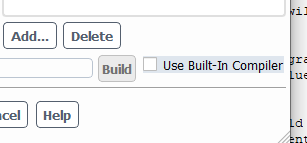
      So it's not compiling. How about when using the built in compiler? 

      • wad130
        Subscriber

        im not sure how to do that sorry.  how do i?


    • Rob
      Forum Moderator

      Click the tick box and see whether that works. You may not have a compiler installed as it's a Windows machine. 

      • wad130
        Subscriber

        thank you! when i tick that i get this error message... 

        ""C:\Users\****\OneDrive - University of *****\Disc drive\FYP\Transient CFD\MAYBE_files\dp0\FFF\Fluent\libudf.idl.c" is not found Copy "C:/Users/wad130/OneDrive - University of Birmingham/Disc drive/FYP/libudf.idl.c" to "libudf\src"


        Copyright 1987-2024 ANSYS, Inc. All Rights Reserved.
        Compiler and linker: Clang (builtin)
        Compiler path: "C:\PROGRA~1\ANSYSI~1\v241\fluent"\ntbin\clang\bin\clang-cl
        Linker   path: "C:\PROGRA~1\ANSYSI~1\v241\fluent"\ntbin\clang\bin\lld-link
        C sources: []
        In file included from udf_names.c:3:
        C:\PROGRA~1\ANSYSI~1\v241\fluent\fluent24.1.0\src\udf\udf.h(81,12): fatal error: 'ud_io1.h' file not found
        #  include "ud_io1.h"
                  ^~~~~~~~~~
        1 error generated.
        scons: *** [udf_names.obj] Error 1
         
        Copyright 1987-2024 ANSYS, Inc. All Rights Reserved.
        Compiler and linker: Clang (builtin)
        Compiler path: "C:\PROGRA~1\ANSYSI~1\v241\fluent"\ntbin\clang\bin\clang-cl
        Linker   path: "C:\PROGRA~1\ANSYSI~1\v241\fluent"\ntbin\clang\bin\lld-link
        C sources: []
        In file included from udf_names.c:3:
        C:\PROGRA~1\ANSYSI~1\v241\fluent\fluent24.1.0\src\udf\udf.h(81,12): fatal error: 'ud_io1.h' file not found
        #  include "ud_io1.h"
                  ^~~~~~~~~~
        1 error generated.
        scons: *** [udf_names.obj] Error 1
         
        Done."
         
        so because i somehow managed to get it working now i cant anymore

         

    • Rob
      Forum Moderator

      Try Fluent standalone and check the path permissions. 

Viewing 8 reply threads
  • You must be logged in to reply to this topic.
[bingo_chatbox]