Ansys Assistant will be unavailable on the Learning Forum starting January 30. An upgraded version is coming soon. We apologize for any inconvenience and appreciate your patience. Stay tuned for updates.
Preprocessing

Preprocessing

Topics related to geometry, meshing, and CAD.

Transfer of DesignModeler geometry to Fluent Meshing

    • MarkusP
      Subscriber

      Dear community members,


      I intend to use a geometry created in DesignModeler for mesh generation in Fluent Meshing.


      • Is there a possibility in Workbench to directly transfer a DesignModeler geometry to Fluent Meshing (e.g., by drawing a connection between cells)?

      • If not, is there any other way to transfer a DesignModeler geometry into Fluent Meshing?


      Thanks,
      Markus

    • Karthik Remella
      Administrator

      Hello Markus,


      Are you using R19.2? If you are, you should be able to generate your CAD in DM and import it directly to Fluent meshing. Please see the following screenshot.


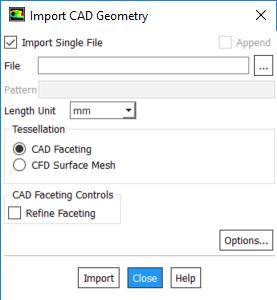
      Another way to import a geometry file to Fluent Meshing would be to open Fluent meshing as a standalone package. You should be able to use File -> Import -> CAD. You should be able  to locate the Design Modeler geometry file 


      Does this answer your question?


      Thanks.


      Best Regards,


      Karthik


    • Keyur Kanade
      Ansys Employee

      just to add what Karthik said - 


      please export your geometry from DM using File - Export. you can use agdb or step format which you can import in fluent meshing. 


      as these posts answers your question, please mark this as 'is solution' to help others on forum. 

    • MarkusP
      Subscriber

      Thanks for your answers!


Viewing 3 reply threads
  • The topic ‘Transfer of DesignModeler geometry to Fluent Meshing’ is closed to new replies.

[bingo_chatbox]