Ansys Assistant will be unavailable on the Learning Forum starting January 30. An upgraded version is coming soon. We apologize for any inconvenience and appreciate your patience. Stay tuned for updates.
Ansys Free Student Software

Ansys Free Student Software

Topics cover installation and configuration of our free student products.

The ANSYS STUDENT installation setup file does not run. Instal buttons are freezed.

    • Tom611
      Subscriber

      Hello,

      I have problem. I downloaded ANSYS student 19.2. Downloading was all right. No problem. So, I clicked to setup.exe, then ANSYS Installation Launcher showed, but all intall buttons are freezed. I can only select a language or close the window. 

      Thank you for advices,
      Tomas

    • tsiriaks
      Ansys Employee

      Hi Tomas,


      Please see the discussions and try the suggestions in this thread


      /forum/forums/topic/problem-with-installation-of-ansys-19-2/


      Thanks,


      Win

    • Tom611
      Subscriber

      It helped. Thank you, but i have another problem. I cannot start Workbench. Workbench always announces unexpected error.  
       
      This: 


      An unexpected error has occurred: The following required addins could not be loaded: Ans.SceneGraphChart.SceneGraphAddin. The software will exit.


      --- System.AggregateException: The following required addins could not be loaded: Ans.SceneGraphChart.SceneGraphAddin. The software will exit.


      --- System.Reflection.ReflectionTypeLoadException: Unable to load one or more of the requested types. Retrieve the LoaderExceptions property for more information.


      Detail:


        Method not found: 'Boolean Ans.SceneGraphChart.Components.ISchema.FindColormap(System.String, Ans.ComponentSystem.IListCpp ByRef)'.


      Call stack:


         at System.Reflection.RuntimeModule.GetTypes(RuntimeModule module)


         at System.Reflection.Assembly.GetTypes()


         at Ansys.Core.Commands.Core.Registry.FindAllCommandTypesInAssembly(Assembly assembly, Boolean includeInternal)


         at Ansys.Core.Commands.Core.Registry.RegisterTypesFrom(Assembly assembly, Boolean includeInternal)


         at Ansys.Core.Commands.CommandManager.RegisterAllFromExecutingAssembly()


         at Ans.SceneGraphChart.SceneGraphAddin.Load(AddinLoadContext context)


         at Ansys.Core.Addins.AddinManager.setupAddin(String path, String name, AddinBase addin)


         at Ansys.Core.Addins.AddinManager.LoadAddin(String name, String path)

      I tried some your tips from old  discussions and it didnt work.

      Thank you for tips and advices
      TP

    • tsiriaks
      Ansys Employee

      Tomas,


      Have you tried opening Workbench with the test user account (with the pure English letters) ?


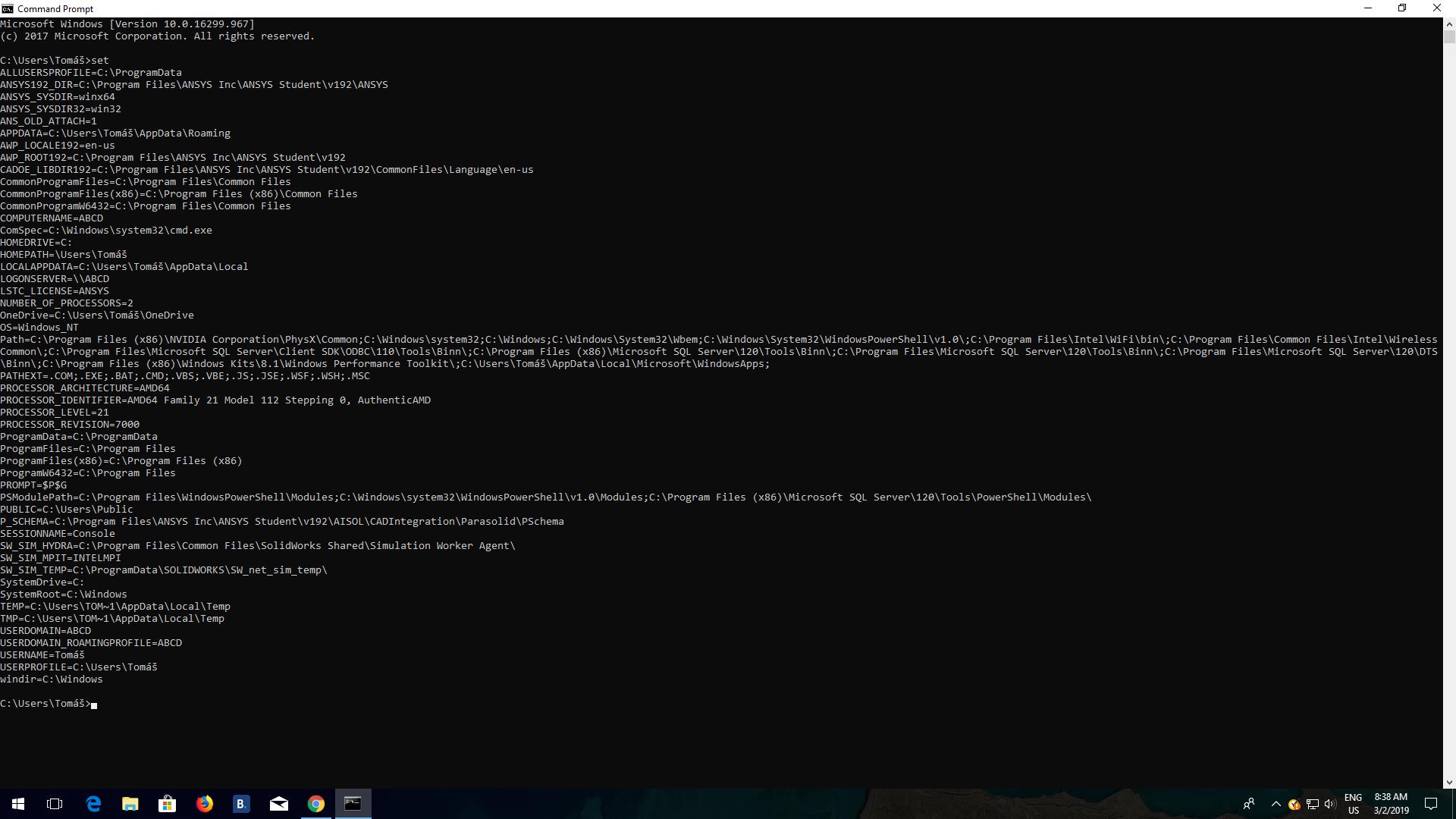
      If that doesn't help, from that same test user account, open CMD Prompt, then issue the following command


      set


      then post the output of it here.


      Thanks,


      Win

    • Tom611
      Subscriber

      Yes,I have. I created en account and tried to start it. It didnt work.

      Here is my output from CM:


      https://drive.google.com/open?id=1WfqbO85UCUm8sBA8O0ORXFZIxxmhM0vJ

      Thank you, 
      Tom

    • tsiriaks
      Ansys Employee

      Hi Tom,


      Is this from your test account ? Because your username isn't in English.


      Thanks,


      Win

Viewing 5 reply threads
  • The topic ‘The ANSYS STUDENT installation setup file does not run. Instal buttons are freezed.’ is closed to new replies.
[bingo_chatbox]