Ansys Assistant will be unavailable on the Learning Forum starting January 30. An upgraded version is coming soon. We apologize for any inconvenience and appreciate your patience. Stay tuned for updates.
General Mechanical

General Mechanical

Topics related to Mechanical Enterprise, Motion, Additive Print and more.

Temperature Dependent Properties in ANSYS Workbench

    • annag
      Subscriber

      Hi, 


      I'm very new to ANSYS, and I'm modeling a simple copper wire using a thermal electric study. I want to make the Resistivity of the wire a function of temperature with an equation that I have: p(T) = 1.72(1+0.039(T-300)) and I'm not sure how to go about doing that in this study.


      Can I just do this in material properties in the workbench? Do I have to use APDL? Any help will be appreciated. Thank you

    • Karthik Remella
      Administrator

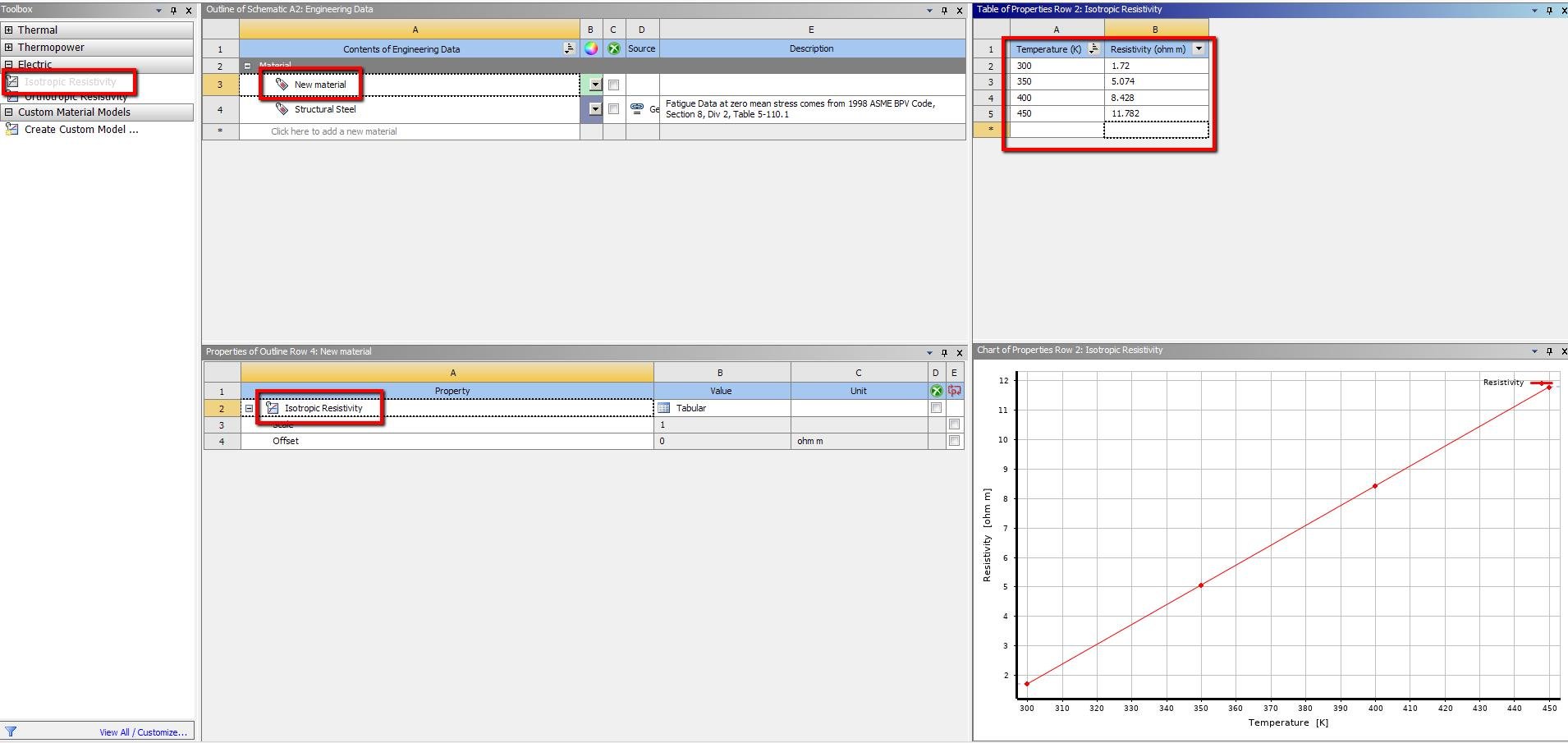
      You should be able to create a new material, add a property 'Isotropic Resistivity' from the left Toolbox. 


      Once you add the property, you will see a table on the right. In the table, please add the temperature, use your equation to estimate the resistivity corresponding to a temperature (please pick the temperature range based on your simulation). Please see the following screenshot.


      Thanks.


      Karthik

    • annag
      Subscriber

      This helped me out a lot. Thank you so much for your help! 

Viewing 2 reply threads
  • The topic ‘Temperature Dependent Properties in ANSYS Workbench’ is closed to new replies.

[bingo_chatbox]