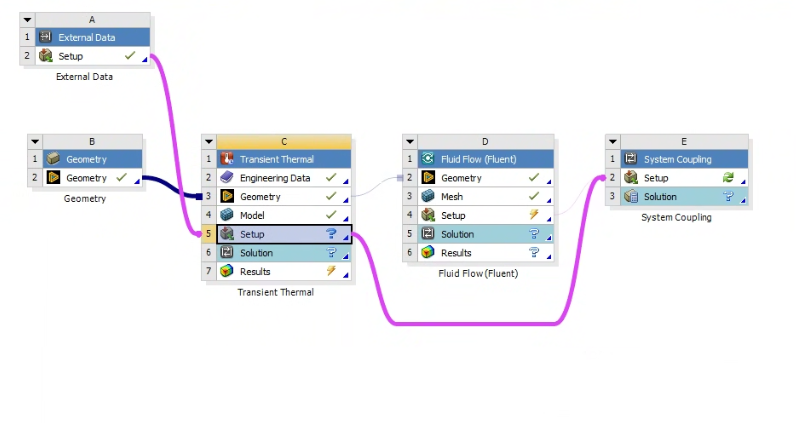
I am simulating active cooling in a panel. An external load (heat flux) is applied to the upper surface of the panel over a duration of 200 seconds. Since the heat flux varies along the length and over time, I am applying it as External Data and solving it in the Transient Thermal module. The flow part is being solved in Fluent.
I am trying to apply a Fluid Solid Interface in Transient Thermal, but when I select it, I get the following error:
“An error was found in the value you entered. Entered value is: 1.”
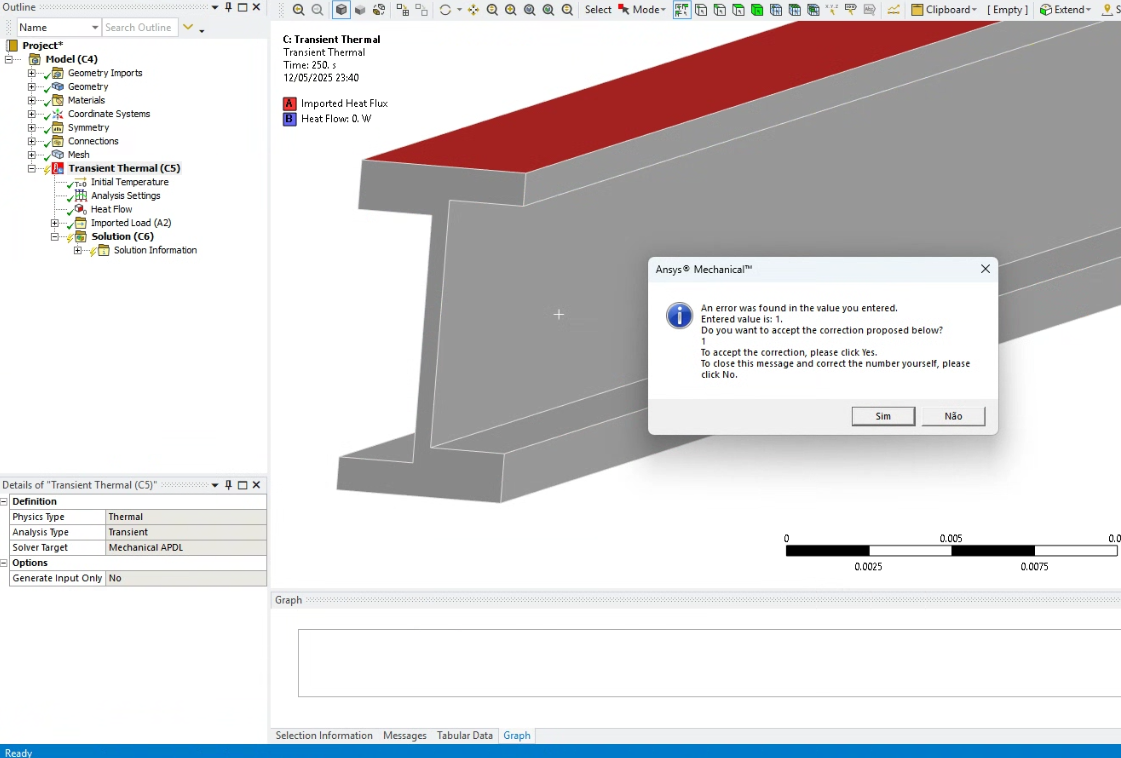
When I proceed by clicking Yes or No, the following message appears:
“It is recommended to use the 'System Coupling Region' object to define the interfaces where the transfer of loads to and from the external solvers occur.”
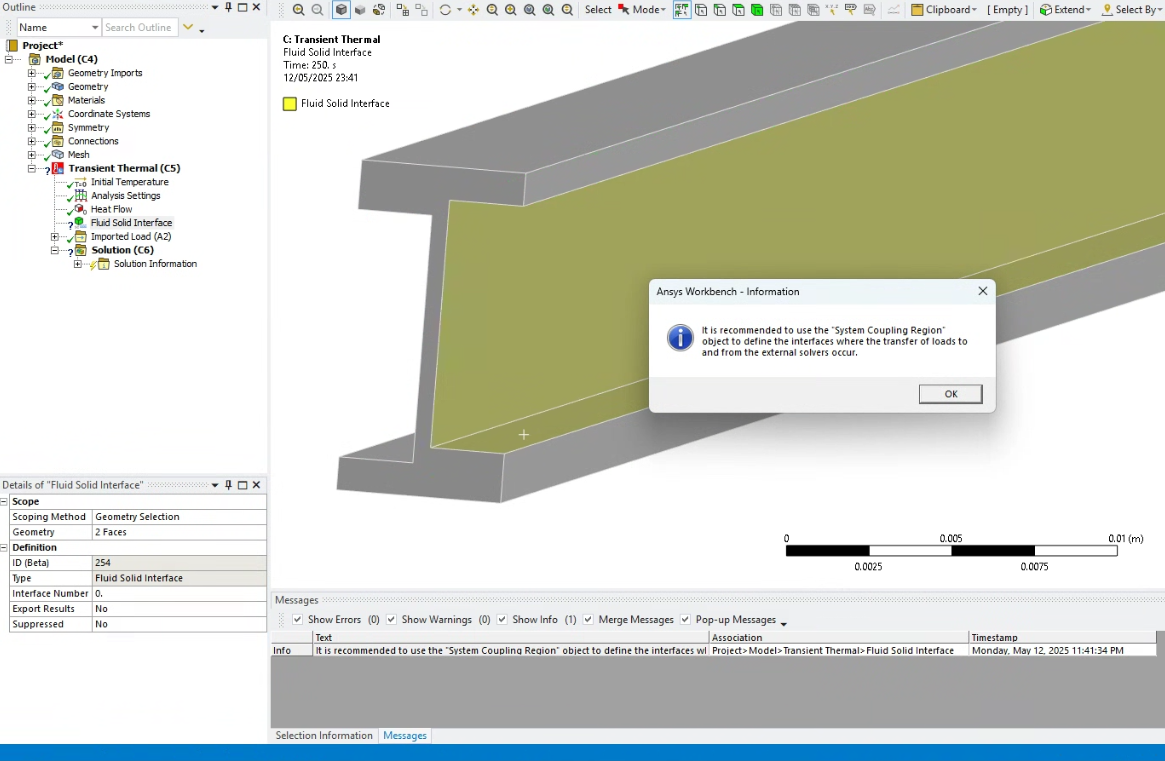
However, if I try to apply the suggested System Coupling Region, the same problem occurs.
How can I resolve this? Thank you in advance!

















 You are navigating away from the AIS Discovery experience