-
-
December 13, 2023 at 4:59 pm
Juhani Manninen
SubscriberThe purpose is to model the forces exerted by a steel cable on its attachment points when external forces are applied to the cable. I have obtained a 2 m cable that is 5 mm thick and plan to initially model its behavior under the influence of gravity. I intend to compare the simulation results with practical experiments using the steel cable I have acquired.
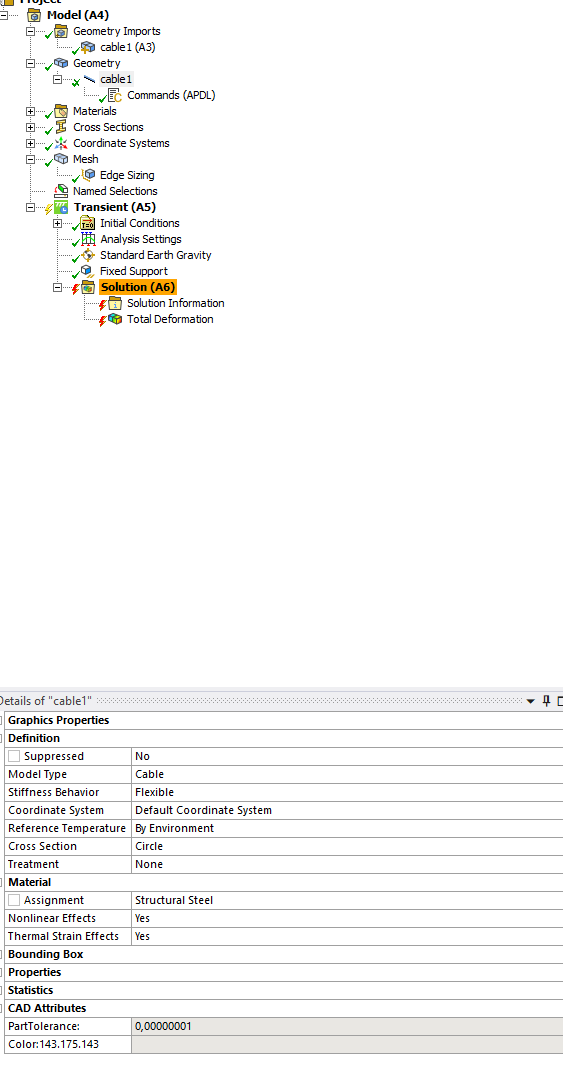
How can the attached model be configured to bend in the same way a 5 mm steel cable bends under the influence of gravity when attached horizontally at one end? The cable should bend almost straight down from the attachment point. It is likely necessary to initially define the element type to be similar to Cable280, but I'm not exactly sure how to do it, and I haven't found an example. Could someone provide guidance or add an example to the attached model on how to achieve this? I'm using Ansys 2022 R2.
Here is link to my model attachment, it's available for 7 days.
https://www.transfernow.net/dl/20231213K6HGYt9a
Â
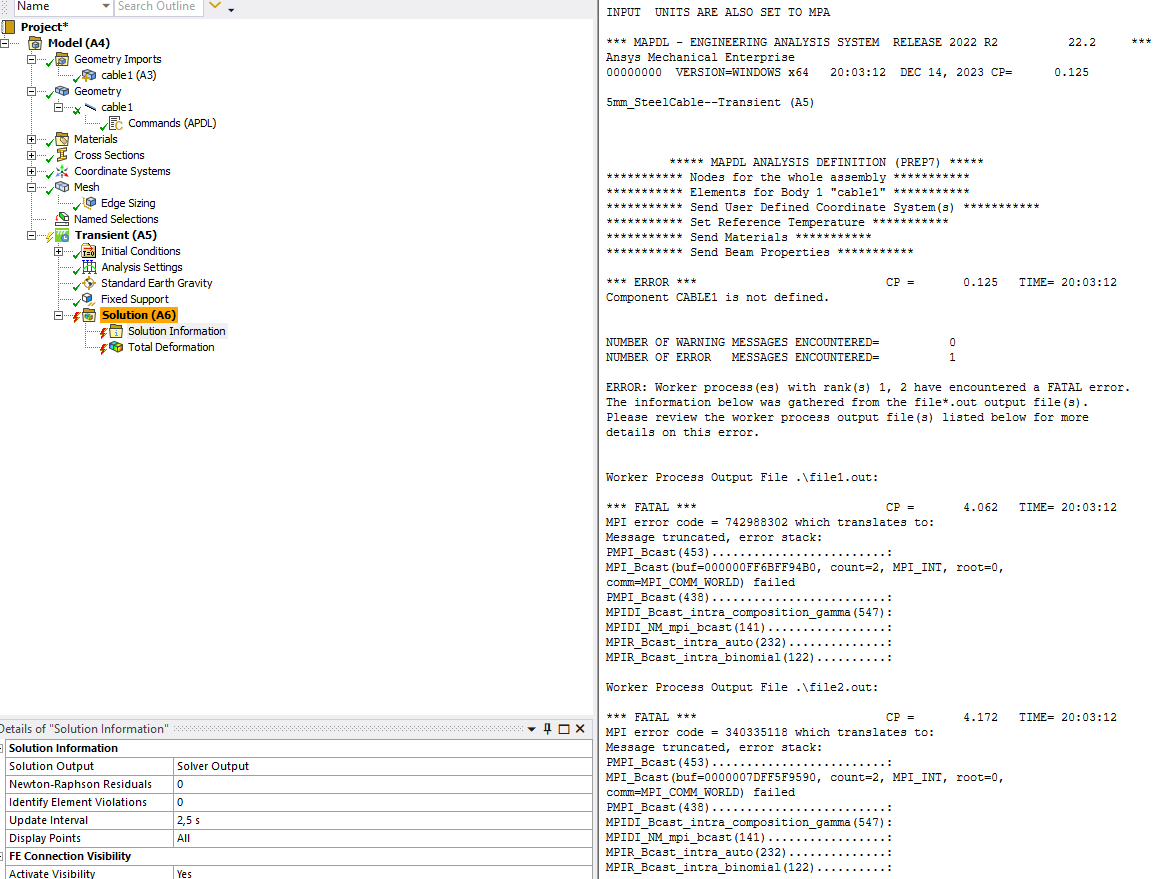
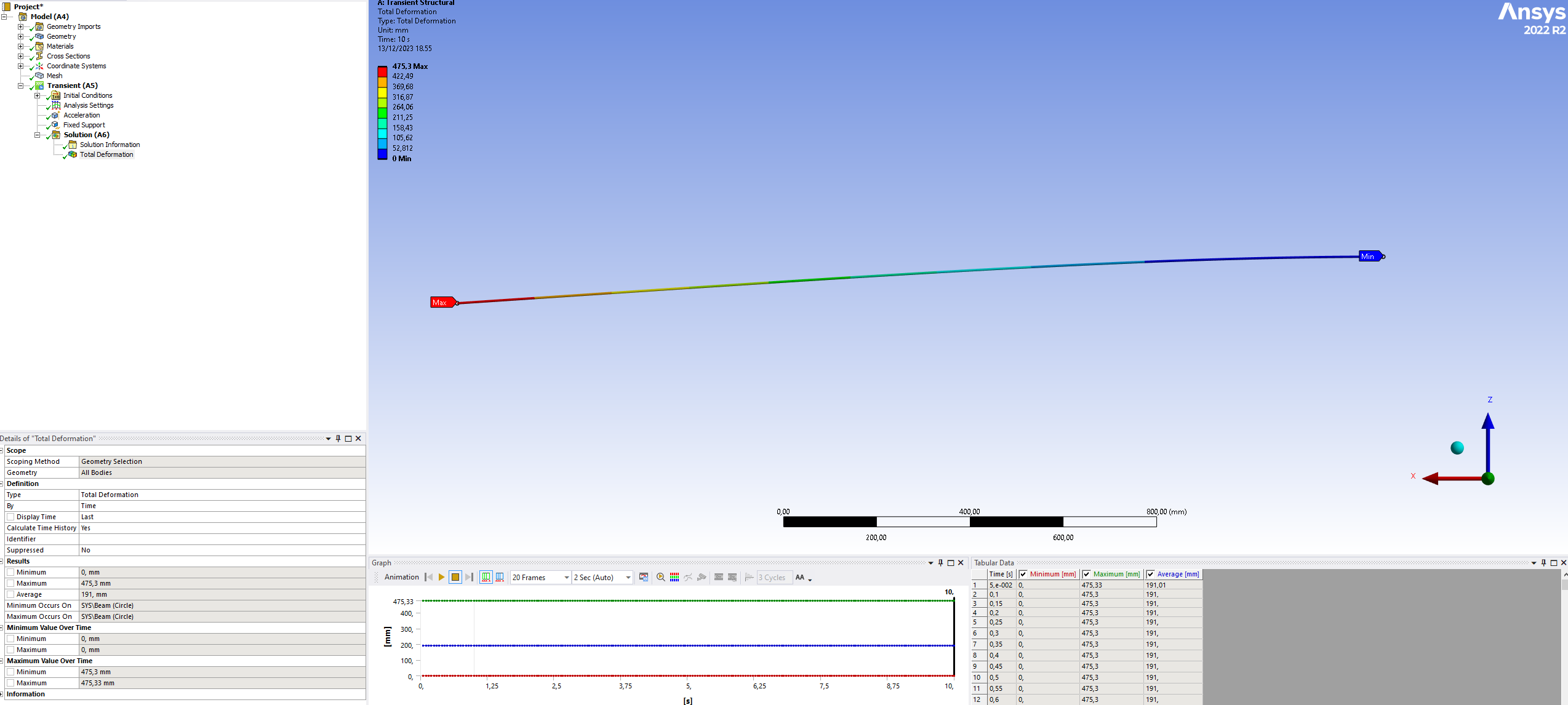
Now my model is acting like a steel bar.
Â
Â
-
December 14, 2023 at 7:52 am
ErKo
Ansys EmployeeÂ
Â
Hi
There is a setting under the line/beam geometry to set it to cable under details and model type. Choose cable there.Â
See here:
/forum/forums/topic/how-to-model-a-rope-in-ansys-for-a-mechanical-analysis/
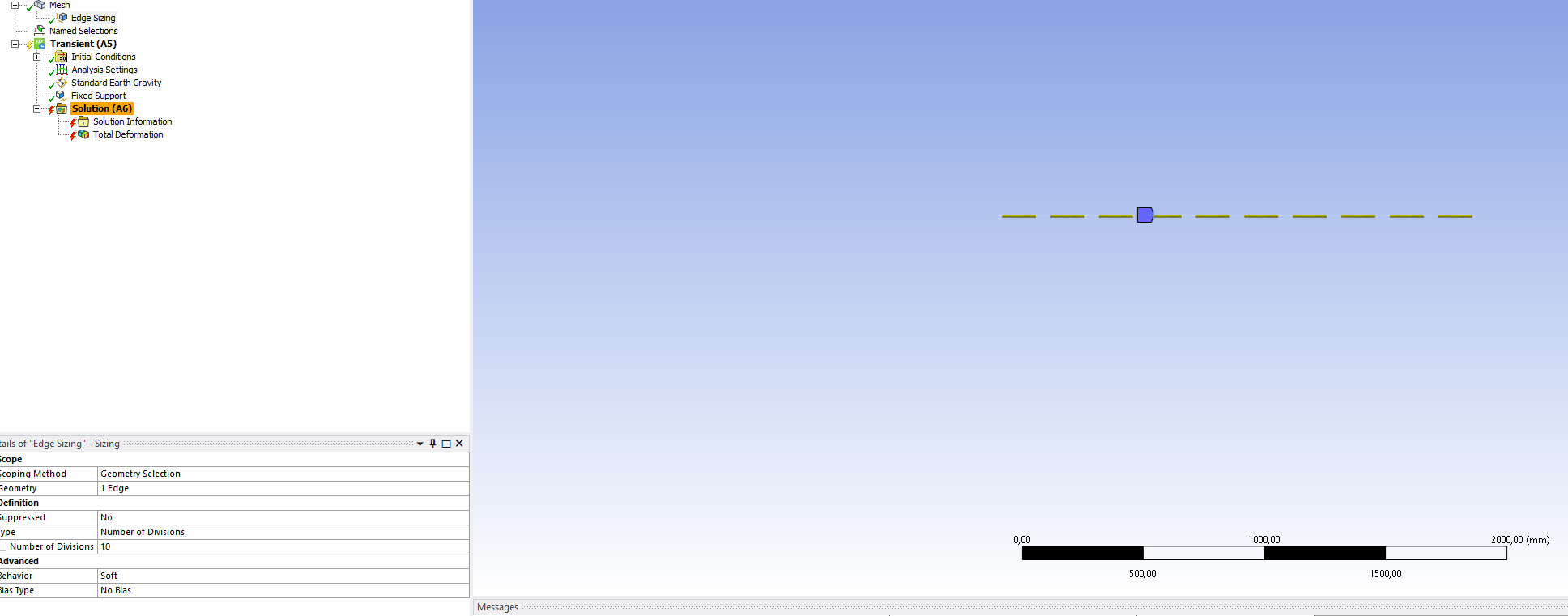
Also use edge sizing say 10 elements on that line.
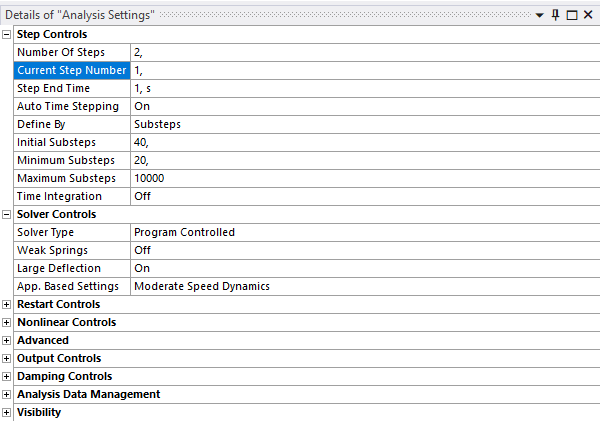
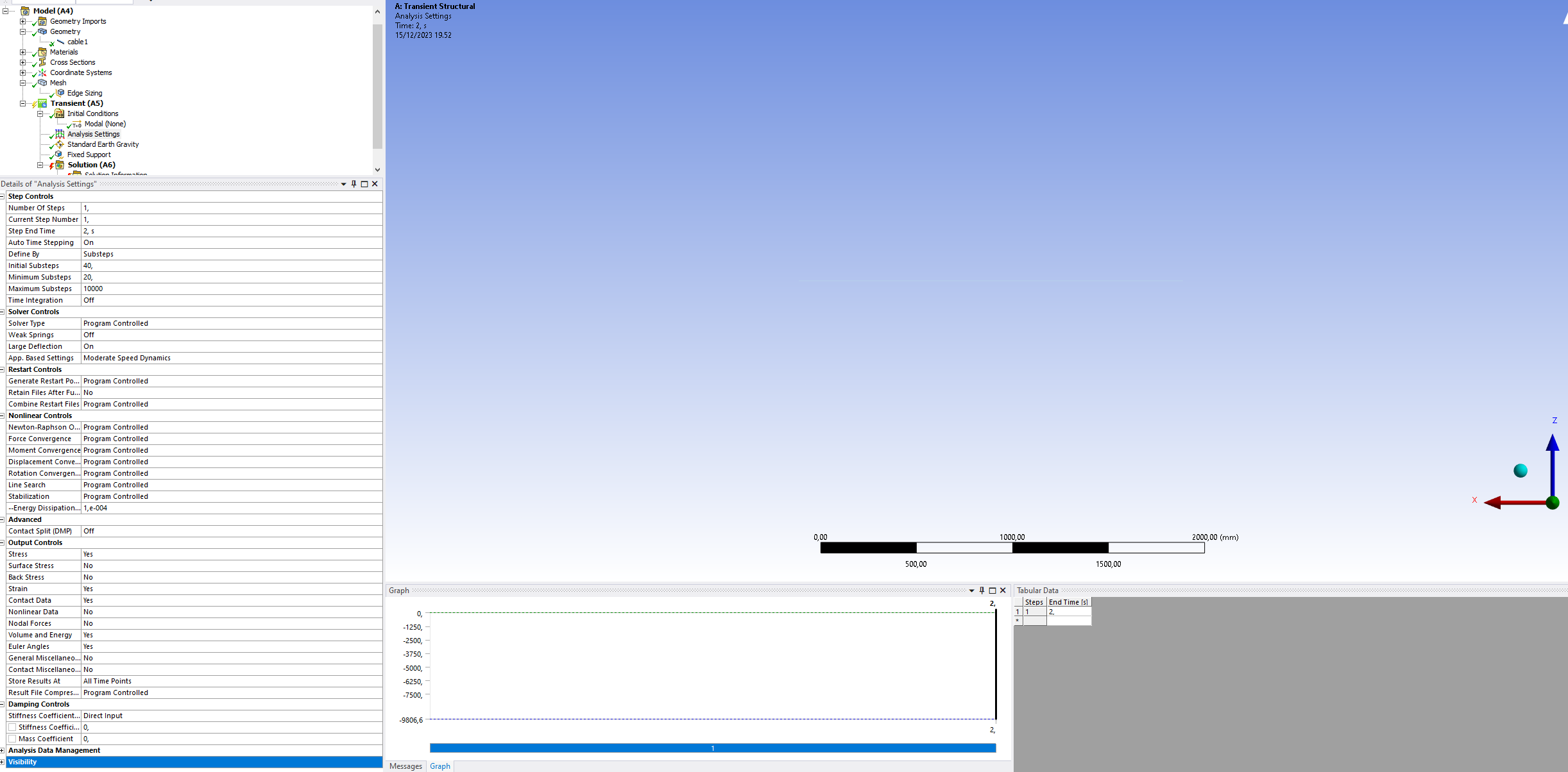
Large deflections on, and use substeps (say min, initial=40, max=10000):
Â
Â
Finally use gravity instead of acceleration load in a first step and in a second step apply the load.
Â
https://www.padtinc.com/2011/11/08/you-dont-wanna-step-to-this-breaking-down-loadsteps-and-substeps-in-ansys-mechanical/
All the best
Erik
Â
Â
-
December 14, 2023 at 6:13 pm
-
-
December 15, 2023 at 11:22 am
ErKo
Ansys EmployeeÂ
Â
Â
Hi
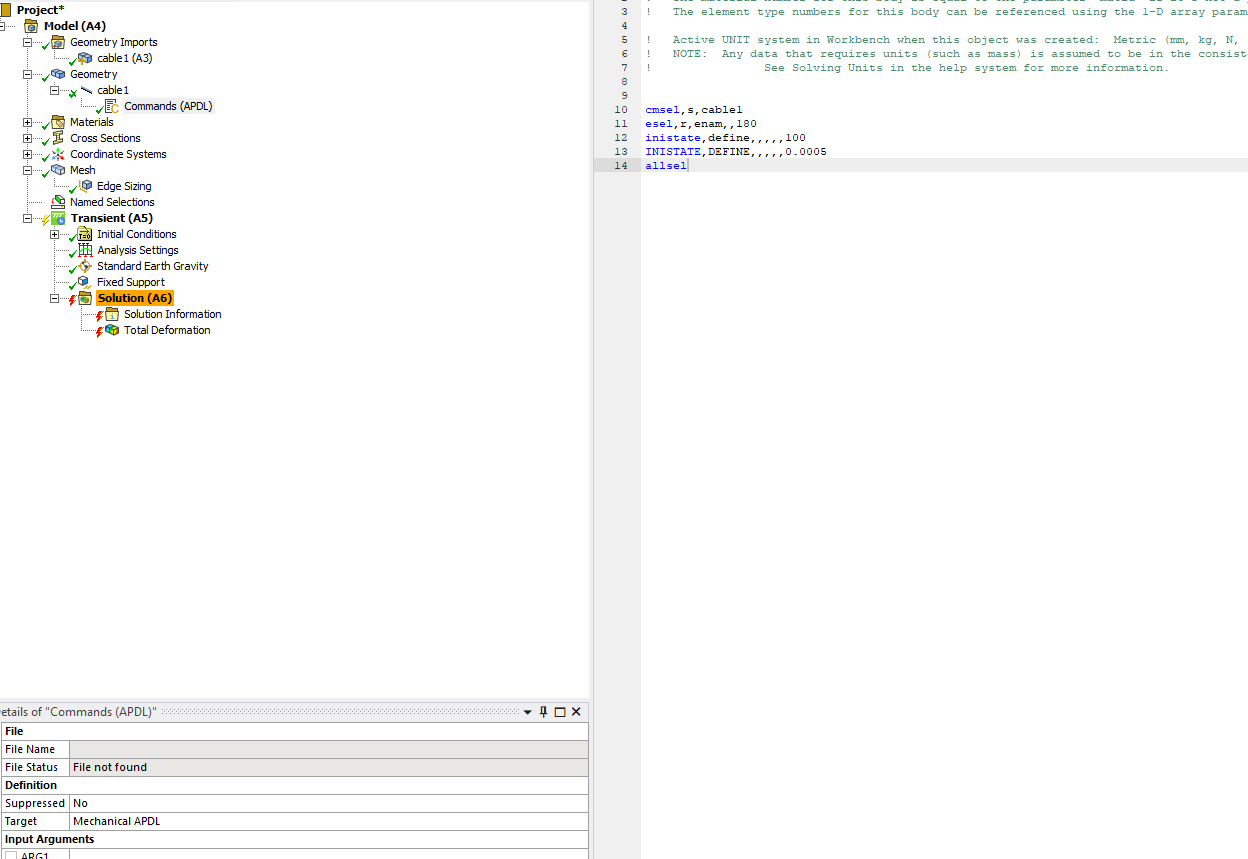
We never mentioned to include any apdl command snippets, as most likely you do not know what these commands mean and do (so would advice against things that are not understood like apdl snippets). So avoid using this – on the other hand if you want to learn some of apdl, which can be good, see here: /courses/index.php/courses/intro-to-ansys-mechanical-apdl-scripting/
Take away the apdl commmand snippet under the part – also use one step to start with, and using the step settings (min max and initial you show, they should be fine).
All the best
Erik
Â
Â
Â
-
December 15, 2023 at 5:55 pm
Juhani Manninen
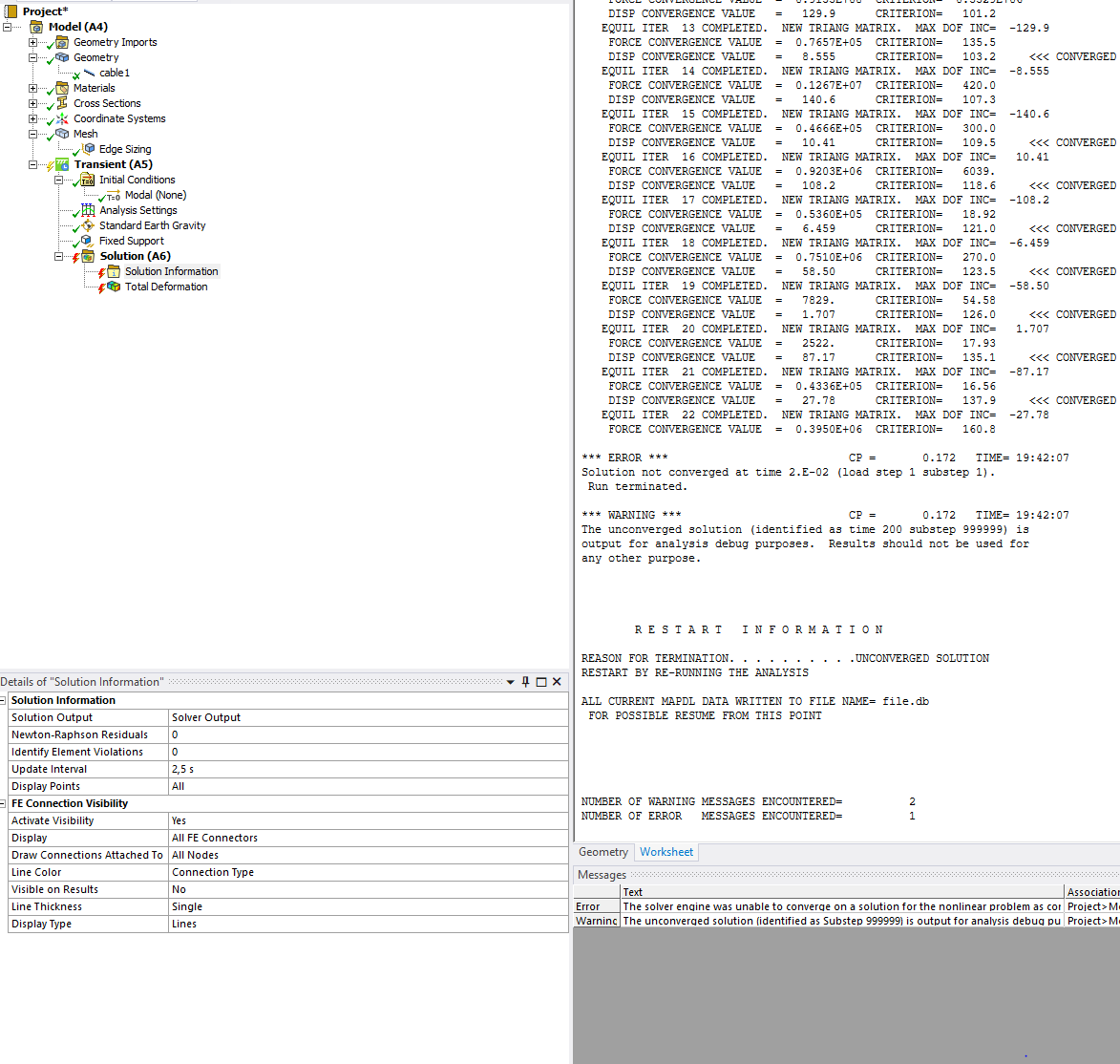
SubscriberOk, i removed that APDL command and i have only that gravitation step. Now i get these generic error and warning:Â
 *** ERROR ***                          CP =      0.172  TIME= 19:42:07
 Solution not converged at time 2.E-02 (load step 1 substep 1).        Â
 Run terminated.                                                      Â
 *** WARNING ***                        CP =      0.172  TIME= 19:42:07
 The unconverged solution (identified as time 200 substep 999999) is   Â
 output for analysis debug purposes. Results should not be used for   Â
 any other purpose.  ÂWhat i should try next?
-
-
December 18, 2023 at 8:29 am
ErKo
Ansys EmployeeÂ
Â
HI
We do not need a transient (in transient analysis, the load ramping is stepped and that casues issues here), so convert this to a static analysis system.
https://www.youtube.com/watch?v=smyT4yWr1qQ
Â
Also in the mesh/edge sizing use Hard Behavior in order to get the multiple elements on the edge (otherwise with soft it will put one only, which is not enough for a cable analysis):
https://www.youtube.com/watch?v=D8UzdC5Gmhs
Â
With that it all runs (tried it in 2022 R2 and it runs fine).
All the best
Erik
Â
Â
-
- The topic ‘Steel cable model’ is closed to new replies.
-
5864
-
1906
-
1420
-
1305
-
1021
© 2026 Copyright ANSYS, Inc. All rights reserved.