

TAGGED: ansys-spaceclaim, split
-
-
July 6, 2021 at 10:14 am
jainsam
SubscriberHi,
I am working on a bone structure made up of various elements with each having a distinct material property. I have to split the bone into two parts for the simulation of a fracture.
I know that there is an option called split in SpaceClaim which could be used to cut the body into two. But in my case, since I have a huge number of elements/faceted bodies that I have to split using a plane, is there any way by which I can directly split the complete body(with all faceted bodies combined) using a single command? For now, I am able to cut each individual body, but not all at once.
I also tried scripting in SpaceClaim, but I was not able to select the elements/facet body through code. If anyone can also help me with how to select the faceted bodies, then that would be very great as I can use the for loop after that.
July 7, 2021 at 5:32 am1shan
Ansys EmployeeI am not sure why you cant select multiple bodies from the structure tree and split them all at once with a single plain? Something similar to what is done below.
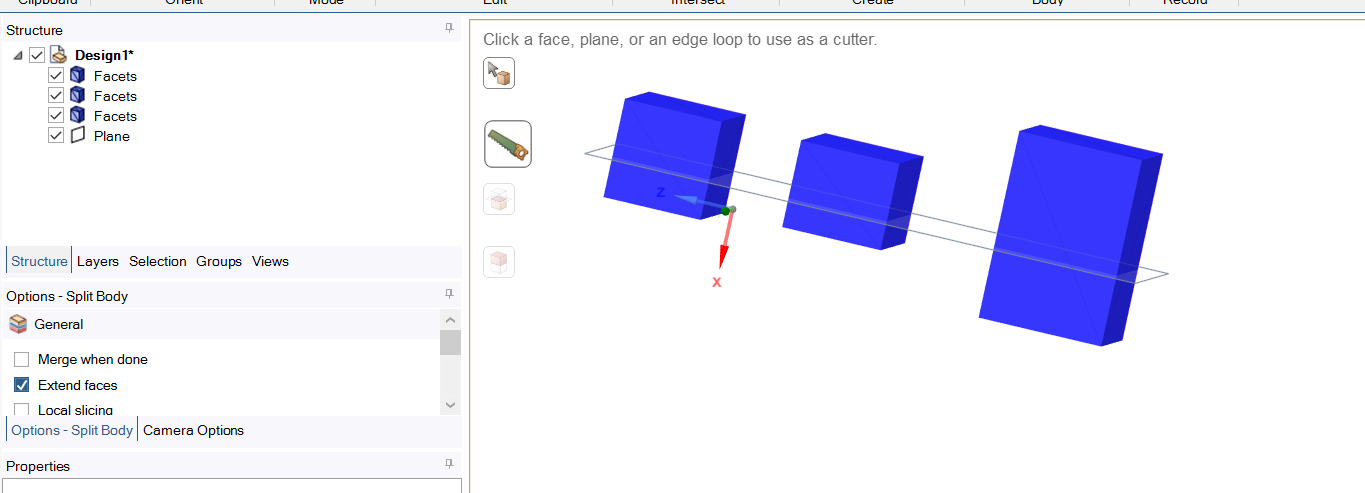
Regards Ishan.
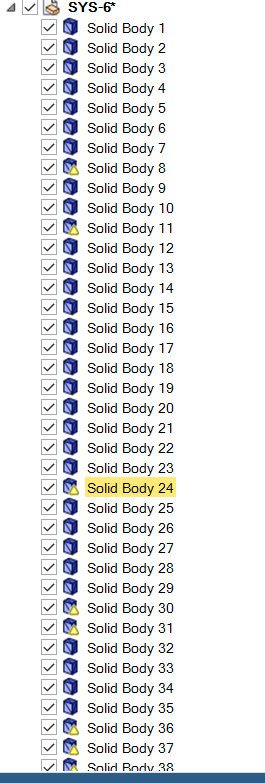
July 8, 2021 at 7:49 amSubscriberThank you for your answer. But the problem was that I have more than 300 such bodies which I cannot select each one by clicking(even that I have to do it for multiple cases).
I found the answer myself using the scripting option in SpaceClaim and accessing each facet body through GetRootPart().Meshes[i]
Thanks & Regards
Sambhav
Viewing 2 reply threads- The topic ‘Splitting the facet body into two parts using SpaceClaim’ is closed to new replies.
Innovation Space Trending discussions
 Top Contributors
-
peteroznewman
 6485
6485 -
scabo
 1906
1906 -
Dennis Chen
 1458
1458 -
javat33489
 1308
1308 -
Shyam Prasad V Atri
1022
Top Rated Tags
© 2026 Copyright ANSYS, Inc. All rights reserved.
Ansys does not support the usage of unauthorized Ansys software. Please visit www.ansys.com to obtain an official distribution.
-


 You are navigating away from the AIS Discovery experience