-
-
December 13, 2023 at 3:29 pm
Syed Saif Ali
SubscriberHi Team,
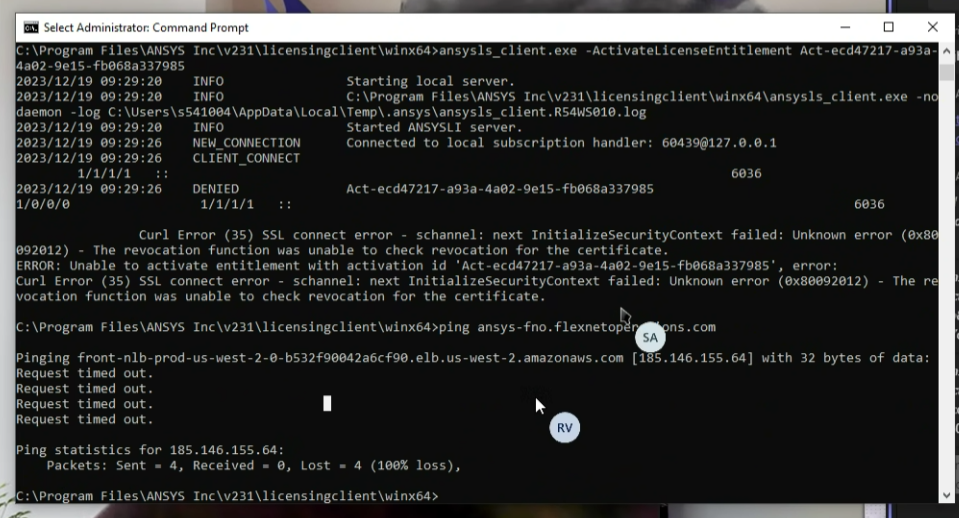
Our customer is having issue with the activation of license using CMD, Can you please assist?
Curl Error (35) SSL connect error - schannel: next InitializeSecurityContext failed: Unknown error (0x80092012) - The revocation function was unable to check revocation for the certificate.
ERROR: Unable to activate entitlement with activation id 'Act-cb83293b-61df-4043-814b-c7cff9b0e995', error:
Curl Error (35) SSL connect error - schannel: next InitializeSecurityContext failed: Unknown error (0x80092012) - The revocation function was unable to check revocation for the certificate.
Also "curl -v --ssl-no-revoke https://laas.fnocc.com is failing" -
December 18, 2023 at 4:53 pm
George Karnos
Ansys EmployeeTry the following:
Must allow connectivity on port 443 to these sites:Âlaas.fnocc.comocsp.digicert.comocsp.int-x3.letsencrypt.orgflex1397.flexnetoperations.comr3.o.lencr.orgÂRun these commands:Âcurl -v --ssl-no-revoke https://laas.fnocc.comÂcurl -v https://laas.fnocc.comÂcheck https://laas.fnocc.com/FNOConnectorCore/ansys/healthcheck through the browserPost any and all errors encountered. -
December 19, 2023 at 2:48 pm
-
December 19, 2023 at 3:02 pm
George Karnos
Ansys EmployeeCan you have them run the commands and share the output from those commands?
Do they use a proxy?
Install the latest DigiCert certificate: https://discoveryforum.ansys.com/t/h4gzdg
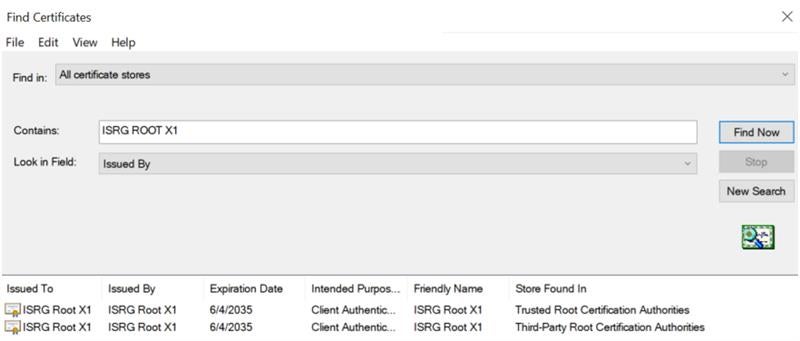
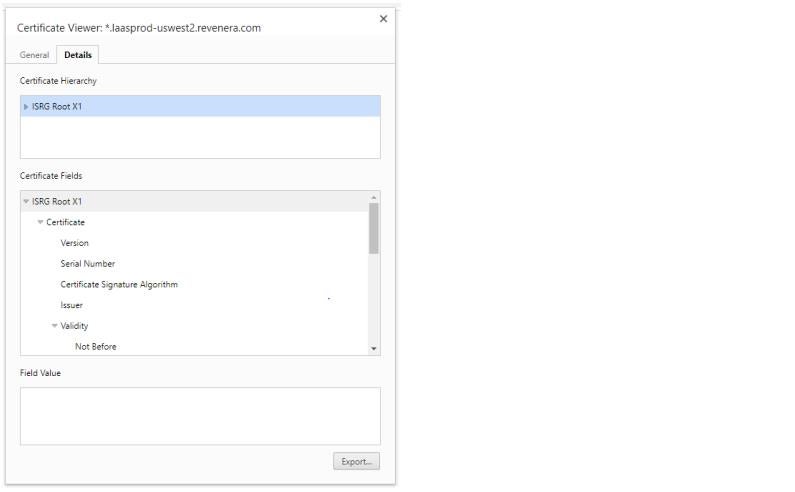
Make sure they have the ISRG ROOT X1 certificate.
Â
Â
Â
-
December 19, 2023 at 3:15 pm
-
December 28, 2023 at 5:40 pm
ANSYS_MMadore
Forum ModeratorHello Syed, did you confirm the certificates?
Please send the output of these commands:
curl -v --ssl-no-revoke https://laas.fnocc.comÂcurl -v https://laas.fnocc.comÂDid the user test connectivity to the listed sites? You can test these with telnet:telnet SITE 443or using Powershell
Test-NetConnection SITE -Port 443
Does the customer use a proxy for connection to the internet?Â1. Add ocsp.digicert.com to their firewalls to ensure full connectivity with the site. The appropriate measure is to allow access to the certificate check URL:  ocsp.digicert.com. Please have their IT ensure they can connect to the DigiCert revocation server.
Â
2. Have them try installing Digicert  as in https://discoveryforum.ansys.com/t/h4gzdg
Â
3. Potentially a Proxy in place. Make sure they set the proxy settings under Internet Options and the HTTPS_PROXY variable. For reference see https://discoveryforum.ansys.com/t/m2jxqa/discovery-patch-for-addressing-proxy-server-issues
Â
Are you able to submit a Support Request on the customer portal where we might be able to dig deeper?
Â
-
- The topic ‘SpaceClaim License Issue’ is closed to new replies.
-
6650
-
1906
-
1469
-
1312
-
1022
© 2026 Copyright ANSYS, Inc. All rights reserved.