TAGGED: graphics, spaceclaim
-
-
November 26, 2019 at 10:16 am
junyi.lee
SubscriberHello,
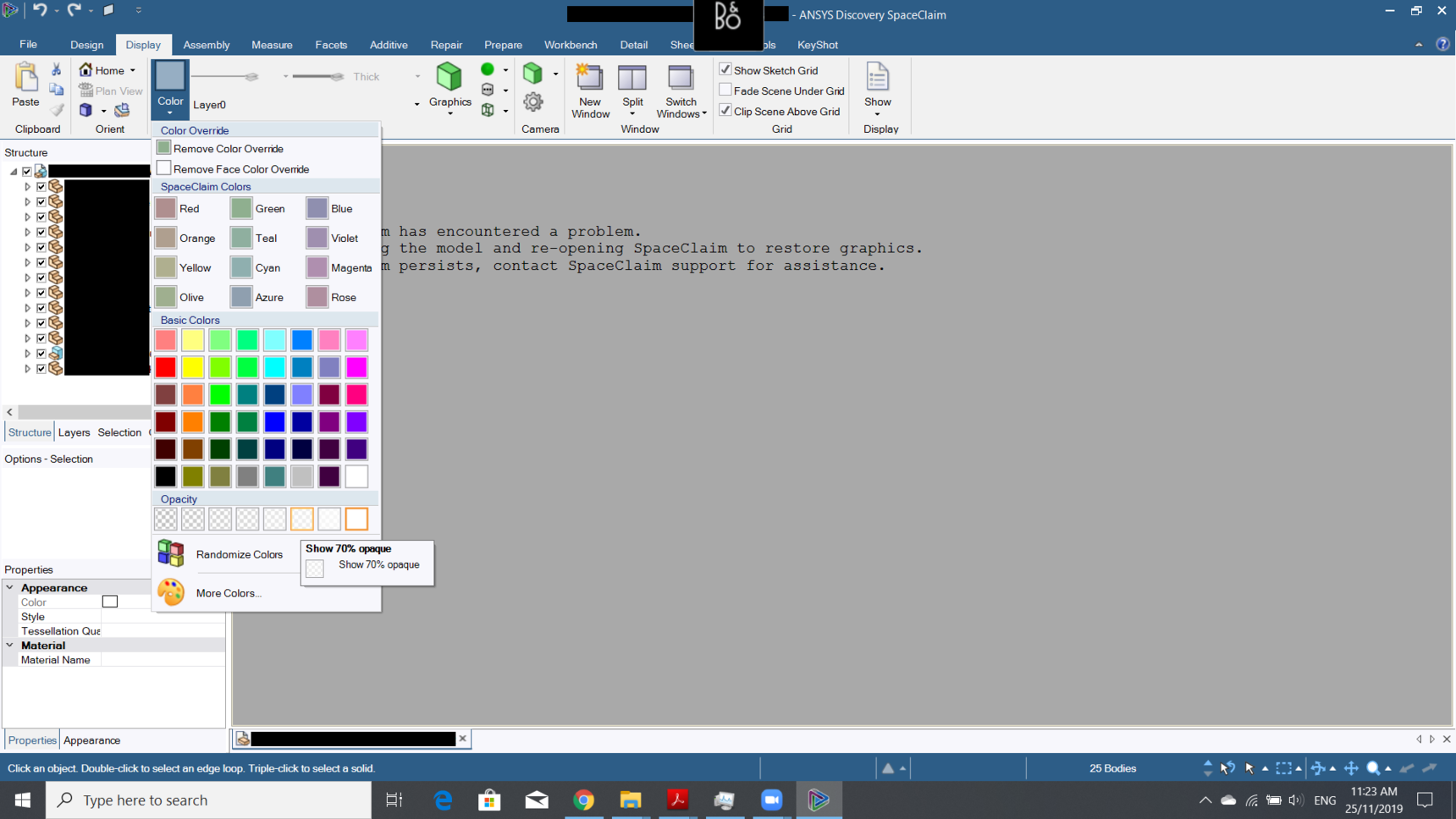
I was trying to adjust the opacity of a customer's geometry in Discovery SpaceClaim 2019 R3. I selected everything and changed them to 70% opaque, and then I got this error:
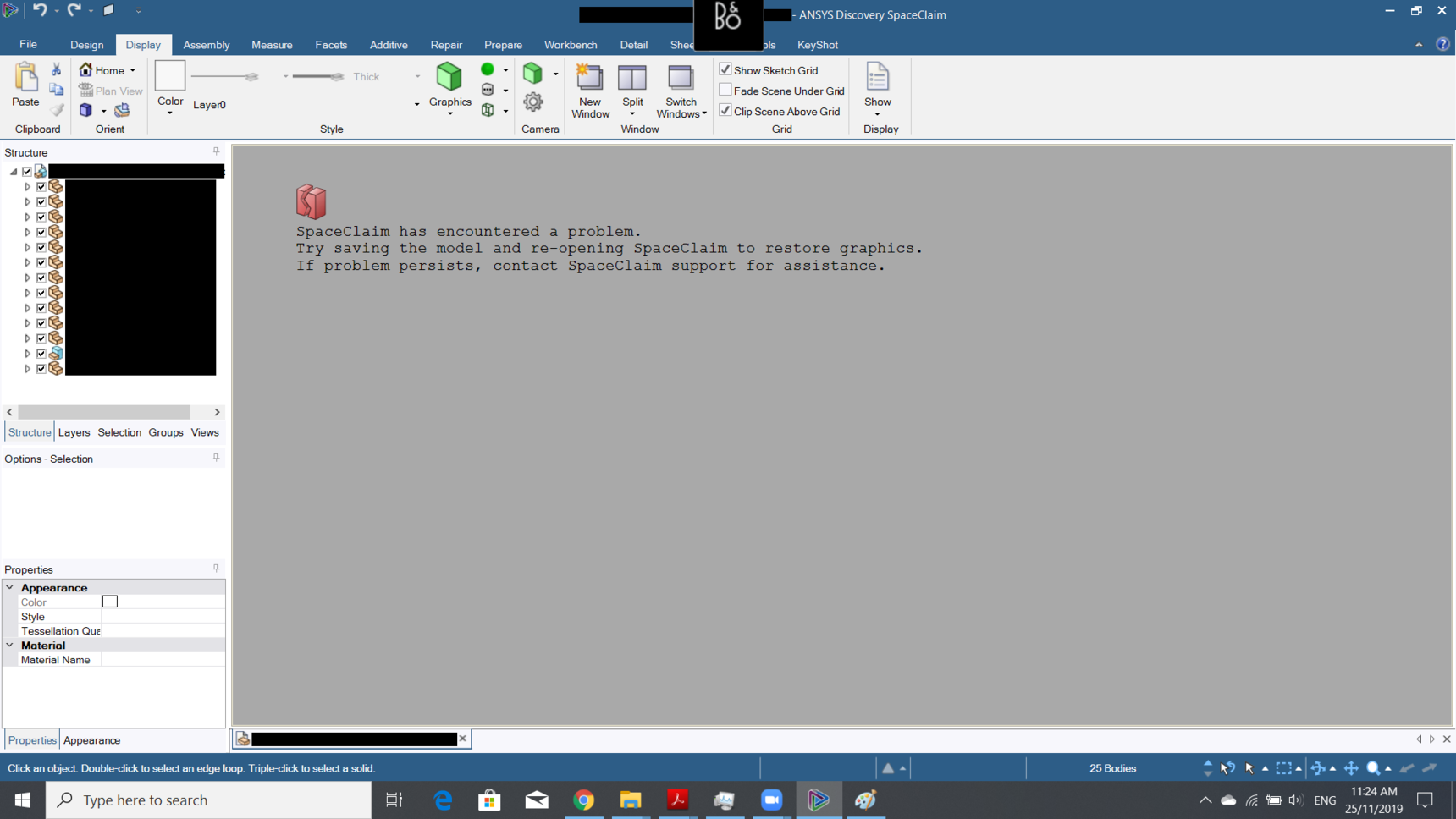
SpaceClaim has encountered a problem.
Try saving the model and re-opening SpaceClaim to restore graphics.
If problem persists, contact SpaceClaim support for assistance.
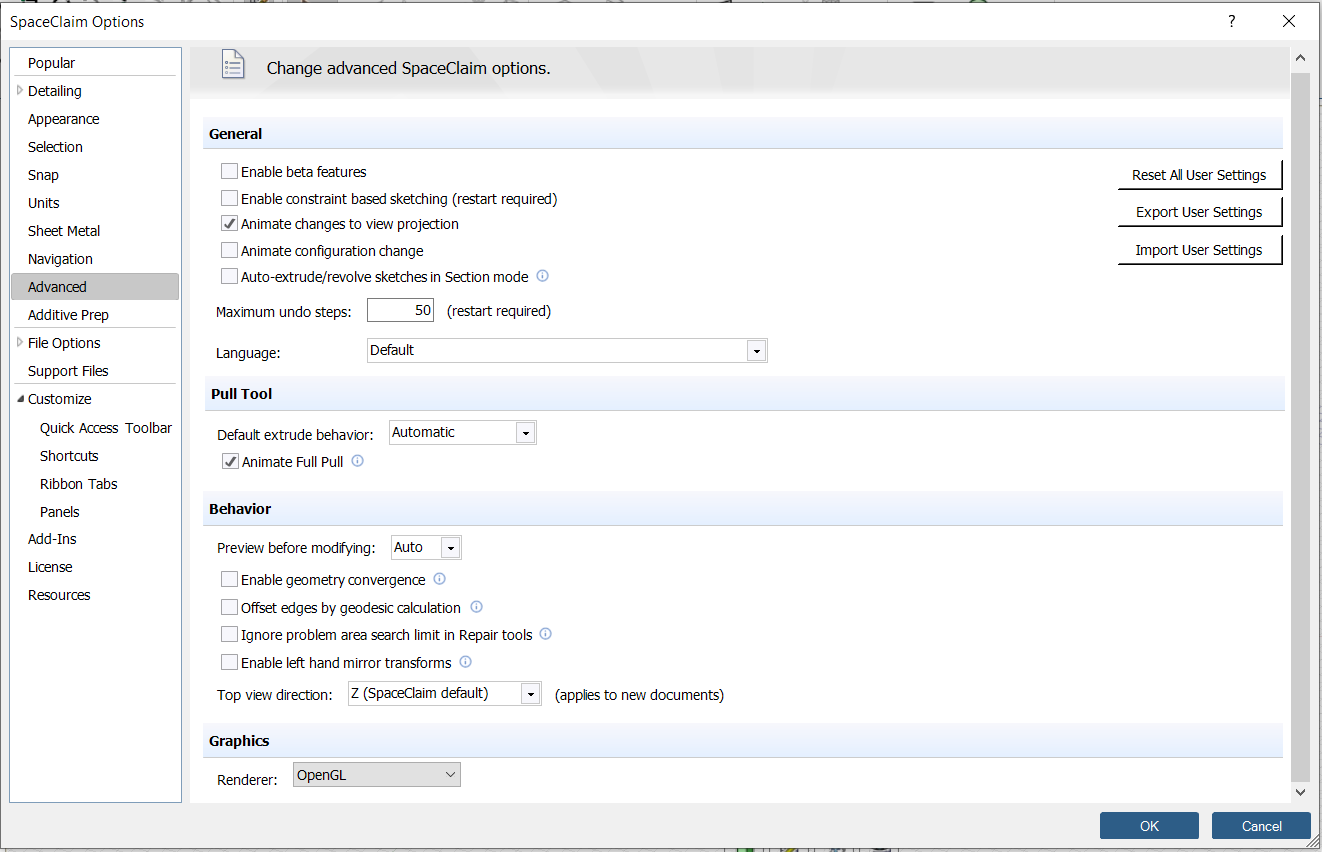
Screenshots are attached, as well as my Graphics settings. I tried both 2019 R2 and R3, and got the same error. I also tried opening .scdoc file and .x_t files and got the same error.
We would appreciate it if you have any advice on this, or is there ongoing development to improve the robustness of Discovery SpaceClaim in the next version? On a (possibly) separate note, some customers have also complained about the stability of SpaceClaim, where it used to be generally more stable with SpaceClaim Engineer... Unfortunately, I cannot share the geometry file here.
-
November 26, 2019 at 12:21 pm
subashni.satish
Forum ModeratorHello Jun
I'm unable to reproduce this issue with both 2019 R2 and 2019 R3 versions and with .x_t and .scdoc format.
Could you please 'Export User Settings' and share it with us?
Could you also try the same steps again and share the latest log file it creates. You will find the log file in the below default location.%AppData\%Roaming\SpaceClaim\Log Files
-
November 26, 2019 at 12:35 pm
subashni.satish
Forum ModeratorHello Jun
Also, can you please confirm if you have updated your graphics drivers to the latest version from the Graphics manufacturer's website? If not, please update the drivers and try again.
-
November 27, 2019 at 2:11 am
junyi.lee
SubscriberHello Subashni
Thank you for your reply. Please find the attached exported User Settings file, as requested.
Unfortunately, Windows can't find the location "%AppData\%Roaming\SpaceClaim\Log Files".
Ok I will update my graphics driver.
Kind regards,
Jun
-
November 27, 2019 at 8:31 am
subashni.satish
Forum ModeratorHello Jun
Looks like you have missed adding the attachment. Can you please send that again?
You will find the log files at the below location. Sorry I gave you the shorter version of the path.
C:\Users\ < username > \AppDataRoamingSometimes, the AppData folder could be hidden. You can access it by searching for %AppData%
Also, please perform the steps that cause the crash and then send the log file generated.
-
February 17, 2020 at 2:09 pm
junyi.lee
SubscriberHello Subashni
Sorry for the late response.
Please find the attached exported User Settings file, which can be downloaded via the link below.
https://workdrive.zohoexternal.com/external/llX4FjvNfB-Kk3pU
Could not upload it here because it says: "File type not supported."
Please also find the attached latest SpaceClaim log file.
However, I've installed 2020 R1 and it seems to be working fine now.
🛈 This post originally contained file attachments which have been removed in compliance with the updated Ansys Learning Forum Terms & Conditions -
February 18, 2020 at 6:17 am
subashni.satish
Forum ModeratorHello Jun
Thank you for getting back. Good to know that updating the version resolved the issue.
You can write back to us if you see this issue again.
-
- The topic ‘“SpaceClaim has encountered a problem.”’ is closed to new replies.
-
6219
-
1906
-
1452
-
1308
-
1022
© 2026 Copyright ANSYS, Inc. All rights reserved.










