Ansys Assistant will be unavailable on the Learning Forum starting January 30. An upgraded version is coming soon. We apologize for any inconvenience and appreciate your patience. Stay tuned for updates.
3D Design

3D Design

Topics related to Ansys Discovery and Ansys SpaceClaim.

spacecalim annotation format

    • daniel.nouxet
      Subscriber
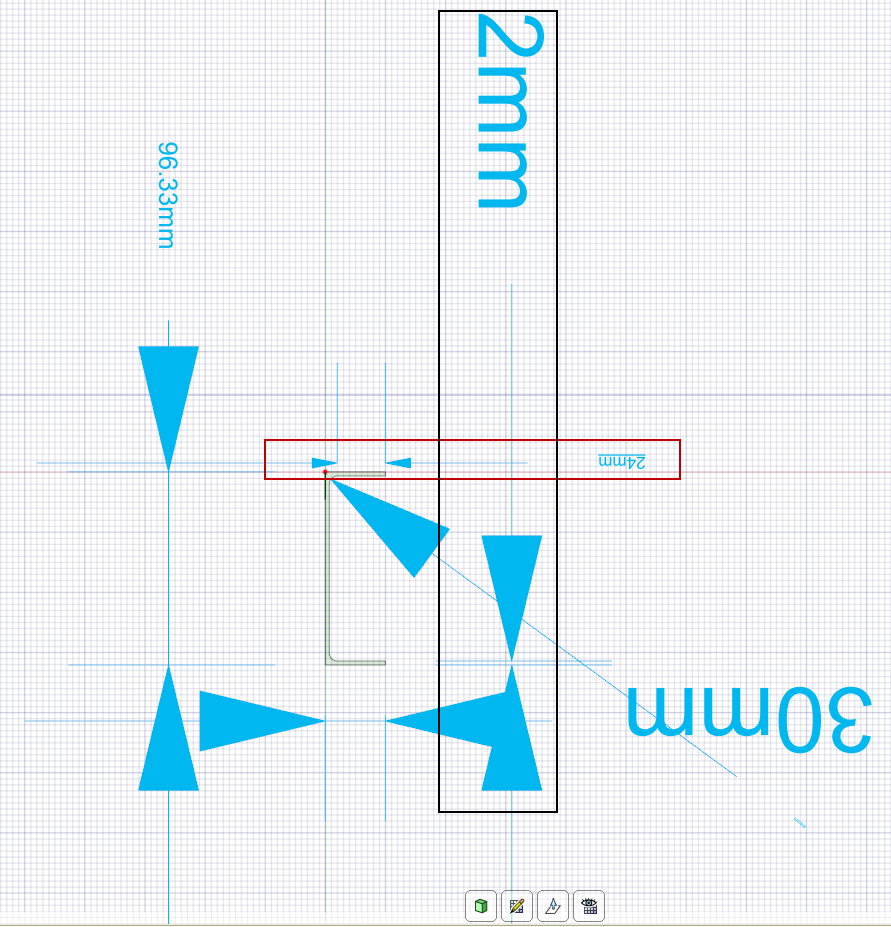
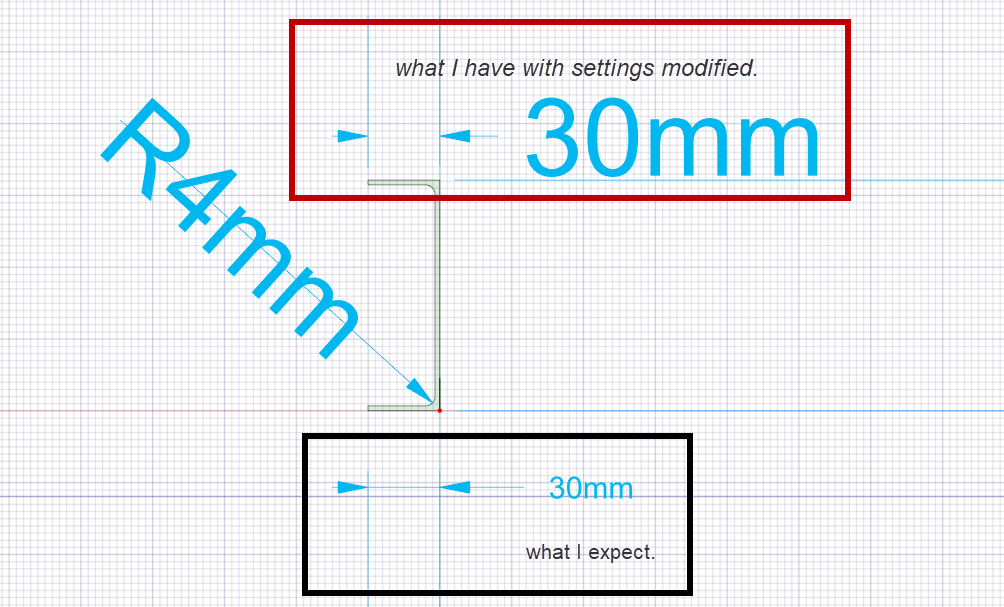
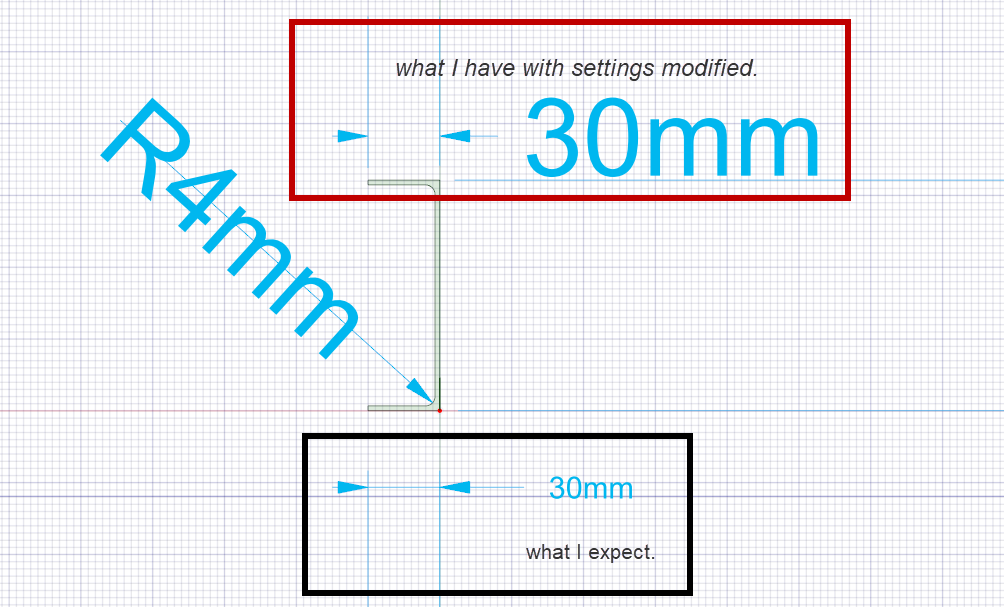
        Hi, I'm in "section mode" and I have actvivated a plane in order to make "annotation dimension". But I don't understand how to modify the annotation setting. Is it poossible to modify annotation setting ? Please see my picture: In red, what I want by default. In black, what I have.   Regards.   Daniel
    • subashni.satish
      Forum Moderator

      Hello dNouxet

      I hope I understand correctly from you your image that you would like to change the text and arrow size in your annotation.

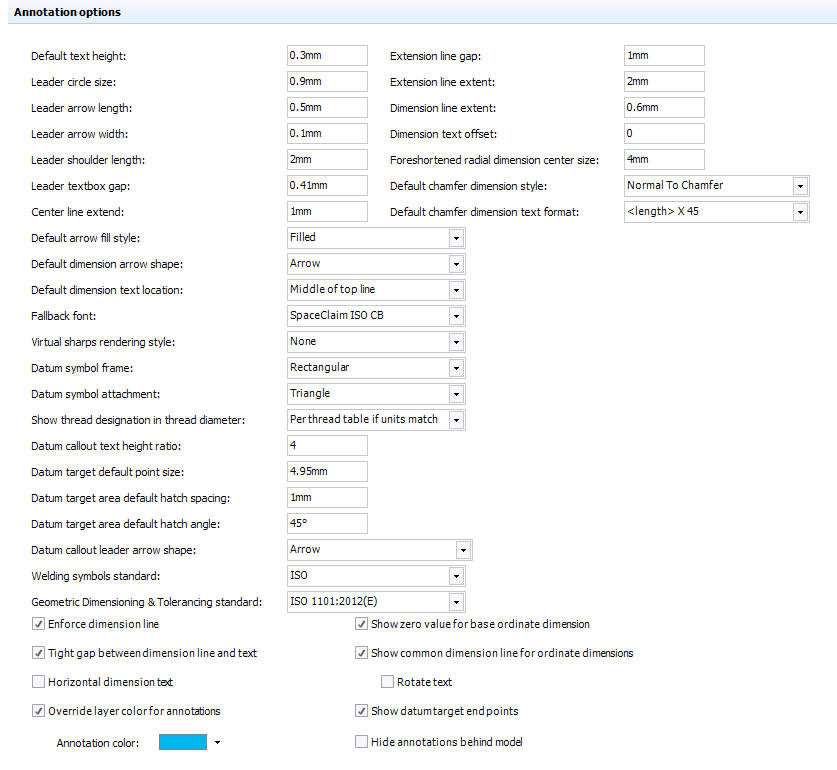
      You go to File> SpaceClaim Options and under 'Detailing> General' Annotation options and Linestyle options, you can customise them as required.

    • daniel.nouxet
      Subscriber
      Hello Subashni Thanks for you answer. I have tested the method. It's right for arrows concern, but I don't understand how modify the text. I modify the 'Default text height' without modification.   On a same topic: is it possible to modify the settings by C# thanks to API ?   regards. Daniel    
    • daniel.nouxet
      Subscriber
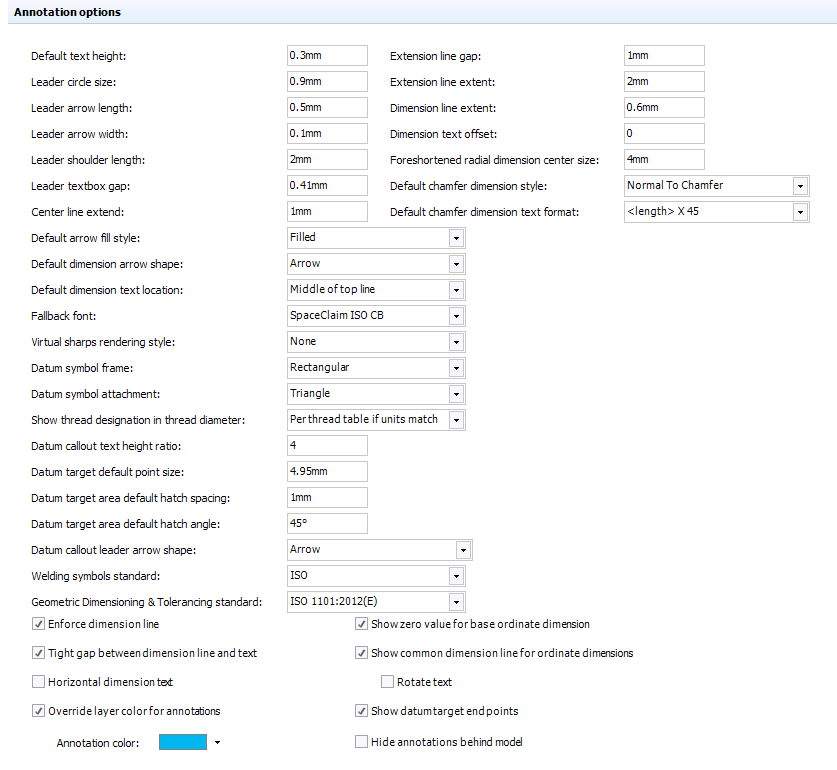
      Hi Subashni , I tried to modify the value 'Default Text Height' without result change:  
    • subashni.satish
      Forum Moderator

      Hello dNouxet

      You can also modify the individual text height from the mini-toolbar, by right-clicking on the Text box.  Or select the text box and modify the text height from the Details tab> Font panel.

Viewing 4 reply threads
  • The topic ‘spacecalim annotation format’ is closed to new replies.
[bingo_chatbox]