Ansys Assistant will be unavailable on the Learning Forum starting January 30. An upgraded version is coming soon. We apologize for any inconvenience and appreciate your patience. Stay tuned for updates.
3D Design

3D Design

Topics related to Ansys Discovery and Ansys SpaceClaim.

Sketching dimensions in Desigh Modeller

    • fx213
      Subscriber

      Dimensions in the menu on the bottom left


      Hello,


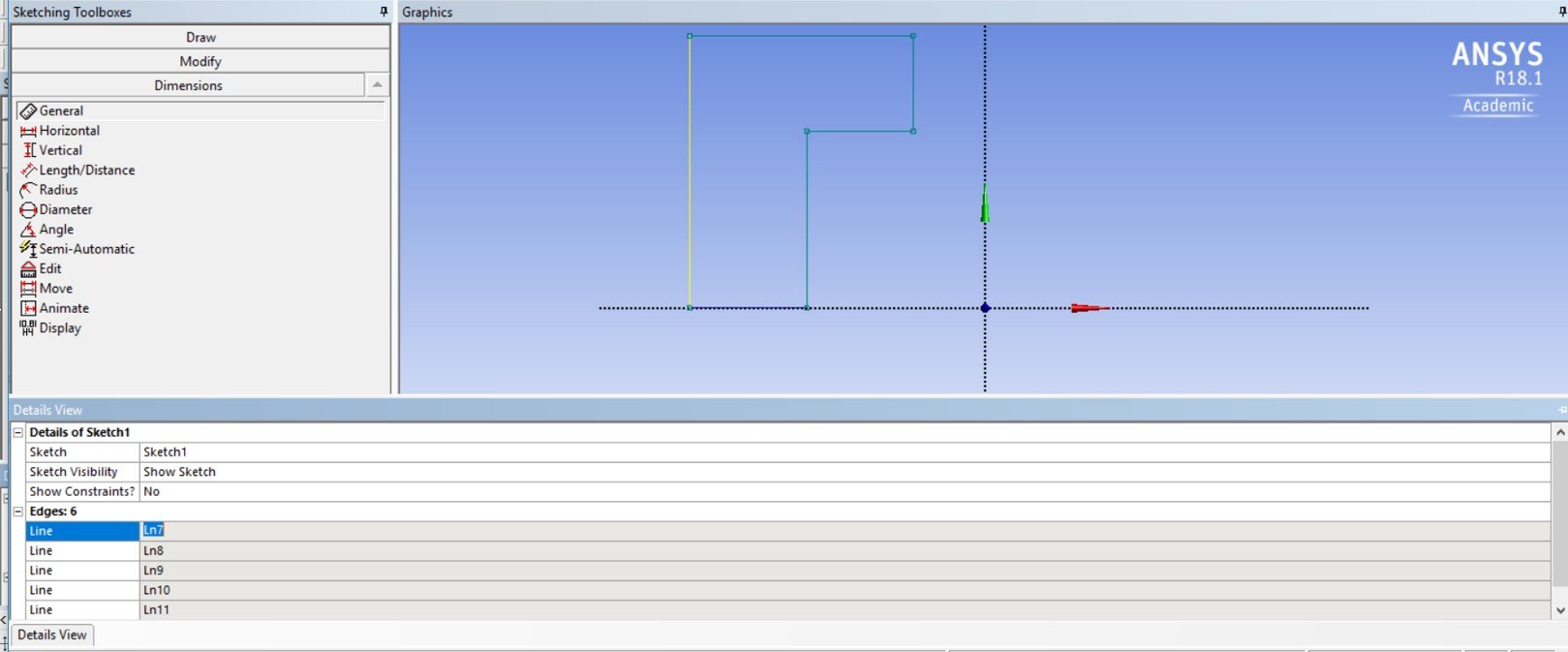
      I would like to ask you a question on the way I can define the dimensions in the Design Modeller sketching from the menu on the bottom left, below the sketching toolbox, in Details View.


      I have attached the image of the sketch of a model that I am trying to dimension, however when I go to the relevant menu and the respective line that I want to give dimension, as the tutorials suggest, there is no option for that, and I cannot give any value in the respective blank (Image attached). Any suggestions?


      I am not sure whether the version of the software play a role but I have installed in my laptop Ansys 18.1.


      Kind regards,


      FX

    • Rob
      Forum Moderator

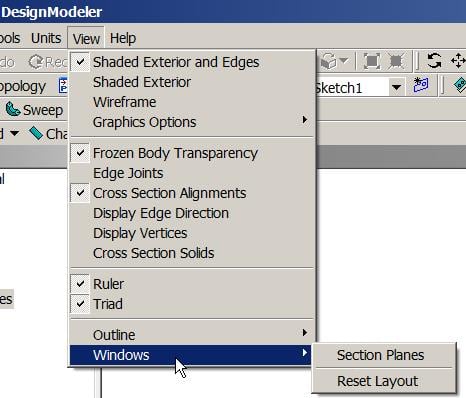
      Go to View and look through the options for Windows(?) or Toolbars and there's a reset layout. I think you've moved something by accident and the dimensions box is underneath the Details View panel. 

    • fx213
      Subscriber

      Dear Rwoolhou,


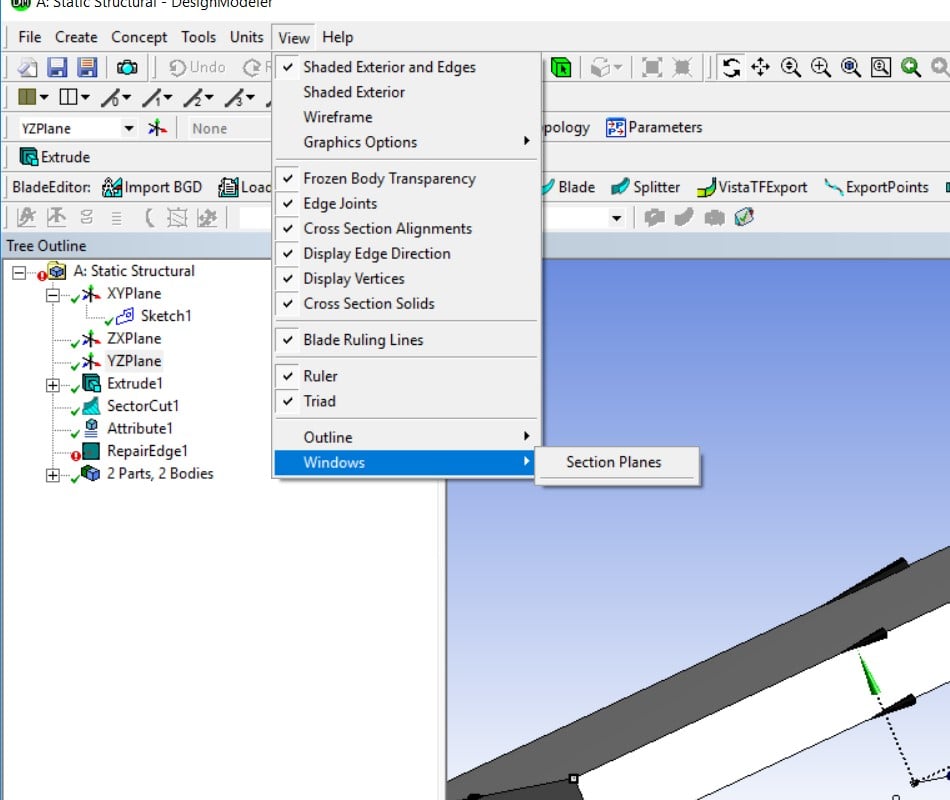
      I tried to find some options from View, which has not much, only options for Windows from that choice was `Section Planes`.


      I tried to make some changes from Tools/ Options that there were much more from Geometry, Miscellaneous, Sketching and Toolbars that I could change.


      From the last one, Toolbars there where some options to change like Repair, Attribute or Body Transformation from what I assumed, but nothing from these helped or seemed to work.


      Thank you anyway for your time to reply.


      Kind regards,


      FX

    • peteroznewman
      Subscriber


      Use View, Windows, Reset Layout.

    • Rob
      Forum Moderator

      Thanks Peter. 

    • fx213
      Subscriber

      Dear Peter Oznewman,


      Thank you for your reply as well.


      In my View menu, at Windows does not appeared this option of `Reset Layout `(Image attached). I will try again.


      Kind regards, 


      FX


      Reset Layout does not appeared

    • peteroznewman
      Subscriber

      Dear fx213,


      Review this discussion.


      I tried what GaryS said in his post, but I could not find the Tools, Addins menu.


      What Sandeep links to, clearing the appdata, is a sure thing for resetting the behavior of Workbench to the original installation configuration.


      Regards, Peter


    • fx213
      Subscriber

      Thank you.


      Regards,


      FX

Viewing 7 reply threads
  • The topic ‘Sketching dimensions in Desigh Modeller’ is closed to new replies.
[bingo_chatbox]