Ansys Assistant will be unavailable on the Learning Forum starting January 30. An upgraded version is coming soon. We apologize for any inconvenience and appreciate your patience. Stay tuned for updates.
Fluids

Fluids

Topics related to Fluent, CFX, Turbogrid and more.

Size Function for Dynamic Mesh

    • Max4
      Subscriber

      Hi,


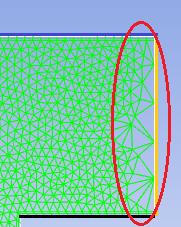
      I have a problem by remeshing a moving wall boundary. When the black line is moving down, cells on the moving boundary are stretched and not correctly remeshing occurs.


      Is it recommanded to use the "Sizing Function" in Remeshing Option of Fluent? I have read the theory about this in the Theory Guide of ANSYS Fluent. If this feature is enabled, if affects all the domain, am I right?


      Another solution would be to use the text command "sizing-functions/" in the Meshing Mode. Thus, it is possible to choose just one face or edge and affect the sizing functions based on this boundary. Is this solution better for this problem? Nevertheless, the switch to Meshing Mode is just avalaible for 3D-Case as far as I know.


      Regards,


      Maxime

    • Keyur Kanade
      Ansys Employee

      meshing mode is only for 3d. 

    • Max4
      Subscriber

      Thank you. Have you any idea how to solve this problem on the moving boundary ?

    • Keyur Kanade
      Ansys Employee

      are there any prisms on right side?

    • Max4
      Subscriber

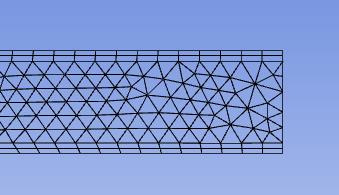
      Starting position looks like this:


    • Keyur Kanade
      Ansys Employee

      have you set right wall as deforming?


      can you please give details related to right wall only like dynamic mesh zone, mesh info, smoothing and remeshing parameters.

    • Max4
      Subscriber

      The dynamic mesh parameter are as follow. The mesh is made with tet cells with size of 2E-5m. Moreover, the geometry is composed of different zones, where the size of the mesh is different, where the values of Mesh Scale Info come from.
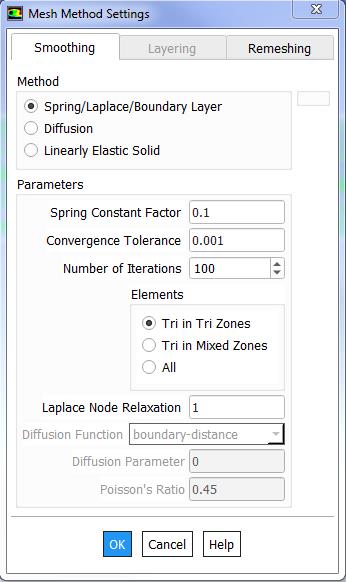
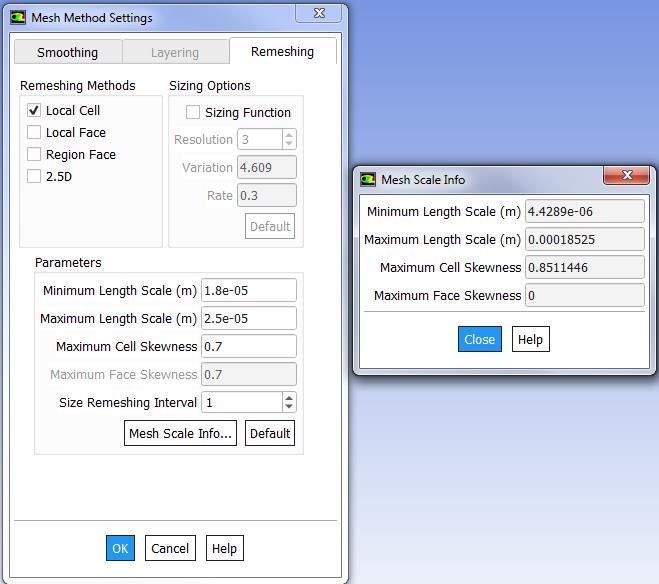

      The moving boundary wall is set as Deforming (Smoothing + Remeshing). The part "bauteil_4-v" represent the interior mesh and is set as Deforming (Smoothing + Remeshing). Inflation layer "fluid_pr_w_memb" and "membrane" are set as Stationary respectively as Rigid Body.
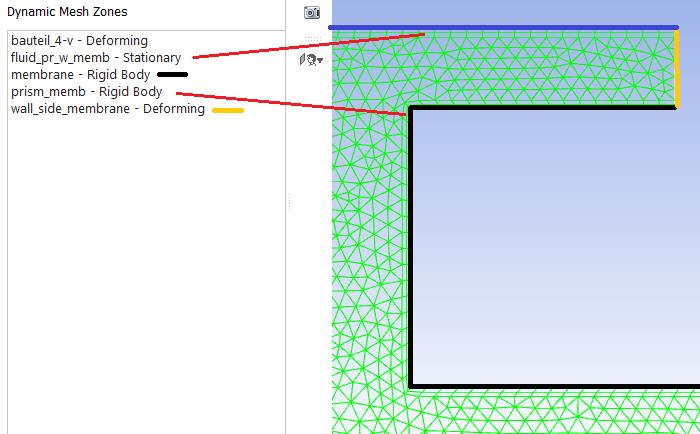


      I have tried with other min. max length scale but it does not solve the problem. I have tried with Region Face too, but it affects negatively the rest of the domain, while the remeshing along the boundary moving layer is better.


    • Keyur Kanade
      Ansys Employee

      can you please try using 'deform adjacent boundary layer with zone' for rigid body. 


      also try one more - do not set any condition for interior. 

    • Max4
      Subscriber

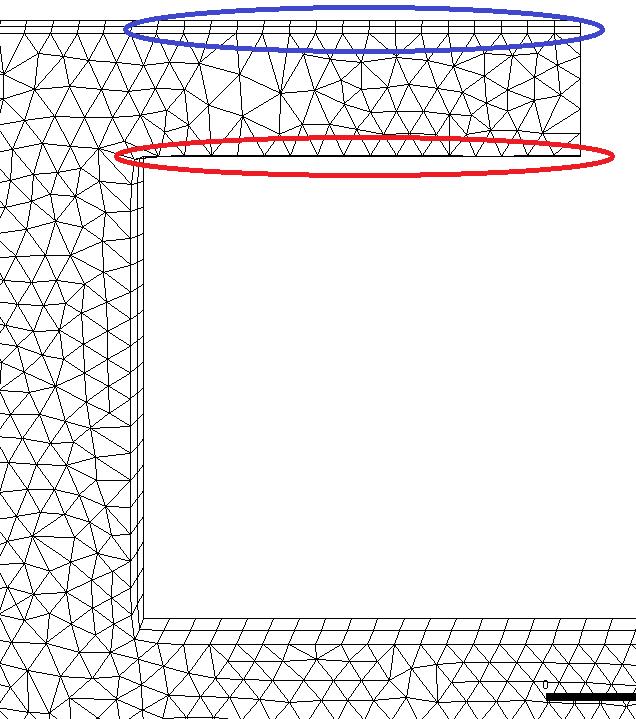
      By using "deform adjacent boundary layer with zone" for the rigid body "membrane", I obtain negative cells. Inflation layer on the top (blue) are stretched while the cells below (red) are compressed.


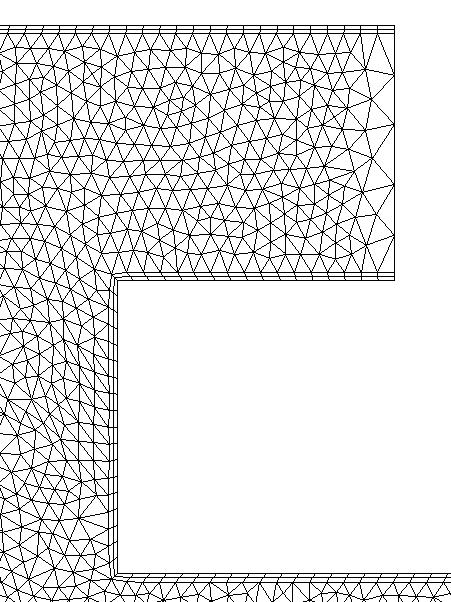
      If I set any condition for interior, I get the following. Cells along the moving boundary layer are too stretched and big.


Viewing 8 reply threads
  • The topic ‘Size Function for Dynamic Mesh’ is closed to new replies.
[bingo_chatbox]