About Service Status Dashboard
Ansys constantly monitor Ansys Cloud Burst Compute and their related components. If there is ever a service interruption, a notification will be posted to Service status dashboard page.
Ansys Services Notification Management
Use this portal to subscribe/manage notifications for Ansys Services. By checking "Notification Status" for a service or by subscribing to "all notifications" in Quick Actions, you agree to receive related email communications from Ansys.
You may unsubscribe at any time by: (i) unselecting the "Notification Status;" or (ii) unsubscribing to "all notifications" in the Quick Actions box below.
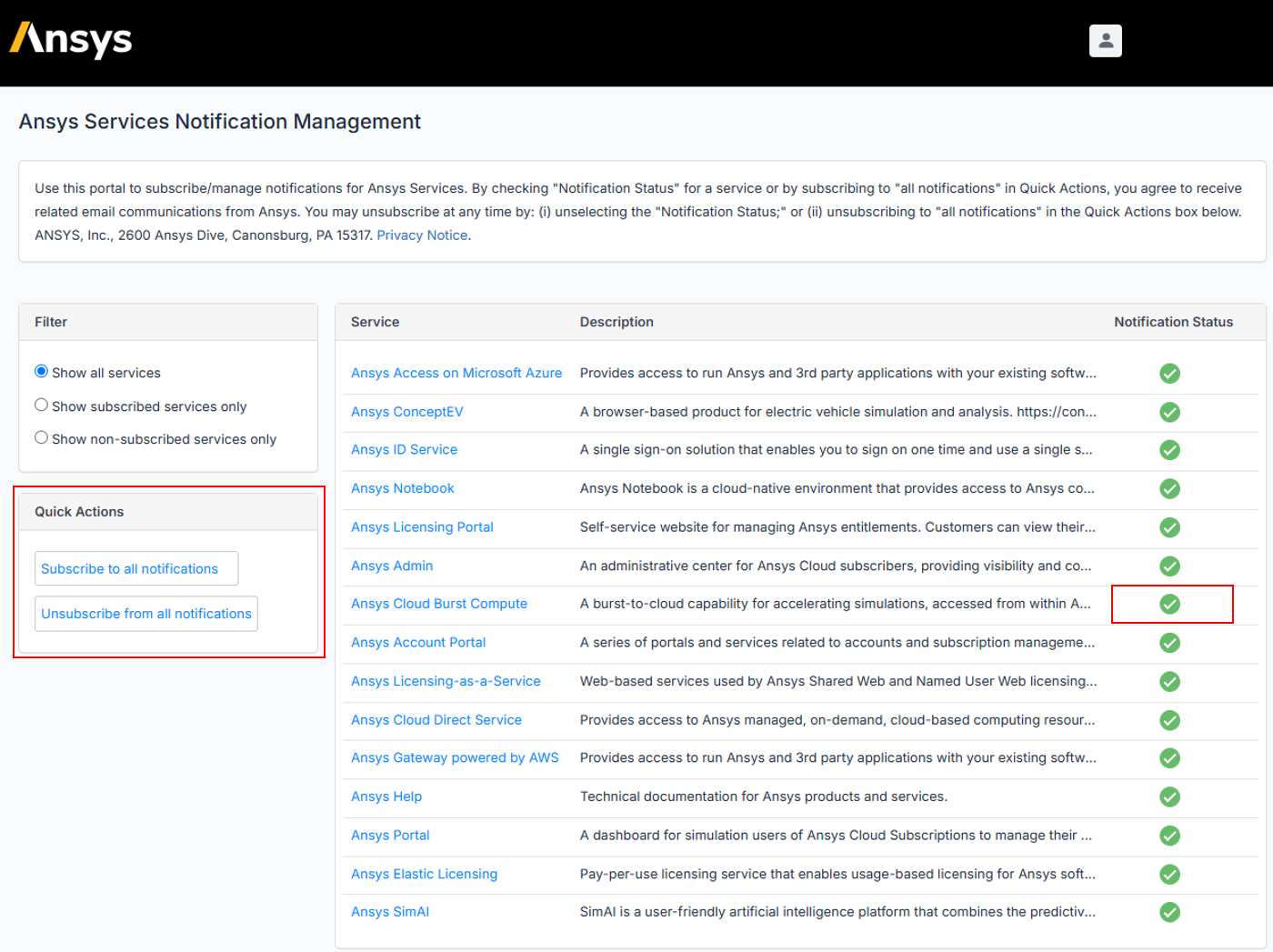
Setting up Ansys Cloud Burst Compute Services Notification
- Access the Service Status Dashboard page.
- Click Manage Notification.
- Sign in using your Ansys ID.
- Check the Notification Status checkbox of Ansys Cloud Burst Compute.

















 You are navigating away from the AIS Discovery experience