-
-
June 23, 2023 at 9:57 pm
Patryk Sienkiewicz
SubscriberHello,
Â
I have over 200 design points in my analysis. Due to the geometry being pretty complicated, every time it updates the geometry from Solidworks, it calculates contact pairs again and loses one contact pair - one of my frictional contacts basically goes back to being bonded with default settings. I don't want to calculate it one by one, setting up a new contact definition every time after updating geometry.
Is there a way to set it up that contact between those two bodies is always frictional, with formulation and settings defined by me?
-
June 25, 2023 at 10:52 am
Akshay Maniyar
Ansys EmployeeHi Patryk,
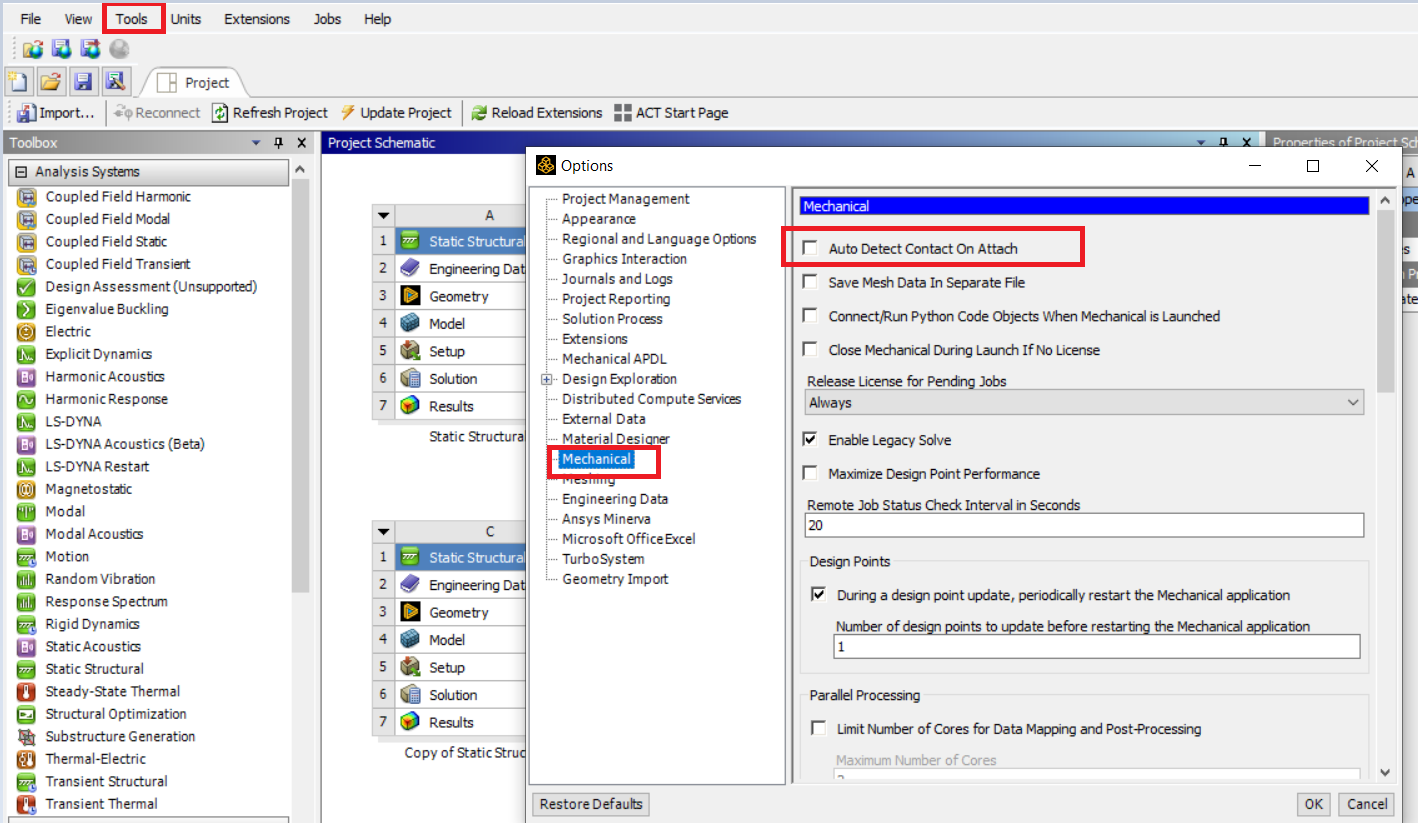
Can you explain what parameters are changing with all design points? If the input parameters which are changing does not change the IDs of part or faces scoped then you can stop the automatic generation of contacts every time the geometry is updated. Go to Tools < options < Mechanical on the workbench page and untick the 'Auto detect contact' so that contact will not be regenerated on the geometry update and contact settings will not change to default.
Thank you,
Akshay Maniyar
How to access Ansys help links
Guidelines for Posting on Ansys Learning Forum
Â
-
- The topic ‘Setting contact behavior between two bodies in Parameter analysis’ is closed to new replies.

-
5869
-
1906
-
1420
-
1306
-
1021
© 2026 Copyright ANSYS, Inc. All rights reserved.