Ansys Assistant will be unavailable on the Learning Forum starting January 30. An upgraded version is coming soon. We apologize for any inconvenience and appreciate your patience. Stay tuned for updates.
Ansys Products

Ansys Products

Discuss installation & licensing of our Ansys Teaching and Research products.

Script Error problem in ANSYS WB

    • shink
      Bbp_participant

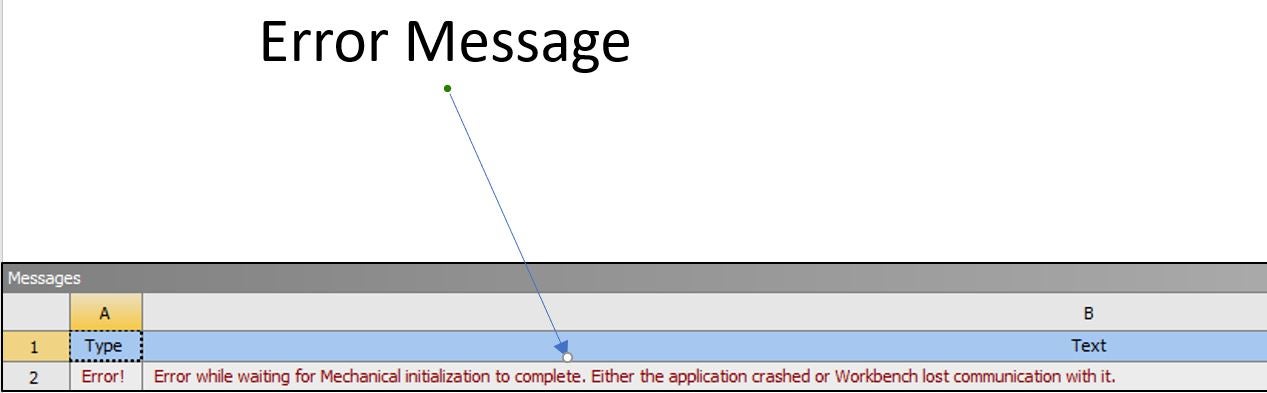
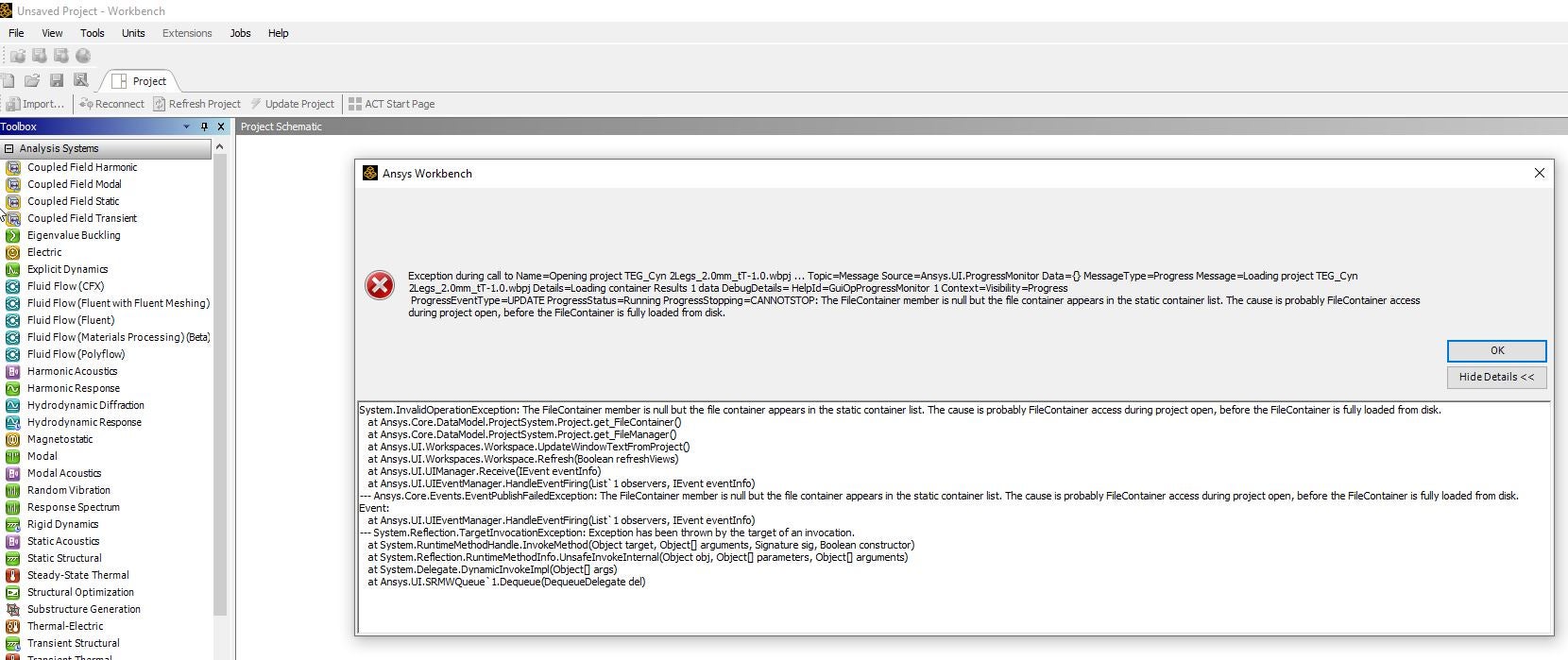
      When I start ANSYS WB, it's OK but I meet the problem as soon as I try to run my projects.

      I attached file what the problem is included rthe error message. 

      And I uninstalled and reinstalled ANSYS for several times, but it couldn't work.

      Please solve the problem ASAP, I have to perform my dissartation and research project.


    • Rajeshwari Jadhav
      Forum Moderator

      Hi,

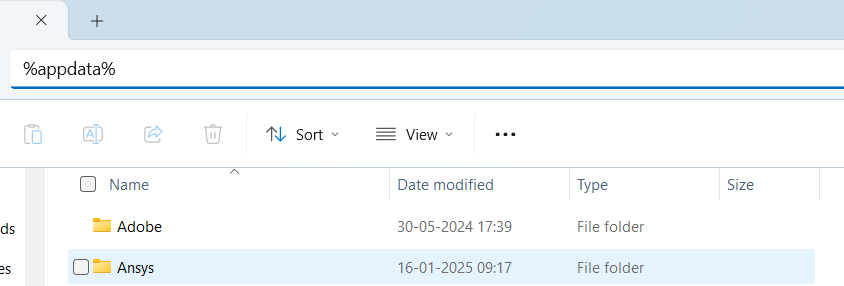
      Please rename the Ansys folder (%appdata%) to ansys.old and try to relaunch the application again.

    • shink
      Bbp_participant

      Dear Rajeshwari Jadhav

      Thank you for your reponse, but would you explain it precisely more?

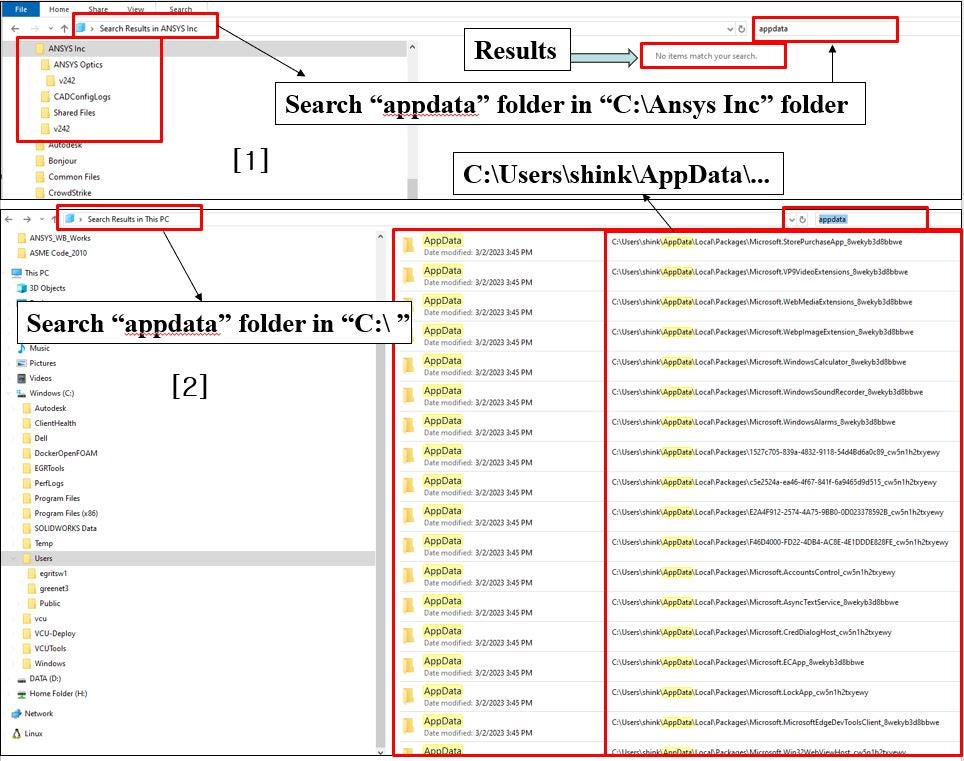
      I tried to find the "appdata" folder in [1] "C:\ Ansys Inc"  and [2] "my computer:\ C:\ and D:\...." , but I couldn't find the "appdata" folder related to ANSYS as an attach file.

      It's a urgent problem to me.

      Thank you.

      Sincerely

      Kyuin Shin

    • Rajeshwari Jadhav
      Forum Moderator

      No need to search it, just mention %appdata% in directory and then rename the Ansys folder to Ansys.old.

    • shink
      Bbp_participant

      Dear Mr. Rajeshwari Jadhav

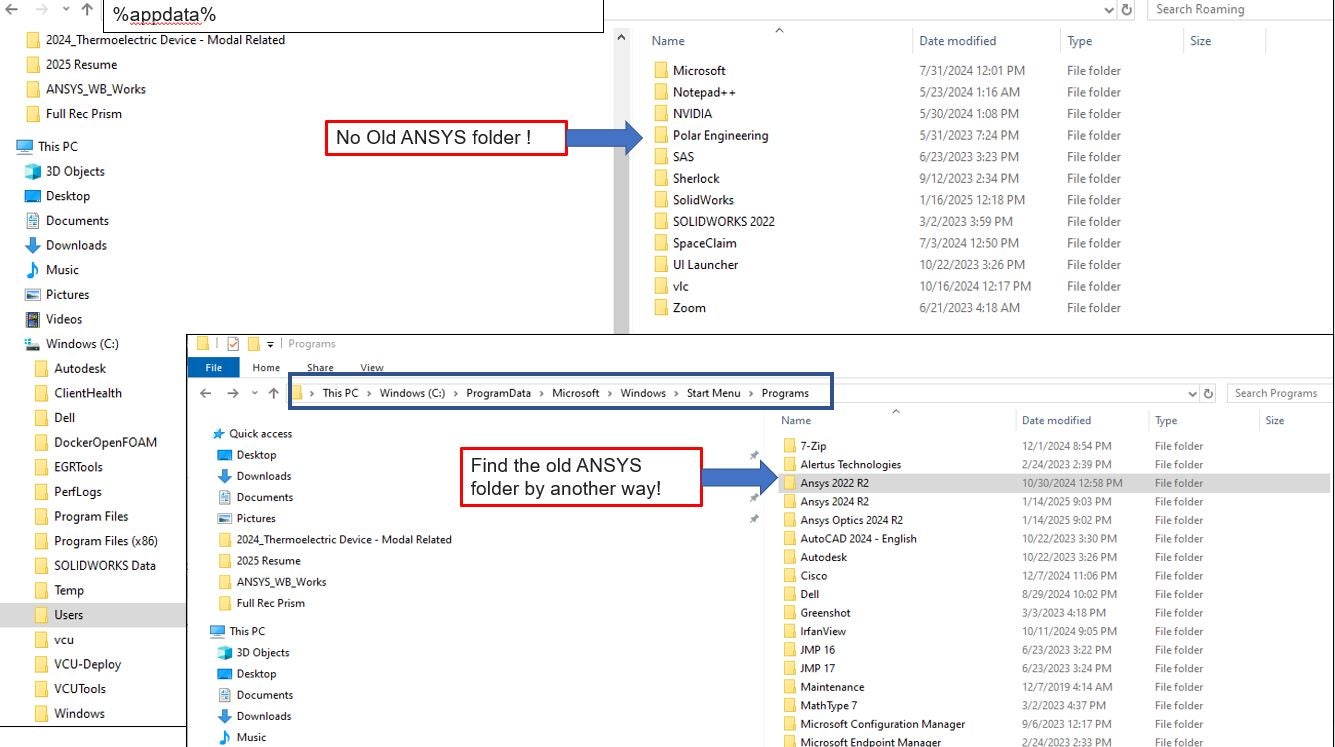
      Thank you again, but I couldn't solve it yet as an attach file.

      Using the "appdata" , there was no ANSYS folder like your picture, the other hand I found the old Ansys folder as "ANSYS 2022 R2" as an attach file.

      Do I change the folder name from "ANSYS 2022 R2" to "ANSYS 2022 R2.old" ?


      Thank you.

      Sincerely

      Kyuin Shin

    • shink
      Bbp_participant

      Dear Mr. Rajeshwari Jadhav

      And I found Ansys folder ad an attached file and changed "ANSYS" to "ANSYS.old" folder.


      Sincerely

      Kyuin Shin

    • shink
      Bbp_participant

      Dear Mr. Rajeshwari Jadhav

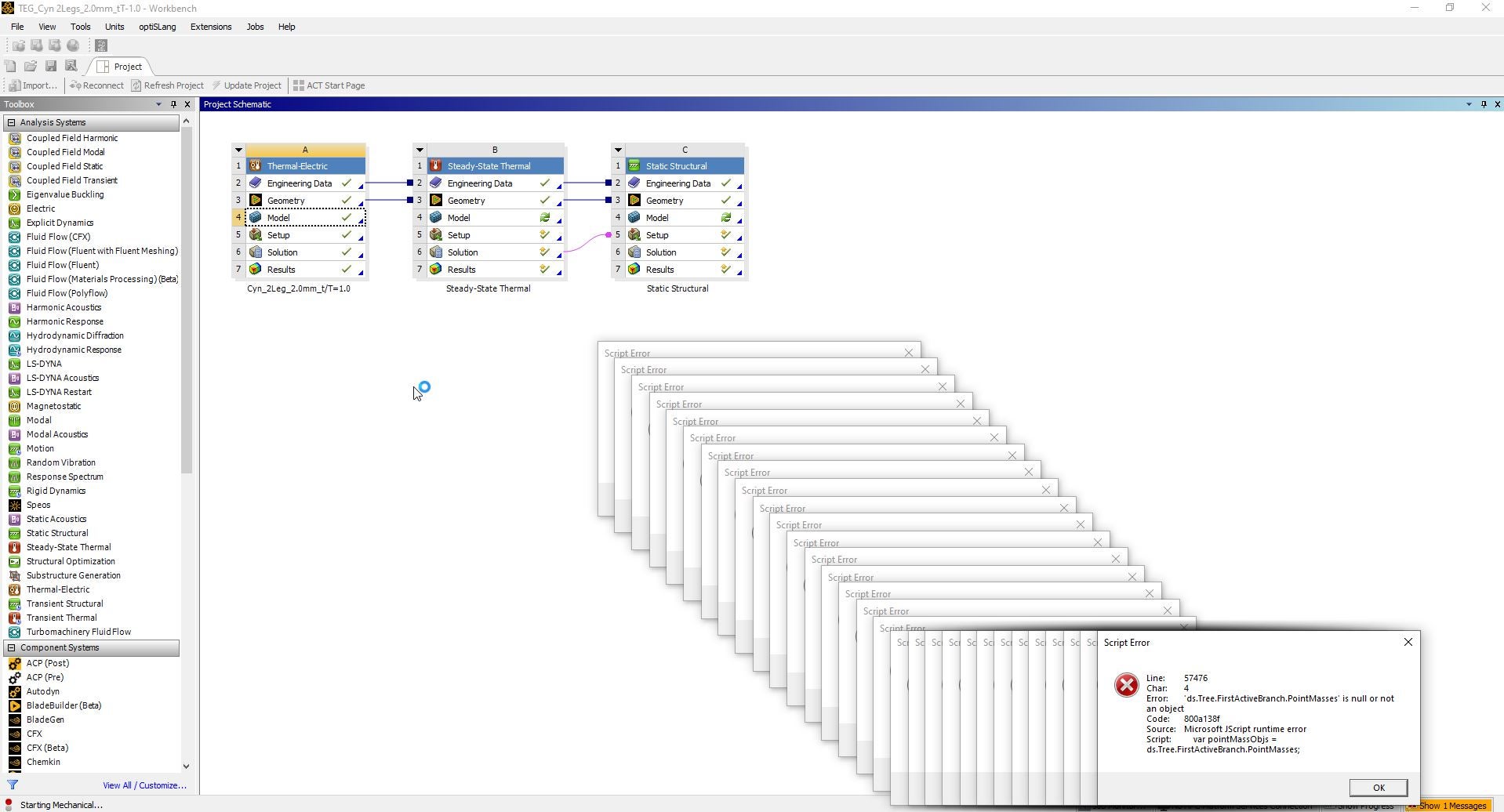
      I changed it, and I met another problem that I could turn on ANSYS WB but I couldn't run project file.

      The new error was occurred as an attach file.


      I may remake the project again.....

      Sincerely

      Kyuin Shin

Viewing 6 reply threads
  • You must be logged in to reply to this topic.
[bingo_chatbox]