Ansys Assistant will be unavailable on the Learning Forum starting January 30. An upgraded version is coming soon. We apologize for any inconvenience and appreciate your patience. Stay tuned for updates.
Ansys Products

Ansys Products

Discuss installation & licensing of our Ansys Teaching and Research products.

Ryzen Threadripper 3990x Problem

    • ericmh
      Subscriber

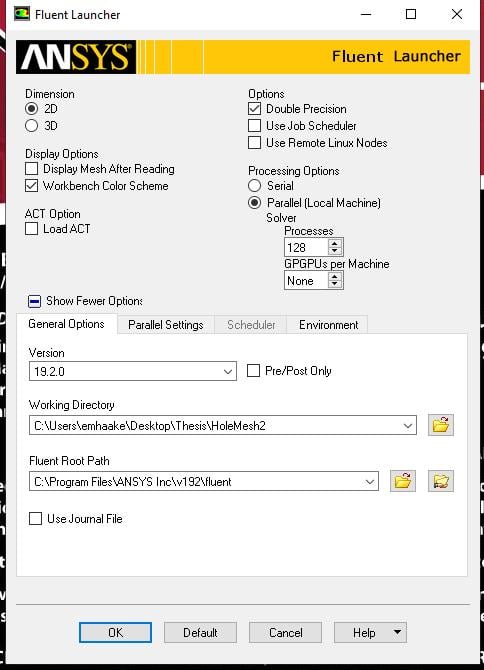
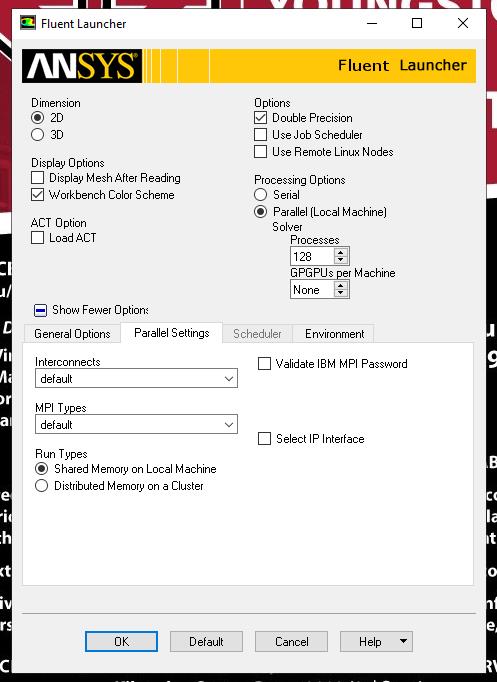
      I am attempting to run a simulation on a new computer my school just obtained.  When launching fluent I set it to be parallel with 128 processes to account for the cores being hyperthreaded.


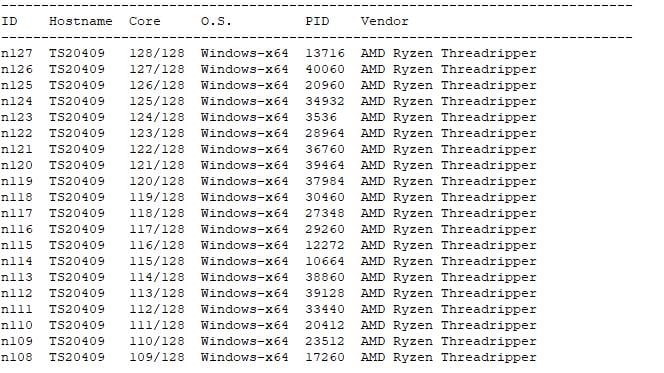
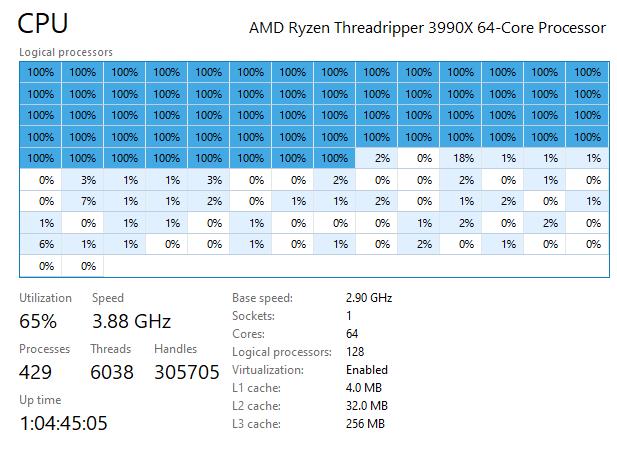
      When I start to run the model only have the CPU is being used.  Currently the CPU has 2 NUMA Nodes and only 1 is ever used by fluent.


      I am wondering if there are any setting that I have to adjust to get fluent to work on both of the NUMA cores at the same time?


      Thanks,


      Eric

    • tsiriaks
      Ansys Employee

      Hi Eric,


      ANSYS solvers (not just Fluent) are already CPU intensive, so hyperthreading actually can degrade the solver performance instead of increasing it. It's always recommended to disable hyperthreading for ANSYS solvers. In your case, 64 physical cores would be best.


      Here is the general hardware recommendations for ANSYS CFD solvers 


       Intel® Xeon Core series 62xx also known as “Cascade Lake” Processors


      • Turn off Hyper-threading


      • Leave Turbo boost on


      Memory (Fastest memory, so DDR-4 2933 MHz)


      • To operate at maximum speed all memory channels in both processors should be populated with equal amounts


      of memory. Minimum 192 GB RAM per machine to meet this requirement.


      Interconnect (Server/Cluster solution ONLY)


      Omni-Path, EDR, QDR or FDR IB interconnect if you will be running on 2 or more nodes in parallel (on a cluster, Minimum 10 G network.


      Hard Drives


      SSD (NVMe, M2 interface) drives.


      Graphics (Rendering)


      Nvidia Quadro NVIDIA® Quadro® P4000, NVIDIA® Quadro RTX™ 4000


      NOTE: For rendering/display – Ansys requires OpenGL and the workflow that is recommended is that you do all pre/post processing on a workstation and not on a server unless it is a graphics server. A high-end OpenGL graphics card and recent drivers are required.


      GPU (CFX does not support GPU)


      AVX2 (Fluent Only)


      • Supported ONLY for Fluent 18.2 and higher using this flag in your startup script: -platform=Intel


       

    • ericmh
      Subscriber

      Thank you,


      We are currently working with IT to get hyperthreading disabled on the computer.  As for the requirements we are using 256GB of ram, an EVO970 NVMe, and a QuadroRTX4000.  I am going to ask out IT to install and interconnect software and hopefully this will fix the issue.


      -Eric


    • tsiriaks
      Ansys Employee

      You are welcome.


      No need to worry about interconnect as that's needed only when you are solving on multiple machines/nodes.

    • Mohammed_Zamzam
      Subscriber
      Hi there,nI?m building a PC for CFD simulation to fluids nWhich hardware is suitable for me in a budget of 2000$ with knowing that I will be using my PC in everything not just ANSYSnIs AMD ryzen 3950x suitable or should I go for intel core i9 ?? nIs nividia rtx 3070 suitable ??.
Viewing 4 reply threads
  • The topic ‘Ryzen Threadripper 3990x Problem’ is closed to new replies.
[bingo_chatbox]