Ansys Assistant will be unavailable on the Learning Forum starting January 30. An upgraded version is coming soon. We apologize for any inconvenience and appreciate your patience. Stay tuned for updates.
Ansys Gateway powered by AWS

Ansys Gateway powered by AWS

Ansys Gateway powered by AWS is the solution for developers, designers, and engineers who want to manage their complete Ansys Simulation & CAD/CAE developments in the cloud.

Running a test job on a SLURM Cluster

    • Nikos Nikoloutsakos
      Ansys Employee

      This guide will help you validate that the cluster resources have been deployed successfully on Ansys Gateway.
      Please follow the recommended HPC cluster configurations by application in the documentation page to setup your resources: Recommended Configurations by Application (ansys.com)
      Cluster Requirements: 


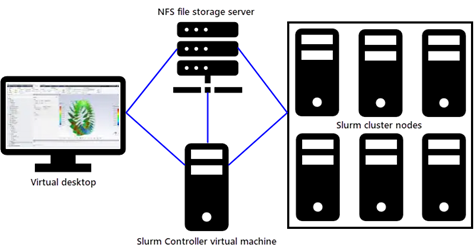
      To configure an HPC workflow that uses a Slurm cluster the following resources are required in the following order : 


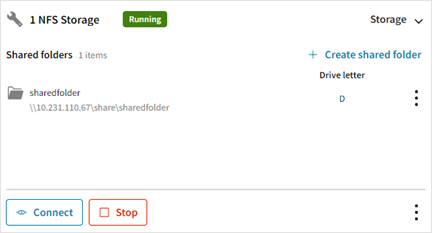
      1. NFS file storage server with a shared folder.
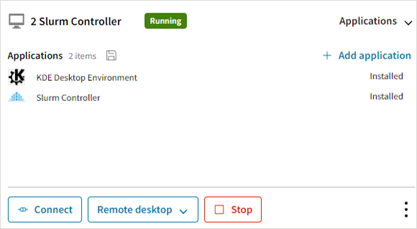
      2. Linux Virtual Desktop with Slurm Controller and KDE
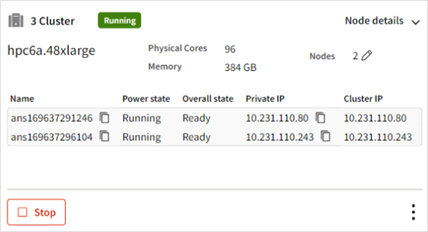
      3. HPC Cluster with Slurm Node with NFS and EFA


      Please ensure that all resources are ready and RUNNING before proceeding.


      Now we can proceed with the execution of the test script.

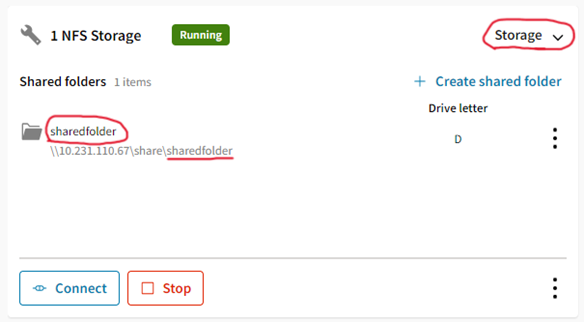
      1. Take a note of the shared folder name
      2. Connect to the Slurm Controller VM. (use RDP, or SSH)
      3. Create a file "test.sh" and paste the contents below:

        #!/bin/bash
        export NFSDIR=/mnt/$1
        if [ ! -d "$NFSDIR" ]; then
          echo "${NFSDIR} does not exist."
          exit 1
        fi
        mkdir -p ${NFSDIR}/testjob
        NODES=$(sinfo -p ACS_cluster -o "%a %F" | tail -n1 | grep "up" | awk -F'/' '{print $4}')
        if [ -z "${NODES}" ]; then
          echo "No available nodes on ACS_cluster partition"
          exit 1
        fi
        sbatch -N$NODES << 'EOF'
        #!/bin/bash
        #SBATCH --job-name="TestJob"
        #SBATCH --exclusive
        #SBATCH --output="%x-%j".out
        #SBATCH --error="%x-%j".err
        #SBATCH --partition=ACS_cluster
        date
        echo "------------"
        echo "SLURM_JOB_ID : "$SLURM_JOB_ID
        echo "SLURM_JOB_NODELIST : "$SLURM_JOB_NODELIST
        echo "SLURM_JOB_NUM_NODES : "$SLURM_JOB_NUM_NODES
        echo "SLURM_NODELIST : "$SLURM_NODELIST
        echo "SLURM_TASKS_PER_NODE : "$SLURM_TASKS_PER_NODE
        echo "WORKING DIRECTORY : "$SLURM_SUBMIT_DIR
        echo "NFS STORAGE DIRECTORY: "$NFSDIR
        echo "------------"
        cd $NFSDIR/testjob
        touch TestJob-$SLURM_JOB_ID.txt
        MACHINELIST=$(srun hostname)
        for HOST in ${MACHINELIST}; do
                srun --nodes=1 echo "hello from node ${HOST}" >> TestJob-$SLURM_JOB_ID.txt &
        done
        #Wait for sub-processes to finish
        wait
        EOF
      4. Run "test.sh" script, you need to provide the shared folder name from step (1)
        bash test.sh sharedfolder
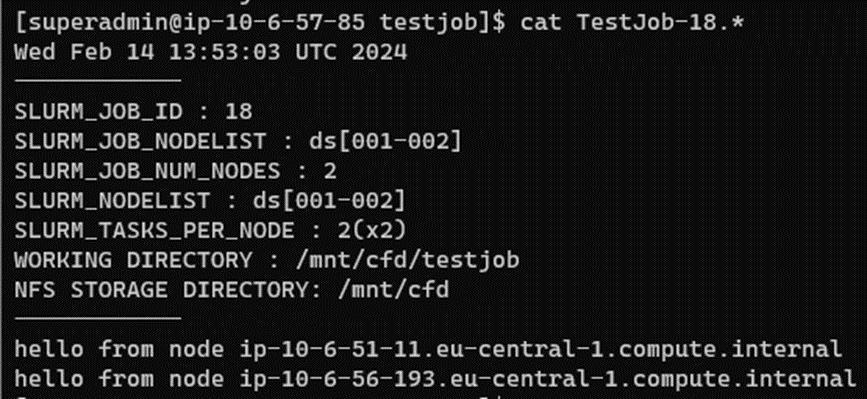
      5. Check the output, it should look like this
        cat /mnt/sharedfolder/TestJob-1*

      References
      : Testing a Slurm Cluster (ansys.com)
Viewing 0 reply threads
  • The topic ‘Running a test job on a SLURM Cluster’ is closed to new replies.

[bingo_chatbox]