TAGGED: transient-structural
-
-
June 30, 2022 at 4:40 am
nguyenminhhieu15122000
Subscriber -
June 30, 2022 at 7:04 am
jonl
SubscriberÂ
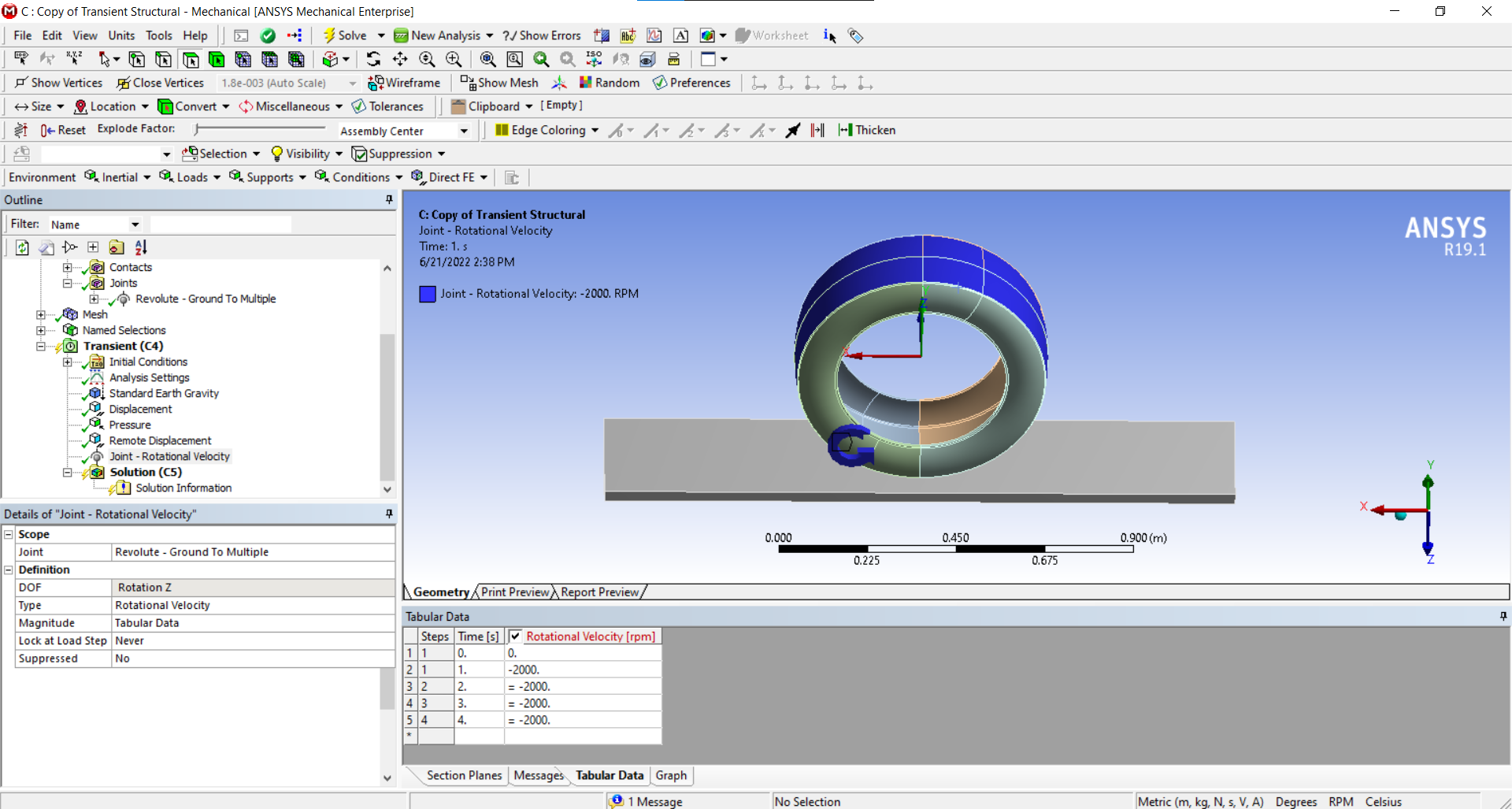
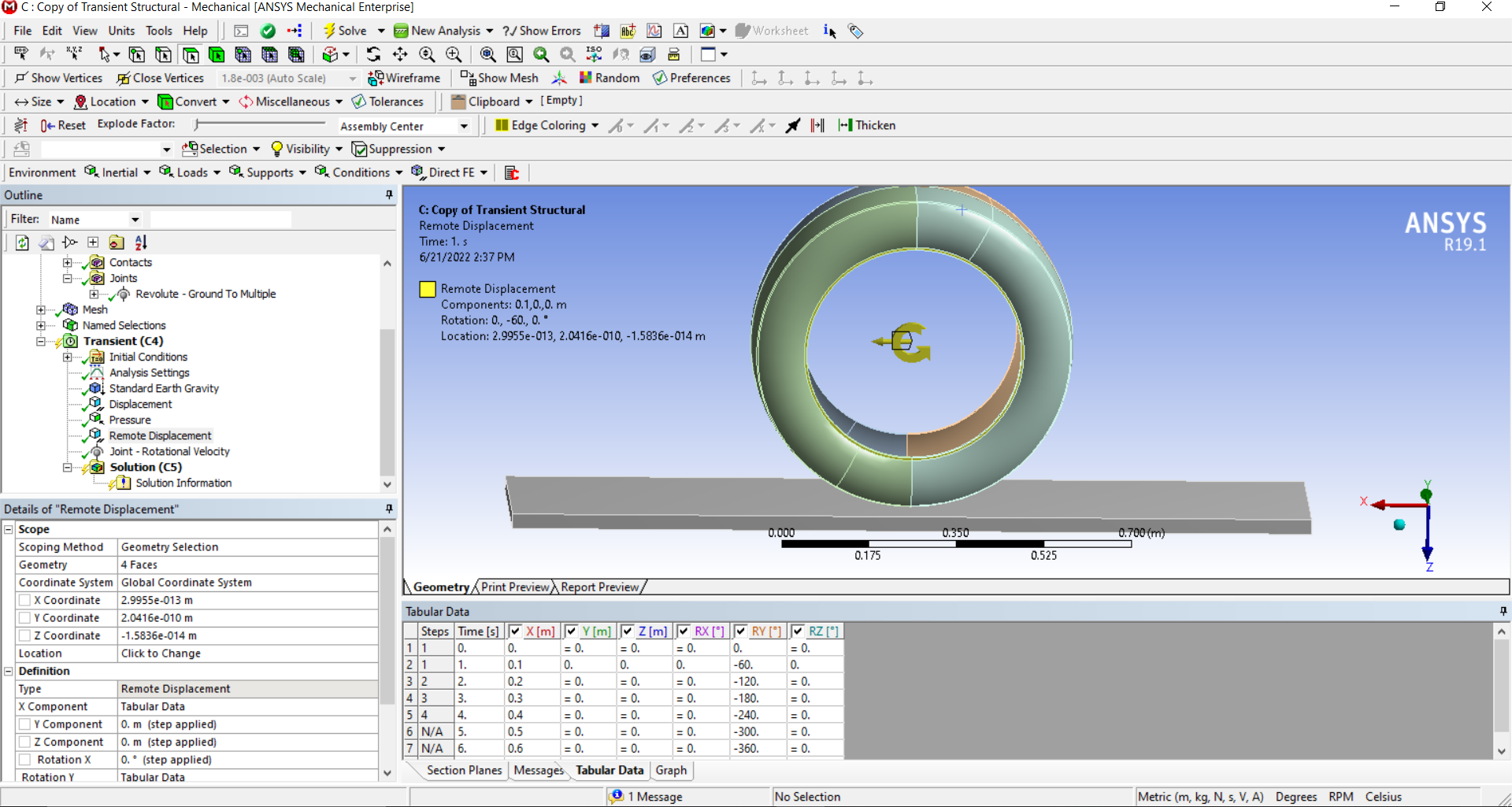
Hi! Your remote displacement will turn and move the wheel, while the rotational velocity doesn’t actually move anything. It creates forces radially outwards (centrifugal force) as if your part was spinning. Whether you chose the surfaces correctly depends on the problem you are investigating, but your selection will at least make the wheel move and turn.Â
Edit: Thought this was static structural, don't know if this applies to transient
-
June 30, 2022 at 4:13 pm
nguyenminhhieu15122000
SubscriberThank you for your help.Â
Since I'm looking at the temperature generated through frictional rotation I think it's better to use the Transient model.
I used remote displacement and the tire passed and shifted forward. I want to add the rotational velocity relative to the car's speed to see if it makes much of a difference.
-
-
July 1, 2022 at 9:09 pm
peteroznewman
SubscriberI think you will be better off rolling a wheel against a drum as was discussed before.
-
July 2, 2022 at 9:51 am
nguyenminhhieu15122000
SubscriberThank you very much for your help.
I'm choosing a model between the tire and the road so I'll do another similar problem later on.
In the previous paper, they would leave the tire standing still. The pavement has velocity and the upper surface will move upwards.
In this problem, I want the tire to move and rotate on the pavement.
I want to set the rotational velocity of the tire, how should I set it?
Thank you again.
-
-
July 2, 2022 at 12:48 pm
peteroznewman
SubscriberIf you reread that discussion, it begins with a road and I describe how to do that.
-
July 3, 2022 at 10:42 am
nguyenminhhieu15122000
SubscriberThank you for your help. I think I know where I went wrong.Â
I will ask you again later.
-
-
July 2, 2022 at 4:49 pm
nguyenminhhieu15122000
SubscriberÂ
Â
Thank you very much for your help.
But You have instructed me that the road moves.
With my current setup, it will have duplicate conditions, right?
Â
Â
-
July 3, 2022 at 3:04 pm
peteroznewman
SubscriberYour current setup is wrong. Try making the model as I described previously.
-
July 5, 2022 at 4:19 am
-
July 5, 2022 at 6:01 pm
nguyenminhhieu15122000
SubscriberHello Peter, I hope you can help me again.
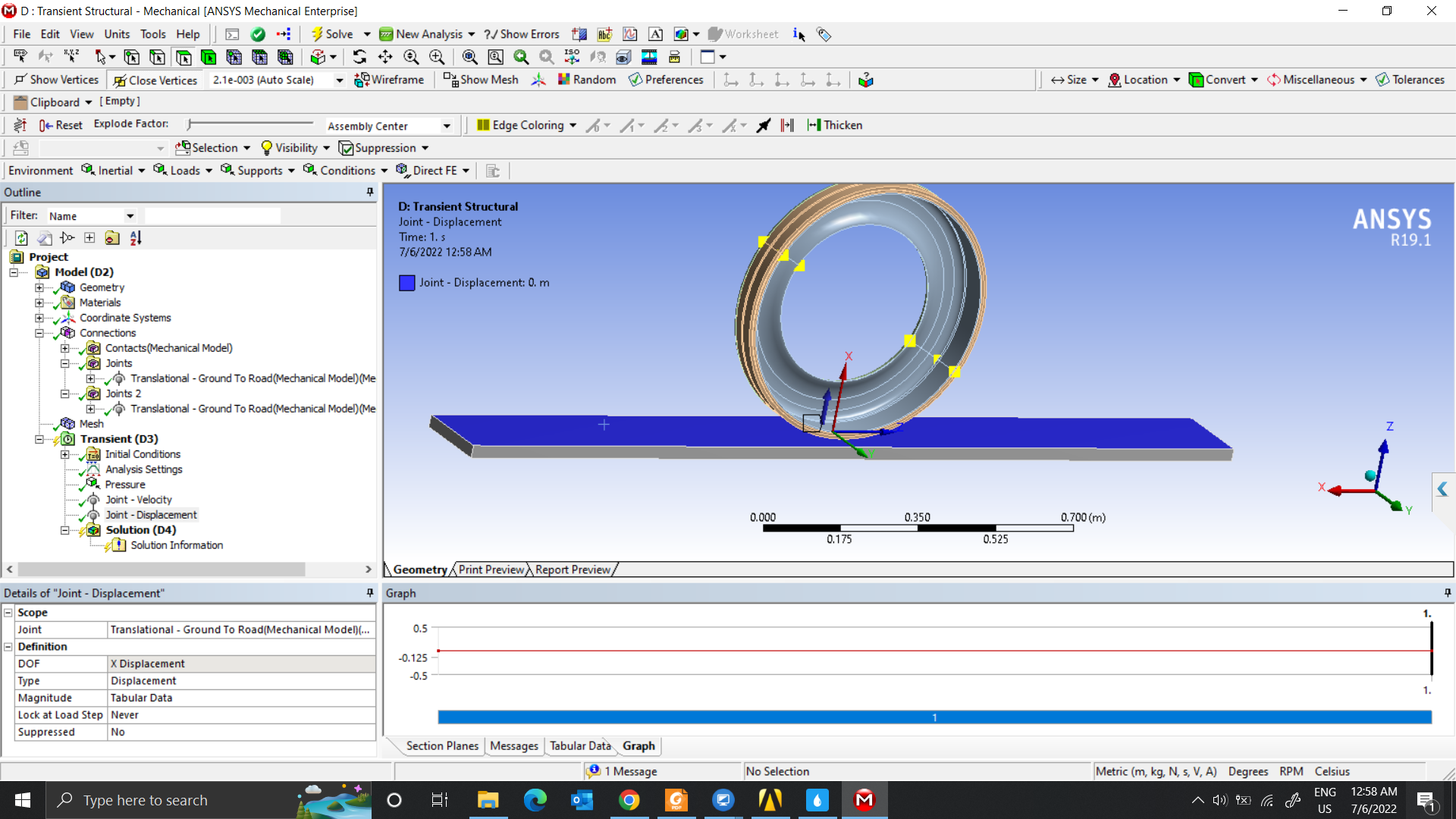
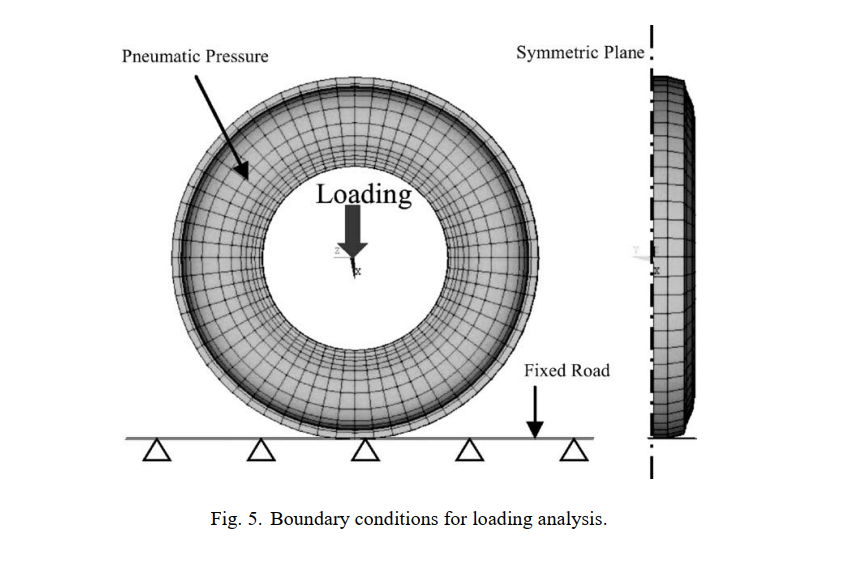
I am using more than 1 material layer so I am joining multiple models like this photo
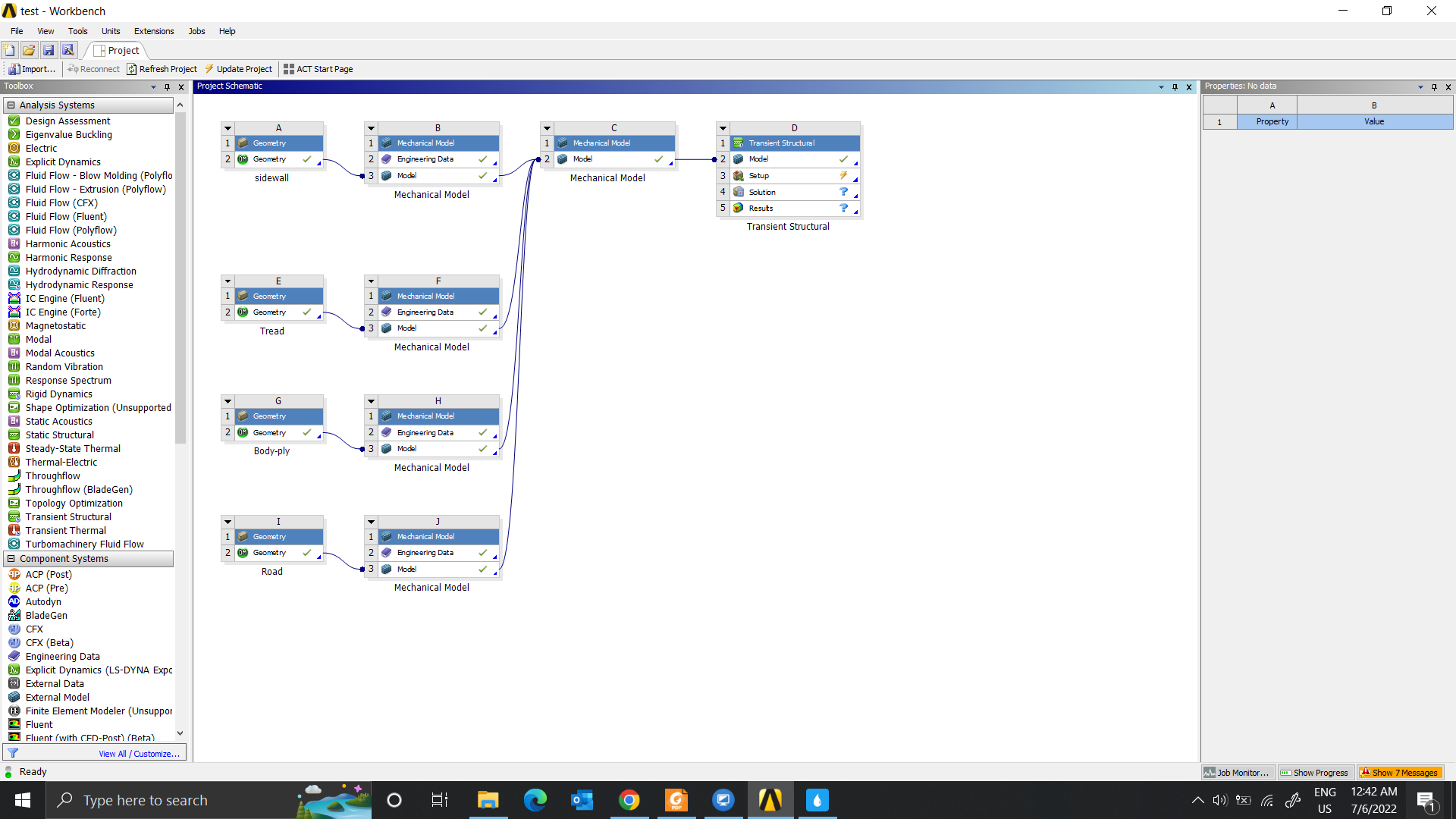
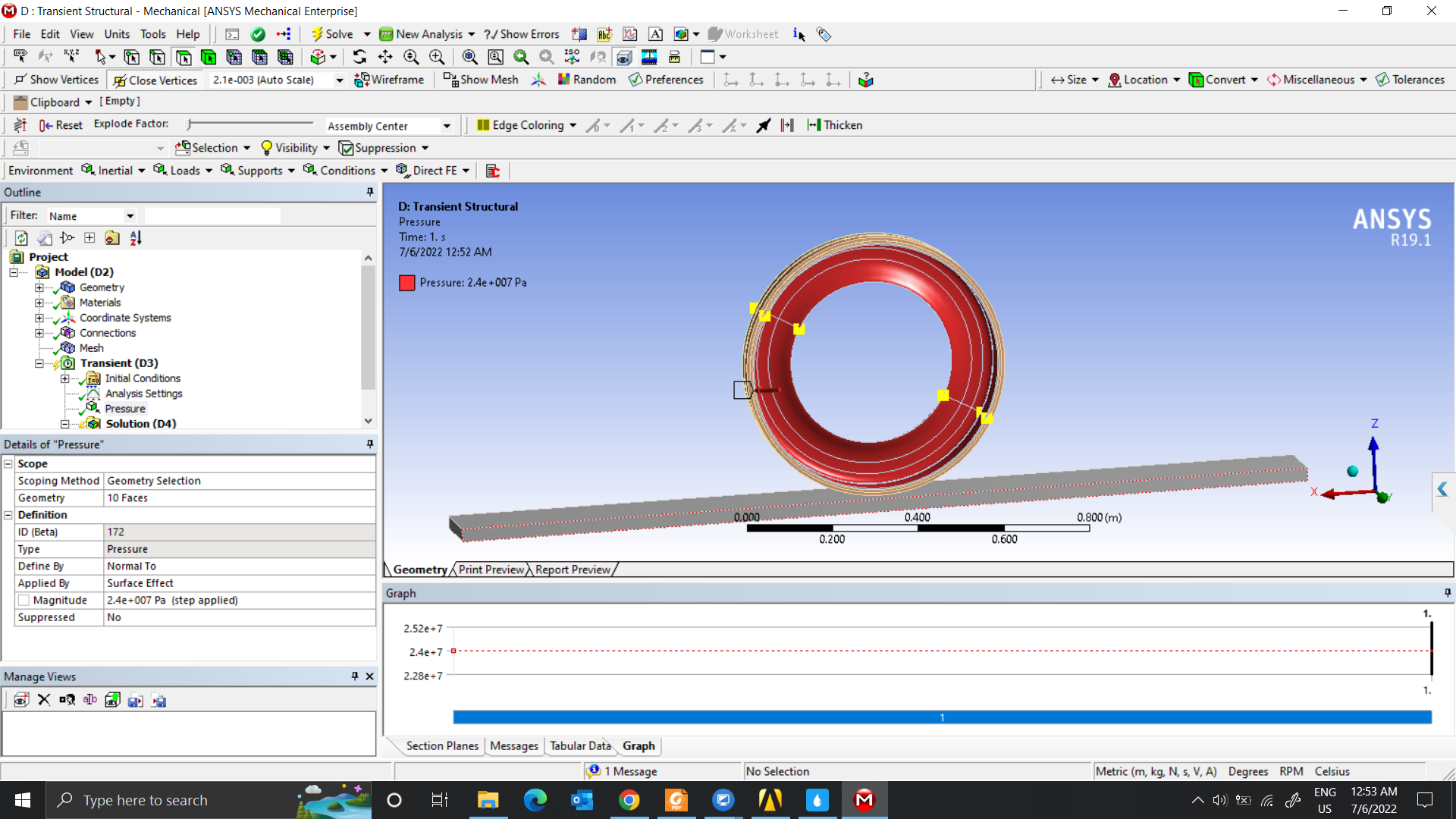
In the first step, I want to find the displacement of the tire. I will set the pressure condition on the inner surface of the tire. Next is the pressure but I don’t know how to set it properly. Hope you can guide me further. Thank you very much.
Pressure setting
Force Setting
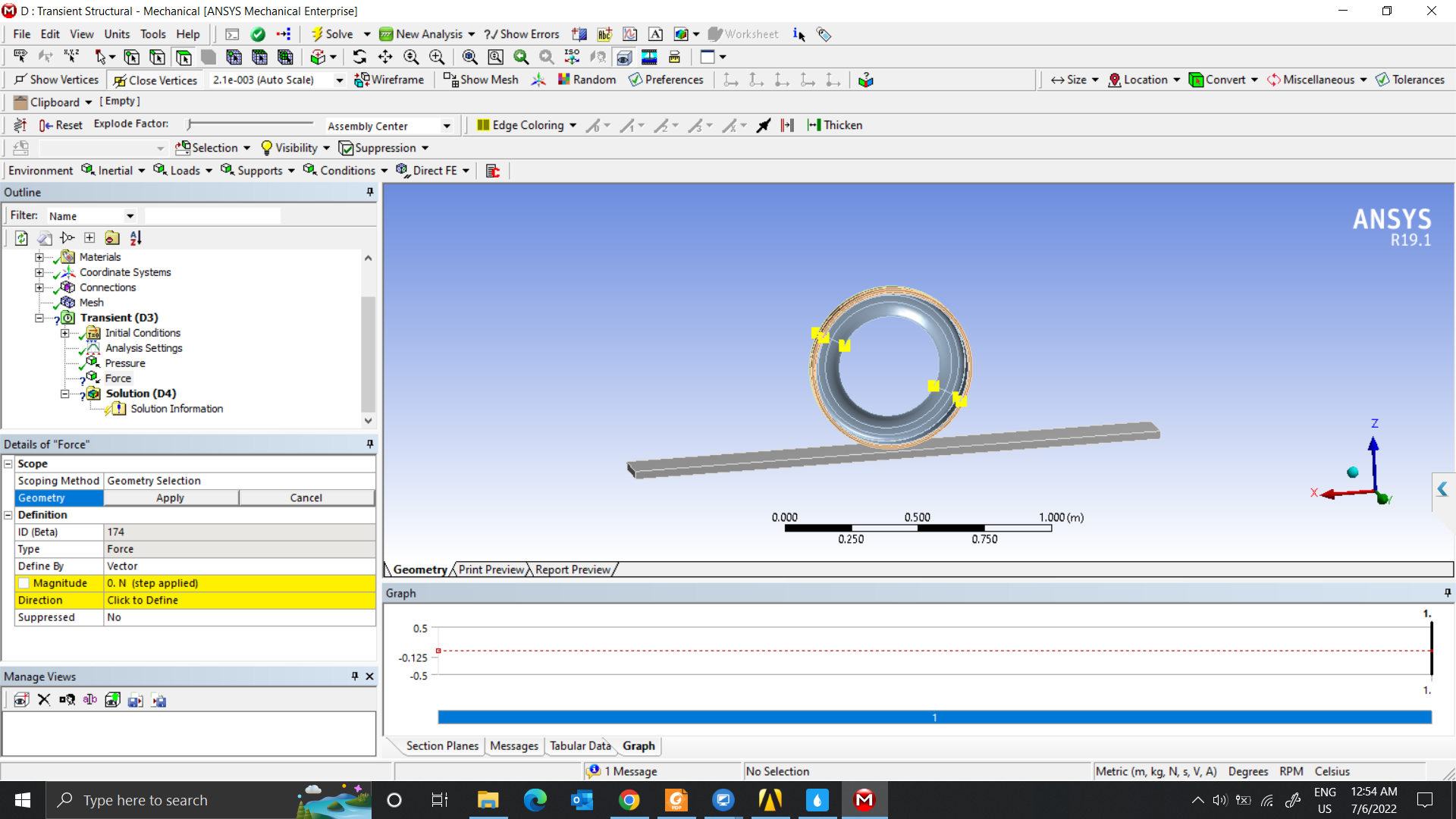
After finding the tire displacement, I will go to step 2 and I will set it up like that.
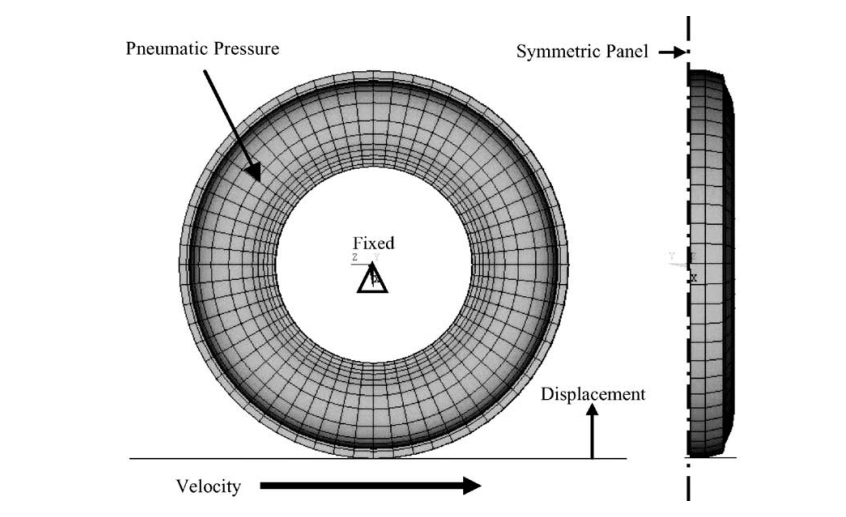
Velocity
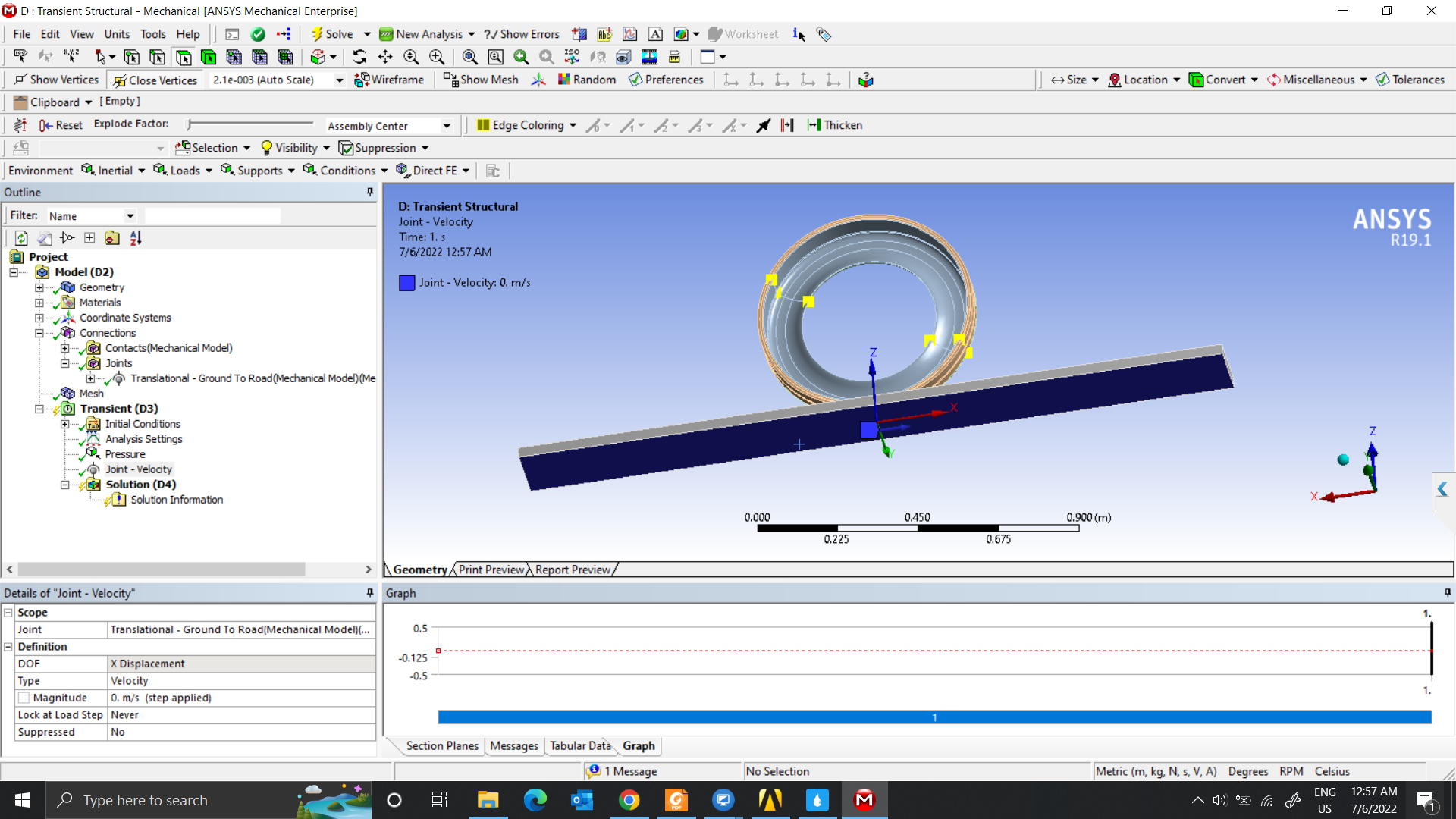
As for how to fix the tire, I don’t know.Thank you so much for helping me. Have a nice day.Â
Â
Â
-
July 6, 2022 at 5:55 pm
peteroznewman
SubscriberÂ
Â
You need a dummy body. The dummy body has a Translational Joint to Ground with the axis normal to the road surface. The joint load is a displacement. The tire is on a revolute joint to the dummy body. The road is on a translational joint with the axis parallel to the road length. The joint load should be displacement. The velocity is calculated by displacement/end time. As the road moves, the tire will rotate by the frictional contact between the tire and the road.
In the Transient Structural analysis:
Step 1 holds all Joint Loads at 0 displacement and adds the Pressure with Time Integration Off
Step 2 moves the dummy body Translational Joint by a small distance to squash the tire with Time Integration Off. Probe the Joint Reaction to measure the Force.Â
Step 3 change the road Translational Joint from 0 to the end displacement with Time Integration On.
Â
-
July 7, 2022 at 5:17 am
nguyenminhhieu15122000
SubscriberThank you so much for your help.
I already have the force, pressure, and velocity parameters so I think I do not need to measure the Force.Â
I am wanting to split the problem step by step.
Step 1 then I want to find that displacement.
Step 2 then I want to get the result of strain energy so that through the Eq, I can calculate the Heat rate
Step 3, I will provide heat rate and convection conditions to do it on Steady-state thermal model.Â
Â
-
July 7, 2022 at 11:52 am
peteroznewman
SubscriberWhat displacement do you want to find in Step 1?  Is it the displacement that results from applying a force? I suggest you ramp on a small displacement and probe the reaction force. You will have a table of displacement and force. Simply interpolate the displacement needed to get the force you wanted to apply, then replace the previous end displacement when you rerun the analysis. I understand this is a small amount of extra work, but it will save you time because displacements are easier for the solver to use.
-
July 7, 2022 at 5:11 pm
nguyenminhhieu15122000
SubscriberThank you so much for your help.
Yes, Sir. I need to see the displacement results from applying a force. I want to control displacement because It is to increase the convergence rate and reduces problem-solving time.
Your solution is also very good. I will try it.
How to get a dummy body? Could you please specify more?
-
July 8, 2022 at 1:23 pm
peteroznewman
SubscriberTo add a dummy body, open the geometry in Spaceclaim. Add a New Component. On a vertical plane, draw a square with one corner on the axis of the tire. In Mechanical, make the new component be Rigid. Add a revolute joint between the square and tire with the origin at the tire axle. Add a translational joint on the vertical edge of the square.
-
July 9, 2022 at 2:57 am
nguyenminhhieu15122000
SubscriberThank you so much for your help. I will try it
-
- The topic ‘Rolling’ is closed to new replies.
-
5824
-
1906
-
1420
-
1305
-
1021
© 2026 Copyright ANSYS, Inc. All rights reserved.