-
-
September 22, 2018 at 2:29 pm
Y.Shkara
Subscriber -
September 22, 2018 at 4:34 pm
Sandeep Medikonda
Ansys EmployeeCould this just be because of the visualization? try setting it to True Scale (1) if you haven't.
Regards,
Sandeep
-
September 22, 2018 at 4:43 pm
Y.Shkara
SubscriberHey Sandeep,
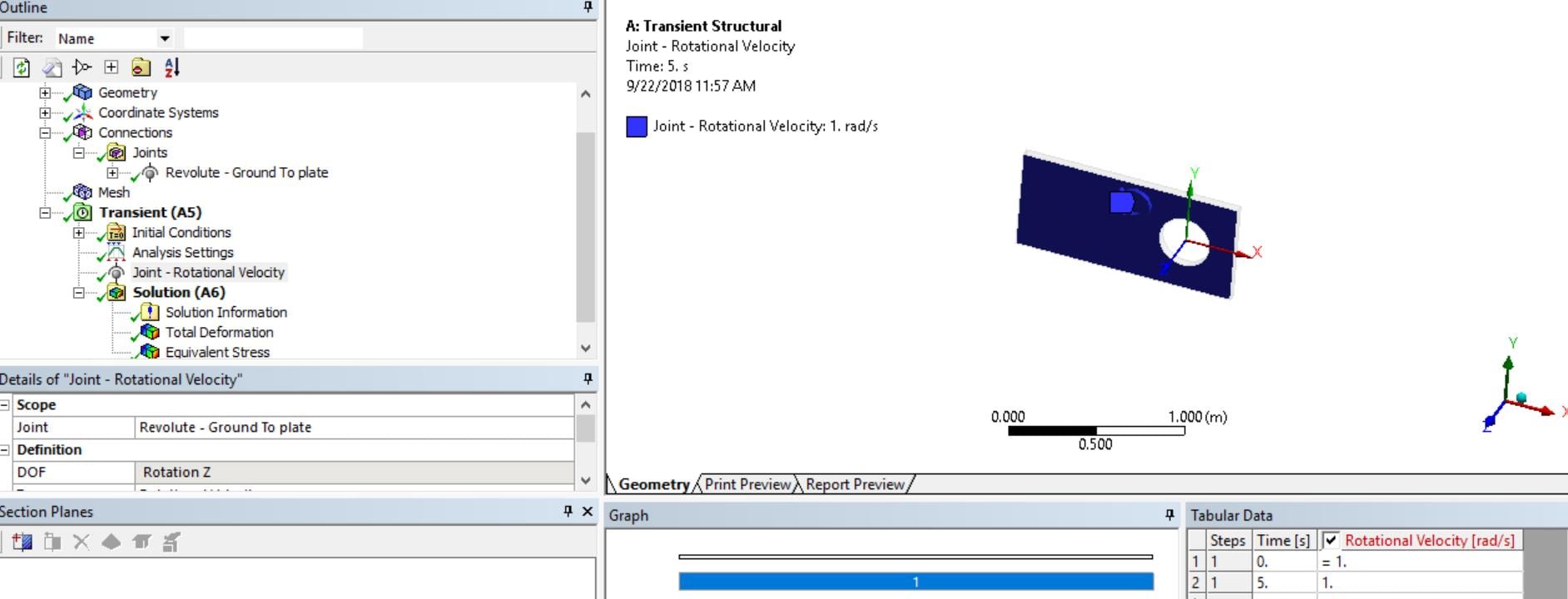
Thank you for your replay, the results are showing in true scale. The part is physically expand's which is total incorrect !
-
September 22, 2018 at 5:47 pm
peteroznewman
SubscriberIt is because you forgot to set Large Deflection to On under the Analysis Settings.
Regards,
Peter
-
September 22, 2018 at 6:02 pm
Sandeep Medikonda
Ansys EmployeeHi,
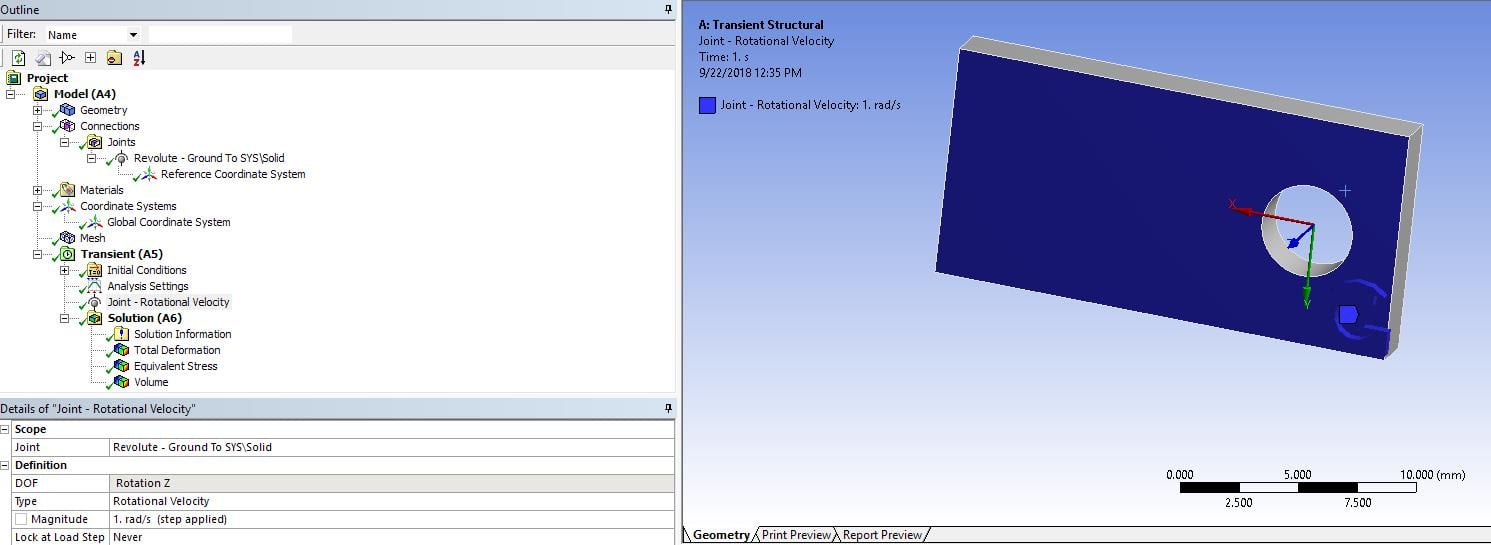
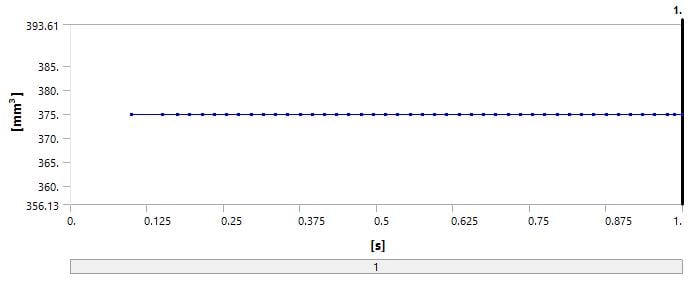
I quickly tested this in 19.2 and I don't see any change in volume or expansion.
the total volume of the part is constant.
the high deformation is probably coming because of rigid body motion and the inertial effects. Look at the acceleration.
Regards,
Sandeep
-
September 22, 2018 at 6:03 pm
Y.Shkara
SubscriberHey Peter,
Thanks for the replay, actually in both cases (with or without large deformation) the part collapse (with large deformation the results are worse!). It looks like a problem of the revolute joint. I tried to use this joint on two different versions of Ansys and the same problem occurs.
What makes me more confused is I got a setup case that supposed to be working from a third source, but when I run it on my computer (without changing the setup) the same problem occurs !!
Regards,
Y.Shkara
-
September 22, 2018 at 6:09 pm
peteroznewman
SubscriberIf you save a Workbench Project Archive .wbpz file, you can attach it to your post above and I will take a look.
Regards,
Peter
-
September 22, 2018 at 6:11 pm
Y.Shkara
SubscriberHi Sandeep,
Thank you very much for spending time on it. I would appreciate if you can send me your model to run it on my computer, I have Ansys 18.2 at home, and 19.1 in the office.
Email: yshkara@gmail.com
Regards,
Y.Shkara
-
September 22, 2018 at 6:12 pm
Sandeep Medikonda
Ansys EmployeeIn this case, since finite rotation is considered. Large deflection needs to be turned on and it is typically on by default in a transient structural analysis.
If the above post doesn't answer your question, please post snapshots of all the details and specify the version.
I am unable to look at your model but Peter or someone else might be able to.
Regards,
Sandeep
-
September 22, 2018 at 6:22 pm
Y.Shkara
SubscriberPlease fined the attached file with the comment. Thank you!
Regards,
Y.Shkara
-
September 23, 2018 at 12:03 am
peteroznewman
SubscriberHere are the changes I made to get a satisfactory rotation.
- Turned Large Deflection On
- Changed mesh to have two elements through the thickness of the plate
- Changed the scope of the joint to be on the ID of the hole
- Changed the Analysis Settings to be a 2 Step solution.
- Changed the Joint Velocity to ramp up from 0 to 1 rad/sec from 0 to 1 seconds in Step 1.
- The Joint Velocity is a constant 1 rad/sec in Step 2 from 1 to 5 seconds.
- Set the Initial Substeps to 10 for Step 1.
- Set the Initial Substeps to 40 for Step 2.
The ANSYS 18.2 archive is attached.
It's disappointing that I can't create Initial Conditions that apply an angular velocity to the body.
Regards,
Peter
-
September 23, 2018 at 9:27 am
Y.Shkara
SubscriberThank you very much Peter for your time.
I'm not sure if it works correctly because I don't see it rotating. The results of the revolute joint are weird, it shouldn't depend on the mesh size or the initial conditions. In case that it should have more than one step, another limitation appears which is that it can't be used with Fluid Solid Interface b.c for FSI which I'm trying to use because the Fluid Solid Interface is limited to one step!
Yes it's very disappointing, I think Ansys need to work on those point !
Anyway thank you very much again for your time!
Regards,
Y.Shkara
-
September 23, 2018 at 12:29 pm
peteroznewman
SubscriberIf rotation of a rigid body would be adequate for the FSI, that may solve in one step.
Regards,
Peter
-
September 24, 2018 at 2:21 pm
Y.Shkara
SubscriberAfter investigating some more time, I think I could solve the problem and finally it worked.
here are some conclusions:
Large Deflection should be on, no matter whether the parts are rigid or flexible.
Flexible Parts: Time step should be suitable, big time step results in Part expansion! (That was the problem in my model so I needed to decrease time step,it’s a bit weird).
Rigid Part: it is more flexible to time step size, but big time step results in unstable rotation.
Regards,
Y.Shkara
-
- The topic ‘Revolute joint in Ansys Tranisent structural is not working, the part expands!?’ is closed to new replies.

-
6039
-
1906
-
1425
-
1308
-
1021
© 2026 Copyright ANSYS, Inc. All rights reserved.