Deal all,
I'm sorry if this is a very basic question. I'm trying to perform the uniaxial non-homogeneous traction test with the microplane damage model. I need the mesh to be refined in the central section of the mesh, but only there. I can refine at the tip of the notch using the "refinement" command in the small sections of the notch but what I need is to refine in the whole central section of the piece (in this way only the volume near the notch is refined). I've tried too to split the domain in three parts in spaceclaim, but it's converted to three different bodies with no connection between them.
What's is the correct approach to refine a region of a body (in this case the central section) that is not attached to a surface where you can impose the refinement command. How can I subdivide a body in sections without split it only for the meshing purpose? I attach a screen capture of my domain.
Thank you very much in advance,
Sergio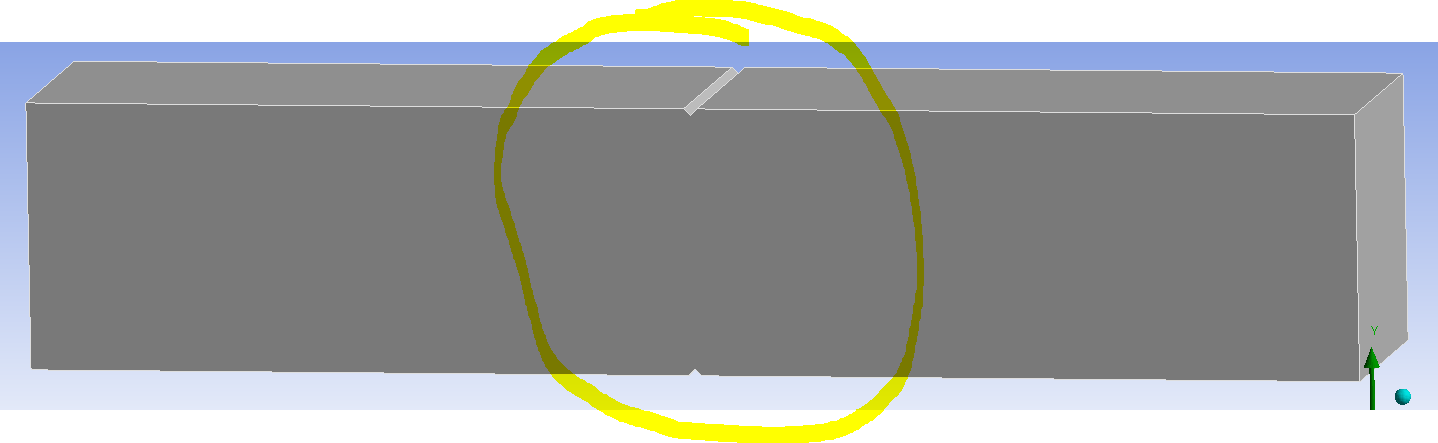


















 You are navigating away from the AIS Discovery experience