Ansys Assistant will be unavailable on the Learning Forum starting January 30. An upgraded version is coming soon. We apologize for any inconvenience and appreciate your patience. Stay tuned for updates.
General Mechanical

General Mechanical

Topics related to Mechanical Enterprise, Motion, Additive Print and more.

Real Constants are not getting displayed

    • adityakulkarni702
      Subscriber

      Hello Team, 


      This is Aditya Kulkarni from India. 


      Curently Iam facing some issues when adding the REAL CONSTANTS.


      I tend to get the error which says that "REAL CONSTANTS FOR THE LINK180 ELEMENT TYPES ARE NO LONGER SUPPORTED".


      Iam using the ANSYS MECHANICAL APDL STUDENT version. 


      Kindly go through the couple of images .
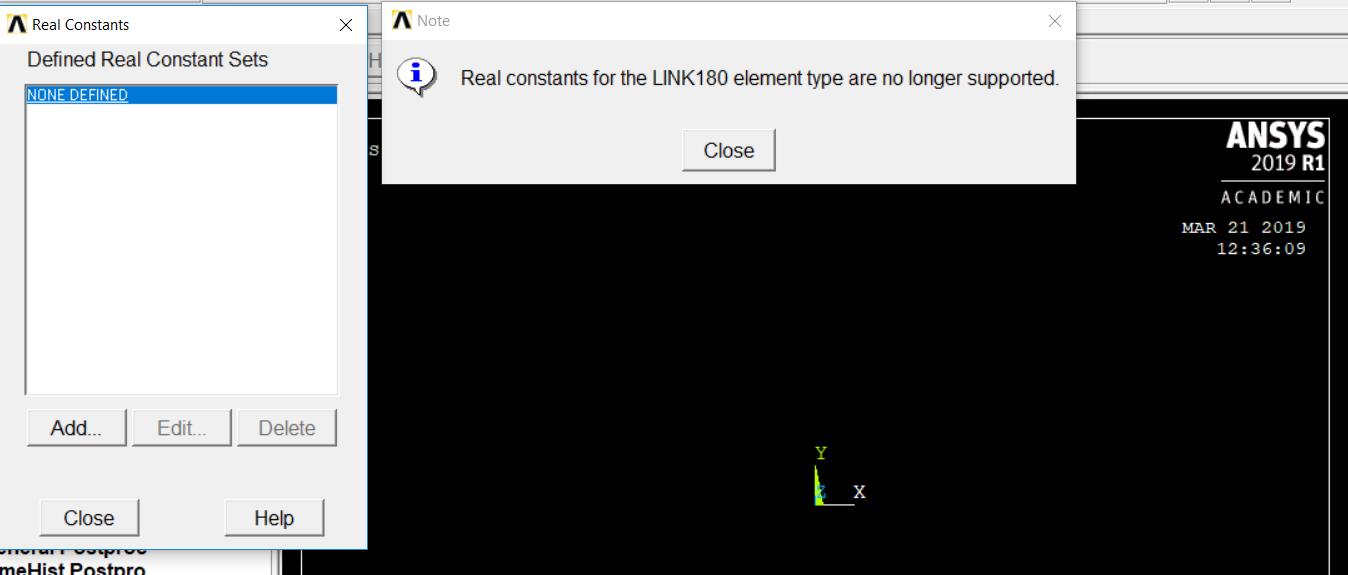


      Requesting you all experts to kindly help me in resolving this warning error as aforementioned.


      Regards,


      Aditya 

    • sathya
      Subscriber
      Hi Delete that element type and run the following macro.

      ET,1,link180

      KEYOPT,1,3,1 ! 1 tension and compression [1 TENSION ONLY; 2 compression only]

      SECTYPE,1,LINK !define member section

      SECDATA,1.5 !bar cross section area
    • jpasquerell
      Ansys Employee

      The LINK180 was revised to use section information instead of real constants.  The use of real constants with LINK180 is no longer allowed. For PLANE183 real constants are used only if keyopt(3)=3.


Viewing 2 reply threads
  • The topic ‘Real Constants are not getting displayed’ is closed to new replies.
[bingo_chatbox]