Ansys Assistant will be unavailable on the Learning Forum starting January 30. An upgraded version is coming soon. We apologize for any inconvenience and appreciate your patience. Stay tuned for updates.
General Mechanical

General Mechanical

Topics related to Mechanical Enterprise, Motion, Additive Print and more.

Random Vibration PSD Force

    • chonkiat.lee
      Subscriber

      How to generate PSD force in Workbench? I only able to find acceleration, displacement, stress but no force...

      Thank you!

    • peteroznewman
      Subscriber

      Workbench has implemented the most common forms of PSD input.  Acceleration, Velocity and Displacement are common because vibration is usually measured using an accelerometer.  How did you end up with a Force PSD?

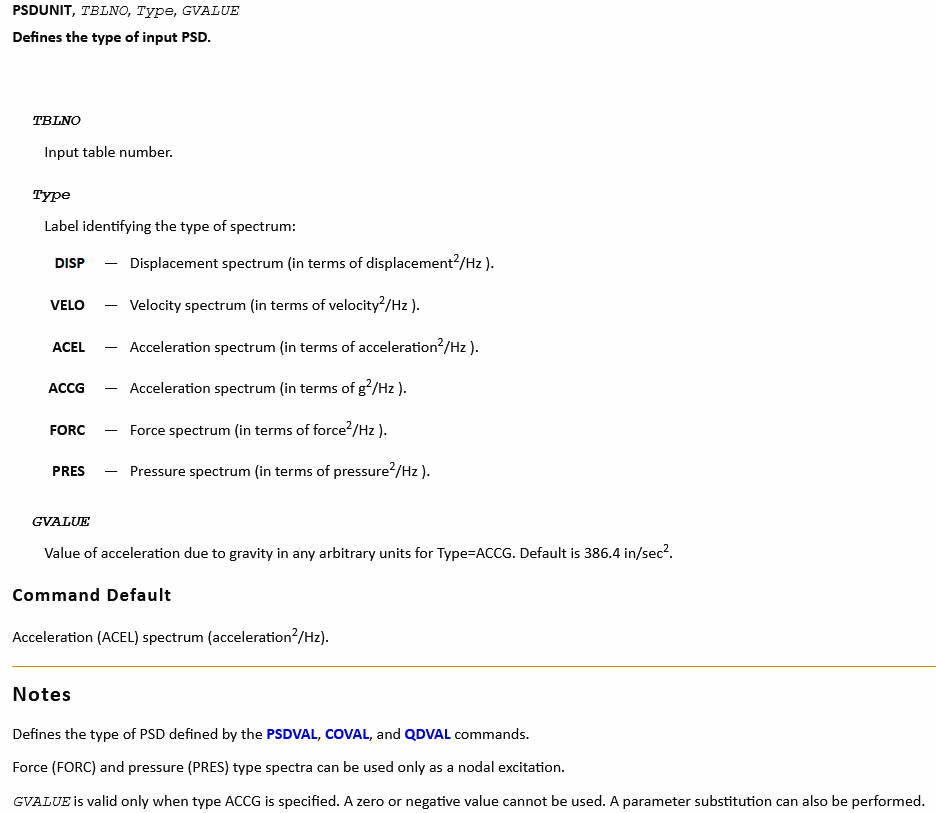
      To use a Force PSD in Workbench, you have to use a Command object.

      Look up the command PSDUNIT.

      Use Type = FORC

      https://ansyshelp.ansys.com/account/secured?returnurl=/Views/Secured/corp/v231/en/ans_cmd/Hlp_C_PSDUNIT.html

    • chonkiat.lee
      Subscriber

      Thanks Peter. I might not be clear in my question. When we generate frequency response, we are able to have acceleration, displacement, etc but not force. Wonder if Workbench can generate it?

    • peteroznewman
      Subscriber

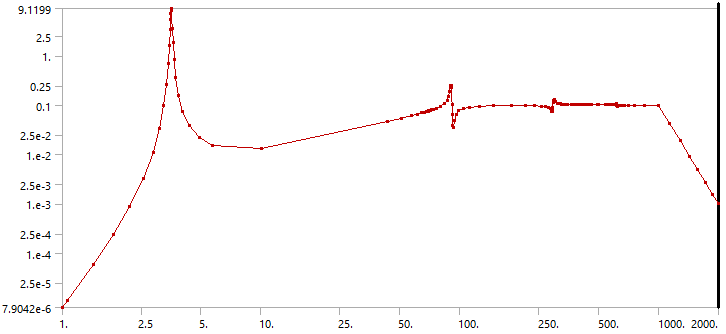
      Ah, okay, I thought you were asking about Inputs, which I answered. You want to know about Response PSD output like the one for relative acceleration that I show below.

      You want to know if you can plot a Response PSD for Force. I don't think so. Maybe someone else will comment.

      I know you can obtain the 1 sigma value of the Reaction Force at the Fixed Support.

    • Noah Brown
      Subscriber


      To generate PSD force in Workbench, you can follow these steps:


      1. Go to the Mechanical application in Workbench.
      2. Create a new Static Structural analysis system.
      3. Import your geometry and apply the necessary boundary conditions and loads.
      4. Go to the Solution tab and create a new Modal analysis system.
      5. Set up your modal analysis by specifying the desired modes and frequency range: immaculate grid
      6. Go to the Solution tab and create a new Random Vibration analysis system.
      7. Specify the PSD input in the Random Vibration analysis system by selecting the desired PSD function and inputting the necessary parameters.
      8. Run the simulation to generate the PSD force.


      You’re welcome!


Viewing 4 reply threads
  • The topic ‘Random Vibration PSD Force’ is closed to new replies.
[bingo_chatbox]