

-
-
August 18, 2020 at 3:39 am
imranalif
SubscriberHi All,
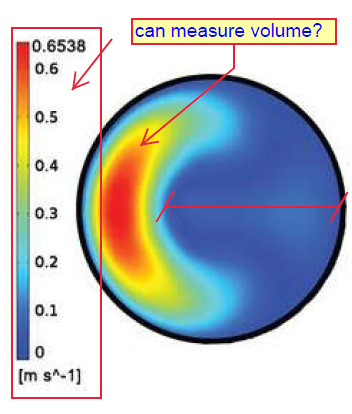
I have question regarding the post processing. Currently, im simulating the pipe flow. i made some cross sectional plane on the geometry and i just wondering if i able to measure the volume at cross sectional plane? can i measure in length as well (in 2D)? Please see below.
August 18, 2020 at 3:48 amKeyur Kanade
Ansys EmployeePlease post the questions in appropriate category. Moving this question to discuss simulation - fluids category to get better response. nIt is 2D. So you will not get volume. nyou can get area. You can create iso clip. Then please check results - surface integrals. nRegards,nKeyurnGuidelines for Posting on Ansys Learning ForumnHow to access ANSYS help linksAugust 18, 2020 at 7:27 amSubscribernThank you for your reply. I'm not familiar with this new layout.nHow can I edit this post so I could moved it into the said category?nThe picture I provide above it just an example. But I was thinking of furnish the same for my case. I hope I can do something similar like picture below. Is it possible to display all cross sectional plane in a single window?. nnRegards,nImrann
August 18, 2020 at 8:37 am
nnRegards,nImrann
August 18, 2020 at 8:37 amRob
Forum ModeratorThe above image looks like a composite of five plots, scale & 4 slices. Simple enough using PowerPoint and the crop feature. nIf in the OP you mean the area of the red part, have a look at iso-clips on an existing iso-surface. nAugust 18, 2020 at 9:46 amSubscribernThank you for your suggestion.nI plan to export multiple view (from different angle and cutting plane) in one single video because it took me hours to export one view.nIt is not practical for me to 'visible' all the section view because it is inline.nHence, i'm looking forward to save my time on rendering.nThank younnAugust 18, 2020 at 9:52 amForum ModeratorUse journals and/or Execute Command functions to do it during the run. There's a lecture in the Bonus material of the Fluent Customisation part of the Ansys Campus if you have a subscription, otherwise look in the documentation for the TUI (Text User Interface). nAugust 18, 2020 at 1:58 pmSubscribernThanks for the tips. Unfortunately, I wasn't subscribe.nLastly, do you have any idea how to change the colour blue to transparent? thanksn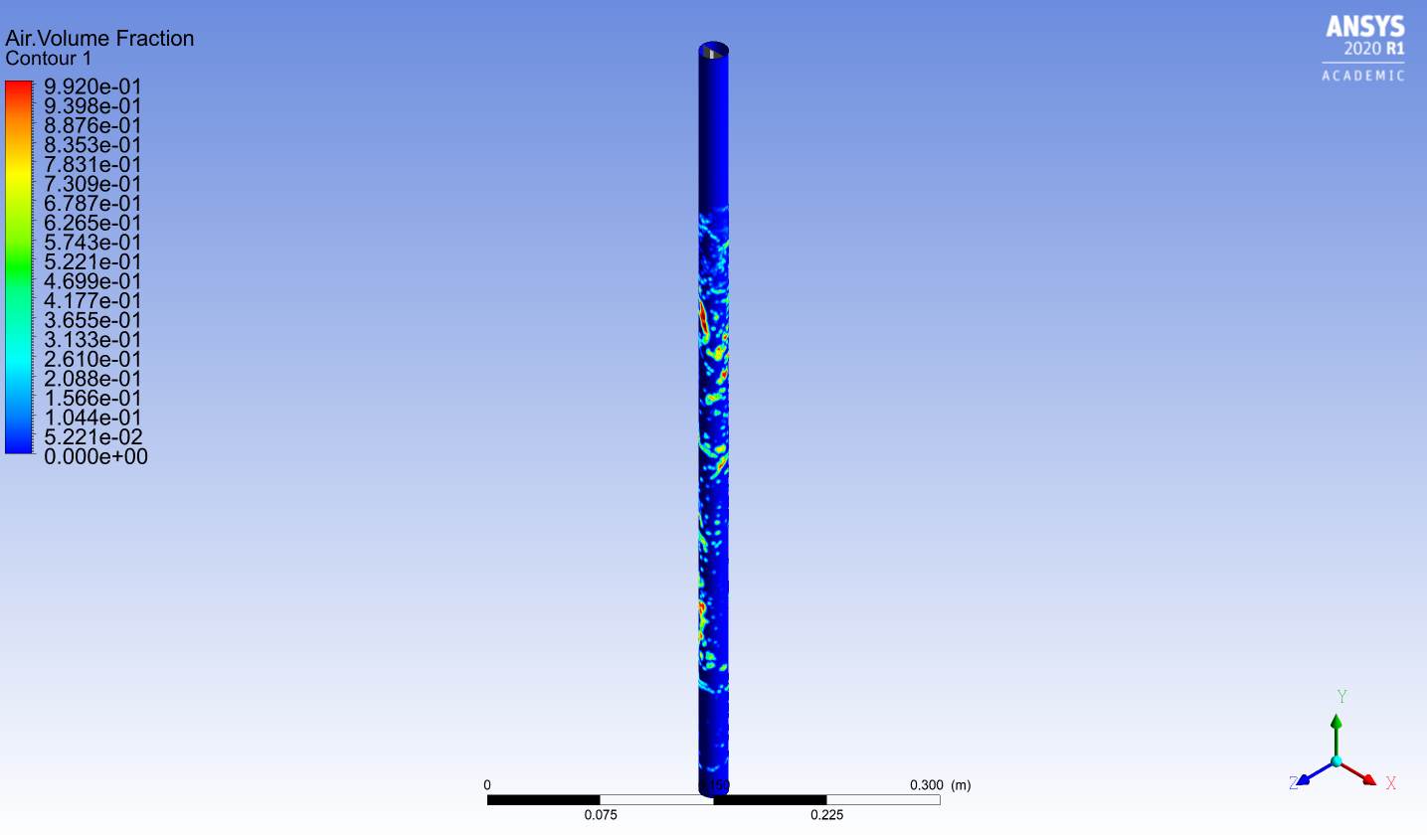 n
August 18, 2020 at 3:10 pmForum ModeratorTry using an iso-clip on the surface then display on the new clipped surface. Or look at the Scene objects in Fluent. nAugust 18, 2020 at 3:16 pmSubscriberViewing 8 reply threads
n
August 18, 2020 at 3:10 pmForum ModeratorTry using an iso-clip on the surface then display on the new clipped surface. Or look at the Scene objects in Fluent. nAugust 18, 2020 at 3:16 pmSubscriberViewing 8 reply threads- The topic ‘[Post Processing] Measuring the image’ is closed to new replies.
Innovation Space Trending discussions
 Top Contributors
-
peteroznewman
 4602
4602 -
scabo
 1510
1510 -
Dennis Chen
 1386
1386 -
javat33489
 1209
1209 -
Shyam Prasad V Atri
1021
Top Rated Tags
© 2025 Copyright ANSYS, Inc. All rights reserved.
Ansys does not support the usage of unauthorized Ansys software. Please visit www.ansys.com to obtain an official distribution.
-


The Ansys Learning Forum is a public forum. You are prohibited from providing (i) information that is confidential to You, your employer, or any third party, (ii) Personal Data or individually identifiable health information, (iii) any information that is U.S. Government Classified, Controlled Unclassified Information, International Traffic in Arms Regulators (ITAR) or Export Administration Regulators (EAR) controlled or otherwise have been determined by the United States Government or by a foreign government to require protection against unauthorized disclosure for reasons of national security, or (iv) topics or information restricted by the People's Republic of China data protection and privacy laws.

 You are navigating away from the AIS Discovery experience

