I was modifying the available TFLN modulator example, by sweeping the Signal and Ground contact positions, moving them closer to the waveguide to observe the change in Vpi L after running the CHARGE sweep and then running the FEEM analsys on different contact spacings.
I noted no change in Vpi L or any other parameter which indicated something was not quite working for me.
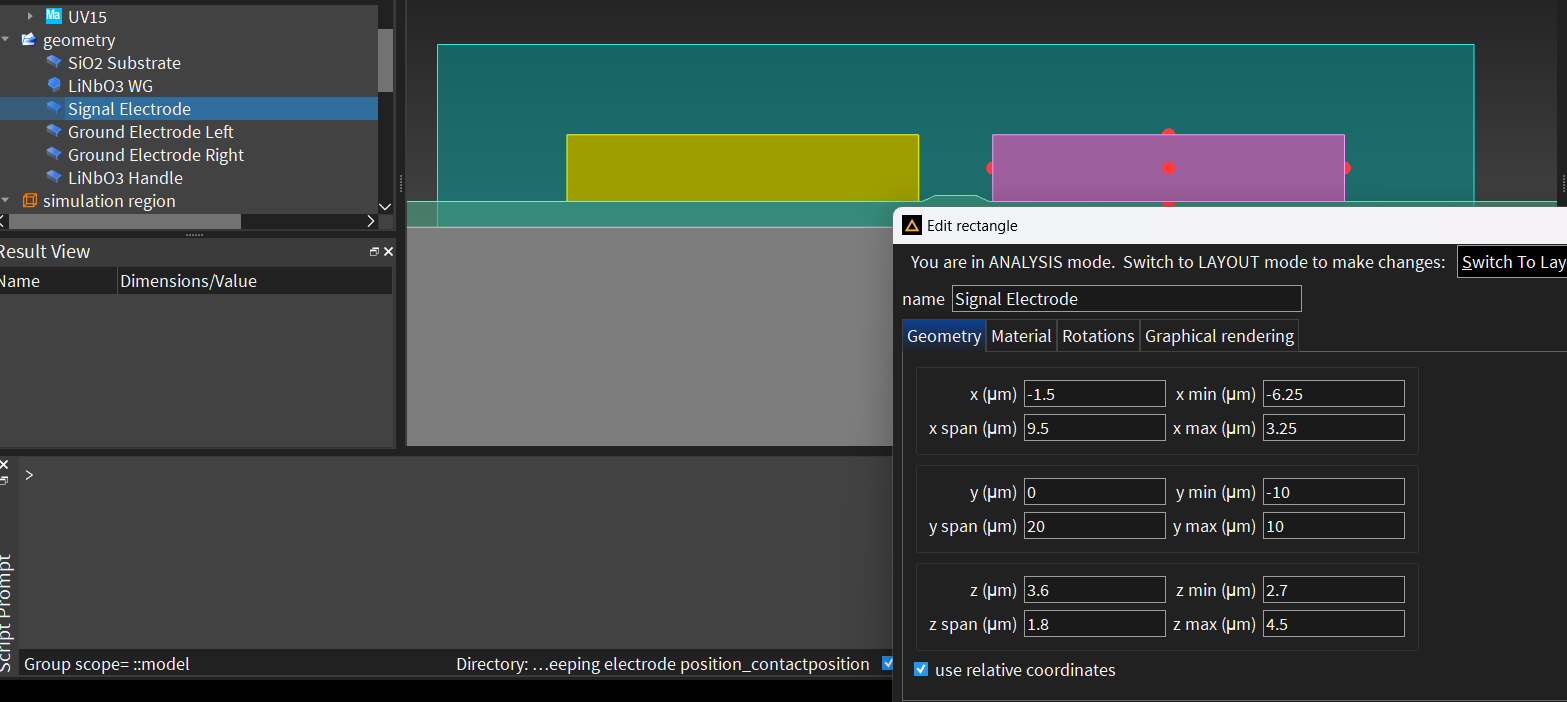
I then ran my closest contact position manually. Within the GUI I can see the contacts are where I set them 1.5 um closer to the waveguide than the initial example set them, seen in the following picture (x min of -6.25 um):
When looking at the ID attibute in the CHARGE simulation after running the location of the signal contact is back at the initial point seen in the following picture (x min of -4.75 um):
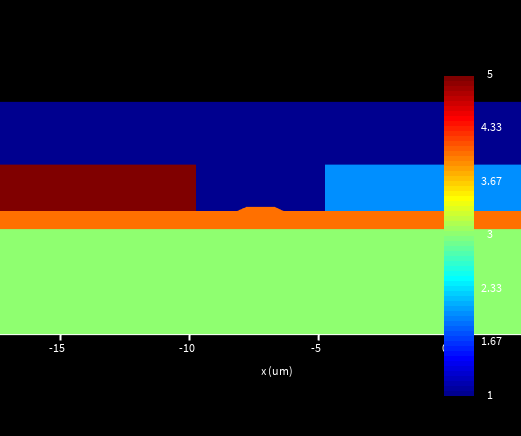
I am confused as to why the simulation is defaulting to the old position even when I manually updated and saved the new positions.
Any advice for trouble shooting is greatly appreciated.



















 You are navigating away from the AIS Discovery experience