Ansys Assistant will be unavailable on the Learning Forum starting January 30. An upgraded version is coming soon. We apologize for any inconvenience and appreciate your patience. Stay tuned for updates.
Electronics

Electronics

Topics related to HFSS, Maxwell, SIwave, Icepak, Electronics Enterprise and more.

Plot a field magnitude as a function of an Optimetrics swept parameter

    • pavel.kirienko
      Subscriber

      I have a 3D magnetostatic problem that involves a solenoid with a core. I want to visualize the B-field magnitude at a specific point as a function of the current through the coil. On top of that, I need the same except that instead of the B-field I need to sample a custom field computed with the field calculator.

      I am able to sweep the current using Optimetrics, and I can also manually sample the field magnitude at the point of interest using a marker, but I don't understand how to make the marker value accessible to the report generator so that I can place both the current values from Optimetrics and the sampled magnitude from the marker on the same plot.

      Can someone please advise? Thank you!

    • pavel.kirienko
      Subscriber

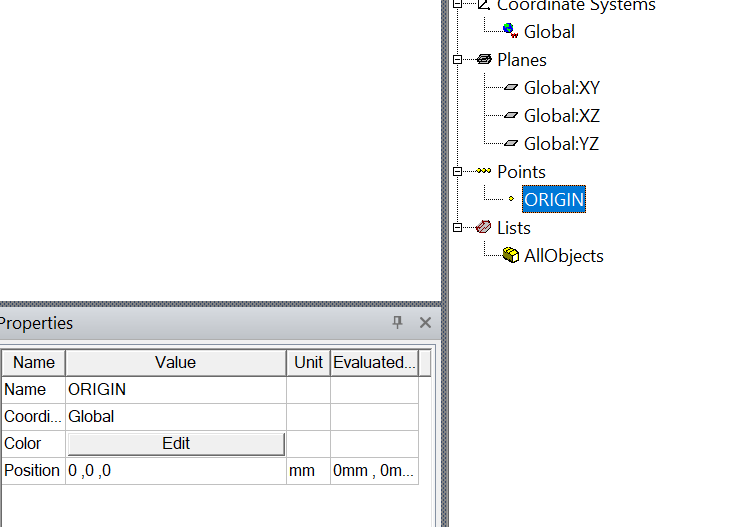
      Ok I found the solution. You need to define the point of interest not as a marker, but as normal geometry (using the Draw menu). Say we call the point "ORIGIN":

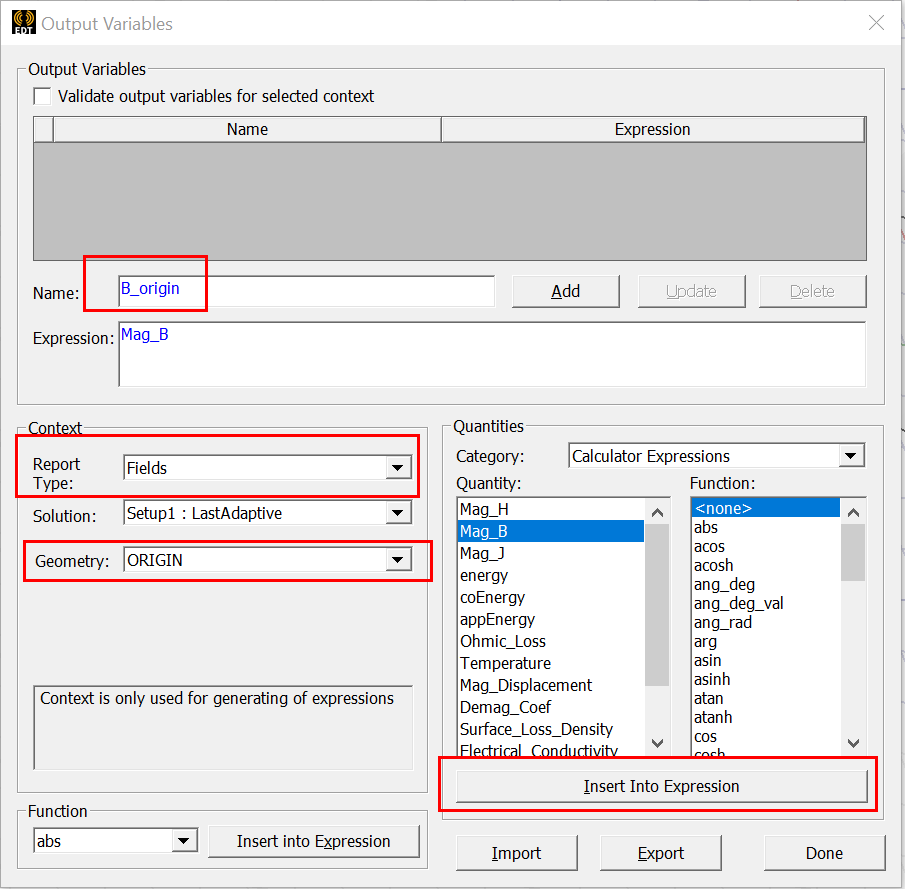
      Then define a new output variable via the Results panel, where you can select which field to sample at the selected point:

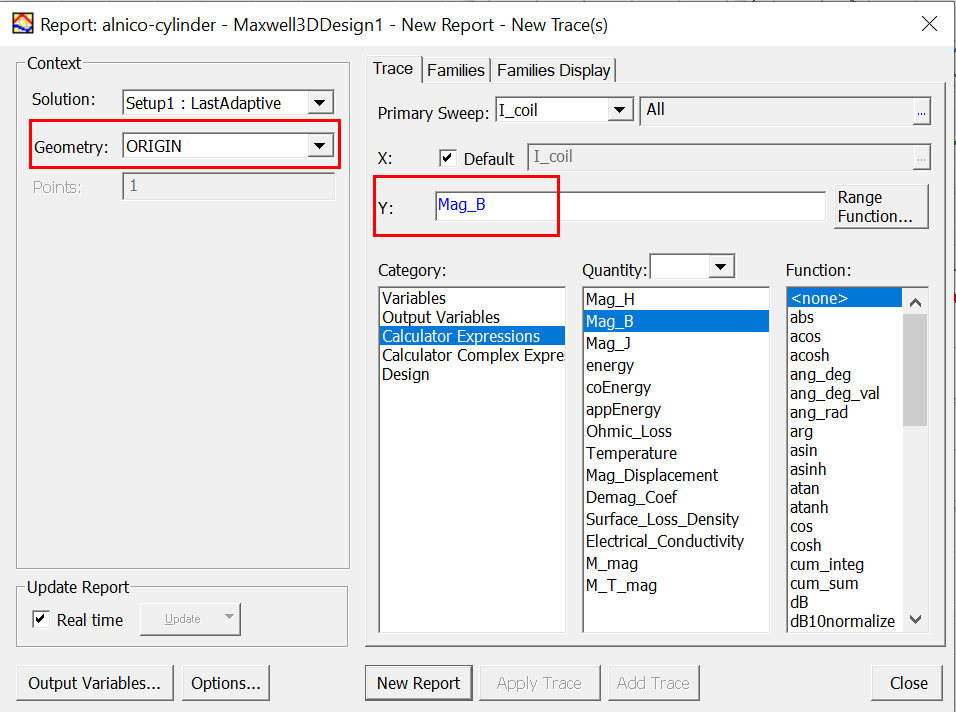
      You can also directly use it in a Fields report:

Viewing 1 reply thread
  • The topic ‘Plot a field magnitude as a function of an Optimetrics swept parameter’ is closed to new replies.

[bingo_chatbox]