TAGGED: meshing, watertight-workflow
-
-
October 15, 2025 at 1:40 pm
hefeinanzhan
SubscriberWhen using Fluent Meshing(Watertight geometry) for grid generation, how to share topology for only selected parts of the structure?
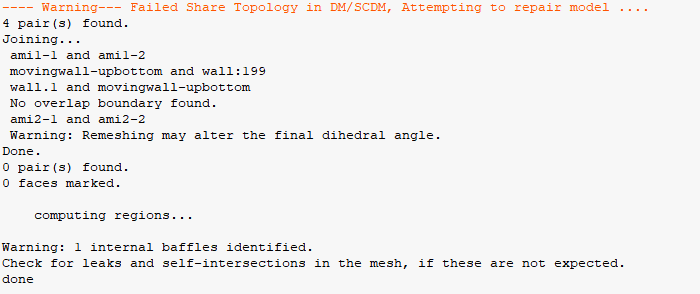
Currently, I only want to set topology sharing between the 2D thin slice shown in the diagram and its intersecting components, while leaving all rotor-stator interfaces unmodified. When following these steps, Fluent Meshing automatically performs topology sharing on other components. How can I prevent Fluent Meshing from processing non-specified areas?The following are warning messages from Fluent Meshing:
---- Warning--- Failed Share Topology in DM/SCDM, Attempting to repair model ....
5 pair(s) found. Joining...
ami1-1 and ami1-2 movingwall-upbottom and wall:194 wall.1 and movingwall-upbottom No overlap boundary found. ami2-2 and ami2-1 Warning: Remeshing may alter the final dihedral angle. Done. 0 pair(s) found. 0 faces marked.
computing regions...
Warning: 1 internal baffles identified. Check for leaks and self-intersections in the mesh, if these are not expected. done
-
October 15, 2025 at 9:32 pm
peteroznewman
SubscriberOpen the geometry in SpaceClaim. Hide all the solids except the two bodies that have the coincident faces. On the Workbench tab, click the Share button. If other faces or edges on those two bodies light up (besides the faces you want), you can reduce the search tolerance, or you can use the red X button to remove the highlighted geometry to prevent it from being shared. Save the file.
Run Fluent Watertight Meshing workflow and when it asks if you want to Share Topology, answer No. The topology previously shared in SpaceClaim will be honored but nothing else will be included.
-
October 16, 2025 at 1:30 am
hefeinanzhan
SubscriberI have precisely followed your method to process the geometry in SpaceClaim. However, when working in the Watertight Geometry workflow, the 'Generate the Surface Mesh' operation still attempts to repair the model and automatically completes topology sharing for remaining regions.
Â
As for preventing topology sharing, this must be configured in the subsequent 'Describe Geometry' step.
-
-
- You must be logged in to reply to this topic.
-
6379
-
1906
-
1457
-
1308
-
1022
© 2026 Copyright ANSYS, Inc. All rights reserved.