Ansys Assistant will be unavailable on the Learning Forum starting January 30. An upgraded version is coming soon. We apologize for any inconvenience and appreciate your patience. Stay tuned for updates.
Fluids

Fluids

Topics related to Fluent, CFX, Turbogrid and more.

Parametric analysis error

    • Adrian Ee
      Subscriber

      Hi!

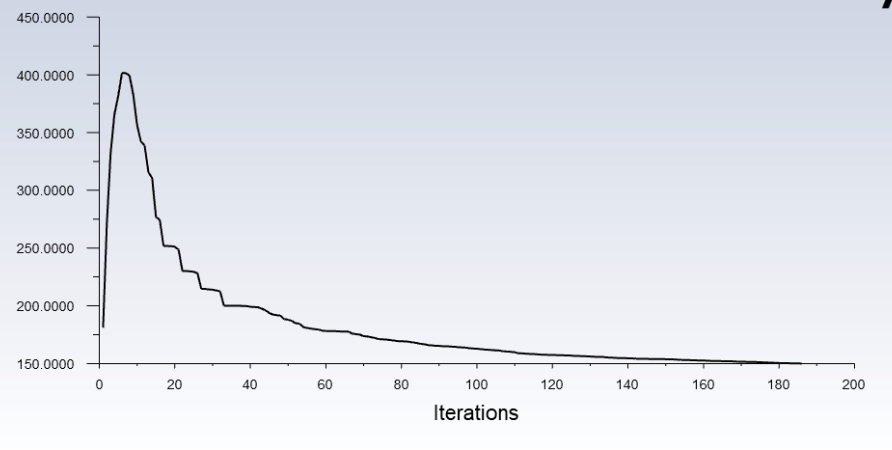
      So i am trying to conduct a DOE study but i started getting crazy results which i should not even be getting. I managed to narrow down the error to that of the parametric analysis portion. Essentially when i change an input parameter from the tab (example from angle 30 degrees to 40 degrees), i start getting the following results in fluent which is not suppose to be the case .
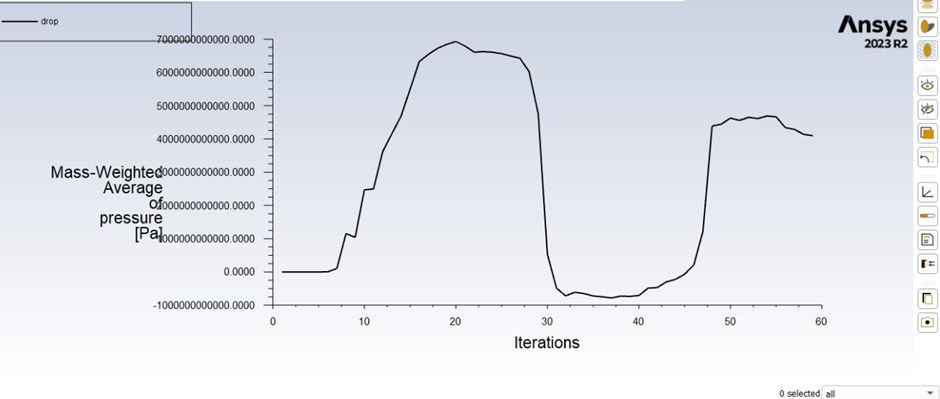
      however when i change the same angle from 30 degrees to 40 degrees in design modeller first, then updating the mesh and finally the fluent, all manually, without changing any other parameters, i get a normal result
       

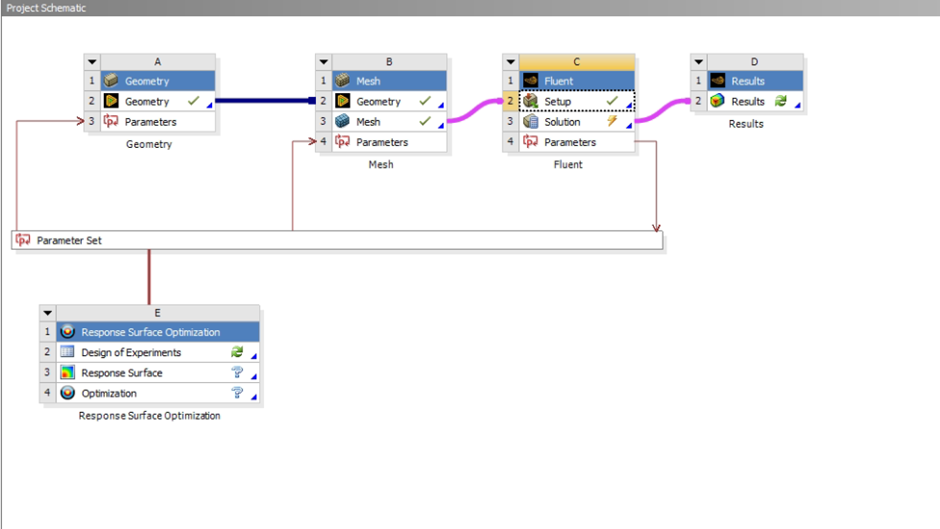
      this is the setup of my workbench
       

      Assistance is greatly appreciated. Thanks

    • Federico
      Ansys Employee

      Hello Adrian, 

      In Workbench, looking at the Properties tab of you Fluent Solution cell, what is the Initialization Method that you are using? The default is Program Controlled, which typically will use the solution from the previous design point and interpolate to the new one. This works well for small changes. However, if there are some topological changes in your mesh, it can cause some issues. See if changing it to Solver Controlled helps in your case

    • Federico
      Ansys Employee
Viewing 2 reply threads
  • The topic ‘Parametric analysis error’ is closed to new replies.
[bingo_chatbox]








