-
-
June 7, 2019 at 6:10 pm
ALEXANDRE COSTA
SubscriberHi All,
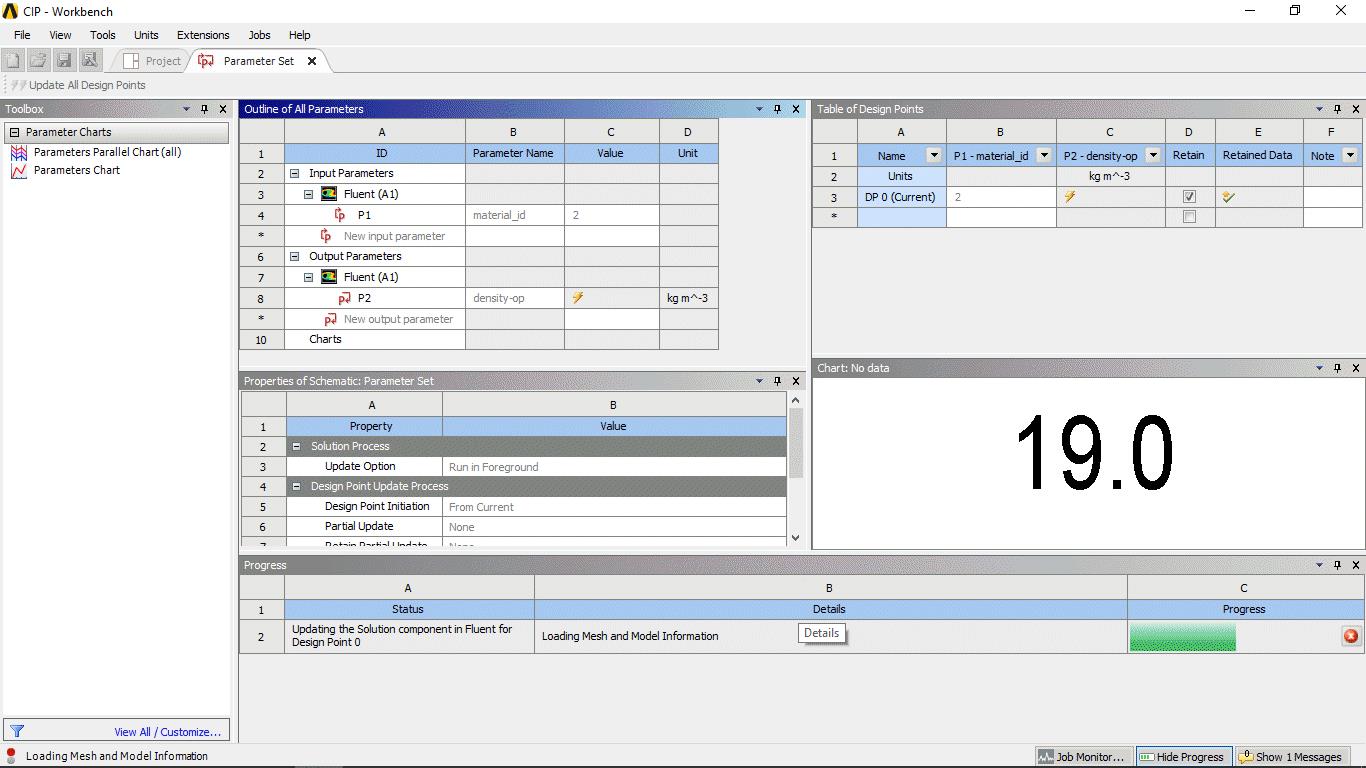
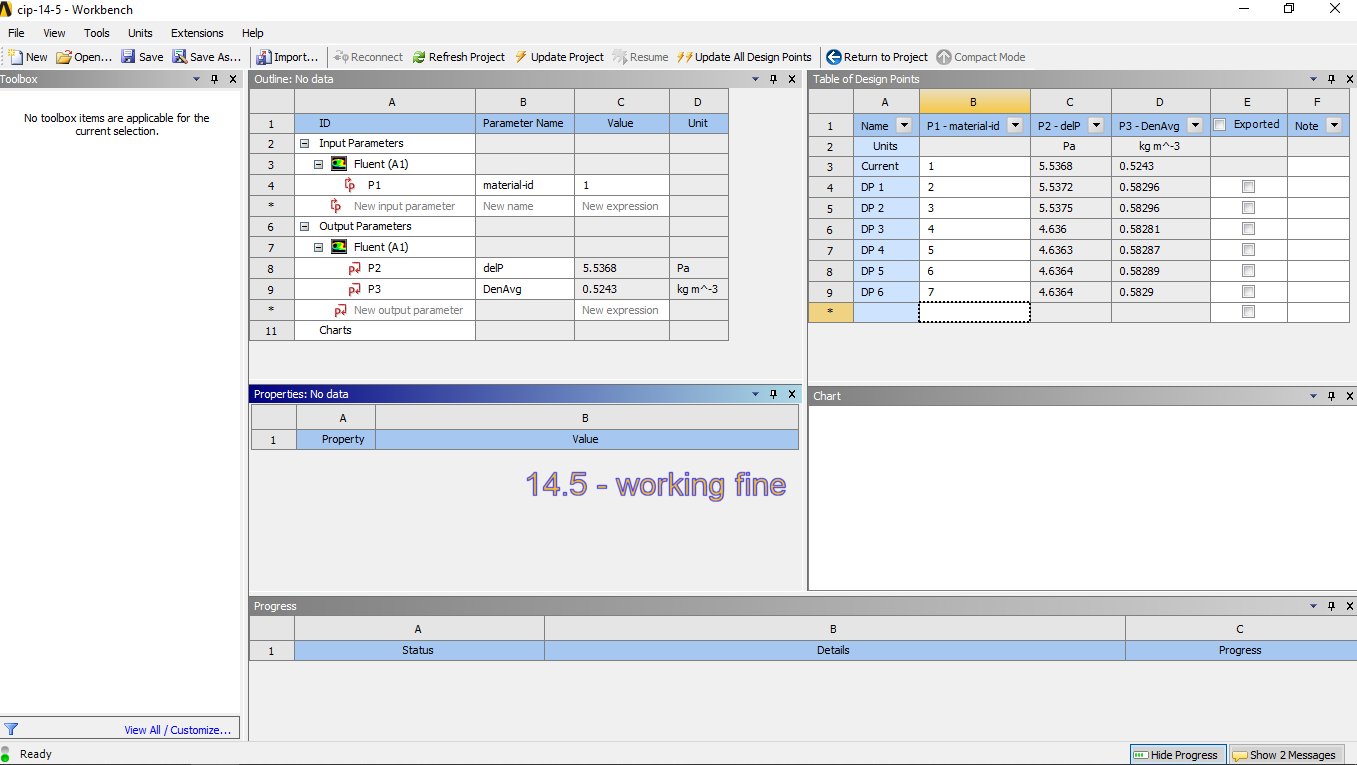
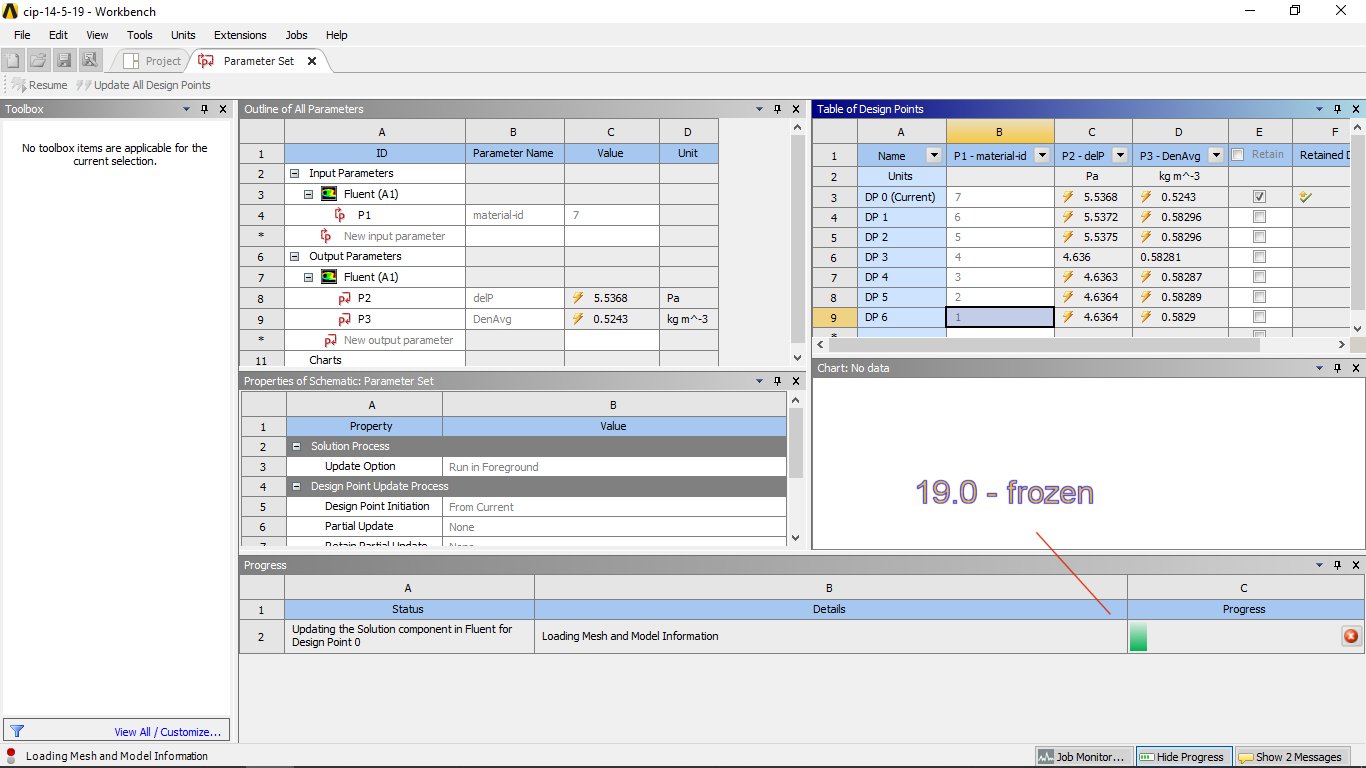
I am trying to adapt a fluent model parameter example from fluent and workbench 14.5. It is not working
for workbench 18.0 and 19.0.
Hopefully some ANSYS expert staff can solve my issue.
Let me describe:
1)The task is to set the parametric study involving different set of pre-defined fluid
materials. It uses a customized input parameter in Fluent.
2)It uses a prepared Fluent case. The case was set
with seven different materials representing air (air1,air2, … , air7) and every air
material is utilising a different density model available in the Fluent solver.
3) The simulation is being performed for a
number of different cases in Workbench(every case will utilise different density formulation)
I will describe my steps next and attach the pictures, .cas and .scm files :
i) Started a new workbench session
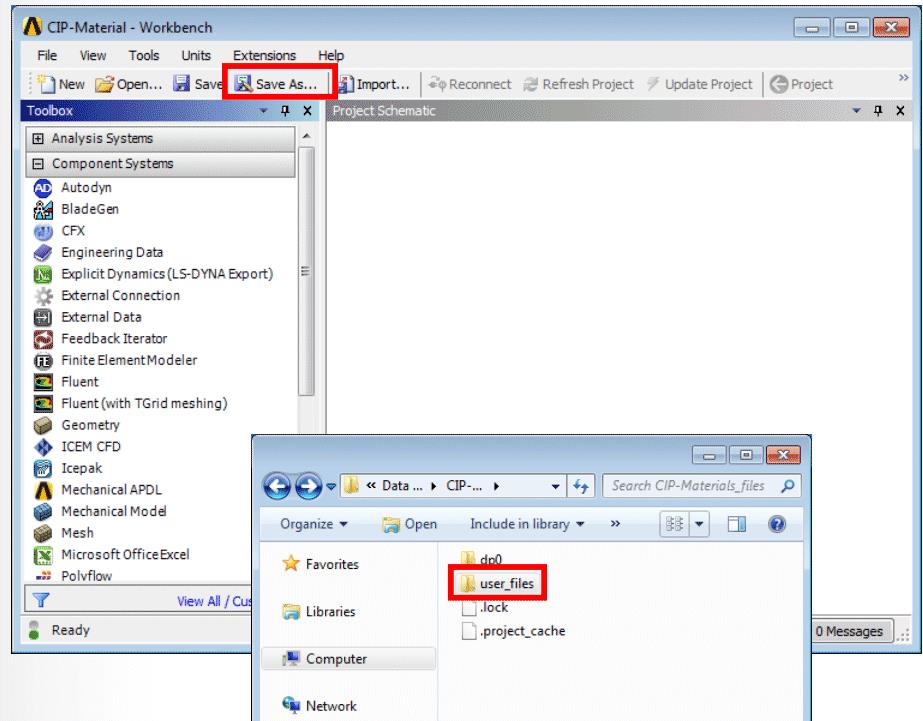
• Saved the project as: ‘CIP-Material’
• Located the ‘user_files’ folder
associated with this project and
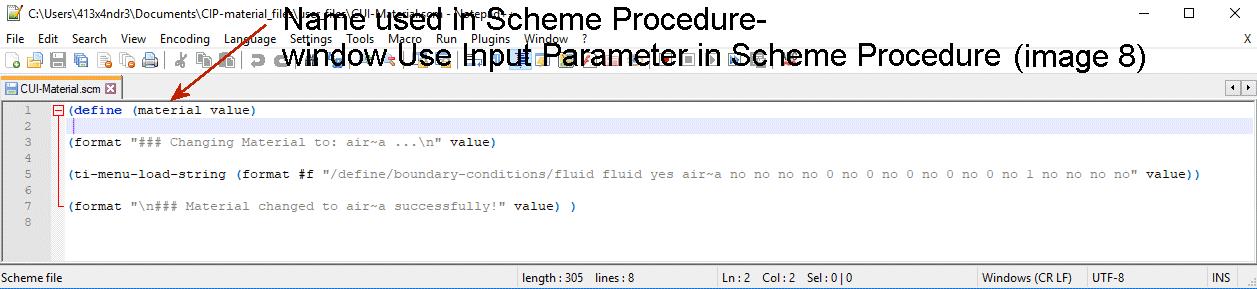
copy the .cas and the .scm file
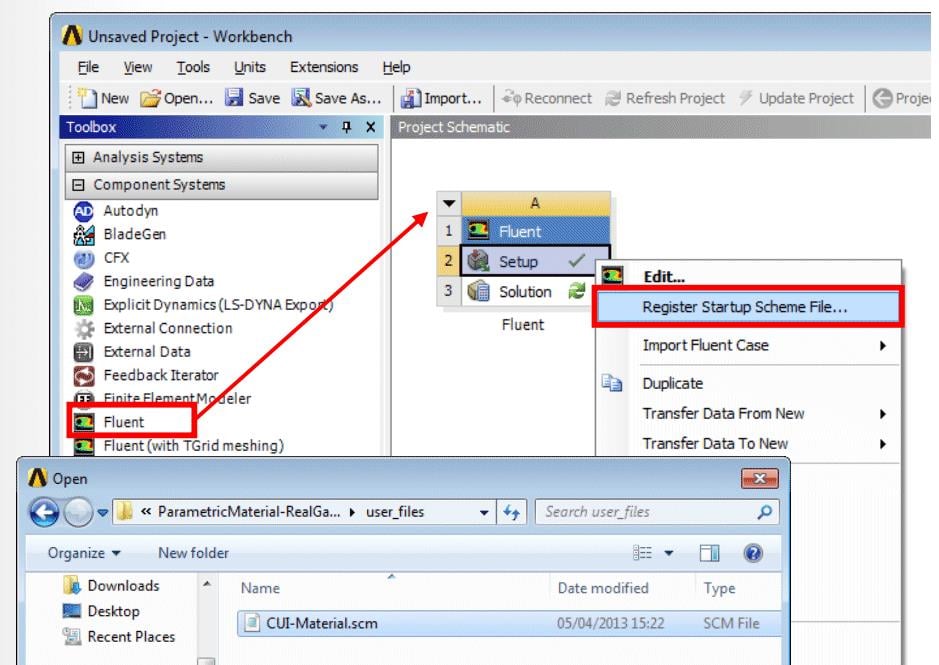
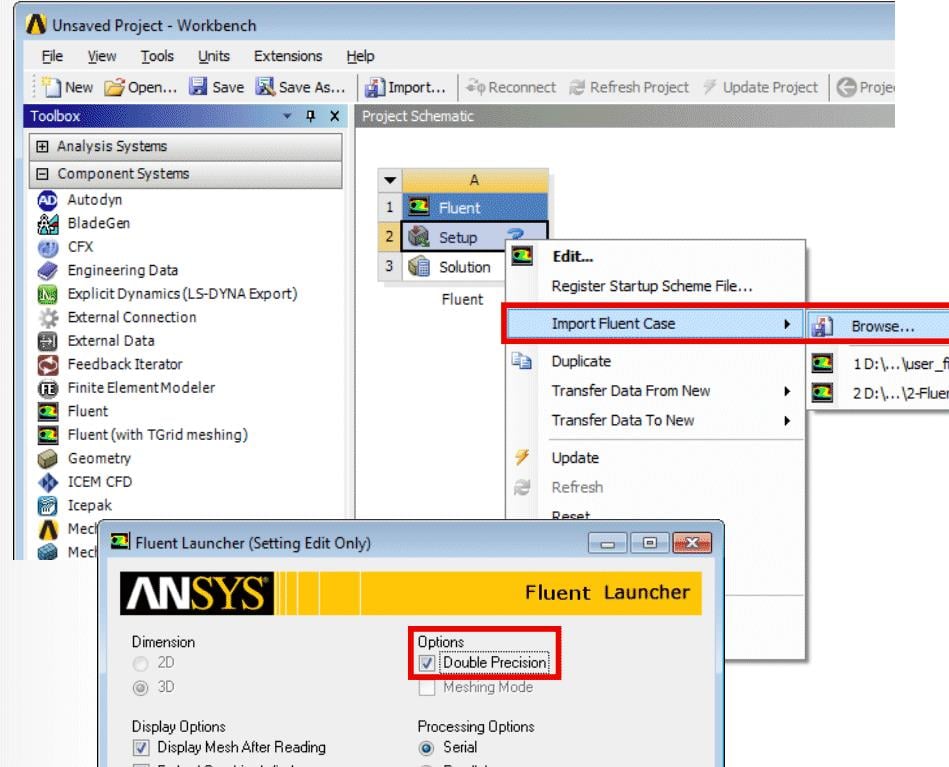
II) Dragged a Fluent component system
onto the project schematics
• Right-clicked on ‘Setup’, and selected
‘Register Startup Scheme File’, and
Browsed
• Browsed to and select the file
“CUI-Material.scm” located in
project’s ‘user_file’ folder
iii) Right-clicked on ‘Setup’, and selected
‘Import Fluent Case’, and Browsed
• Browsed to and select the file
.cas file located in
project’s ‘user_file’ folder
• In the Fluent Launcher panel selected
‘Double Precision’ option and pressed
‘OK
iV) In Fluent Text User Interface (TUI) typed the following
command: (material 1)
Verification of startup scheme was ok
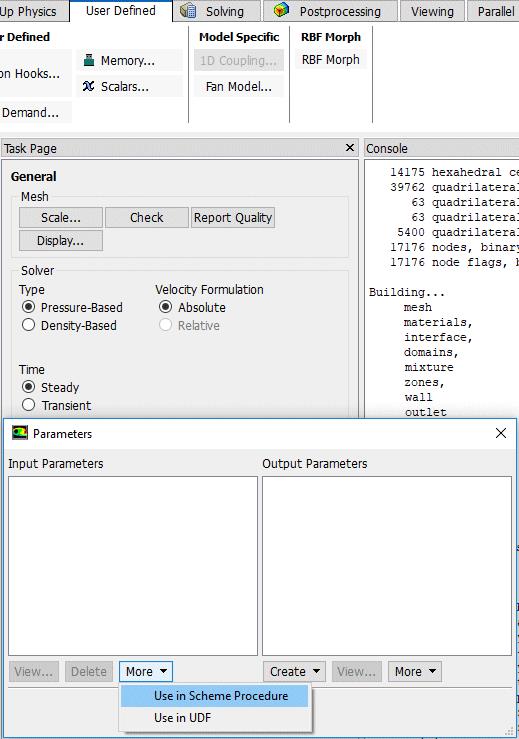
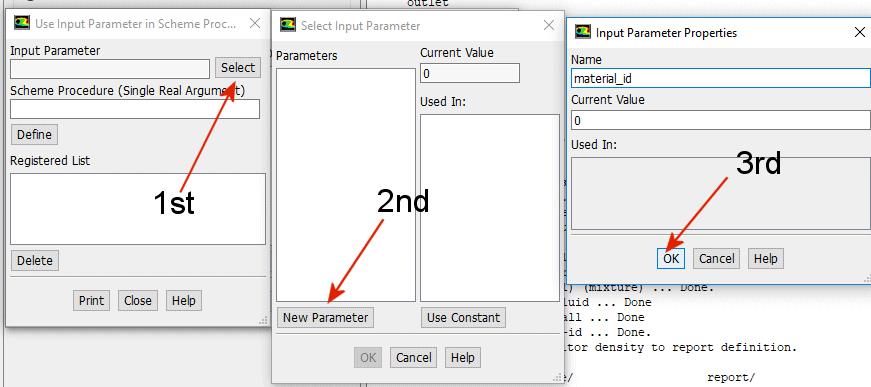
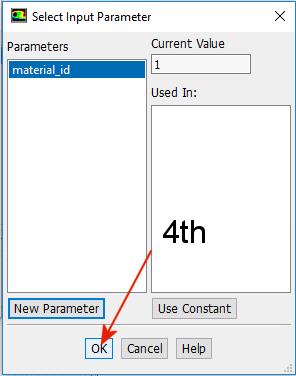
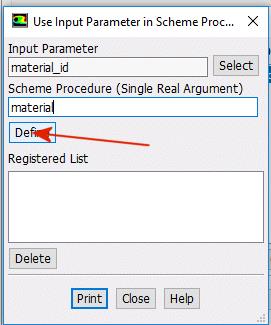
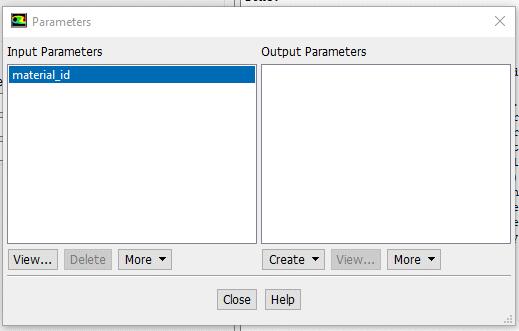
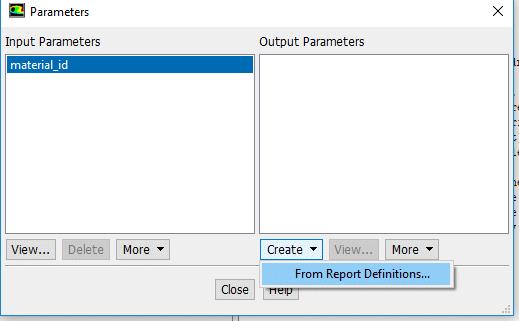
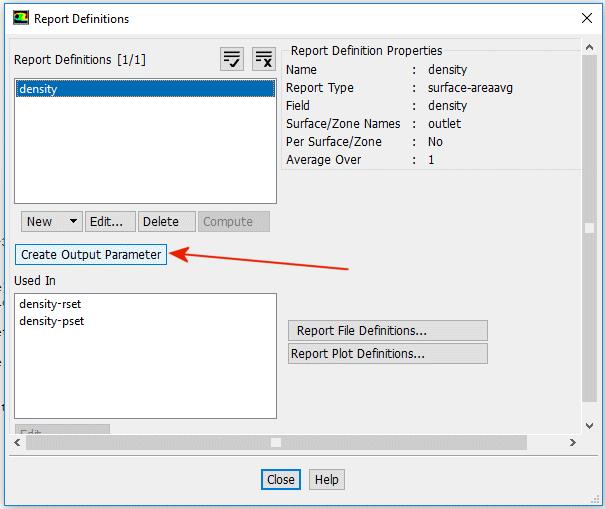
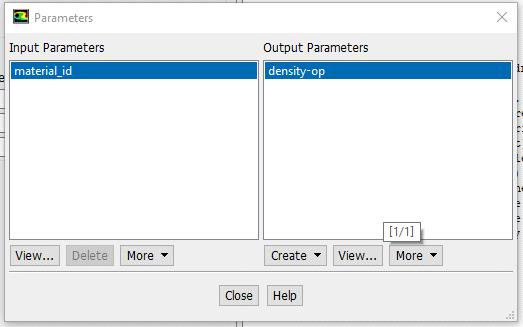
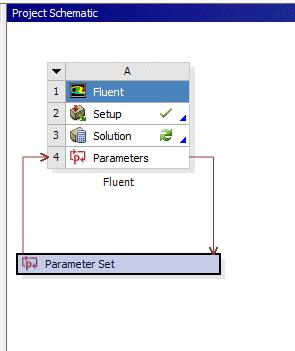
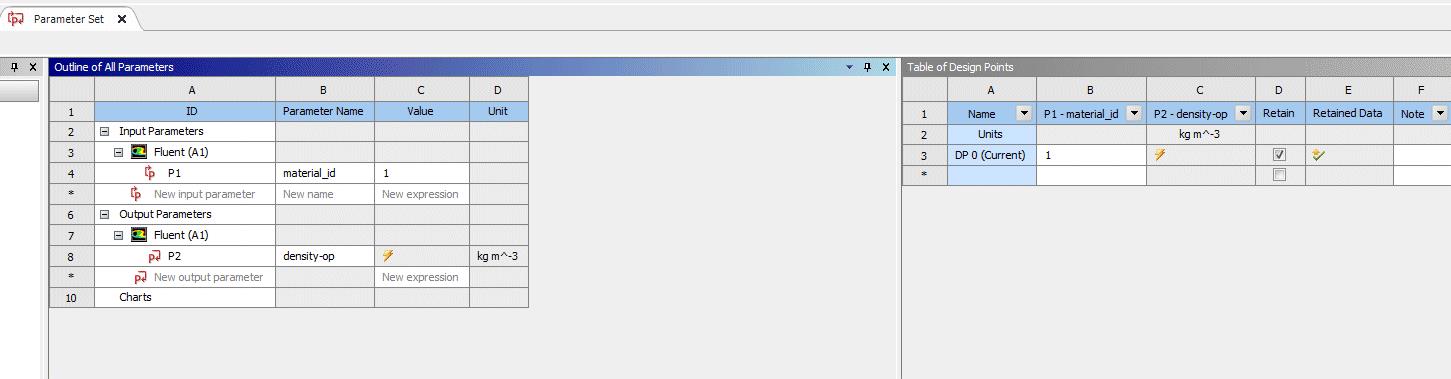
v) Defined input and output parameter as in the following images
vi) Close Fluent
• Save the workbench
session
• Right-click on ‘Solution’,
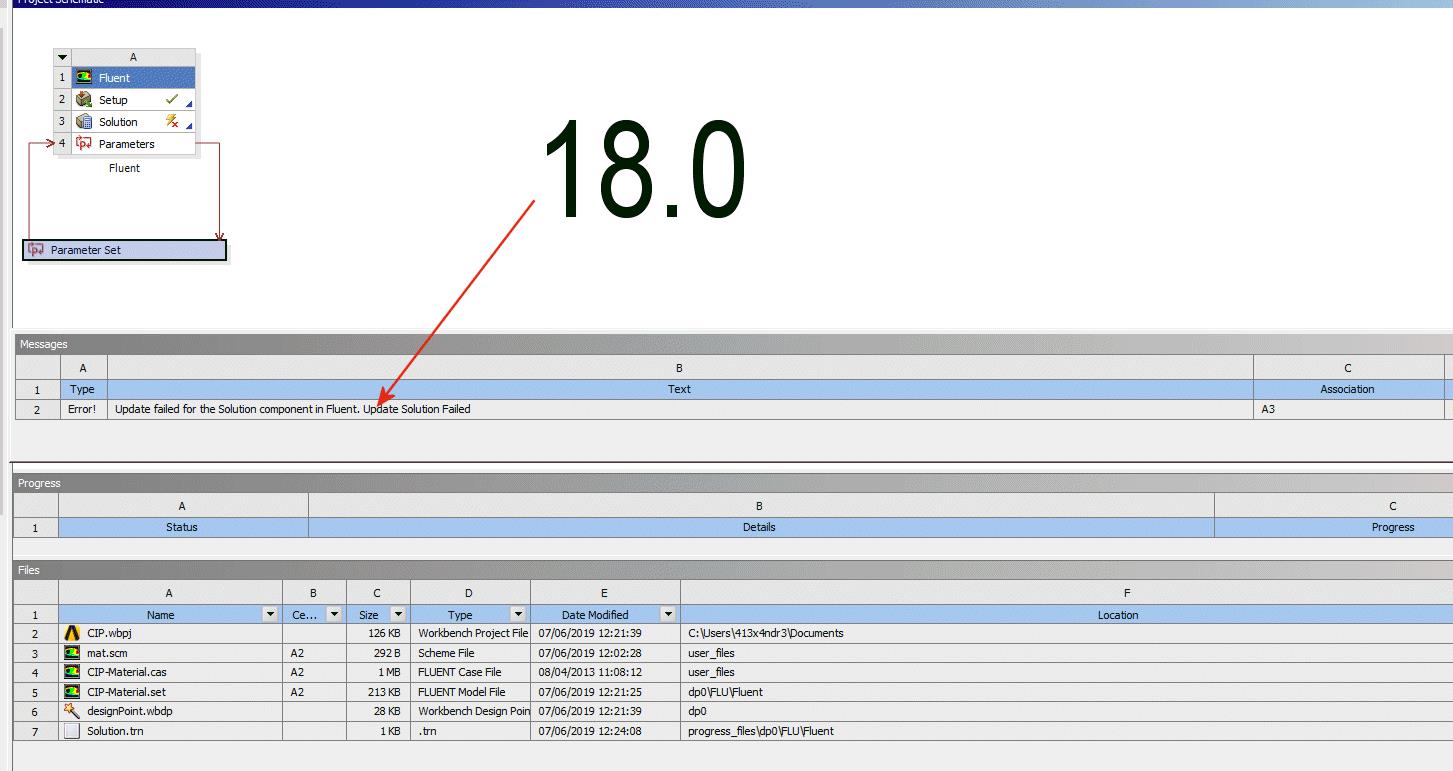
and select ‘Update’ -

June 7, 2019 at 6:30 pm
-
June 9, 2019 at 8:19 pm
ALEXANDRE COSTA
SubscriberI also uploaded the recorded steps in mp4
-
June 10, 2019 at 10:36 am
Rob
Forum ModeratorYou've only got one design point in the list, and the P1 is greyed out. I'm not sure you can change a material property as a parameter: you may need to use a different approach. Happy to be corrected if you can show the reference!
-
June 10, 2019 at 1:49 pm
ALEXANDRE COSTA
SubscriberHi
Thanks for the output. The reference is for version 14.5 (please see the first image, most of the images are also from the reference). It used a “create-custom-input-parameter” at the TUI (not available in the new versions, so I adapted that step 
.It is working for just one design point each time(with fluent window opened) but not for a whole table of design points(fluent window closed). Clearly, the problem is in the comunication between fluent and workbench, but i am missing something. Very happy, if an expert help to find the solution. -
June 10, 2019 at 3:06 pm
Rob
Forum ModeratorCheck the Fluent User's Guide under Boundary Conditions: it's there but you may need to alter the commands.
-
June 10, 2019 at 8:03 pm
ALEXANDRE COSTA
SubscriberDo you mean 7.1.8.2.1. Defining Scheme Procedures With Input Parameters ?
I am afraid the scheme is loading properly. The issue resides somewhere. I am still trying.
-
June 11, 2019 at 9:30 am
Rob
Forum ModeratorYes, 7.1.8. Defining and Viewing Parameters. Check the labels and avoid using "-" or spaces in the names & path. Scheme can be a bit awkward like that.
-
June 12, 2019 at 9:36 pm
-
June 13, 2019 at 10:59 am
DrAmine
Ansys EmployeeWhat about using parameters for the material properties? Just an idea...
Anyway can you disable solution monitoring and try again. Check the trn files to have better idea about what is happening. Also test with an actual release. -
June 13, 2019 at 11:11 am
DrAmine
Ansys EmployeeI made an example and it is working with R2. Here for my tests I am just doing 2 iterations and 3 DP's.
-
June 13, 2019 at 4:44 pm
ALEXANDRE COSTA
SubscriberHi
can you share the wbpz file?
-
June 13, 2019 at 5:28 pm
DrAmine
Ansys EmployeeI uses R2. And i am Not allowed to share here. What is your University mail address.? -
June 14, 2019 at 4:56 am
DrAmine
Ansys EmployeeActually I tested your case and just gave w iterations. Can you check on your side first. Can you then switch off monitoring? -
June 14, 2019 at 2:55 pm
ALEXANDRE COSTA
SubscriberHi Amine and others
Looking forward any helpful clues
thxs a lot
-
June 14, 2019 at 3:06 pm
DrAmine
Ansys EmployeeAgain I tested almost same case you attached in r2 with two iterations and it worked . Proceed with the suggestions I passed and let us know -
June 14, 2019 at 4:56 pm
ALEXANDRE COSTA
SubscriberCan you share at least a picture of your files window inside workbench?
-
June 15, 2019 at 6:44 pm
ALEXANDRE COSTA
SubscriberPlease share some picture of your screen showing what you did diferentlly. I am completely lost -(
-
June 17, 2019 at 5:01 am
DrAmine
Ansys EmployeeI am using same macro and just iterated two iterations. Again cgeck wuth R2, disable solution monitoring and if it is not working let us know.
-
- The topic ‘Parameter model in Fluent and Workbench’ is closed to new replies.
-
6765
-
1906
-
1485
-
1330
-
1097
© 2026 Copyright ANSYS, Inc. All rights reserved.