Ansys Assistant will be unavailable on the Learning Forum starting January 30. An upgraded version is coming soon. We apologize for any inconvenience and appreciate your patience. Stay tuned for updates.
Fluids

Fluids

Topics related to Fluent, CFX, Turbogrid and more.

optislang optimization in 2025R2

    • kocharti
      Subscriber

      Hello all,

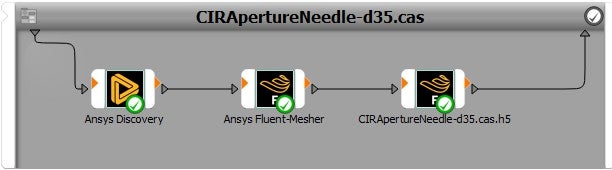
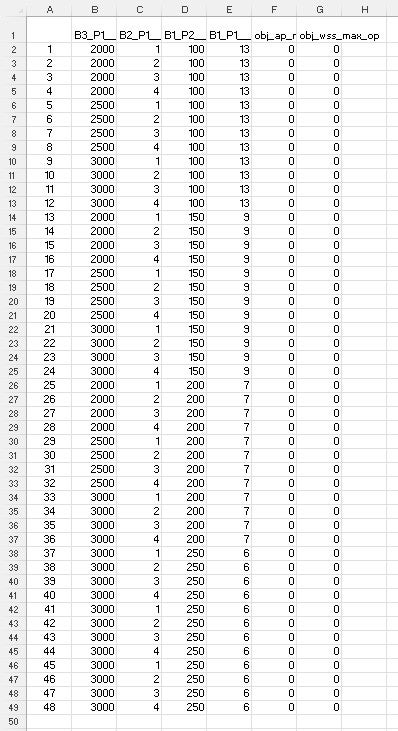
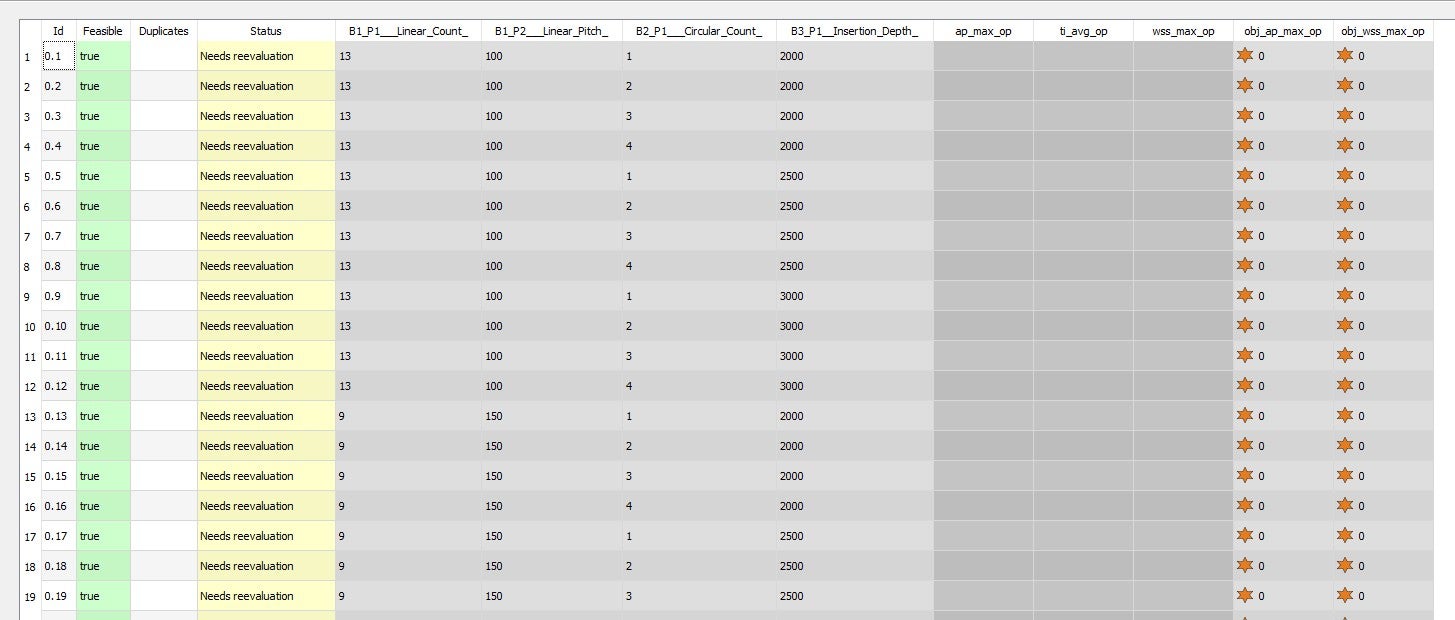
      In my 2025R2 studenbt version, I have successfuly ran my parametric solver syatem for one scebnario. I have 48 scenarios I have to run. I have bben trying to insert the excel sheet as CSV under parameters but when I hit the run, it only goes up to 5 designs. Any suggestion or guidence is highly appreciated as I am stuck for few days.

      Thanks. Ted


    • Veit Bayer
      Ansys Employee

      Dear Ted,

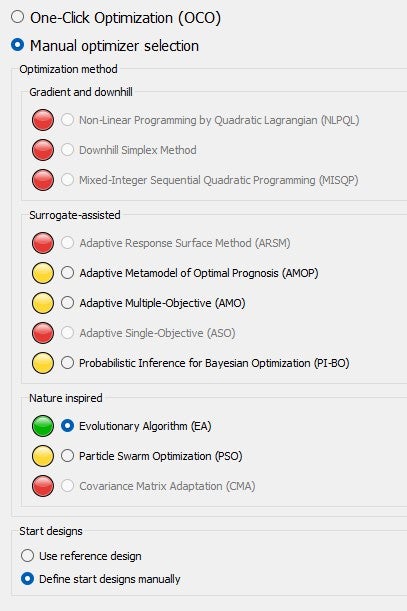
      first I need to know, do you have 48 designs you want to simulate, nothing more, or do you want the Evolutionary optimizer to continue finding an optimal design? In the first case, a Sensitivity system would be the right choice.

      Second, your csv contains parameters and objective values, but no solver results. Normally, solver responses are required, while criteria are ignored, I wonder how you loaded it into the start designs tab. So I suppose that EA stumbled when evaluating the start designs and then gave up. 

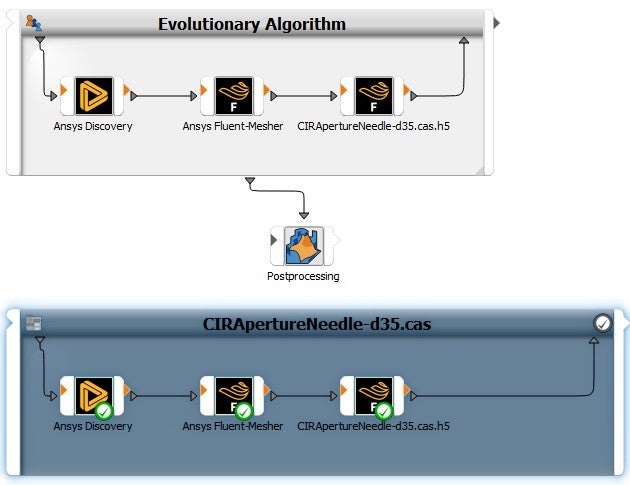
      Would you please edit the EA system and send me screenshots of the Parameter, Start Designs and Criteria tabs? And the error messages, please: Right-click on the "Message" field in the optiSLang gui, select "open in editor" and save it.

      Thanks!

    • kocharti
      Subscriber

      Thank you, Veit for your response.

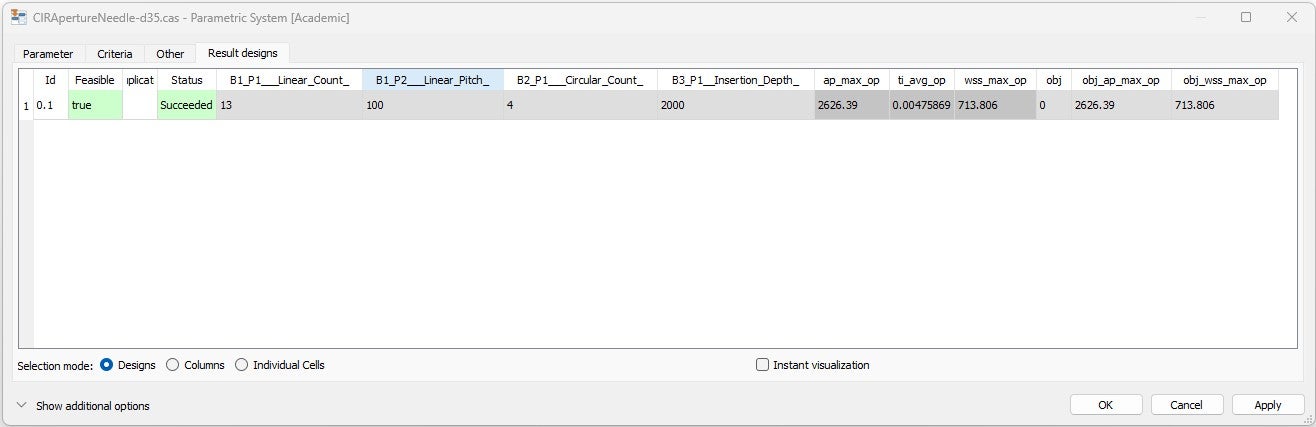
      The parametric workflow solved design 01 successfully (1/48).

      Now I expect solver will use this Design 01 and wuill run other 47 scenarios. After running each scenario I get results for my output responses.

      The excel sheet you saw was my organizing parameter scenarios and is niot an output file/result.

      My problem is that when I define all ascenarios, it shows only first 5 as you see in the picture.

      Hope this helps. 

    • Veit Bayer
      Ansys Employee

      I don’t really understand what you intend to do, sorry. Where do you get the “other 47″ from? Shall the EA algorithm generate them, or do you load them and want them to be simulated? What do you mean the solver uses design #1? You import it as start design to the Evolutionaly system? Please elaborate on your intended workflow.

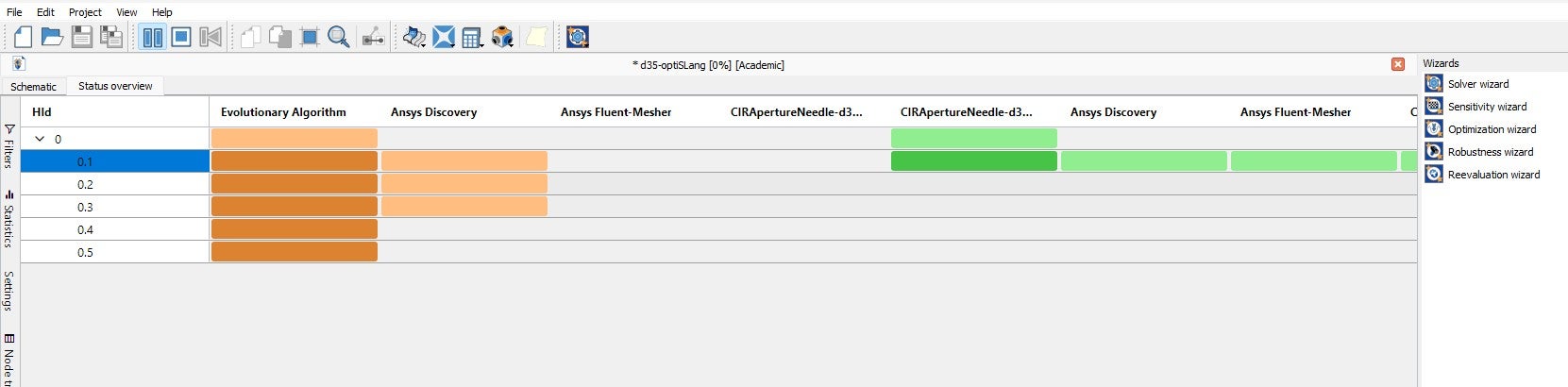
      It seems the Evolutionary algorithm ran into errors (I wonder a little about the colors in the Status Overview) and then stops. The error could be in Discovery. So maybe your initial design works, but a parameter (geometry) variation causes failure. Please have a look at the log file, as mentioned.


    • kocharti
      Subscriber

      Veit,

      I have made a parametric geometry in discovery. I ran it in the parametric workflow that I posted the first time. Optislang ran one scenario successfully. My questioin is "How iI can give ALL possible scenarios with different valuse of my parameters so it can solve it all? I am trying to upload it as "Import from file" as a CSV but what ever I tried I was not able to upoload them to be considered as different designs to solve.

      Hope this helps.

    • Veit Bayer
      Ansys Employee

      So, 
      - You do have 48 different parameter sets prepared as csv file?
      - You want to simulate all parameter sets and get results, that's it?
      - You do NOT want to conduct an optimization? 

      Then my proposal is as follows:
      - Edit the parametric system, go to the last tab "Results designs", export the design (by right-click into the table) as csv file.
      - Re-format your data using this csv file as template.
      - Apply the Sensitivity wizard on the parametric system, do NOT choose AMOP algorithm, but any other.
      - You may may not choose postprocessing and MOP on the last wizard page, I recommend to keep this.
      - After setup, edit the Sensitivity system.
      - Tab Start designs: import the prepared csv file from step 2 (menu at bottom right, import from result file)
      - Tab Dynamic sampling: uncheck to turn it off.
      - Close the Sensitivity system by "OK" and run the project. It should simulate exactly the imported designs now. 
      See more info in the help: Adding Start Designs

      /Veit

    • kocharti
      Subscriber

      Thanks for quick response Veit.- Yes,I do have 48 different parameter sets prepared as csv file to simulate all parameter sets and get results. AFter getting results for responses, I want to run sensitivity to see which paramneter has the most impact on responses. Will this change your proposed procedure?

      Thanks


    • Veit Bayer
      Ansys Employee

      No, it is just what I proposed. Follow my instructions, and keep the MOP creation in the last wizard page, as this will also evaluate sensitivities.

    • kocharti
      Subscriber

      I

    • kocharti
      Subscriber

      Veit,

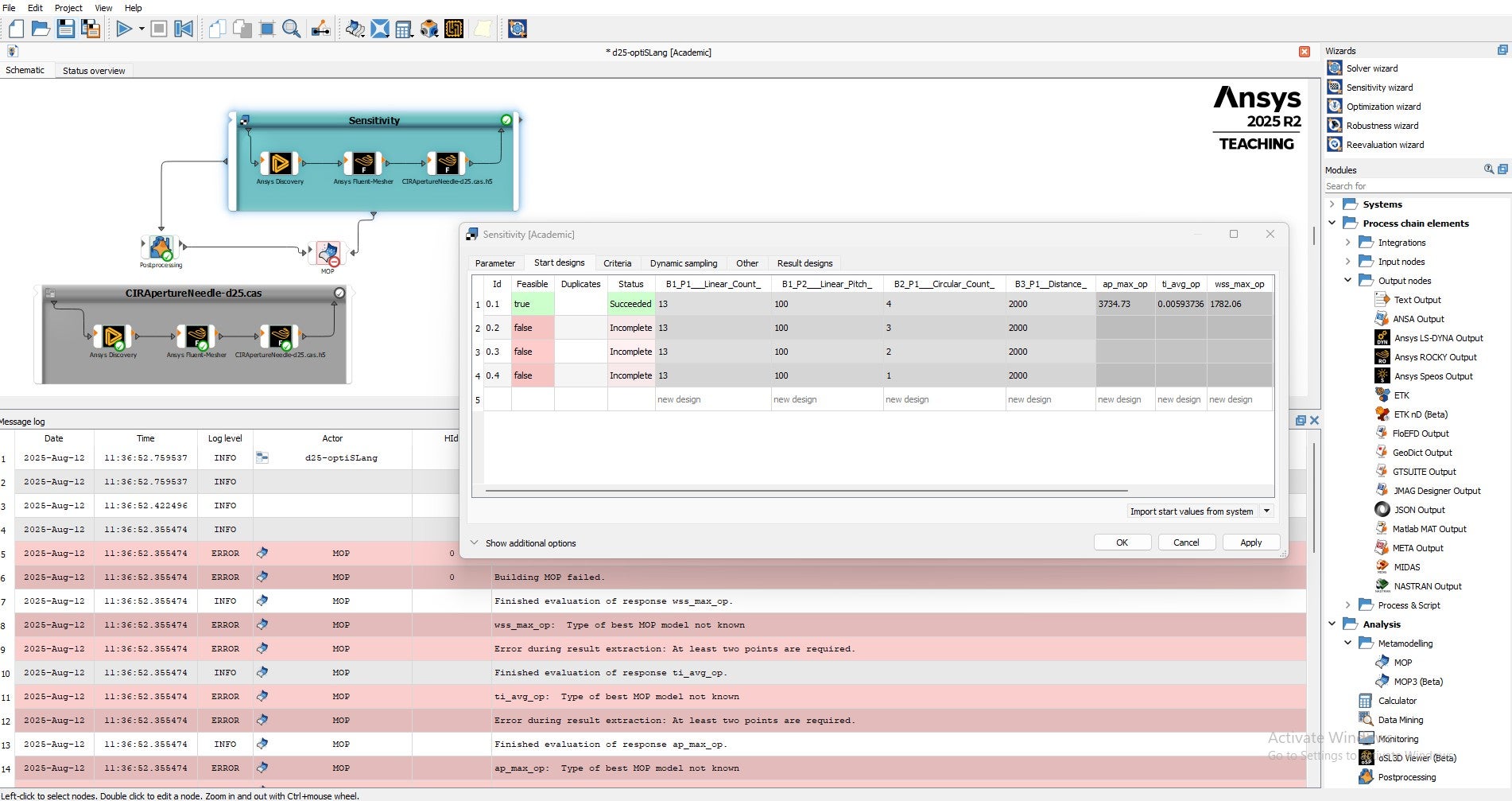
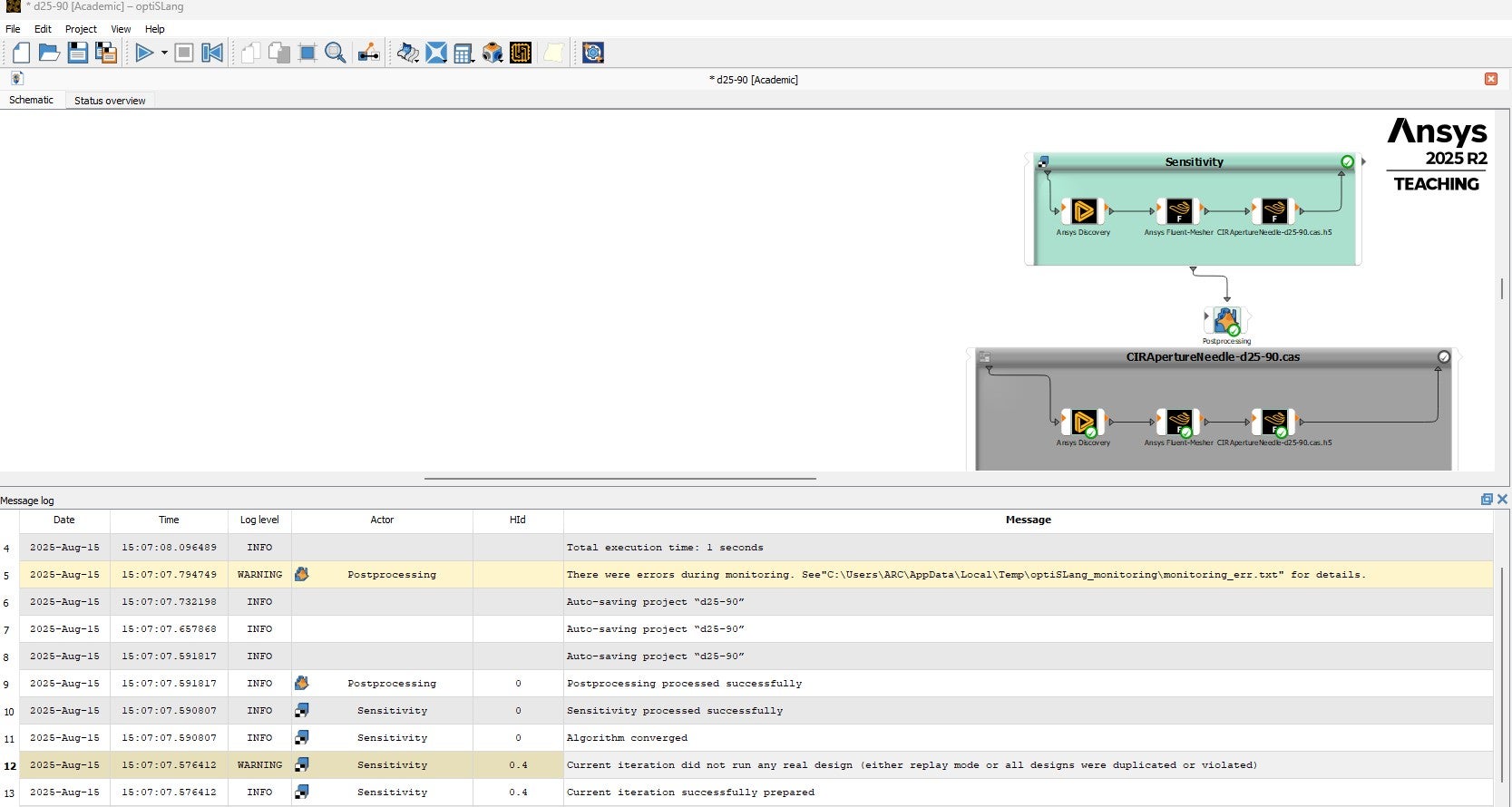
      I tried with few samples . Good that CSV uploaded but the result is as you see in the screenshot. Regards, Ted

    • Veit Bayer
      Ansys Employee

      Which versions of optiSLang, Discovery, Fluent etc. are you using?

    • kocharti
      Subscriber

      All are 2025 R2

    • kocharti
      Subscriber


      Please seed line 12 for the error message.

    • Veit Bayer
      Ansys Employee

      Please edit the Sensitivity System. Go through tab by tab, unfold any sections/hidden settings, make a screenshot. Post the screenshots of all tabs here. Only then I may be able to analyze what you did. Thanks.

    • kocharti
      Subscriber

      Hello Veit,

      I posted another discussion with more insights and info , hoping I can find a solution to my situation.

      Regards,

      Ted

Viewing 14 reply threads
  • You must be logged in to reply to this topic.
[bingo_chatbox]