

-
-
April 4, 2022 at 7:29 pm
Rithom
SubscriberHello
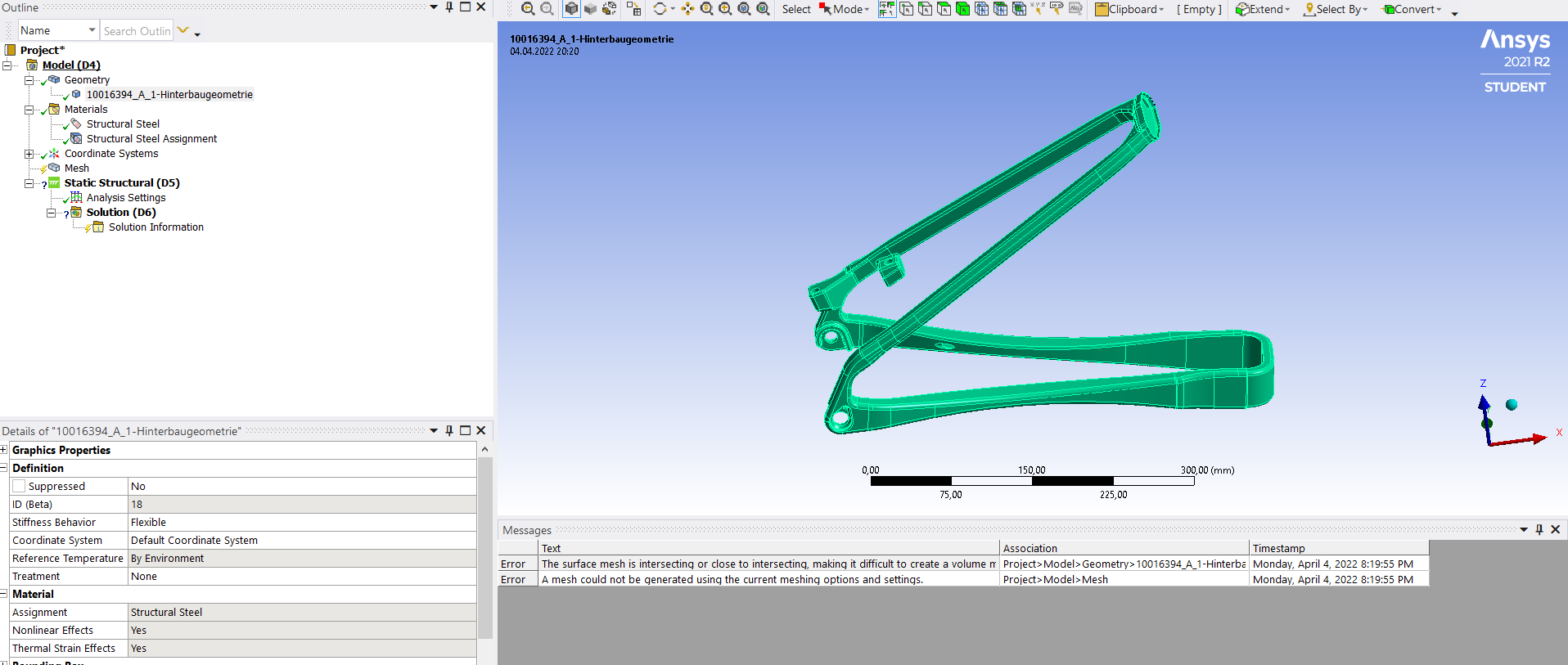
"The surface mesh is intersecting or close to intersecting, making it difficult to create a volume mesh. Please adjust the mesh size or adjust the geometry to fix the problem."
The picture shows a rear wheel triangle for a mountain bike. I don't know why I always get this error. The part is imported from a step file modelled in Inventor.
April 5, 2022 at 5:38 amKeyur Kanade
Ansys EmployeePlease check geometry in SpaceClaim.
Select geometry in structure tree --> Use right click --> Select Check Geometry. (Or Tools - Fault Detection in DM)
The geometry should be error free to proceed.
If geometry has any errors, please modify/recreate geometry at those places.
Also check mesh sizing. You may need to change mesh sizing.
Please check following videos
Ansys Meshing Sizing:
https://www.youtube.com/watch?v=w4q6q8nKF3U
Regards Keyur
How to access Ansys Online Help Document
Guidelines on the Student Community
Viewing 1 reply thread- The topic ‘Meshing Error: The surface mesh is intersecting or close to intersecting’ is closed to new replies.
Innovation Space Trending discussions
 Top Contributors
-
peteroznewman
 5094
5094 -
scabo
 1830
1830 -
Dennis Chen
 1387
1387 -
javat33489
 1248
1248 -
Shyam Prasad V Atri
1021
Top Rated Tags
© 2026 Copyright ANSYS, Inc. All rights reserved.
Ansys does not support the usage of unauthorized Ansys software. Please visit www.ansys.com to obtain an official distribution.
-


The Ansys Learning Forum is a public forum. You are prohibited from providing (i) information that is confidential to You, your employer, or any third party, (ii) Personal Data or individually identifiable health information, (iii) any information that is U.S. Government Classified, Controlled Unclassified Information, International Traffic in Arms Regulators (ITAR) or Export Administration Regulators (EAR) controlled or otherwise have been determined by the United States Government or by a foreign government to require protection against unauthorized disclosure for reasons of national security, or (iv) topics or information restricted by the People's Republic of China data protection and privacy laws.

 You are navigating away from the AIS Discovery experience