Ansys Assistant will be unavailable on the Learning Forum starting January 30. An upgraded version is coming soon. We apologize for any inconvenience and appreciate your patience. Stay tuned for updates.
Preprocessing

Preprocessing

Topics related to geometry, meshing, and CAD.

Meshing a turbine blade using Turbo Grid

    • timstgeorge
      Subscriber


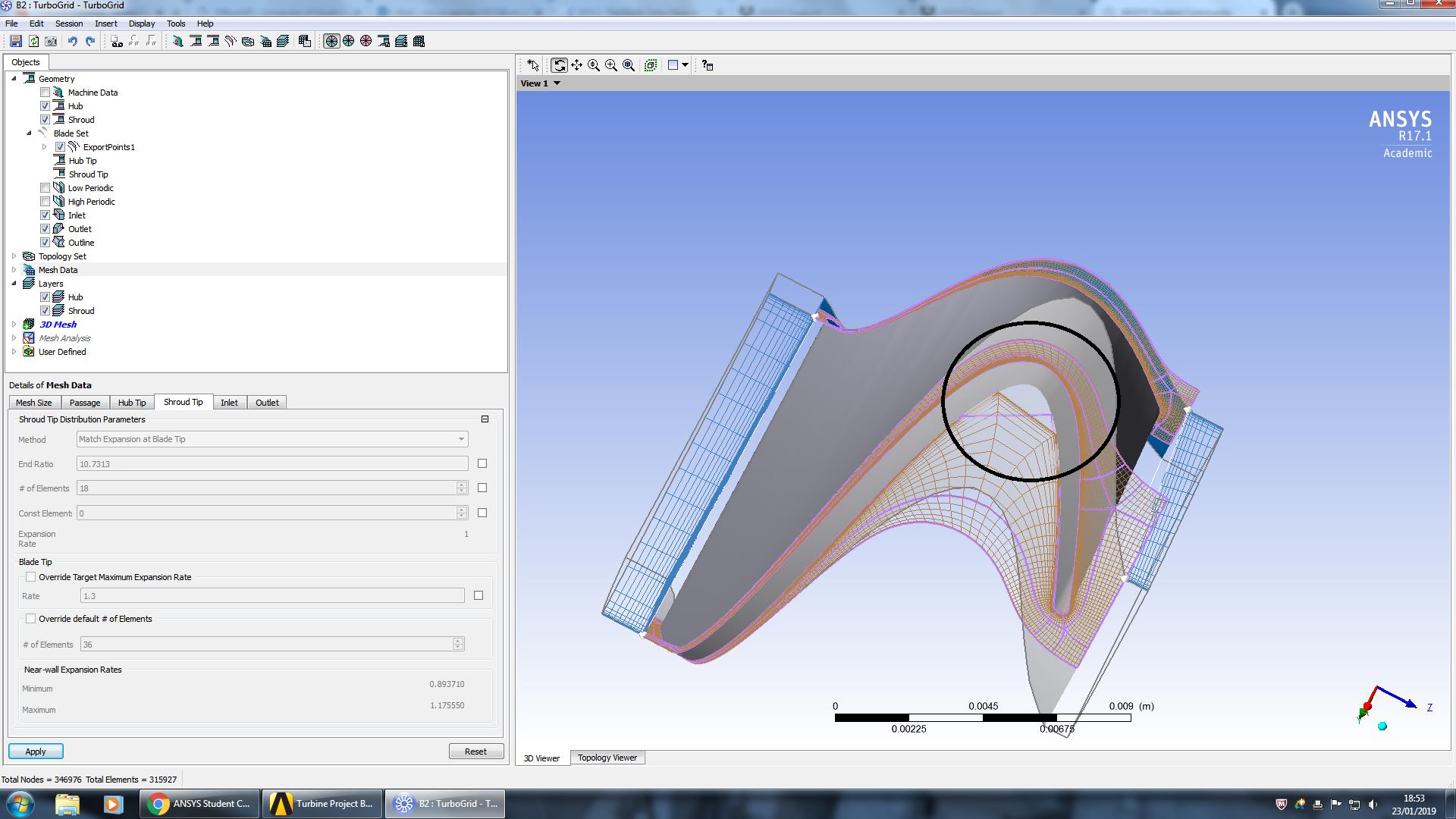
      Hi, I am currently trying to generate a mesh for a turbine blade using the Turbo Grid software on Ansys as part of my dissertation. I have never used this software before and am struggling to get to grips with the more precise aspects of it. As can be sen in the attached image the mesh is currently not following the geometry of the blade sufficiently. This is leading to negative volume errors when attempting to generate the mesh. I have been trying to adjust various parameters but I dont know how to get the mesh to create enough nodes to properly follow the curve. If anyone could provide any information about how to fix this that would be greatly appreciated!

    • Satish
      Ansys Employee

      Hi,


      Typically adding more Layers between Hub and Shroud Layers helps resolve Negative Volume issues.


      See help manual: 10.6.5.1.4. Inserting Layer After Selected Layer


      Also Enable "Beta features" and "Advanced Features",  from Edit Menu > Options...This will give access to hidden features and topologies that can help generating the mesh. (Again see help manual for more details.)


      I would suggest using the latest version of ANSYS, as the topology creation has been improved since v17.1.


       

    • timstgeorge
      Subscriber

      Okay I will try the things you've suggested and hopefully I can get it sorted, thanks a lot for your help!

Viewing 2 reply threads
  • The topic ‘Meshing a turbine blade using Turbo Grid’ is closed to new replies.
[bingo_chatbox]