-
-
March 3, 2019 at 1:25 am
Sanjoy
SubscriberI have been using ANSYS 19.1 in my lab computer for simulating convection in transient thermal. I used a model that i created using previous version of ansys. but now ansys can't mesh the geometry and on top of that if i use a new geometry, the mesh is different and it gives me a very different result than previous one. Can any one help? I've attached the geometry file that Ansys 19.1 can't mesh.
-
March 4, 2019 at 4:53 am
Keyur Kanade
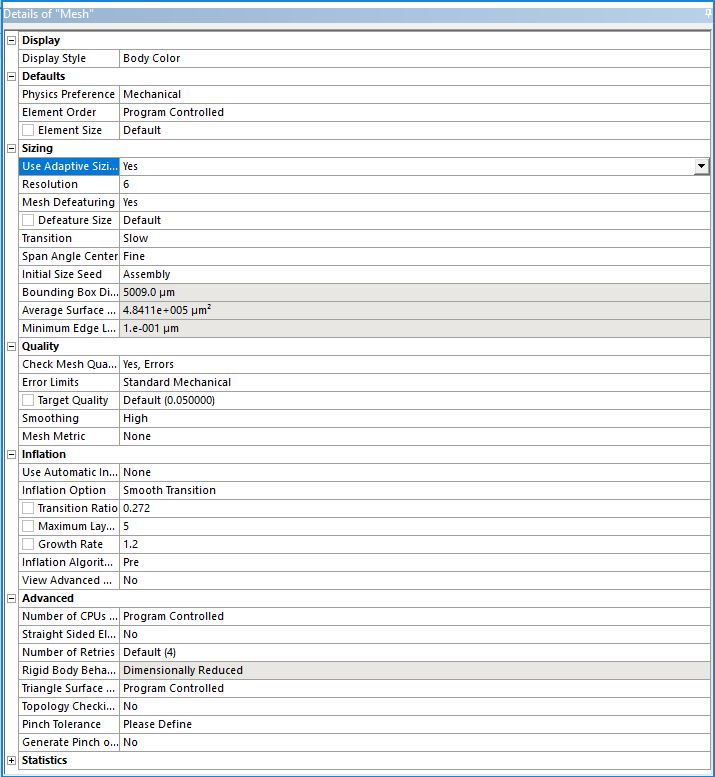
Ansys Employeeas ansys employees we can not download attachments. please insert some zoomed in images of mesh set up.Â
please make sure that you have all mesh settings same under mesh details like sizing function etc.Â
https://www.youtube.com/watch?v=sZIX3CJkWBE
Â
-
March 15, 2019 at 11:54 pm
-
March 19, 2019 at 3:59 am
Keyur Kanade
Ansys Employeeplease insert geometry images. give more information with explanation.Â
-
April 3, 2019 at 5:15 am
Sanjoy
SubscriberFirst i create a multilayer body in design modular. then assign different mechanical property to the layers.
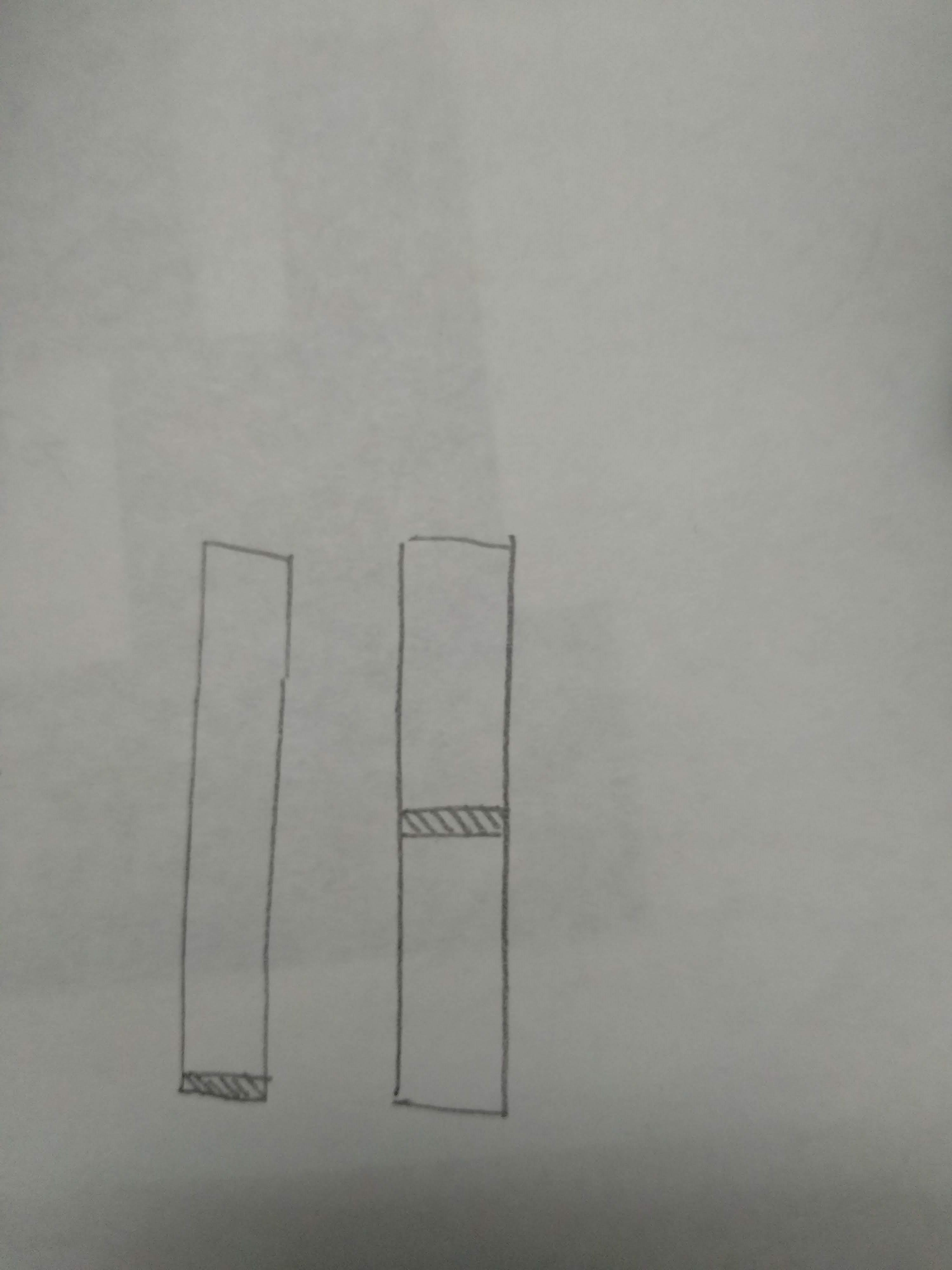
approach is while the hot rectangular solid body having multiple layers exposed to ambient air, convection occurs and due to thermal gradient it buckles up.The convection occurs on all faces except the bottom face. and In case of fixed support a small area in the bottom face( near left edge) is selected.Â
I created the model and simulated it in ansys previously, but now if I use the same model and just change the dimension of the geometry or change the position of the fixed support, the model does not mesh up. so, I tried different meshing like multizone meshing and refinement. the thermal part is solved like brfore, but it shows error while solving structural part . The error message says some element in Nth layer is has no constrain in UY direction or something like that. It also shows me solver pivot warning sometimes.
I was close to finish my project, but now i can't even replicate my work. this is frustating. please help.
One other thing, I created no connection between the layers previously when i got expected results.
-
April 4, 2019 at 10:48 am
Rob
Forum ModeratorCheck the new geometry is valid: did you decrease a layer to zero height or cause volumes to overlap?Â
-
April 5, 2019 at 3:34 am
Keyur Kanade
Ansys Employeethe error says tetra meshing failed.Â
did you use hex meshing in previous case?
if geometry is changed then it is possible that the bodies can not be meshed with hex. so meshing is trying tet meshing. it also fails. so you may need to give some local sizing.Â
https://www.youtube.com/watch?v=lMtHHVFmhj4
https://caeai.com/resources/tips-tricks-hex-brick-meshing-ansys-e-learning
Â
-
April 5, 2019 at 3:02 pm
-
April 8, 2019 at 6:23 am
Keyur Kanade
Ansys Employeefrom the information, it looks like when you have your original geometry, mesher automatically detects sweepable bodies and creates hex mesh with sweep method.Â
sweep method requires one source and one target.Â
as you increase length of some body, it may get more than one source or target and it can not create hex mesh into it. so it tries to do tet mesh. but your geometry thickness is very small. so without local sizing, it may fail.Â
please check following which may help you to get good mesh.Â
https://caeai.com/resources/tips-tricks-hex-brick-meshing-ansys-e-learning
Â
-
- The topic ‘meshing a previous version model’ is closed to new replies.
-
6515
-
1906
-
1463
-
1309
-
1022
© 2026 Copyright ANSYS, Inc. All rights reserved.