Ansys Assistant will be unavailable on the Learning Forum starting January 30. An upgraded version is coming soon. We apologize for any inconvenience and appreciate your patience. Stay tuned for updates.
Preprocessing

Preprocessing

Topics related to geometry, meshing, and CAD.

Mesh without geometry surface

    • dreamyjyh
      Subscriber

      Hello,


      I'm using Discovery AIM R19.2 for my simulation.


      When I click to show mesh, I can only see the mesh without geometry surfaces as shown below. I tried multiple ways (e.g. importing different geometry files, create a geometry directly on Ansys, going through the Options under the Tool), but none worked.Mesh display


      Below is a type of meshed view (the typical view) I want to see so that I can redefine the meshes. 
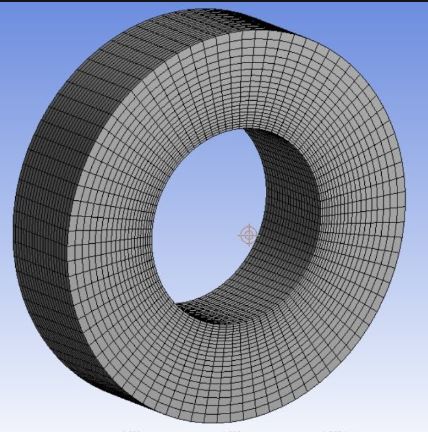


      Does anyone had the same issue? Please help.

    • Rob
      Forum Moderator

      Can you check for wireframe options in graphics. I don't use Discovery but that looks like a wireframe mesh: you probably want surfaces/solids. 

    • dreamyjyh
      Subscriber

      Hello,


      When I click "Show Mesh," pretty much all options all disabled, and I do not see the option for wireframe <-> surface/solids.


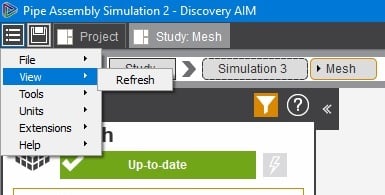
      When I click "View," "Refresh" is only option I see.


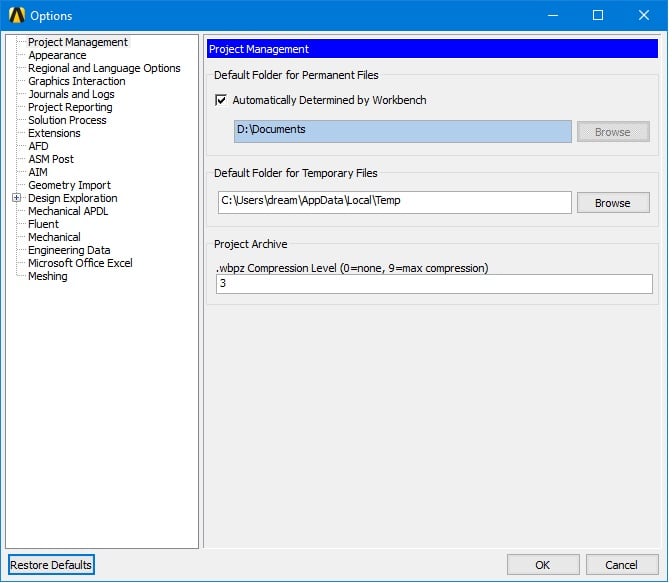
      Under the "Tools" -> "Option", I checked all the options, but there was no function changing wireframe <-> surface/solids. 


    • Sandeep Medikonda
      Ansys Employee
      This looks like it could be graphics card related.  Can you update the graphics card driver directly through Nvidia (or AMD)?
Viewing 3 reply threads
  • The topic ‘Mesh without geometry surface’ is closed to new replies.
[bingo_chatbox]