Ansys Assistant will be unavailable on the Learning Forum starting January 30. An upgraded version is coming soon. We apologize for any inconvenience and appreciate your patience. Stay tuned for updates.
General Mechanical

General Mechanical

Topics related to Mechanical Enterprise, Motion, Additive Print and more.

mesh improvement

    • m.caragiuli
      Subscriber

      Hi!


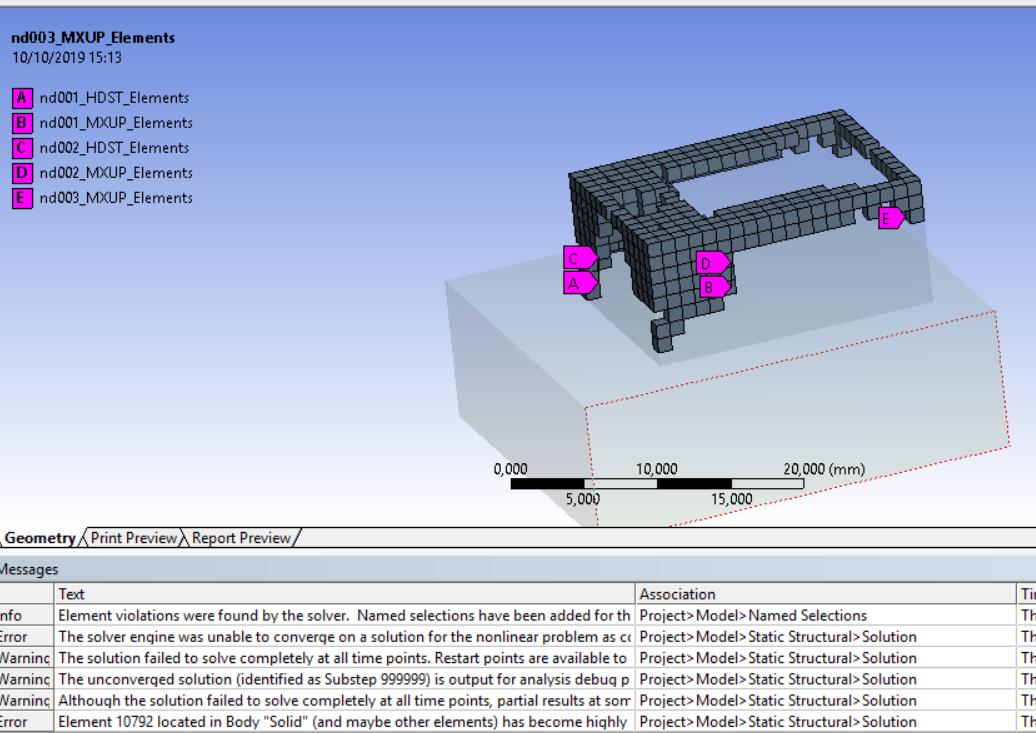
      I'm trying to simulate the deformation of a hyperelastic material due to a large deformation. Since during the displacement divergence occurred due to highly distorted elements (figure a) within the object I tried to create a simpler model to check if issues are related to the geometry of the object. Thus I've realized a parallelepiped lying over another parallelepiped acting as a base with a fixed support (structural steel) and I've inserted a force acting perpendicularly over the face of the hyperelastic parallelepiped. If I set a value of -0.5 Newton as a force acting in -Z convergence occurs and the parallelepiped deforms (large deflection on, bonded contact), but increasing the force value, errors reporting the presence of highly distorted elements appears and the simulation diverges (figure b).
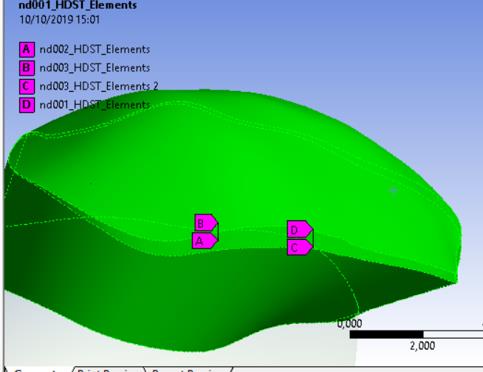
      highly distorted elements in my first simulation


      Figure b. Simplified simulation where distorted elements affect the parallelepiped


      I thought that in my first simulation the distortion of the elements occurred due to the presence of a sharp edge, but now that I used just a box I don't know. Is there a way to fix this problem? I tried with mesh refinement and by increasing the load step size but it diverges too. Does it exists a tool that make the edges round during meshing?


      Just to be clear both the simulation include:


      -hyperelastic material (mooney rivlin hyperelastic sample)


      -large deformation on


      -non linear adapative region do not provide any help


      -1st simulation has two contacts: the upper is frictional with friction coefficient 0.2, the lower is bonded. Both are closed.


      -simplified version has just one bonded contact with the base


      Hope to receive a feedbak. Thanks!

    • peteroznewman
      Subscriber

      The element shape is not the problem.


      Try setting the elements to have Reduced Integration. 


      Also try using keyops as described.

    • m.caragiuli
      Subscriber

      Hi!


      Thank you for your collaboration!


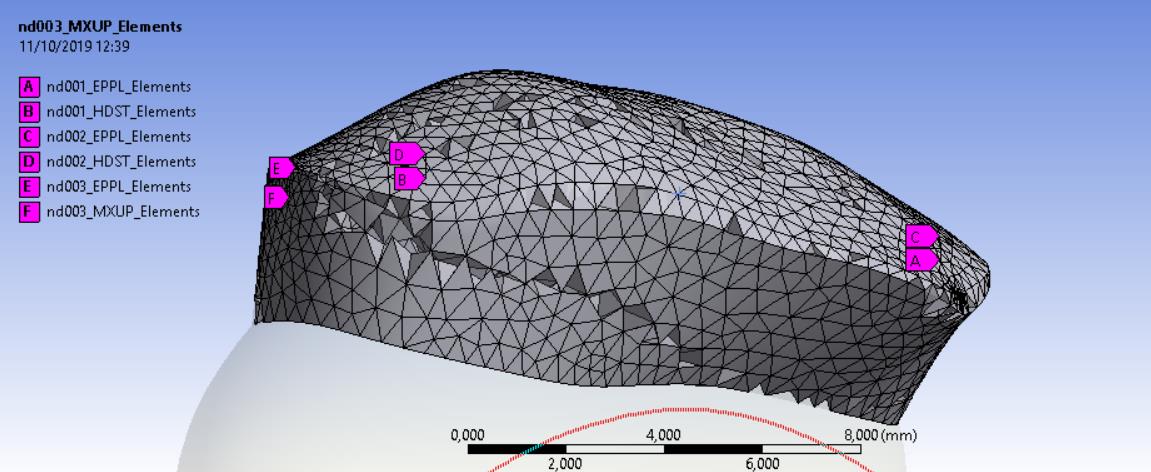
      I've tried to run a simulation according to what you said and by applying the conditions to the parallelipiped simulation it worked, the same occurred in a simulation in which I substituted the parallelepiped with the disc (the disc is the objected depicted in figure a of my previous post). But now if I apply a large displacement to the disc I still get divergence since highly distorted elements occur. I have to say that keyopt(2) for element type solid187 was invalid so I wrote only keyopt(6). Problems always occur in a region of a sharp edge I think (see image below)


      disc element violations


      Can you suggest me a possible workaround?


      thank you very much!

    • m.caragiuli
      Subscriber

      Hi all,


      could you please help me with the mesh? I'm still getting the same problem..is it a matter of stiffness maybe?

    • peteroznewman
      Subscriber

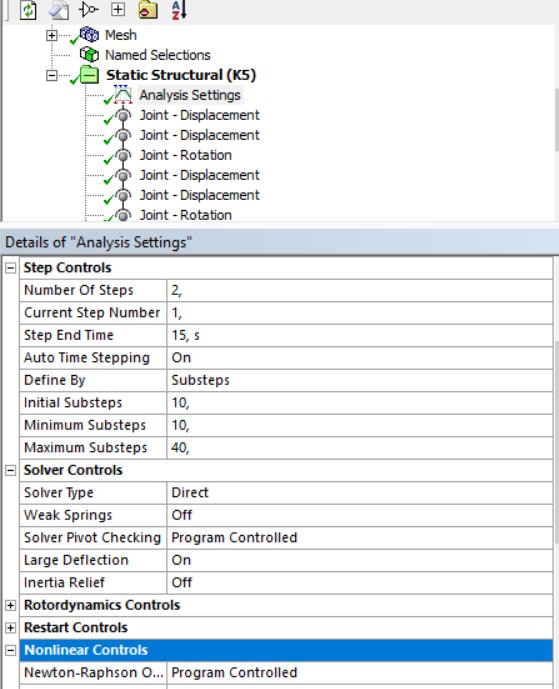
      Are you incrementing the load slowly? Please show the Analysis Settings.


      Have you turned on Auto Time Stepping?


      How many Initial and Minimum Substeps are you using?

    • m.caragiuli
      Subscriber

      Hi,


      Yes, I am. The object is a disc subjected to a large displacement  (two joint loads which combines displacement and rotation) that I divided into 2 steps of 15 s each. Auto Time Stepping is already ON.  10 Initial substeps , 10 minimum substeps, 40 maximum substeps.  Solver type direct. Stabilization off. The picture below will show every settingsanalysis settings


      I don't undesrtando if it is a problem of contact or mesh.  keyopt(6) and keyopt(2) what do they mean?


      Thank you for your reply!


    • peteroznewman
      Subscriber

      You can try Initial, Minimum substeps = 100.  Maximum = 200


      What behavior do the Joints have: Rigid or Deformable?  Try using Rigid.


      Search the ANSYS Help system in the Mechanical APDL category for the Element Type you are using to read about keyops for that element.

    • m.caragiuli
      Subscriber


      The joints are already rigid, and I have three bodies 2 are rigid and the disc is flexible. 


      The first warning I get during simulation is: "one or more MPC contact regions or remote boundary conditions may have conflicts with other applied boundary conditions or other contact or symmetry regions. This may reduce accuracy."


      The error I get is " the solver engine was unable to converge on a solution for the nonlinear problem as constrained." And I get element violations...

    • peteroznewman
      Subscriber

      Does the real disc have the freedom to slide on one or both rigid surfaces? If so, using joints on the disc model is preventing that surface from expanding and causing more element distortion than would happen if the disc could slide on the rigid surface. In that case, delete the joints and insert frictional contact.

    • m.caragiuli
      Subscriber

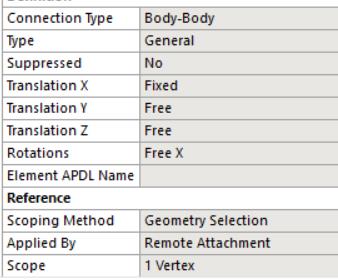
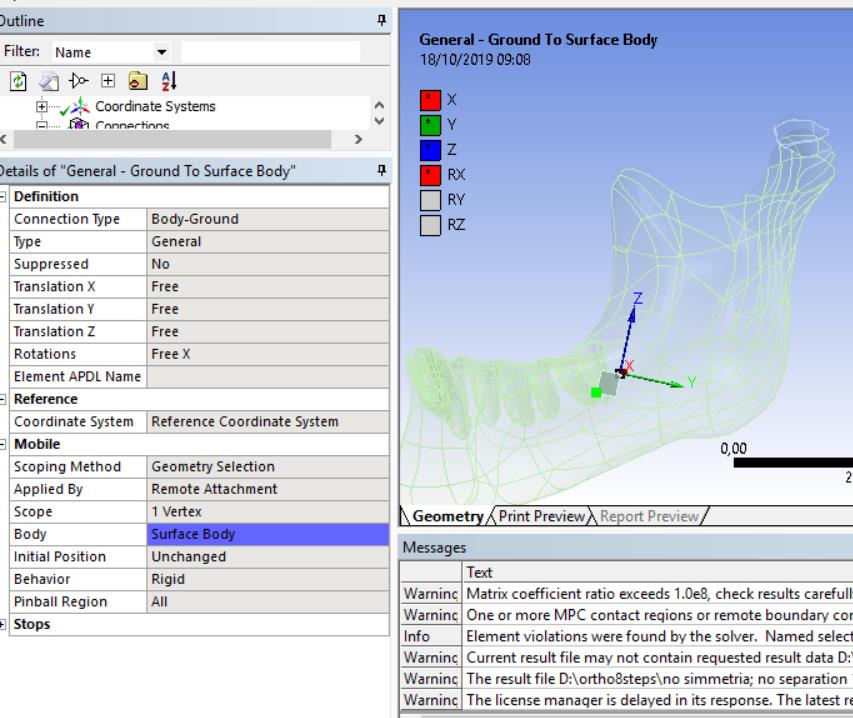
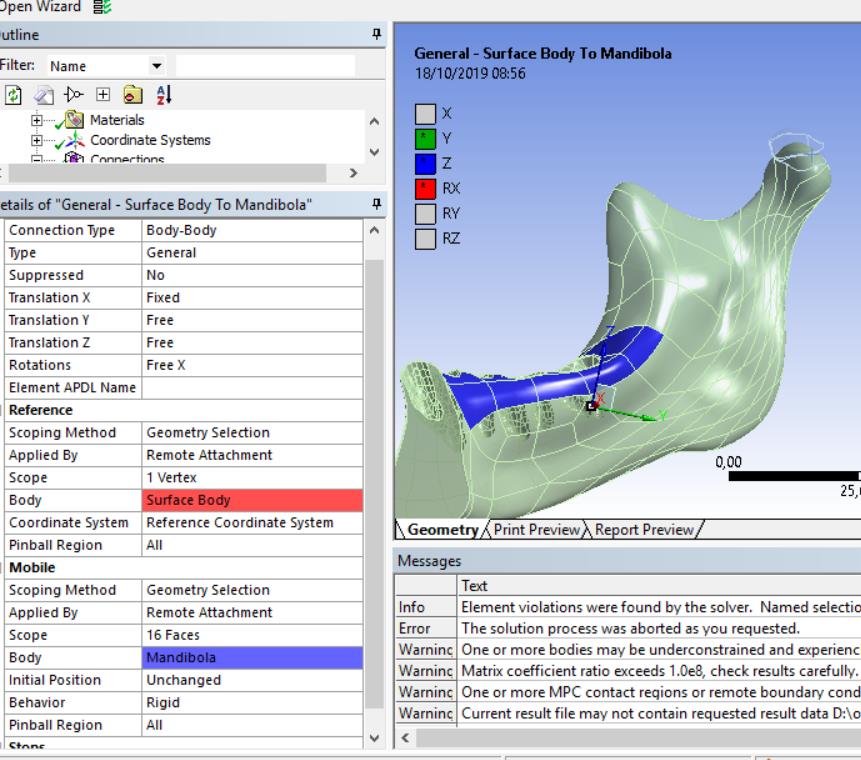
      Yes, it does. But I want to perform a 2D simulation meaning that I'm interested in the movement occurring in the sagittal plane (YZ in my case) and I set the joints in order to have free translations in Y and Z and free rotation around X by constraining the translations from occurring in X and the rotations around the other two axes, look at the image for better undertanding.


      I had to use the  two general joints in order to create a sequence of two rototranslations if you remember... I have a mandible (rigid) where I applied the displacement and I have a disc which is in contact (bonded) with the mandible downward and with the temporal bone upwards (frictional). The disc should move according to the large diplacements (the two rototanslations) I applied (to the mandible).general joint settings

    • peteroznewman
      Subscriber

      Put the joints on the rigid body, but let the rigid body have frictional contact with the disc.

    • m.caragiuli
      Subscriber

      Hi,


      the joints are already on the rigid body (mandible) to be precise one joint (ground to body) in on a dummy body, the other (body-body) is from the dummy body to the rigid body (mandible). The behaviour of the joints is rigid. The disc in bonded  with the mandible because it has only to translate together with the mandible. But ita has to translate and rotate with the superior body (temporal bone) thus I put a frictional contact.


        joints body ground. The joint is scoped to the dummy bodyjoint-body-body the reference is the dummy body and the mobile part is the mandible


      I've done the simulation by changing the contact type between disc and mandible into frictional, but results are not good and the simulation still diverges, but later due to "the solver engine was unable to converge on a solution for the nonlinear problem as constrained"

    • m.caragiuli
      Subscriber

      Maybe rezoning could be useful? I've heard about it, but I don't know very well how to apply it


      Best regards!

Viewing 12 reply threads
  • The topic ‘mesh improvement’ is closed to new replies.
[bingo_chatbox]