-
-
May 17, 2018 at 5:52 am
matus
SubscriberHai everyone.
I would like to mesh the attached geometry. this geometry consists of three regions.
a)the cylindrical region with a helical and centre holes
b)helical tube
c)heat transfer fluid passing through the helical tube.
I would like to get some meshing tips.
thanks
-
May 17, 2018 at 7:29 am
vganore
Ansys EmployeeYou have shell and tube exchanger setup. Here are some tutorials showing how to handle such setup ignoring tube wall thickness. If you want to consider the tube wall thickness then you need to mesh that zone separately similar to other zones. Defining mesh size for each zone + having inflation layers near the wall will help you create a good quality mesh and have efficient heat transfer.Â
https://www.youtube.com/watch?v=NPJImYibx48
https://www.youtube.com/watch?v=-03gO3UwFeA
Â
-
May 17, 2018 at 4:29 pm
raul.raghav
SubscriberYou should really consider using the Multizone method for the helical regions and a patch conforming mesh for the region around the helical tube. You also should add inflation layers near the solid tube for accurate calculations. If you have difficulty in meshing the all the parts in one shot, you should consider using selective meshing where you assign the sequence in which the meshing should proceed.
-
May 18, 2018 at 7:33 am
matus
SubscriberThanks for your valuable comments.
-
May 25, 2018 at 9:07 am
matus
SubscriberHai..just one more question
I have done meshing of above-mentioned geometry..but getting some issues.
 I have used sweep method for helical tube and fluid with hex and tet elements(tried multibody but getting some errors) and used patch conforming tetra for the cylindrical part.
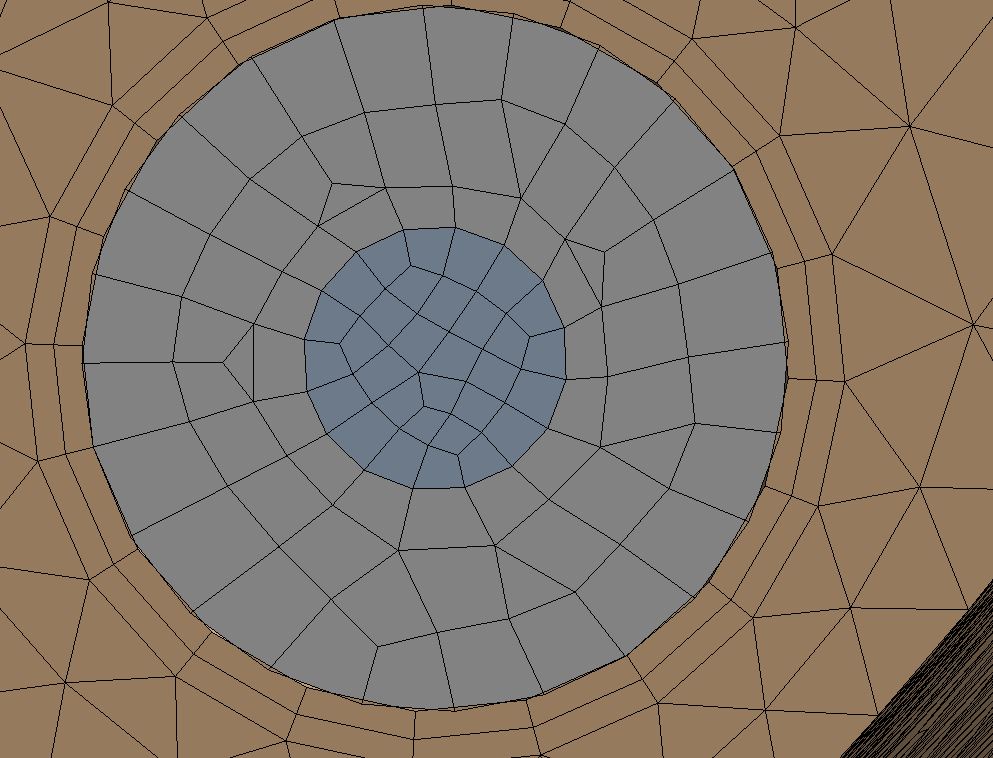
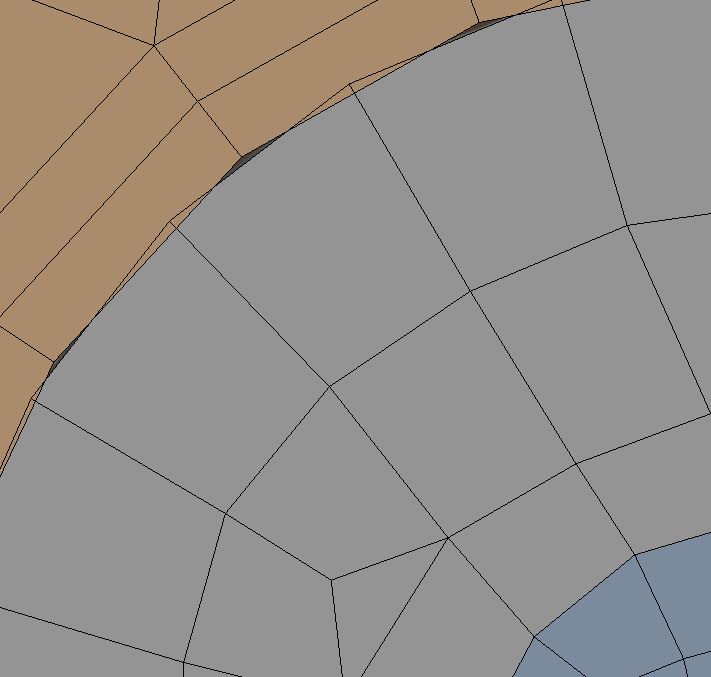
But the mesh around the helical region is not matching..attached some imagesÂ


any help would be appreciated.
Â
-
May 25, 2018 at 10:49 am
peteroznewman
SubscriberYou need Shared Topology so that the mesher creates shared nodes on a face shared by two bodies. To do that in DesignModeler, you select all your bodies in the outline and right click to Form New Part. Then when you mesh, you automatically get shared topology.
You can do the same in SpaceClaim, so let me know if you are using that instead.
-
May 25, 2018 at 6:24 pm
raul.raghav
SubscriberMultizone should work fine for this geometry. As Peter mentioned, you would need to Form a new part and then proceed with meshing. Would you be able to attach the workbench archive file here so we could show it to you?
-
May 27, 2018 at 3:11 am
matus
Subscriberthank you  Peter for your help.. the shared topology method works for my problem.
-
May 27, 2018 at 3:23 am
matus
Subscriberthanks rahul for your comments.
geometry consists of 3 parts. cylindrical part, helical tube and heat transfer fluid through the helical tube. Then I split the cylindrical part into two in order to apply the sweep meshing with hex elements in the centre region. and the seep method works at the centre part.
but when I try to apply the multizone meshing at helical tube and heat transfer fluid section it shows some error. (mesh initialization fails).
Can you suggest some tips to reduce the elements number?
the geometry is attached here. i am using ansys 17.2 version.
thank you
Â
-
May 27, 2018 at 4:31 am
matus
Subscribercannot upload the file.
the archive file without the mesh data has around 180 MB. i found that the file with more than 120 mb cannot be uploaded here,
Is there any workaround for this.
Thanks
-
May 27, 2018 at 1:42 pm
peteroznewman
SubscriberIf you use Gmail, then you have a Google Drive for large attachments. Send an email with this file attached to a friend in order to generate the link to the Google Drive file, then copy that link and paste it below.
You could also sign up for a free account on Dropbox.com
-
May 27, 2018 at 4:19 pm
matus
Subscriberthanks peter for your help.
Â
https://drive.google.com/uc?id=1MvWdxVOandH3NCF1RdXsjhQJ97sMWnd2&export=download
-
May 27, 2018 at 7:07 pm
peteroznewman
SubscriberHi Matus,
I suggest you take your 45 turns of the coil and make a single turn set of 3 bodies, then use pattern to copy them 45 times along the axis spaced 5 mm apart. That way you can get a very nice mesh structured hex mesh on the most of the model and just transition to tet mesh for the two ends.
Here is my attempt at the mesh on one turn.
Â
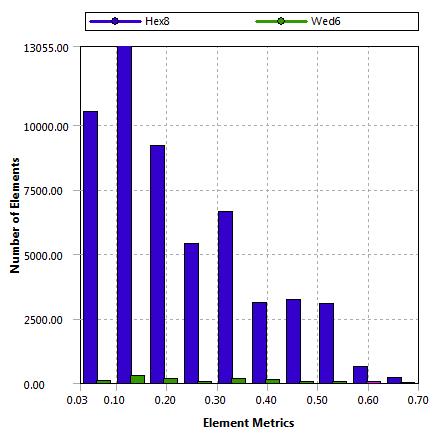
The skewness mesh metrics are good also.
When those 3x45 bodies plus the three bodies for each end are in a multibody part, the nodes on each face will be merged.
NOTE: DM would not sweep the profile when it was exactly 5 mm tall. I had to make it 4.999 mm to leave a little gap. You can see that has caused a problem because the nodes don't line up along the bottom edge of the cross-section face. That may be overcome by leaving a big gap and sweeping a second body to fill the gap...a double helix!
-
May 27, 2018 at 11:35 pm
peteroznewman
Subscriber -
May 29, 2018 at 10:31 am
matus
SubscriberHai Peter,
Thanks for your detailed comments and directions. I really appreciate your help.
As per your direction, I have made my required geometry and used sweep method on the helical part and tetra patch conforming method on top and bottom section of the cylindrical part and it works well. Unfortunately, the inflation method is not working
 I have some more issues to solve.
1.how can I join or merge the helical and double helical parts(the body surrounds the helical tube) together? (my actual geometry consists of three zones but since I split the parts it shows more three parts in problem setup)
2.skewness and orthogonal quality are very poor at some elements(please see the attached document). should I try to avoid that?
3. Is there any way to use the inflation layer on the boundary?
thanksÂ
 https://drive.google.com/open?id=17N7BIwvcNsPL8lkQaV5-bbzK7c1IaHGo
-
May 30, 2018 at 1:27 am
peteroznewman
SubscriberHi matus,
When you put the multiple bodies in a single part, the bodies automatically share topology. This means shared nodes on a face that is coincident between two bodies. This was working in my small one-turn example where four bodies shared nodes on common faces.
I don't have the CFD experience to comment on the extreme skewness, but 99% of your elements have good skewness, is that enough?
I have added inflation back into the 45 turns portion of the model. You chose to make on body do 45 turns, rather than make a pattern of 45 instances of a one-turn body. That has some negative consequences. Look at the difference in the skew of the double helix in the 45 turn vs. the one turn geometry.
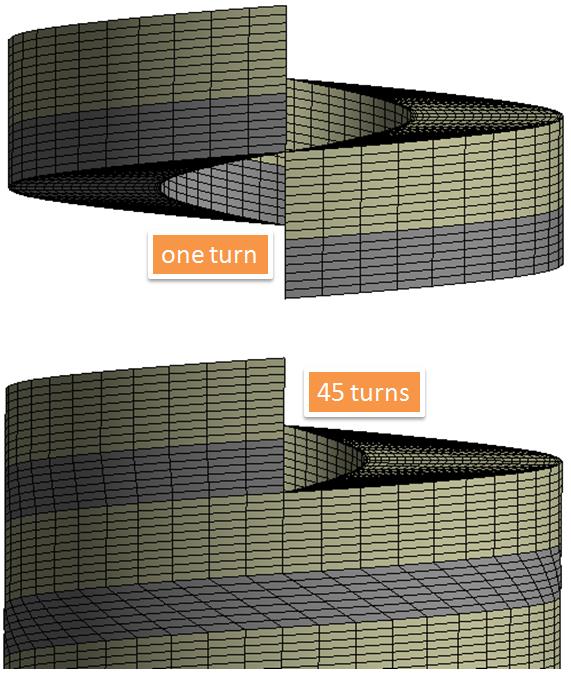
Look at the far end of the 45 turn body and compare it to the front end where the inflation was defined. This change wouldn't happen if you copied the one-turn body down 45 times since the start face would have to match the end face each time.
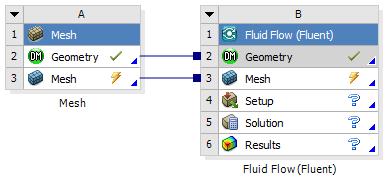
Attached is the 45 turn geometry with the inflation layers defined. I only have the mesh.
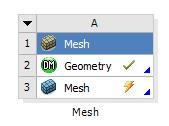
You can add on a Fluent System if you like, but delete Fluent (
before you archive it then you can attach the archive to the post.
Â
-
June 4, 2018 at 6:45 am
matus
SubscriberHai Peter,
Thanks for your help.meshing process has been completed as per your suggestion but now I am facing an issue the contact regions.
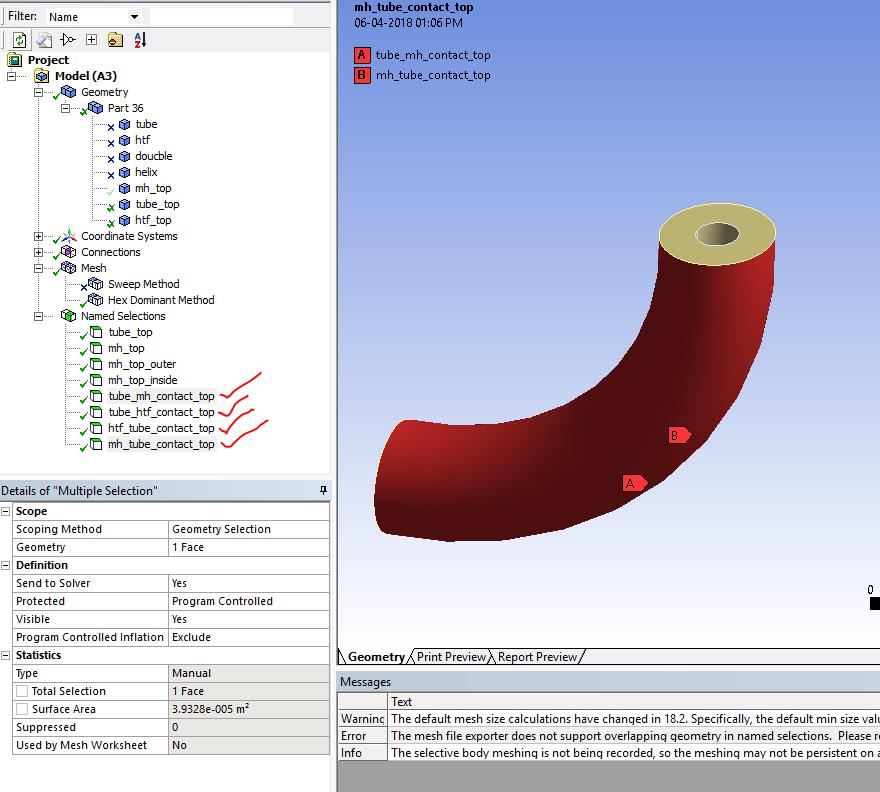
Since the automatic connection creation was not working I tried to create manual contact regions. but whenever I try to create manual contact it shows "geometry in overlapping selection" error. I try to create named selection carefully but even then also it shows the same error.Â
Could you please suggest any possible solution for this?Â
Â
-
June 4, 2018 at 7:44 am
-
June 4, 2018 at 9:31 am
matus
SubscriberDear Vishal
Thanks for your quick reply.
-
- The topic ‘Mesh generation’ is closed to new replies.
-
4517
-
1494
-
1386
-
1209
-
1021
© 2025 Copyright ANSYS, Inc. All rights reserved.
---meshing-[ansys-academic-teaching-introductory]-2018-05-27-15-13-23.jpg?width=690&upscale=false)
---meshing-[ansys-academic-teaching-introductory]-2018-05-27-15-20-31.jpg?width=690&upscale=false)
---meshing-[ansys-academic-teaching-introductory]-2018-05-27-19-51-40.jpg?width=690&upscale=false)
---meshing-[ansys-academic-teaching-introductory]-2018-05-27-19-52-01.jpg?width=690&upscale=false)
---meshing-[ansys-academic-teaching-introductory]-2018-05-27-19-52-26.jpg?width=690&upscale=false)