Ansys Assistant will be unavailable on the Learning Forum starting January 30. An upgraded version is coming soon. We apologize for any inconvenience and appreciate your patience. Stay tuned for updates.
Ansys Products

Ansys Products

Discuss installation & licensing of our Ansys Teaching and Research products.

Mechanical APDL

    • PavanChoudar
      Subscriber

      I just installed Ansys free version software. But whenever I try to open Mechanical APDL 2019 R1, it shows something like this


      Please, someone, help me....

    • tsiriaks
      Ansys Employee

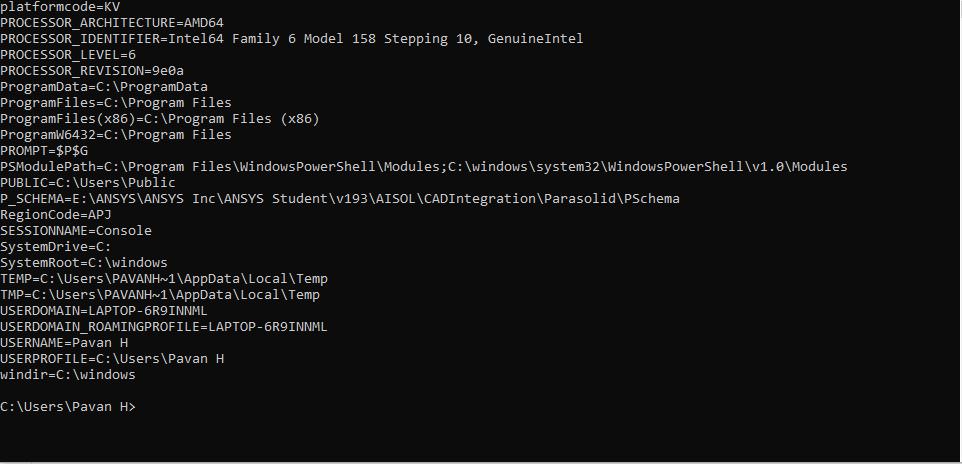
      Open CMD Prompt, then issue the following command


      set


      and post the output of it here


      Thanks,


      Win

    • PavanChoudar
      Subscriber

    • PavanChoudar
      Subscriber


      This is what I got

    • tsiriaks
      Ansys Employee

      Thank you. This looks good.


      If you open up Mechanical APDL Launcher, what is the current setting you have on there ?


      Can you try setting Working directory to C:Temp ?


      Also, try creating a test Windows user account without space in the name and see if it works on that user account.


      Thanks,


      Win

    • indialambda
      Subscriber

      Dear Win,


      Recently I installed Ansys Electronics Suite 2019R1.


      While launching it, I'm getting a problem.


      as soon as i clicked on Ansys Electronics Suite, Instead of Electronics suite Twin Builder Desktop.


      Kindly help on it....


      Thanking you,


    • tsiriaks
      Ansys Employee

      Hi lambdaindia,


      This is a totally different issue. Please create a new thread for your own issue and please post the screenshot of the issue.


      Thanks,


      Win

Viewing 6 reply threads
  • The topic ‘Mechanical APDL’ is closed to new replies.
[bingo_chatbox]