-
-
June 10, 2021 at 5:42 pm
catlady
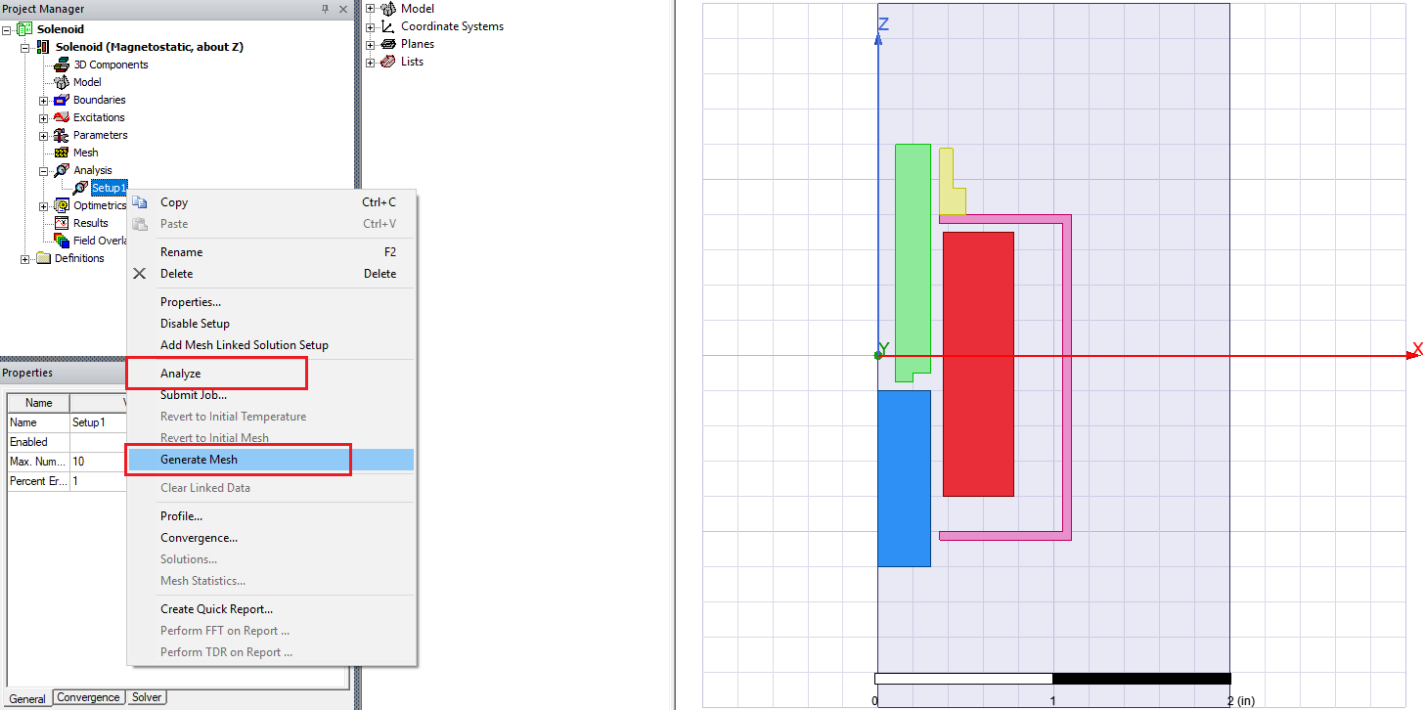
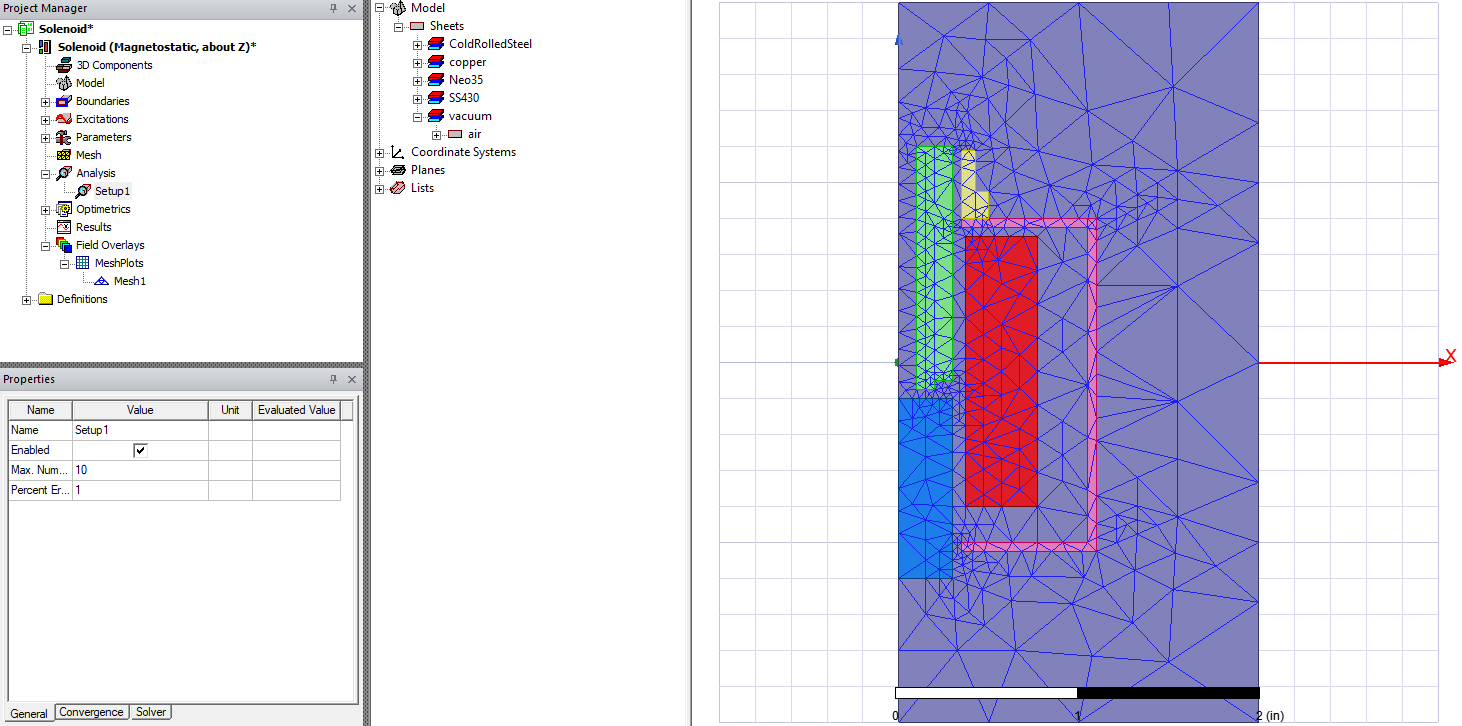
SubscriberHi, I'm working with Maxwell v2020R1. I have a 2D simulation, and I am trying to view the mesh on a circular part. Here are my steps:
- Right click on circle, assign mesh boundary, surface approximation
- Selecting the circle, right-click on field overlays and select plot mesh
- Double click on mesh plot generated
I should see a mesh right? I'm seeing no mesh illustrated in the window.
June 16, 2021 at 2:38 pmJune 17, 2021 at 2:10 pmcatlady
SubscriberThank you That did the trick!
Viewing 2 reply threads- The topic ‘Maxwell 2D mesh is not generating in the field overlays’ is closed to new replies.
Innovation SpaceTrending discussions- Three-Phase Voltage Imbalances in dual stator electric generator
- Co-simulation in Q3D, Icepak – meshing problem
- Classic Icepak – clarifications on Boundary condition
- Link the Circuit to 3D Terminals
- Magnetic Dipole moment calculation
- Integration lines or U Axis Line for circular and rectangular ports
- Core Loss in ANSYS MAXWELL Eddy Current solution
- exporting and importing my Netlist for my external circuit
- Error of Metal Fraction in Icepak Classic.
- The unit of theta in Is*sin(2*pi*fre*Time+theta-2*pi/3)
Top Contributors-
4597
-
1495
-
1386
-
1209
-
1021
Top Rated Tags© 2025 Copyright ANSYS, Inc. All rights reserved.
Ansys does not support the usage of unauthorized Ansys software. Please visit www.ansys.com to obtain an official distribution.
-
Ansys Assistant
Welcome to Ansys Assistant!
An AI-based virtual assistant for active Ansys Academic Customers. Please login using your university issued email address.
Hey there, you are quite inquisitive! You have hit your hourly question limit. Please retry after '10' minutes. For questions, please reach out to ansyslearn@ansys.com.
RETRY