-
-
May 30, 2020 at 8:29 am
Saieswar
SubscriberHi!
I am using workbench 19.2 and the static structural module.
I have two different structures with their origins at different positions.
Can I match the nodes for them both?
Can I match the origins for the two different problems?
Â
-
May 30, 2020 at 5:30 pm
peteroznewman
SubscriberWhen you say two different structures, do you mean they have different shapes as well as being located at different coordinates in the Global Coordinate system?
If they have different shapes, then what do you mean by matching the nodes?Â
Why do you need to locate two structures at the same origin? If you apply a displacement to an edge, that is applied no matter where the edge is located in space and results such as stress and strain don't change with the initial position of the geometry in space.

-
May 31, 2020 at 5:02 am
Saieswar
SubscriberHi!
I have two structures with the face at the left extreme having same dimensions, the models have their origin at their centres.
after running the analysis, I am expecting the co-ordinates of the face on the left extreme to be same.
Can you please help me with that?
Â
-
June 1, 2020 at 12:14 am
peteroznewman
SubscriberYou expect one thing, but the results show another. What did the results show? Please use the Insert Image button to put some screen snapshots into your reply.
-
June 2, 2020 at 5:24 am
-
June 2, 2020 at 6:29 am
Saieswar
SubscriberI get the node coordinate values the same but the same does not remain when I export the .msh files for both the geometries.
Please help me out with that.
-
June 5, 2020 at 1:30 pm
Saieswar
Subscriber

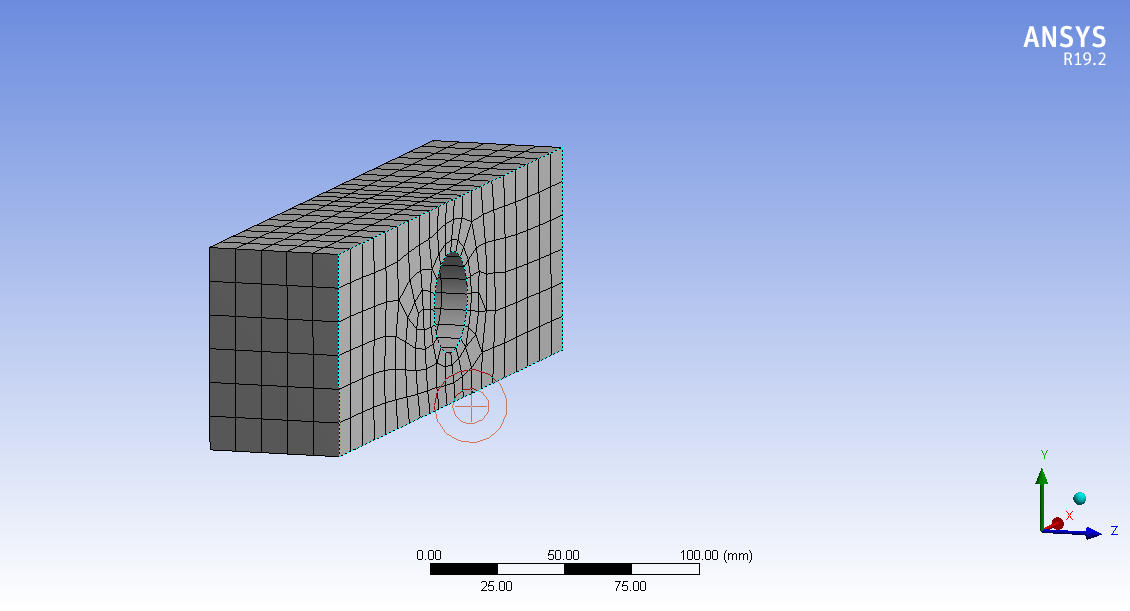
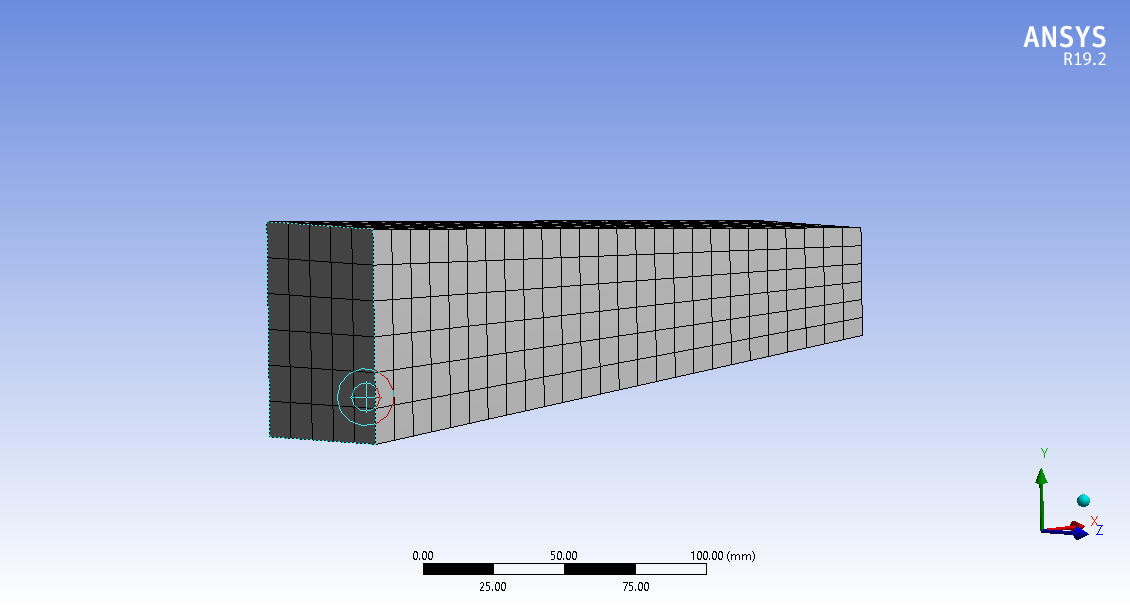
I am working using the static structural module, I have two geometries with similar dimensions and their origins at the same location and I have observed that many nodes have the same coordinate values. I have attached the images for reference.
My first doubt is "Is there any option such that we get the same node numbers for those nodes which have the same coordinate values?" -
June 6, 2020 at 3:52 am
peteroznewman
SubscriberYou can create a Named Selection in each model that contains the nodes on the end face. In that way, you can at least identify which nodes are on that face from two different models.
Why do you need the node numbers to match?
-
June 6, 2020 at 4:01 am
Saieswar
SubscriberThank you!
I am able to identify the nodes on the required faces.
My professor is working on a project, for that he needs the node numbers to match for those whose coordinate values are the same.
Is there any way to do so in workbench?
-
June 7, 2020 at 7:32 am
Saieswar
SubscriberThank you!
I am able to identify the nodes on the required faces.
My professor is working on a project, for that he needs the node numbers to match for those whose coordinate values are the same.
Is there any way to do so in workbench?
-
June 8, 2020 at 4:40 am
Saieswar
SubscriberI need the node numbers to match is because I want to import the two sets of simulation results in my code which I am trying with AI. For this reason, I need the node numbers of both the simulation results to be the same. Please help me by answering my query.
Thanks in Advance.
-
- The topic ‘Matching Nodes’ is closed to new replies.
-
6650
-
1906
-
1469
-
1312
-
1022
© 2026 Copyright ANSYS, Inc. All rights reserved.