TAGGED: aws-ec2, linux, Lumerical-FDTD
-
-
December 31, 2021 at 2:13 am
samkim
SubscriberWhen I try to open Lumerical from the Linux command line:
fdtd-solutions
The splash screen opens, but then it closes and the terminal gives me the error message:
/opt/lumerical/v212/bin/fdtd-solutions: line 8: 4737 Aborted         $FDTD_BIN_DIR/fdtd-solutions-app "[email protected]"
For context, I have created an AWS instance using the provided AMI. I have SSH'd into the server from a Windows machine using Putty and X11 forwarding. The X11 forwarding works, as I was able to open the Lumerical launcher and put in the license server details. But every subsequent time I open Lumerical FDTD, it aborts with the above error.
December 31, 2021 at 7:12 pmGuilin Sun
Ansys EmployeeOur specialist is in holiday. To help you excluding some issues, I try to provide some information:
First please refer this page : Running simulations using terminal in Linux ÔÇô Lumerical Support to get the correct way to open the GUI.
Next, please check if the license path is correctly assigned. Have you ever opened successfully any sessions before? Specify license manager location It might be due to the complexion of the connection between Windows and Linux through 3rd party tools.
It could also be due to system version. Lumerical officially supports a few Linux versions: https://www.lumerical.com/licensing/system-requirements/
RHEL/CentOS Linux installation guide
SUSE Linux Enterprise Server
Ubuntu Linux installation guide
You may need to restart your computer after installation of the software.
Some ALF posts may be related to solving issue. For your convenience, please search in this index post: Index of Ansys Insight posts -Single place to search topics written by Ansys-Lumerical Engineers You can use Ctrl^F and search "linux" inside this page. or search the whole Photonics Forum:
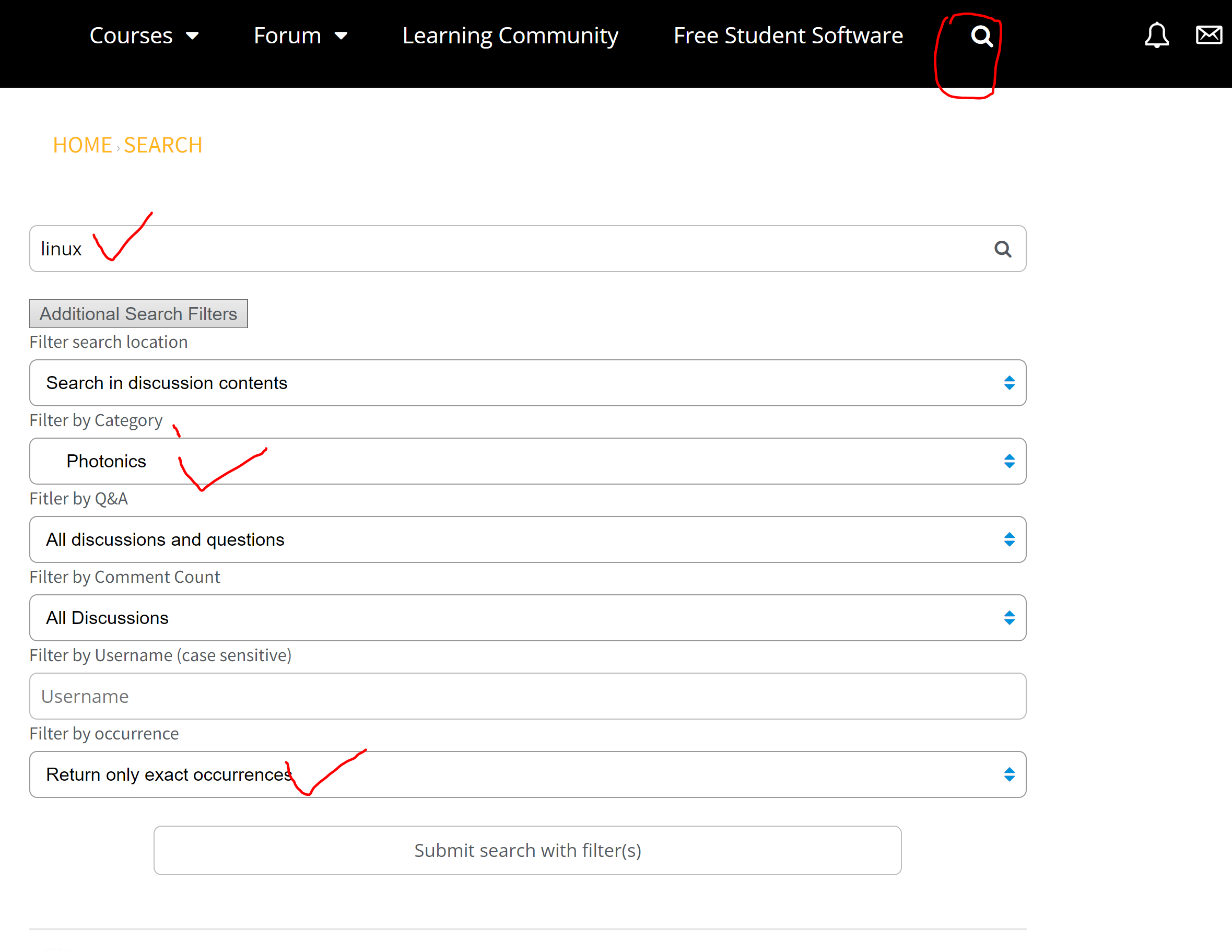
This post might be helpful: Using Lumerical with X11 forwarding on Linux
If the problem persists after taking the above suggestions, please provide us the Linux version and the software version, so once our specialist is on duty, he could save time on not guessing.
Happy New Year!

January 2, 2022 at 5:16 pmsamkim
SubscriberI have Lumerical set up on a personal Windows machine and on an AWS instance with Windows Server (according to these instructions) so I believe the license manager server is working correctly.
I used the provided AWS quick-start AMI (according to these instructions) so it should be the correct OS and installation. When checking the OS, I see this line
ID_LIKE="centos rhel fedora"
PRETTY_NAME="Amazon Linux 2"
X11 forwarding should be working as I am able to open the launcher (where I can select examples or modify the license server details). It's only when I try to open FDTD that it aborts.
January 4, 2022 at 2:48 amGuilin Sun
Ansys EmployeeIt is different for license manager working for Windows server and linux. eg, it does not guarantee the license manager working well in linux in this case.. The abortion indicates either the FDTD installation or the license manger issue. You could also try a simple example file downloaded from Lumerical website and try to run it following the instructions given in this article: https://support.lumerical.com/hc/en-us/articles/360024974033-Running-simulations-using-terminal-in-Linux
Since our specialist will resume working one week's later, I will try to find another colleague to help you as soon as possible.
January 4, 2022 at 8:24 amGreg Baethge
Ansys Employee
As my colleague mentioned, our technical specialist is on vacation until next week. In the meantime, I will try to help as well. I had a look at the information you provided, I think the issue might rely on the OpenGL support when Xforwarding the GUI from the Linux instance to your Windows machine. You don't have the problem with the launcher as it is a much simpler interface than FDTD.
I'm not familiar enough with the details of PuTTY implementation, but I noted in our documentation (see this page) that we suggest to use MobaXTerm for this purpose. It has the advantage of including its own X11 server. I ran a quick test on our system (Xforwarding from a CentOS 7.6 node to a Windows 10 machine) and I could use it to open FDTD.
January 4, 2022 at 9:16 pmsamkim
SubscriberThank you for the reply. I have also tried MobaXTerm and received the same error message.
I have also tried running example project files (and also tried the -nw and -use-solve options) with the same error message.
January 5, 2022 at 11:20 amGreg Baethge
Ansys EmployeeCould you try and run a simulation (see Running simulations using terminal in Linux). The command would be something like:
/opt/lumerical/v212/mpich2/nemesis/bin/mpiexec -n 4 /opt/lumerical/v212/bin/fdtd-engine-mpich2nem -t 1 /path/simulationfile.fsp
I'm interested in the output, whether the simulation runs or not. If not, please post the eventual error(s) in the simulation log file.
January 5, 2022 at 9:17 pmsamkim
SubscriberIt looks like it ran! (Albeit 100x slower than on my local machine). I copy+pasted part of the output below (truncated since it was just regularly printing the completion and time status).
0.283856% complete. Max time remaining: 9 mins, 5 secs. Auto Shutoff: 1
...
99.0658% complete. Max time remaining: 5 secs. Auto Shutoff: 0.00311862
January 6, 2022 at 12:57 pmGreg Baethge
Ansys EmployeeThanks for the update, That's good, there no issue between the remote node and the license manager. Regarding the speed, it could just be the number of cores used (in my example it uses 4 cores only).
Unfortunately, that doesn't help with the initial issue. Other thing to check would be to update the graphics adapter drivers and/or try to run FDTD using fdtd-solutions-noaccel (see this post).
January 26, 2022 at 2:50 amLito
Ansys EmployeeAre you still having issues with the GUI on AWS with our AMIs?
January 26, 2022 at 2:52 amLito
Ansys EmployeeI don's see your question in you post. Can you repost your question or attached a screenshot of the error message? Thanks.
Viewing 10 reply threads- The topic ‘Lumerical – error message when trying to open from Linux terminal’ is closed to new replies.
Innovation SpaceTrending discussionsTop Contributors-
5874
-
1906
-
1420
-
1306
-
1021
Top Rated Tags© 2026 Copyright ANSYS, Inc. All rights reserved.
Ansys does not support the usage of unauthorized Ansys software. Please visit www.ansys.com to obtain an official distribution.
-








