-
-
October 2, 2019 at 9:45 pm
Niss
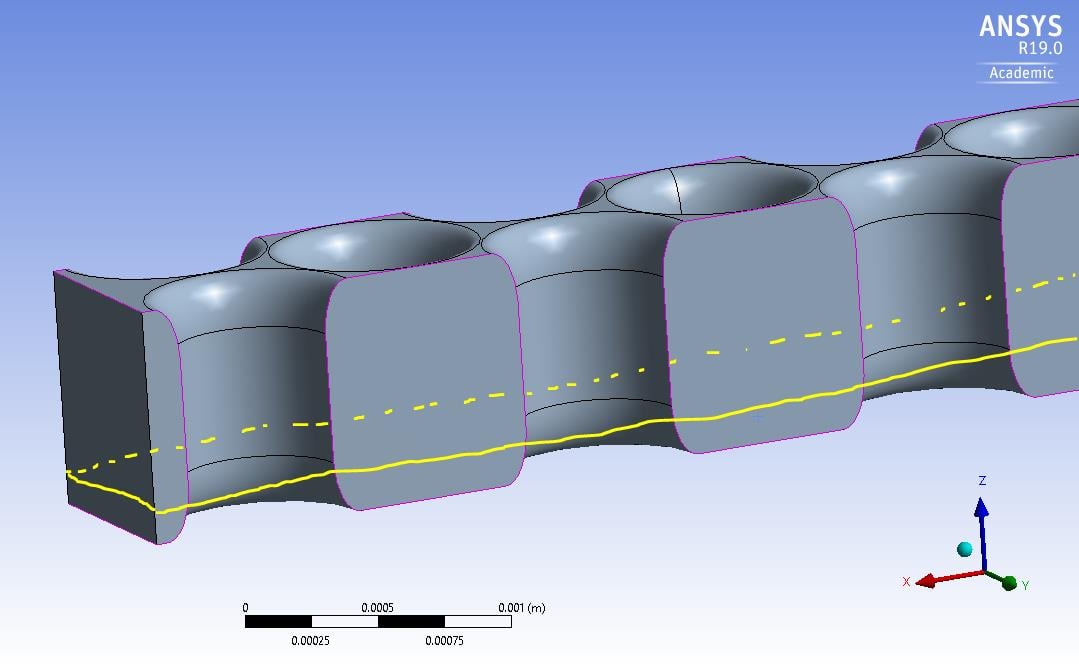
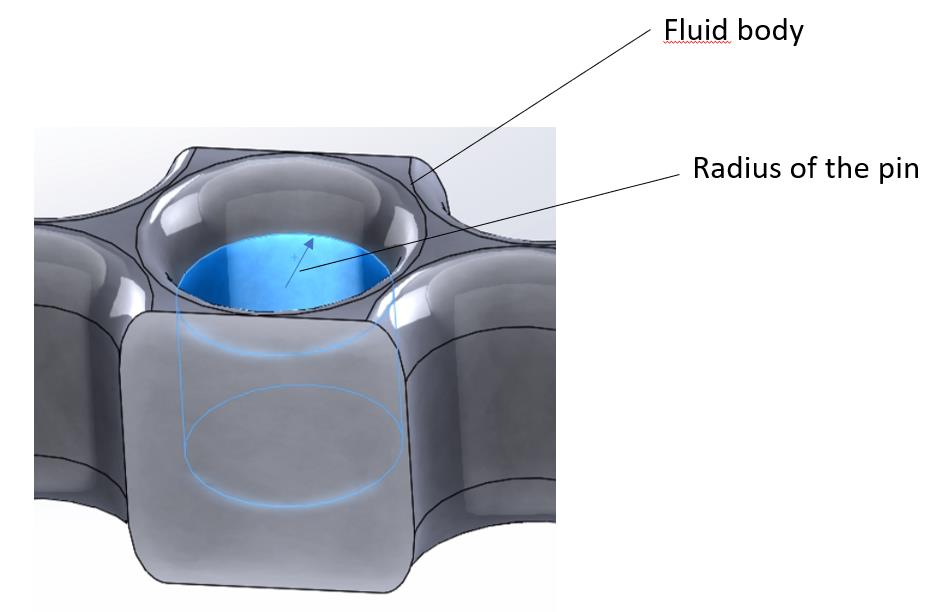
SubscriberHello, I'm working on the design of a pin fin array and my ultimate goal is to calculate local heat transfer coefficients and heat fluxes. I did a conjugate analysis where I combined solid (picture 1) and fluid (picture 2) domains, inputted the properties for each and obtained a temperature distribution.
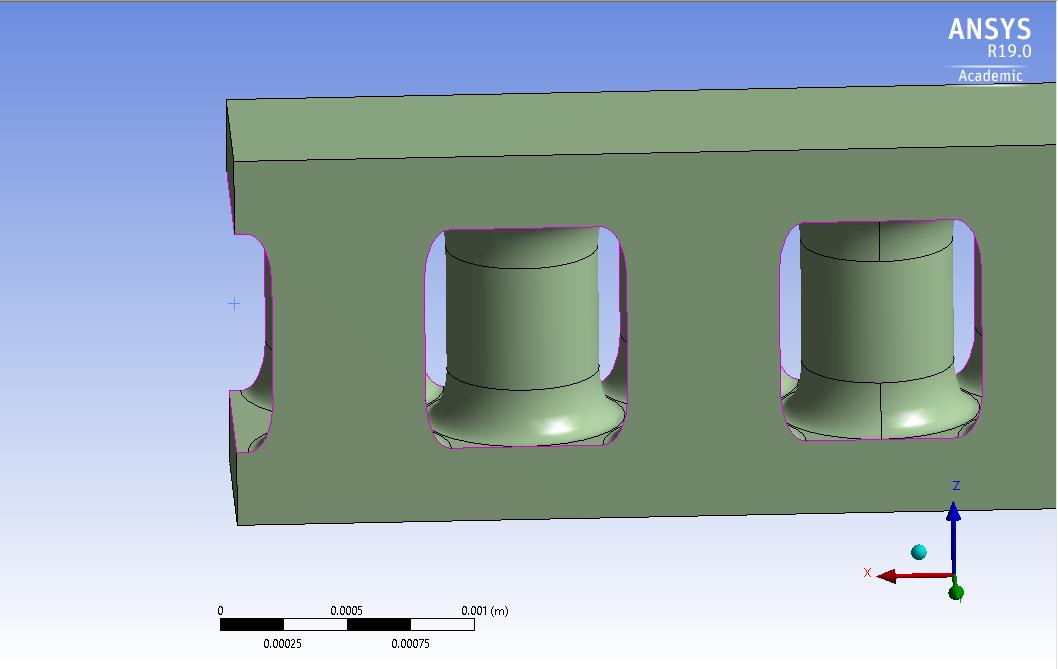
I am interested in solving for the heat flux in the vicinity of a pin (yellow circle on picture 2) and also near the base of the fin (picture 3)
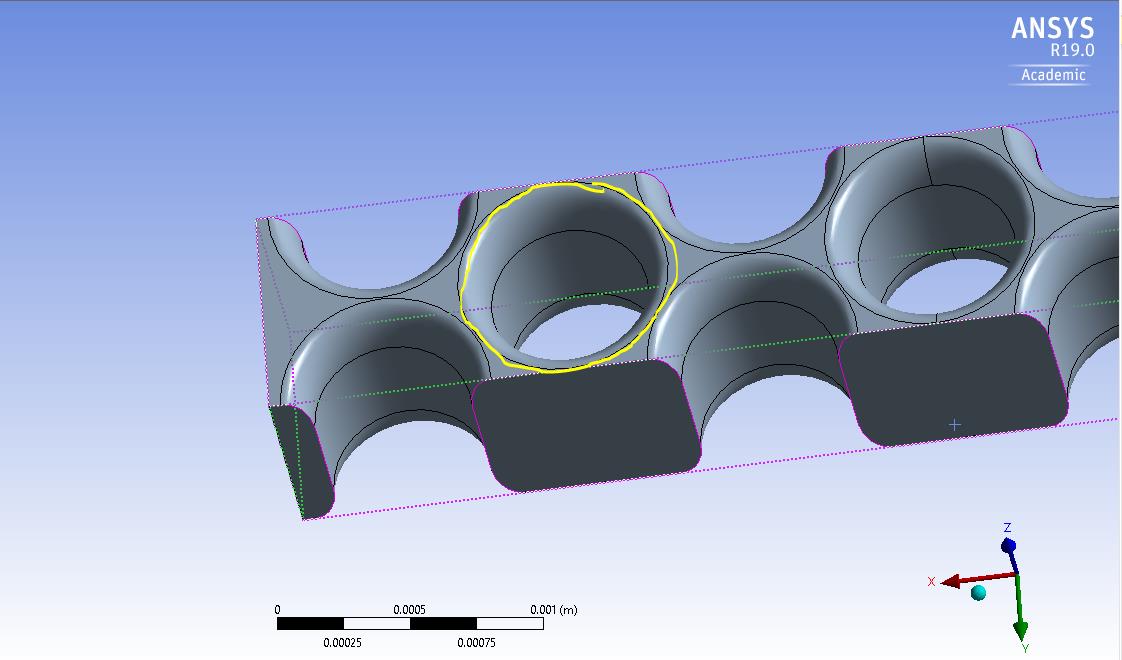
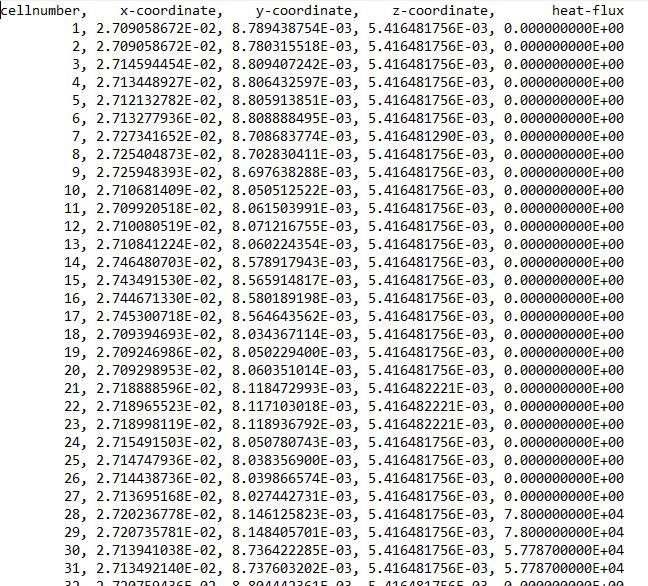
I tried using the iso-surface feature and then clipping it but I got a few problems: the total heat flux area-averaged was lower than I expected so I outputted the data (x,y,z, flux) and it turned out the flux was zero in several locations.
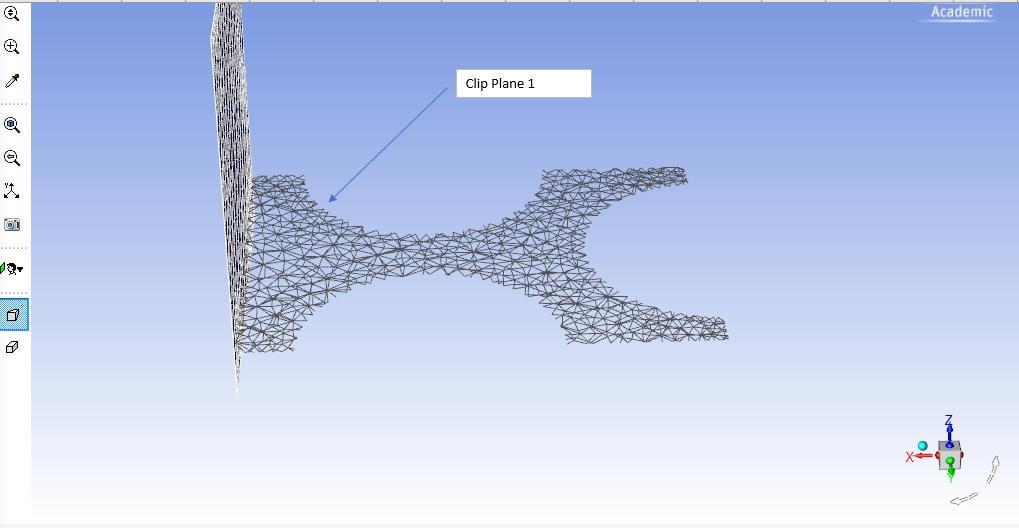
So I used the wall itself (shell around the fluid body) to output the flux.
Also, when I was trying to get an average wall temperature, the area average gave me something that was not realistic: I changed the range of the temperature close the entrance to have an idea of what the temperature profile looked like:
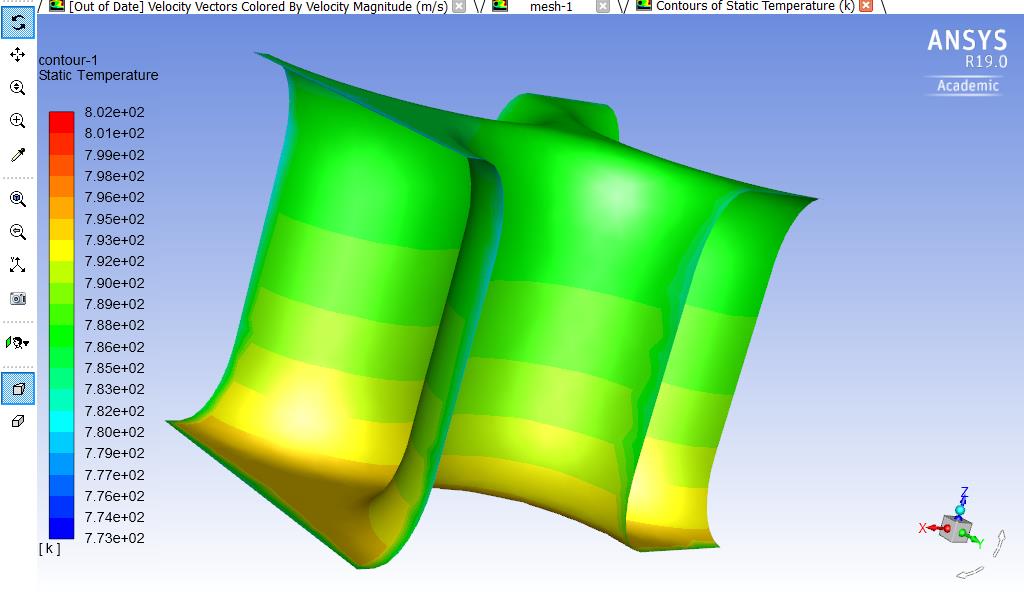
But the area average calculated was 774K. So I tried the vertex average instead and the results seem more realistic but I am not sure if that is the correct average to use.
Any suggestion is greatly appreciated, thanks!

-
October 7, 2019 at 4:16 pm
DrAmine
Ansys EmployeeNot really understand what the issue is but I suggest to created named selection for the surfaces you want to postprocess instead of relying on clipped surfaces. Moreover cgeck at first if the midel itself is well setup by scrutinizing flux balances along the boundaries. -
October 10, 2019 at 1:09 am
Niss
SubscriberThanks, I will apply that for the next run. One last question: do you know how I could create a cylindrical named selection around a pin?
-
October 10, 2019 at 4:59 am
DrAmine
Ansys EmployeeSelect pin surfaces and assign named selection. -
October 10, 2019 at 6:40 am
Niss
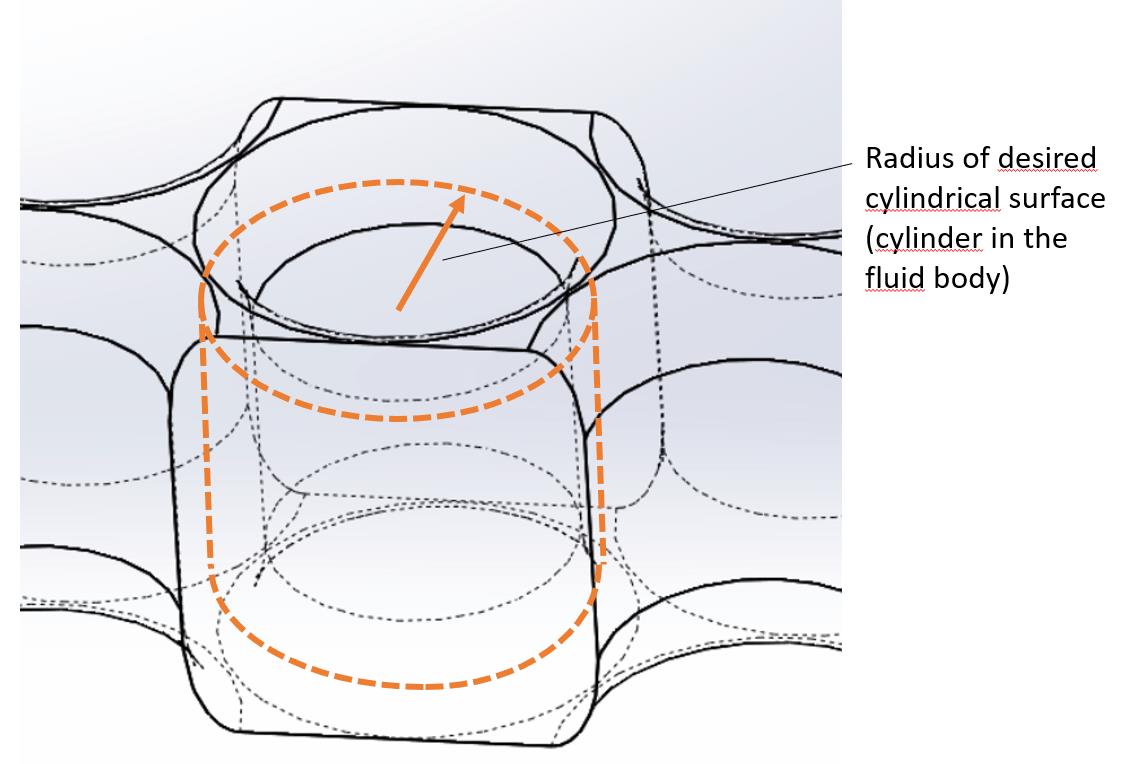
SubscriberSorry I should have explained it better: I would like to have the cylinder in the material itself so that the radius of the cylinder is a bit larger than the radius of the pin.
-
October 10, 2019 at 8:39 am
DrAmine
Ansys EmployeeI don't understand.
-
October 10, 2019 at 5:36 pm
-
October 11, 2019 at 9:16 am
Rob
Forum ModeratorIf you want a surface you can use a mix of custom field functions, iso-surface & iso-clip to create the object. The alternative is to imprint a face (surface create imprint - it's in the manual). If you want a volume have a look at adaption registers and mesh separate.
Note, flux reports are only available from boundary surfaces, so you may struggle getting the data from a post processing face.
-
October 11, 2019 at 10:46 am
DrAmine
Ansys EmployeeTry creating an offset surface in Fluent or CFD Post. -
October 11, 2019 at 11:22 am
Niss
SubscriberI do not have access to the learning hub, the only documentation I could find is this: https://ansyshelp.ansys.com/account/secured?returnurl=/Views/Secured/corp/prod_page.html?pn=Fluent&prodver=19.0&lang=en but I was not able to find a surface create imprint.
I am not familiar with offset surfaces... Can you please give me indications on how to access this functionality in Fluent?
-
October 11, 2019 at 11:59 am
Rob
Forum ModeratorIt's under the Surface creation option in Results, along with imprint.
-
October 11, 2019 at 2:38 pm
Niss
SubscriberThanks!
-
October 14, 2019 at 12:41 pm
DrAmine
Ansys Employeewelcome!
-
- The topic ‘Local heat flux’ is closed to new replies.
-
6219
-
1906
-
1457
-
1308
-
1022
© 2026 Copyright ANSYS, Inc. All rights reserved.