-
-
February 14, 2024 at 2:08 pm
Muhamad Faiz
SubscriberHello,
I've encounted an error that says "Cannot switch mode due to license unavailability or licensing error" when I'm trying to go to "Switch to Solution" after i've completed the mesh.
-
February 14, 2024 at 3:32 pm
Rob
Forum ModeratorPlease can you check the cell count, and if there is another solver running on your PC.Â
-
February 14, 2024 at 4:08 pm
Muhamad Faiz
SubscriberHow to check for the cell count and to know if there's other solver running?
-
February 14, 2024 at 4:16 pm
Rob
Forum ModeratorWhen meshing is complete there ought to be a message in the TUI. Re the solver, what else is running?Â
Â
-
February 14, 2024 at 4:25 pm
-
February 14, 2024 at 4:27 pm
Rob
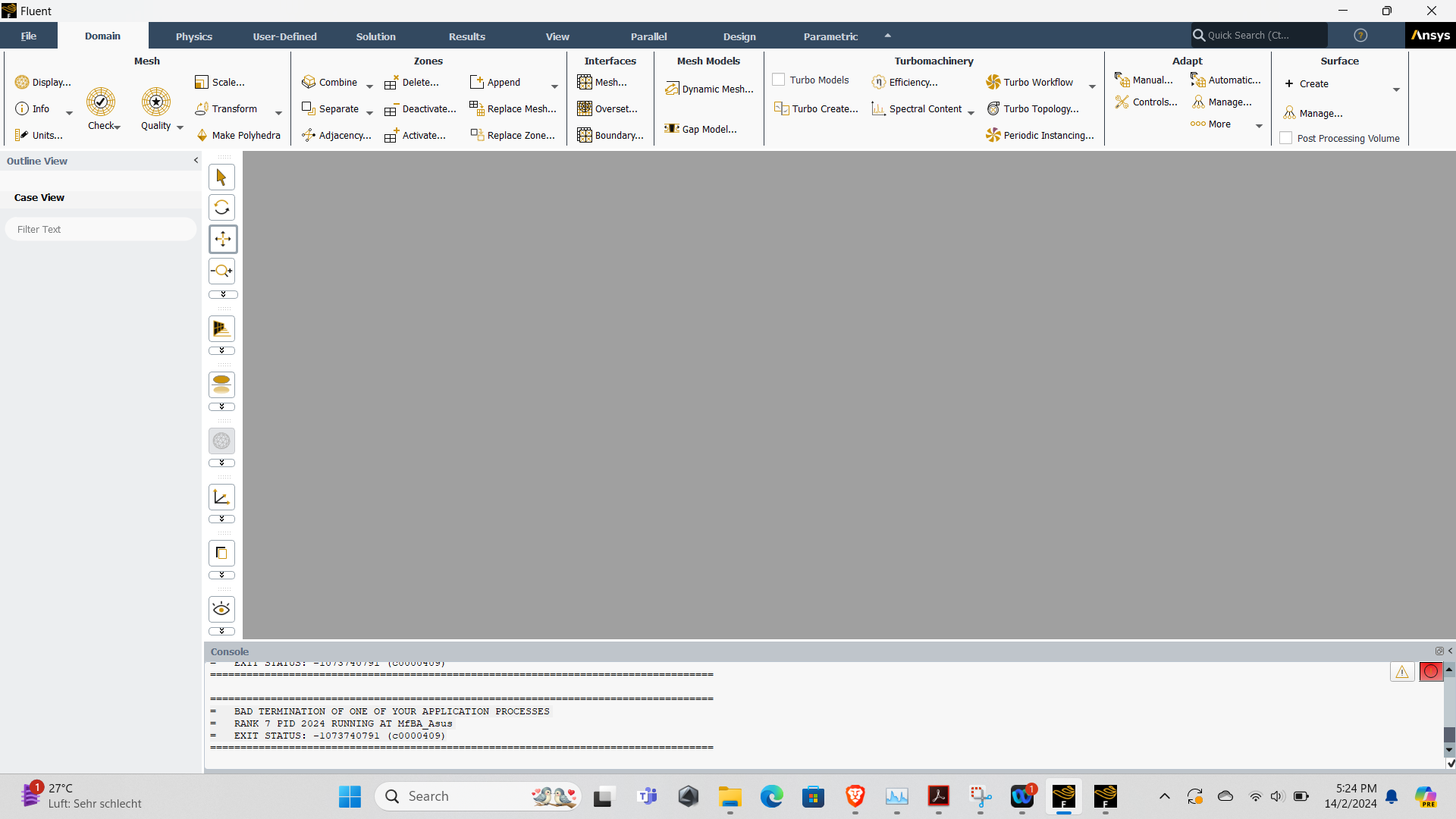
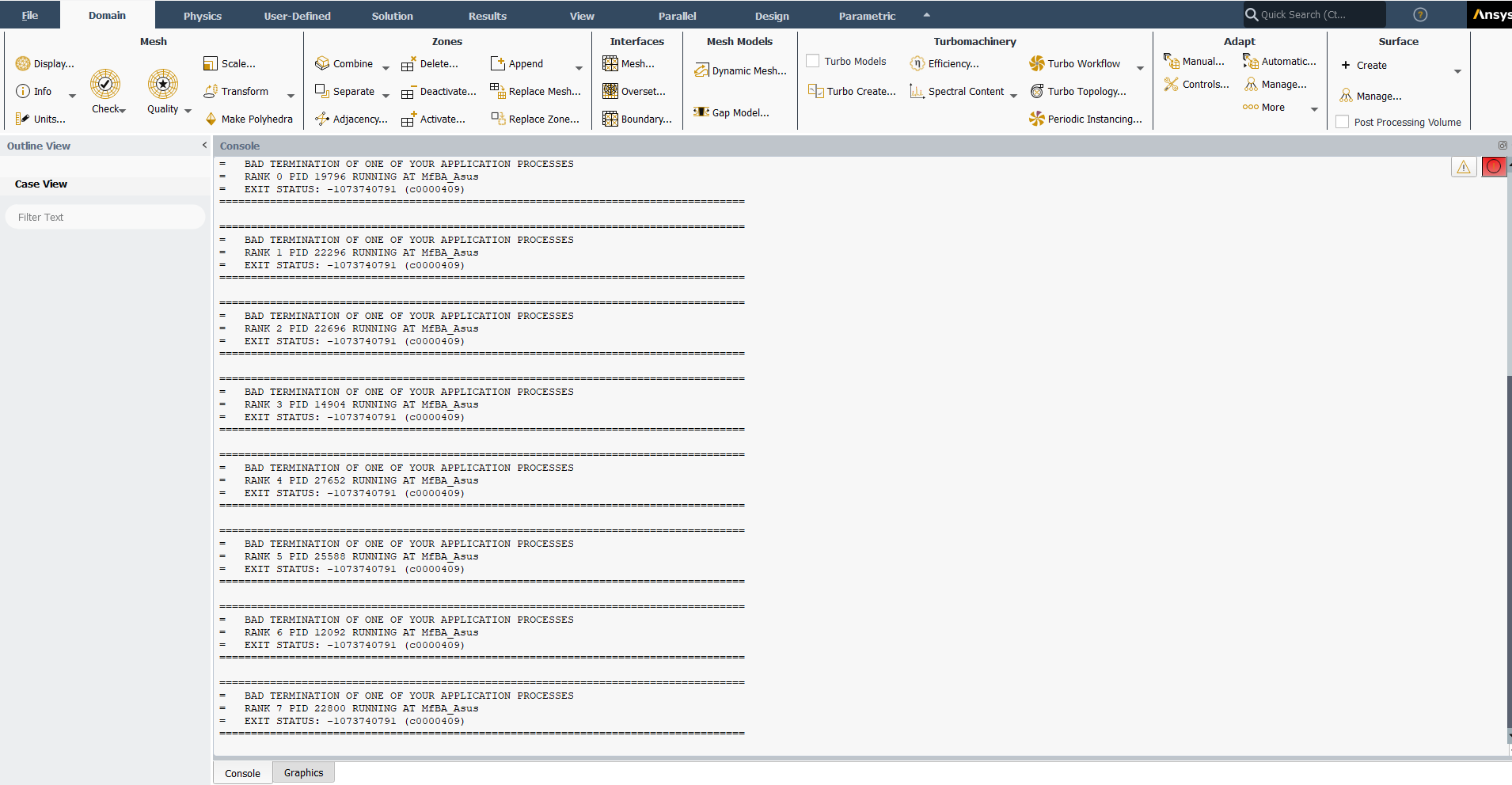
Forum ModeratorOK. If you reboot do you still have the problem? If so please expand the Console (TUI) window and post the screenshot(s).Â
-
February 14, 2024 at 4:31 pm
-
February 14, 2024 at 4:40 pm
Rob
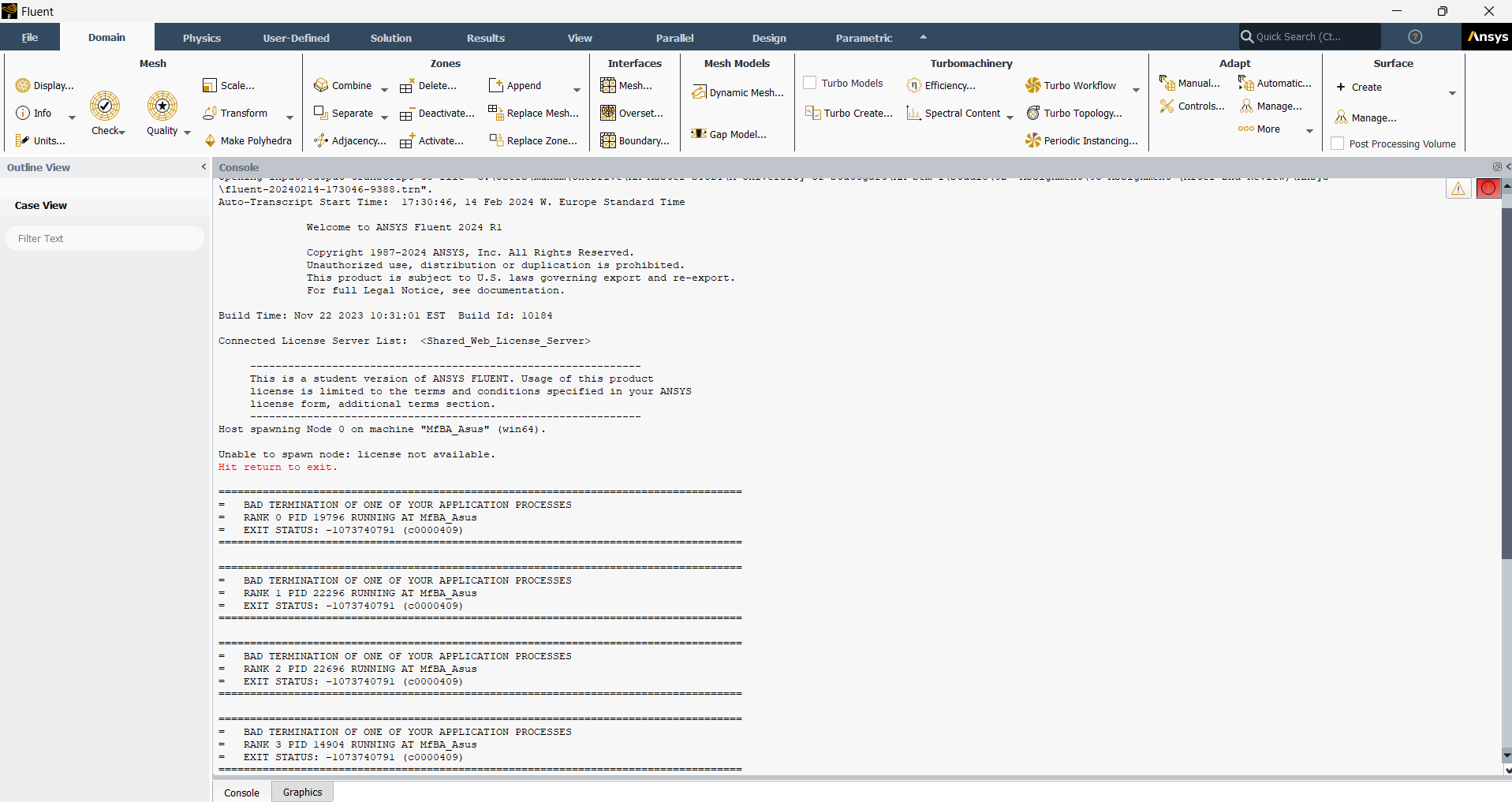
Forum ModeratorOK, and what's the text above what you posted? That's following a problem, what comes before may show what that problem is. How did the reboot go?
-
February 14, 2024 at 6:11 pm
-
February 15, 2024 at 3:08 pm
George Karnos
Ansys EmployeeHello Muhamad,
When installing, did you right-click on setup.exe and choose: more->run as administrator? If not, can you do so?
Are there any errors, listed in the following file:
C:\Program Files\ANSYS Inc\ANSYS Student\install.log -
February 15, 2024 at 5:39 pm
George Karnos
Ansys EmployeeAlso,
If you look under %TEMP%\.ansys You will see log and out files.
Do those list any errors?
-
February 15, 2024 at 5:45 pm
Muhamad Faiz
SubscriberUpdate: Problem solved due to lowering the number of processors to 4.
-
February 15, 2024 at 5:57 pm
George Karnos
Ansys EmployeeThank You for the Update!
-
- The topic ‘Licensing Error in Ansys Fluent 2024 R1 Student Version’ is closed to new replies.

-
6029
-
1906
-
1425
-
1308
-
1021
© 2026 Copyright ANSYS, Inc. All rights reserved.