Ansys Assistant will be unavailable on the Learning Forum starting January 30. An upgraded version is coming soon. We apologize for any inconvenience and appreciate your patience. Stay tuned for updates.
Fluids

Fluids

Topics related to Fluent, CFX, Turbogrid and more.

Layering Technique with Dynamic Meshing

    • zoelle.wong
      Subscriber

      Dear ANSYS Team,

      Hope all is well with you. I am trying to incorporate a rigid body motion via Layering, but I observe that the cells are being stretched instead of split for a column cells that are interfacing between 2 fluid zones (similar integration problem here:https://innovationspace.ansys.com/forum/forums/topic/problems-with-dynamic-mesh-settings-while-mesh-motion/)

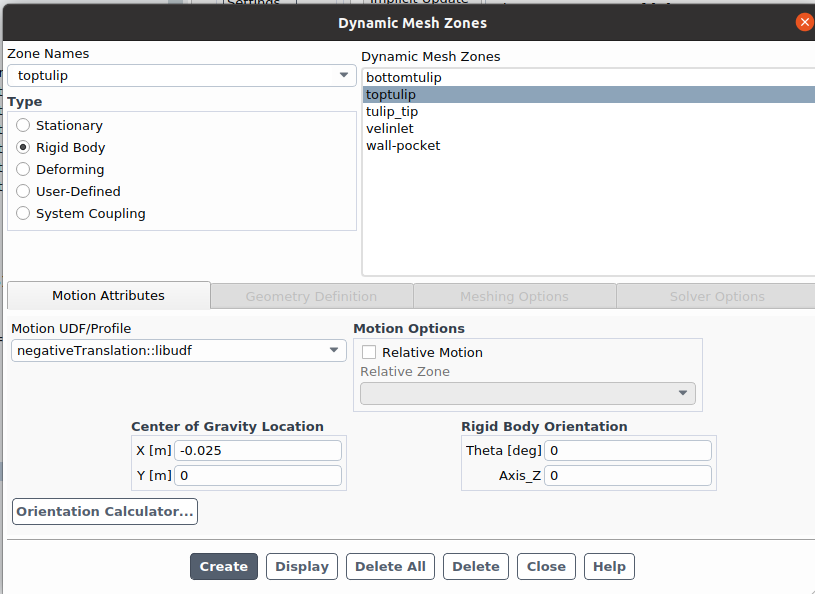
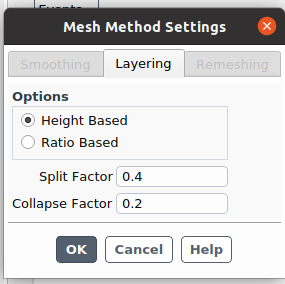
      I tried varying the split and collapse factors. Since the cells are collapsing but not splitting, I think the problem is related to how I set up the interior cell motion. From other documentation and tutorial videos, I think I need to specify a mesh interface between the two fluid zones, but I'm not able to conver the internal zones into a mesh interface. Do you have suggestions on this? Thank you again so much!

      Screenshots of inputs and sim case is below; averge cell height is 0.01m:

    • Federico
      Ansys Employee

      Hello, 

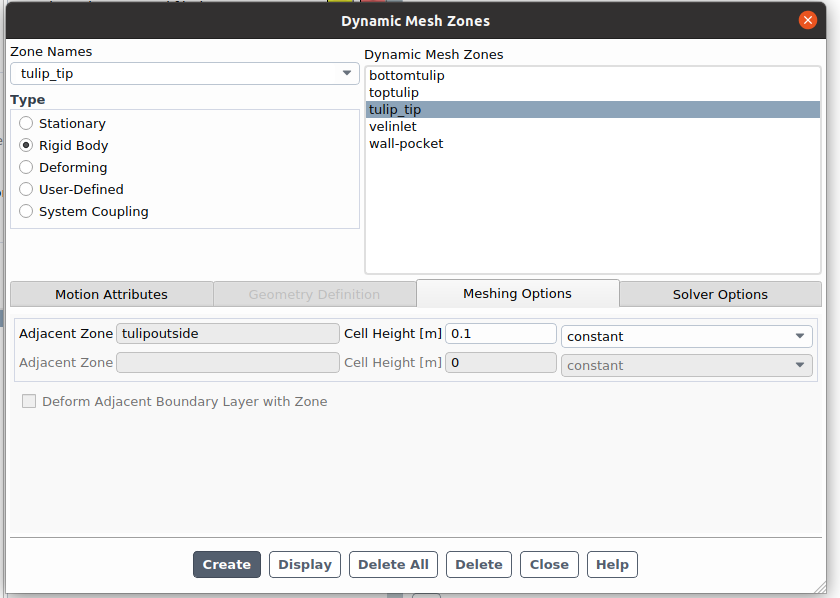
      can you describe what are your dynamic mesh zones shown in your screenshot?

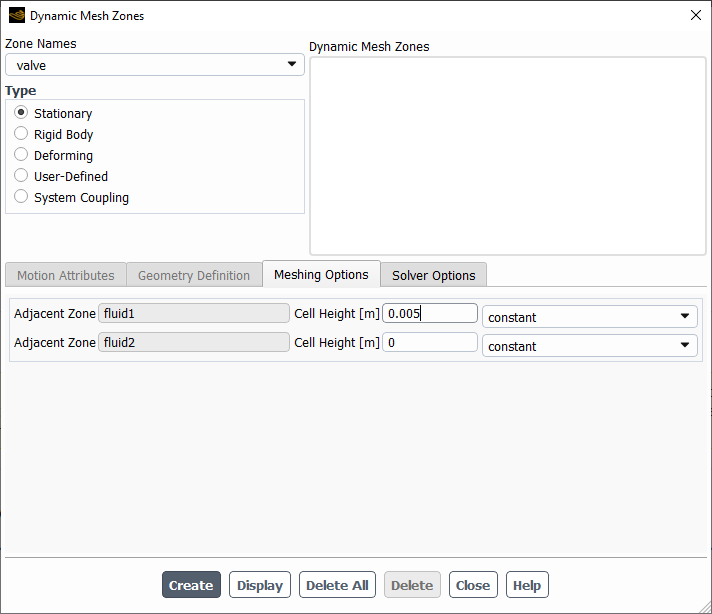
      In order to have cells splitting/collapsing, you need to define a cell height on which the split/collapse factors are calculated on. If you have an internal face zone between your fluids, set this zone as Stationary and specify the cell height in the on the corresponding side that should split/collapse.

      For example, if I have 5mm layers and I want these layers to split on the fluid on the left (fluid1), I should create something like this:

    • zoelle.wong
      Subscriber

      I see- I have an internal boundary condition instead of a zone. Would converting these to Stationary with a specified split factor also work? (list of zones and BCs below)

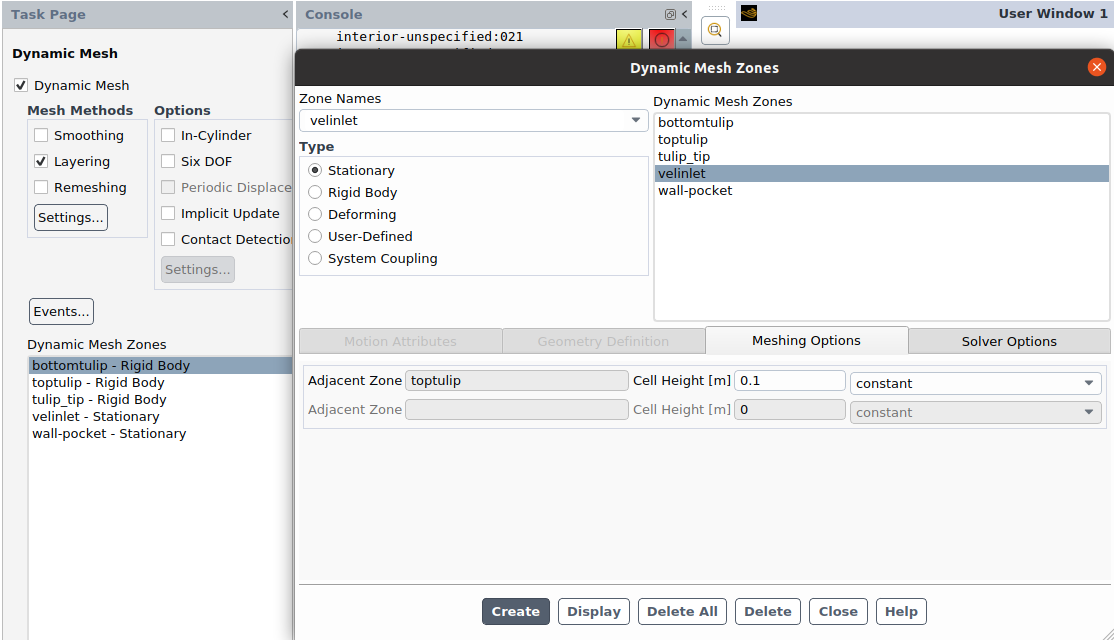
      bottomtuplip, top tulip, tulip_tip have rigid body motion, translating to the left 

      velinlet, wall-pocket are stationary 

      Thank you!!

      • Federico
        Ansys Employee

        Boundary conditions are applied on face zones. So I'm not sure what you mean by "I have an internal boundary condition instead of a zone".

        Also, you list the names of your dynamic mesh zones but I don't know what they refer to.

        See if you can assign the internal face zone as my previous suggestion

    • zoelle.wong
      Subscriber

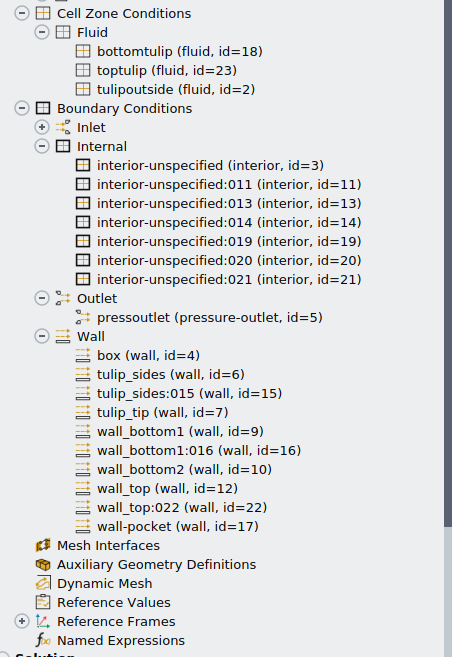
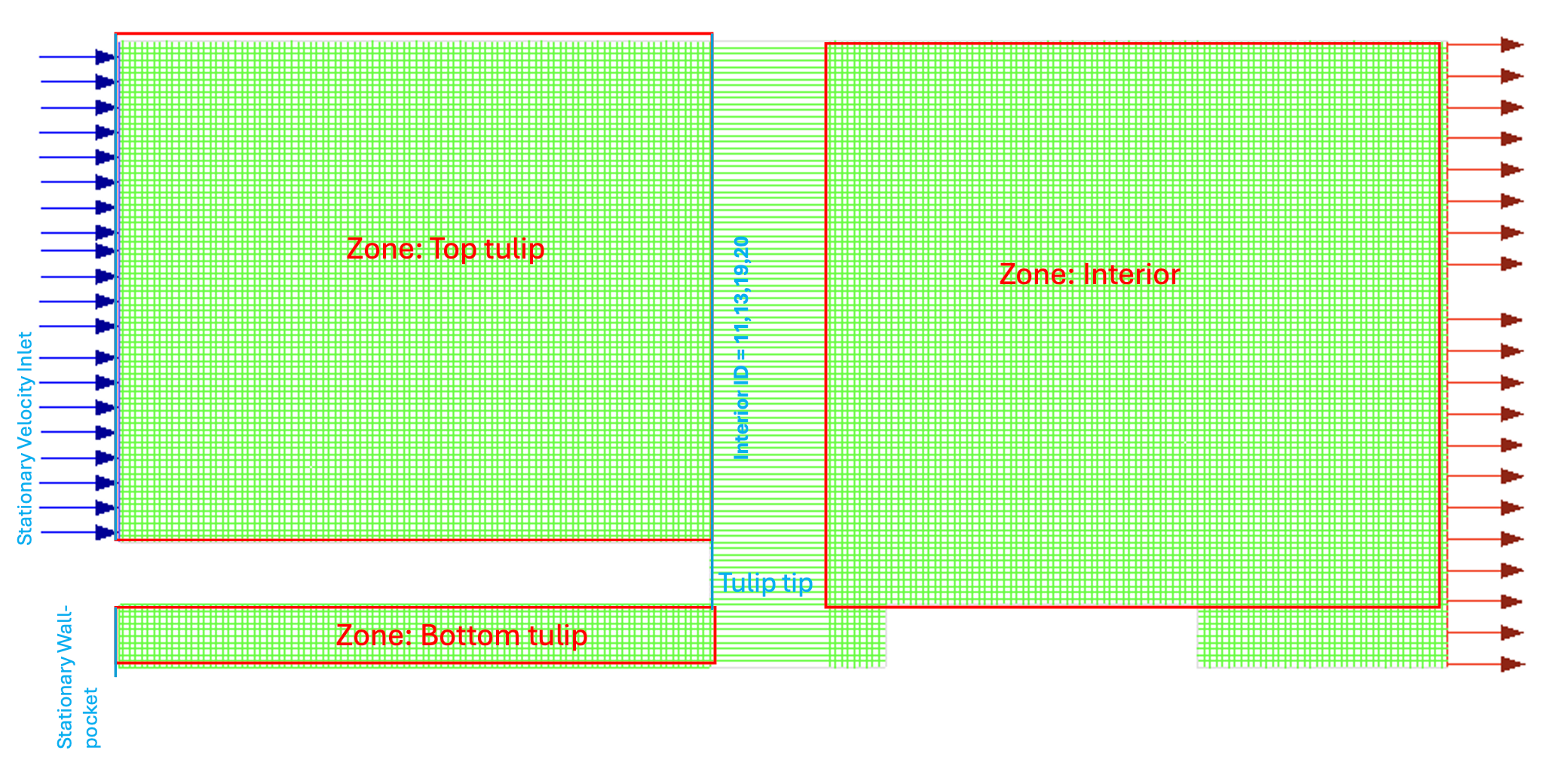
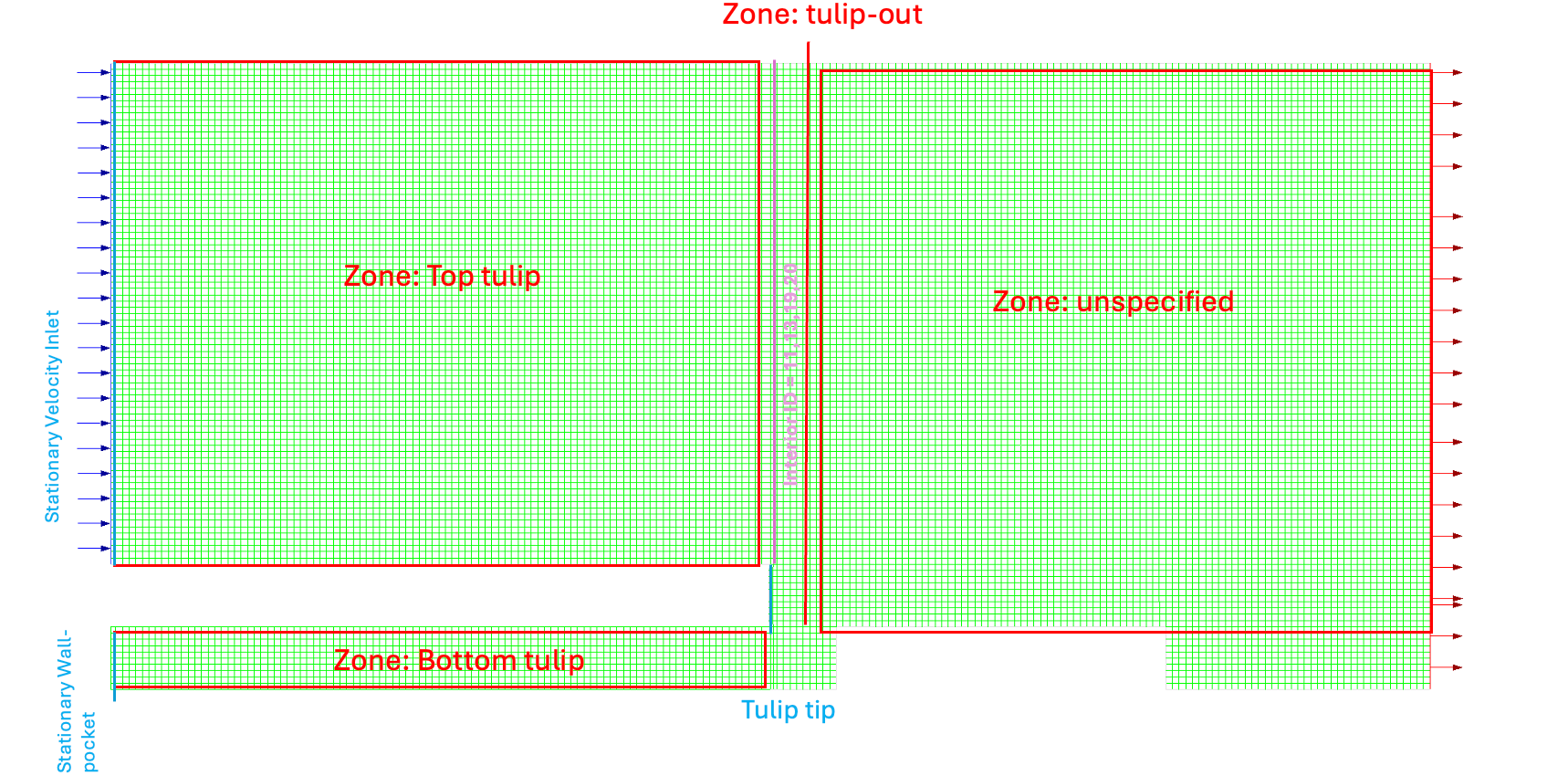
      apologies- misread your first mesage. I hope this image below clears up the confusion of the boundary conditions:

      I did set interior zone and interior boundaries (I've seen them as "internal boundary conditions" but they have ID's 11,13,19,20 as shown) to be stationary, but the tulip rigid body's negative translation created negative cell volumes. 

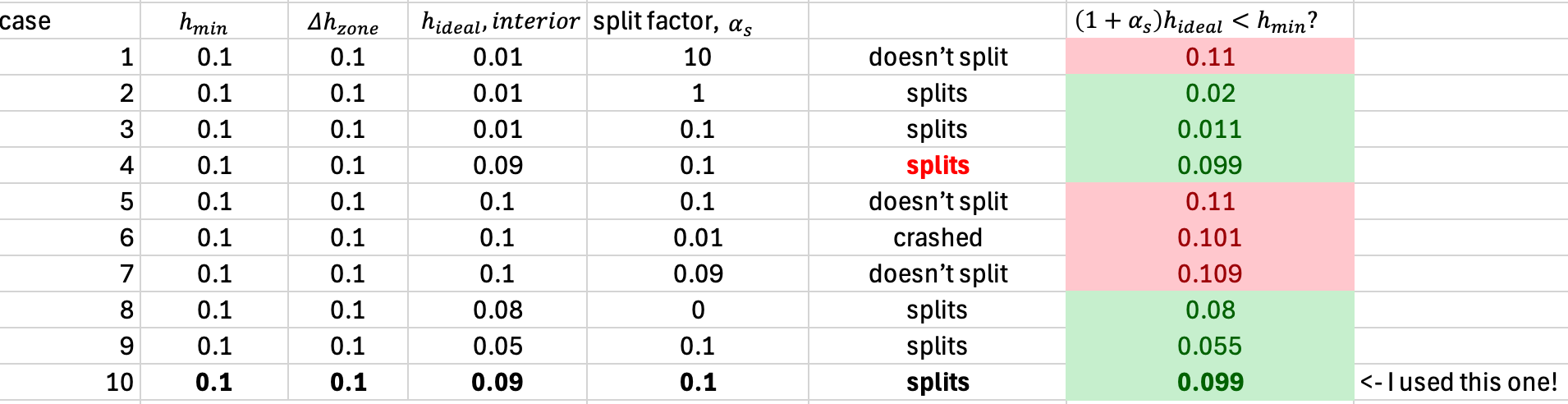
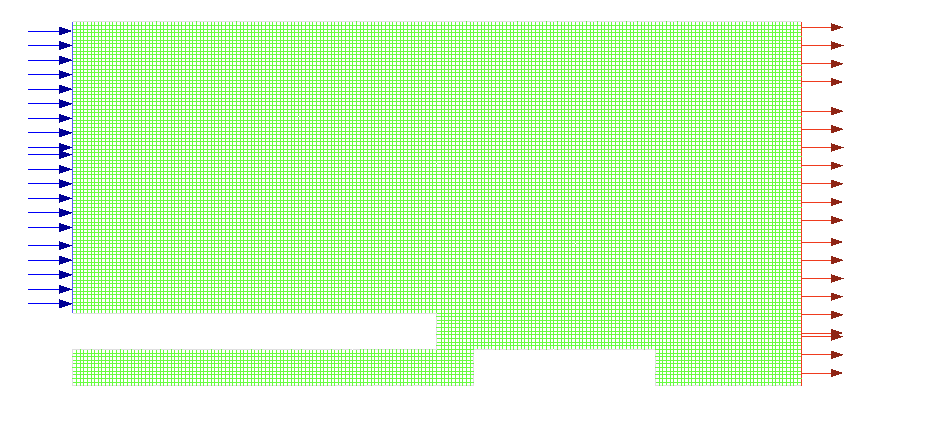
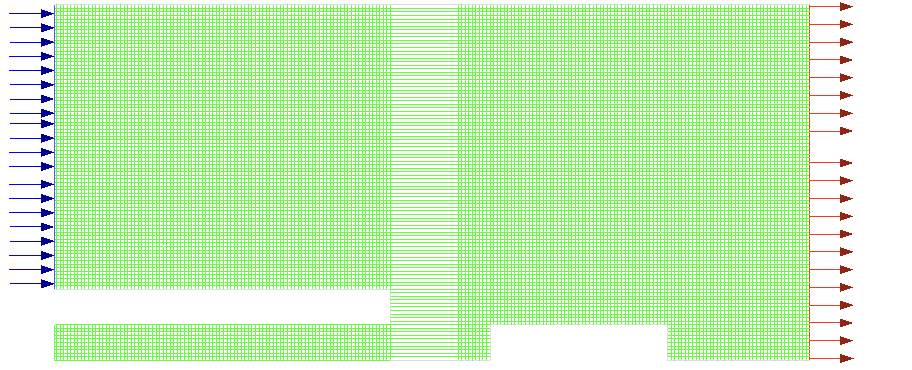
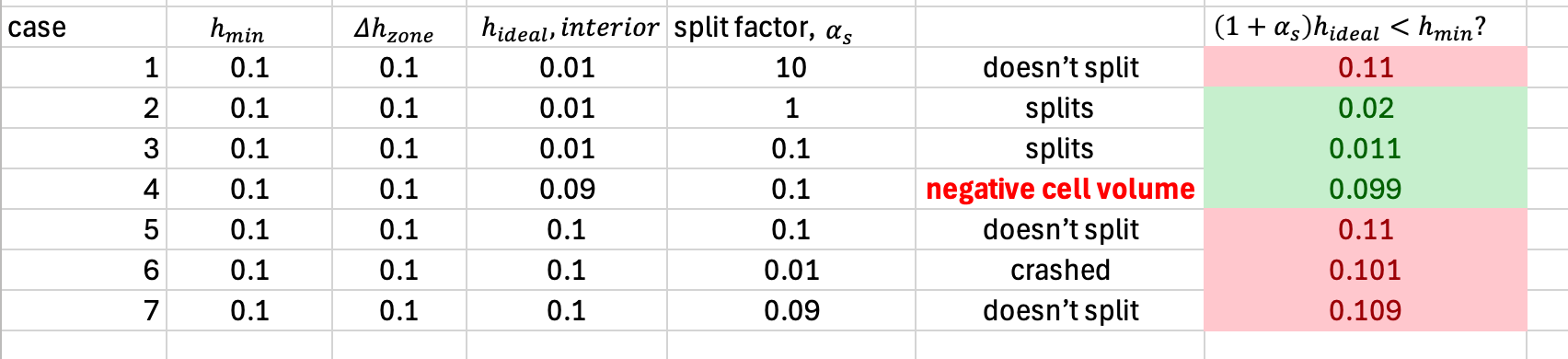
      when I set these interior boundaries with a the same negative translation UDF and varied the cell height (under "meshing options") and the spilt factor per the manual instructions; h_min > (1+alpha_s)*h_ideal, splitting only occured when h_ideal was much smaller than h_min. Consequently, the cell layers were bunching together. Table of tested parameters are below and screenshot when i used case 3 parameters. h_ideal_interior

      I couldnt find a cell height for the interior zone that did not result in bunching (denoted in table by \Delta h_interior zone). Changing the cell height (denoted by \Delta h_zone) did not change the lack of splitting either. 


    • zoelle.wong
      Subscriber

      Dear ANSYS Universie,

      I figured out the problem! I'm going to describe the process below to future people like me who got stuck! The documentation was hard to follow

      In short, layering works best for tetrahedral cells. When you specify a splitting (alpha_s) and collapsing factor (alpha_c), splitting will obey this rule:

      h_min > (1+alpha_s)*h_ideal (Eq1)

      h_ideal is a value you specify in your cell mesh domain; h_min is the minimum cell height of the layer that's growing. 

      If you specify an alpha_s or h_ideal that is greater than h_min, then splitting won't occur! To pick a h_min, you need to find the zones that are adjacent to the dynamic boundary condition. To do this, I strongly suggest labeling all your zones because its very easy to confuse zone names if they're all called "unspecified" 

      I started with a 1 zone, but separated them into 3 zones ("out-tulip", "bottomtulip", "toptulip") and multiple interiors that were between my zones. The third zone ("toptulip") was a fictious zone that had 0 cells. This third zone was adjacent to the actual zone, which is the h_ideal that I needed to split my cells. 

      To specify my dynamic boundary conditions, "inlet", "wall-pocket" were stationary. "bottomtulip", "toptulip", "tulip tip", and the interior zones were given a rigid body motion. For the BCs with the rigid body motion, I specified an h_ideal (or cell height) that satisfied Eq1. If you specify the interiors or "out-tulip" as stationary, then these layers became fixed and induced negative volume cells.  

      To pick a h_ideal, I calculated what new "h" I would have (table below). I chose a alpha_s = 0.1 because I wanted to make sure my cells were split. 

      Hope this helps to anyone else or future people who get lost! if you do get stuck, I suggest modifying alpha_s and h_ideal by an order of magnitude to figure out a pattern. That's what I did and it worked! 
       

      • Federico
        Ansys Employee

        Hello Zoelle, 

        I'm glad that you were able to resolve this Layering issue for your case.

        Just to clarify a couple of things:

        • Layering is not compatible with tetrahedral cells. I think you meant quad (2D) or hex (3D) cells.
        • By default, the layering method has split factor of 0.4 and collapse factor of 0.2. The ideal height H is used to specify when the layers should be split (generally, ideal height is the initial layer height if your layers are constant in height).
        • If H is too large, layers will never split; if H is too small, layer may not collapse or you will end up with negative volume cell if the cell movement is larger than the current height of the layer.

        For a case like this, I would set the entire fluid cell zones top_tulip and bottom_tulip with right body motion, and have internal face separating with the rest of the domain as Stationary with the corresponding Meshing Options to have layering occur here (Best practices is to have layering occur in a non-moving boundary).

    • zoelle.wong
      Subscriber

      Thank you for clarifying! 

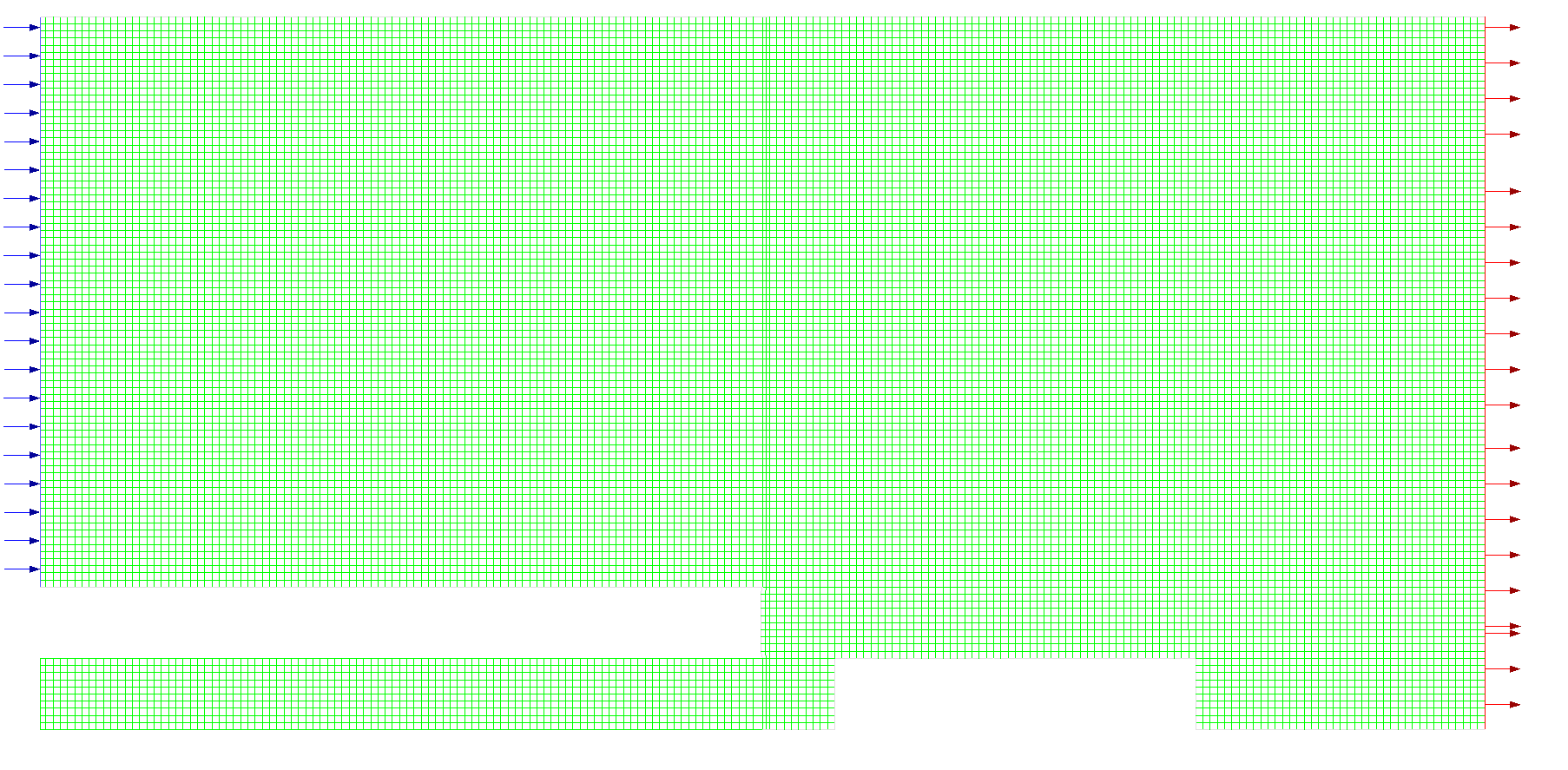
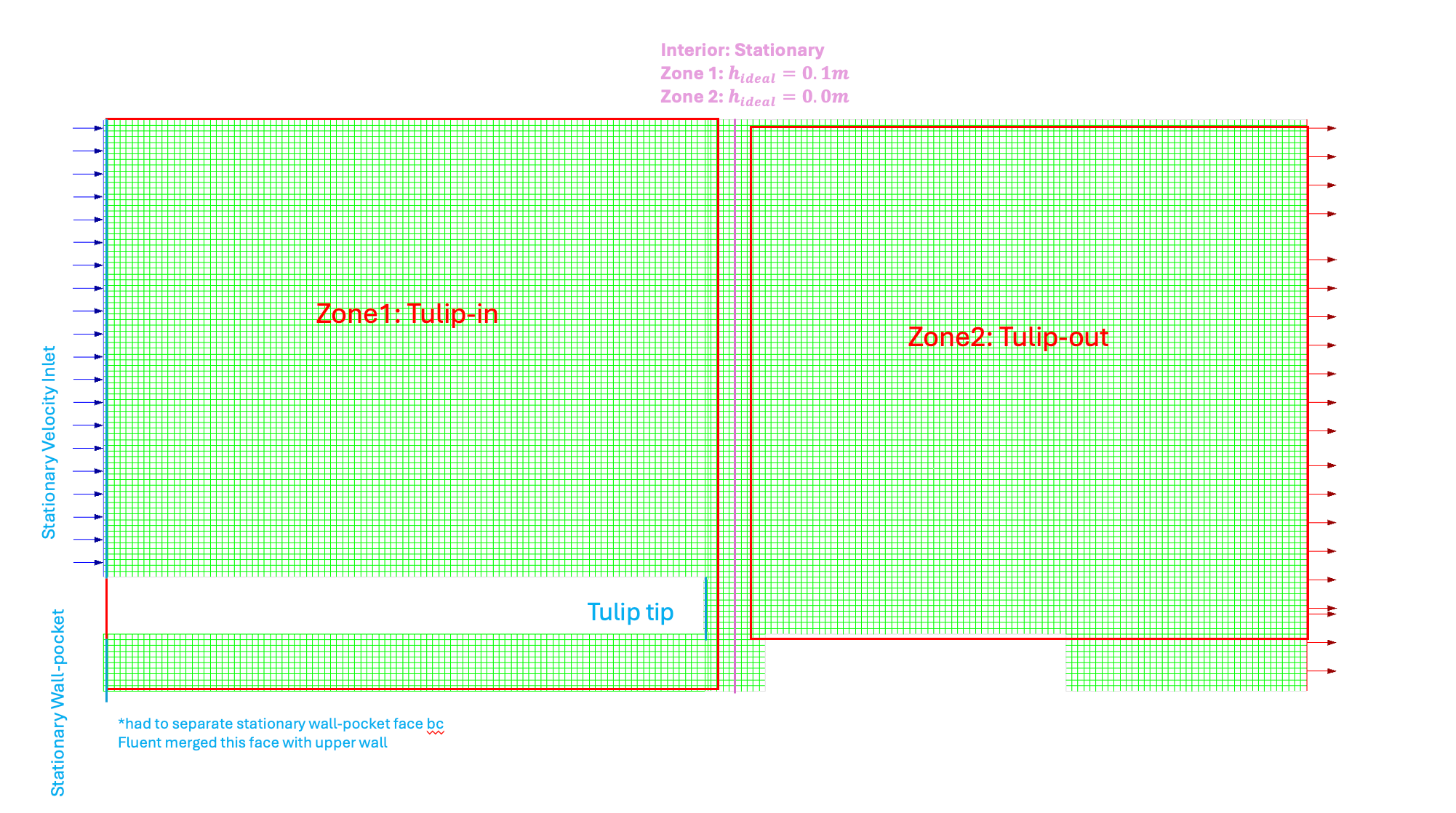
      For future users: this set up (image below) worked better! When using dynamic layering, make sure your zones are contiguous! Above, I had two moving zones, but when I merged these two zones together then I didn't need to reverse engineer a h_ideal value as I did previously! 

Viewing 5 reply threads
  • You must be logged in to reply to this topic.
[bingo_chatbox]