Ansys Assistant will be unavailable on the Learning Forum starting January 30. An upgraded version is coming soon. We apologize for any inconvenience and appreciate your patience. Stay tuned for updates.
Fluids

Fluids

Topics related to Fluent, CFX, Turbogrid and more.

Issue with image viewing in CFD post

    • faisal14
      Subscriber

      I have an issue while viewing the solution in the CFD post. I was trying to plot the wall heat transfer coefficient along the plane, I am viewing multiple colors. As we know the wall heat transfer coefficient is calculated (approximated) only for element next to the wall, why am i seeing multiple colors when I zoom in the figure in CFD post.


      Moreover, while I try to save it as an image, I can find the right results. 


      System confiq: Graphic Card Nvidia GEForce GTX 1650 


      Attached are the screenshots of CFD post solutions and image. 

    • Keyur Kanade
      Ansys Employee

      As ANSYS staff, we can not download the attachments. Please insert images. 


      Regards,


      Keyur


      Guidelines on the Student Community


      How to access ANSYS help links

    • faisal14
      Subscriber

      Please find the images as below.


      1. figure from CFD post. (Screenshot of CFD post)


      Zoomed image 1 (Screenshot of CFD post)
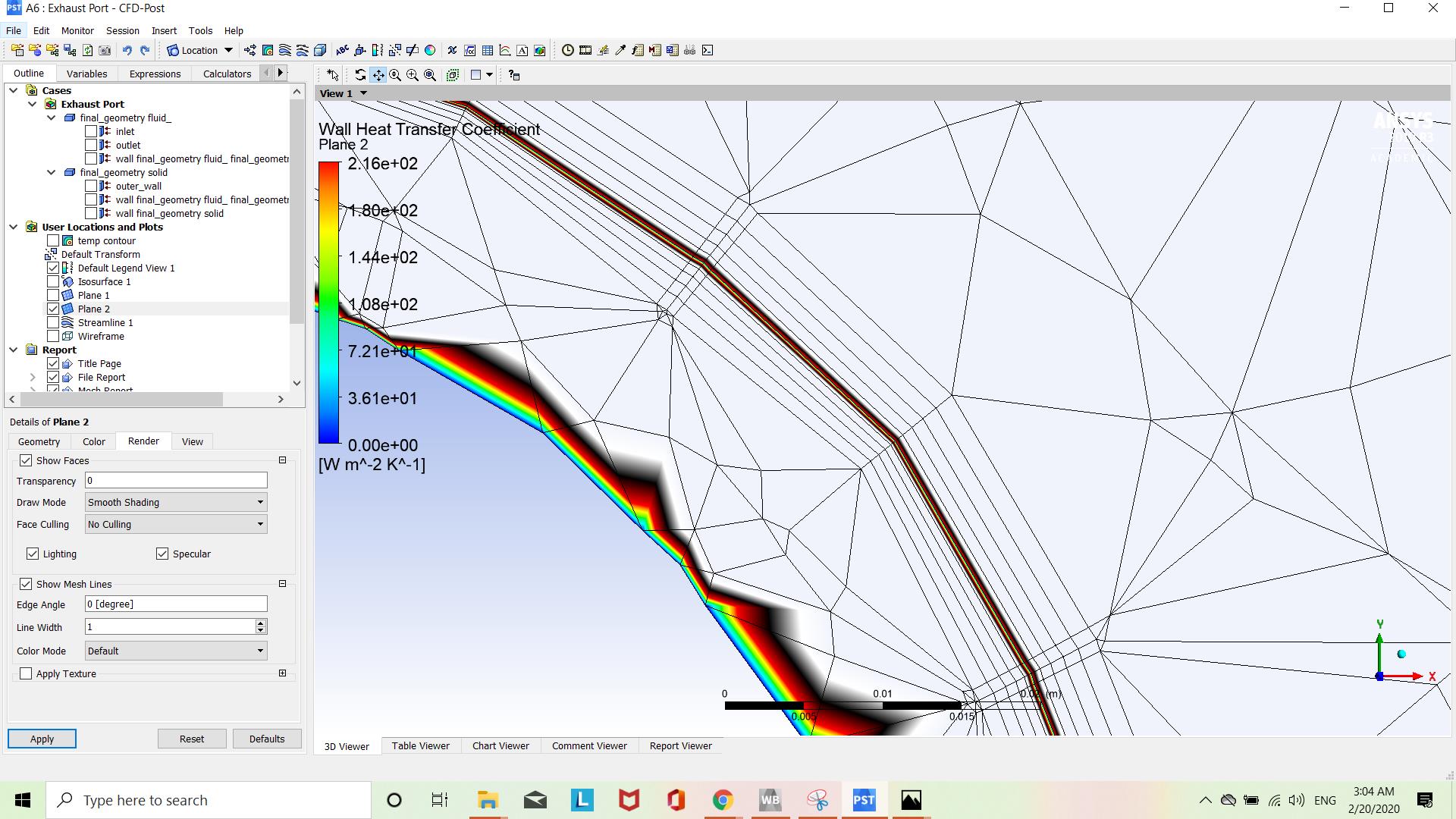


      Zoomed image 2 (Screenshot of CFD post)
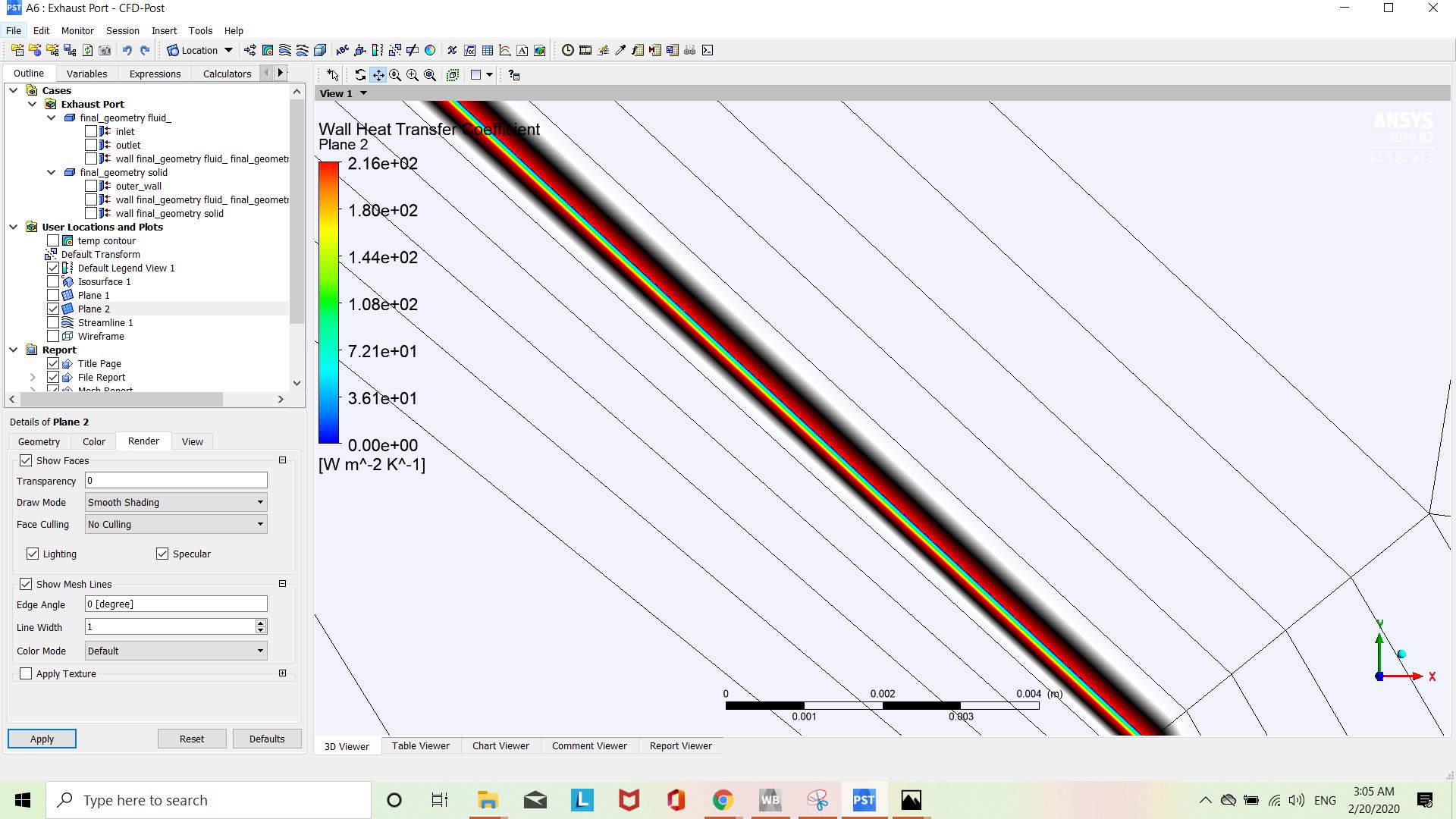


      But when I save it as an image, I am getting the colours right as shown below. Could you please let me know the issue. Why am I getting multiple colours in CFD post? 
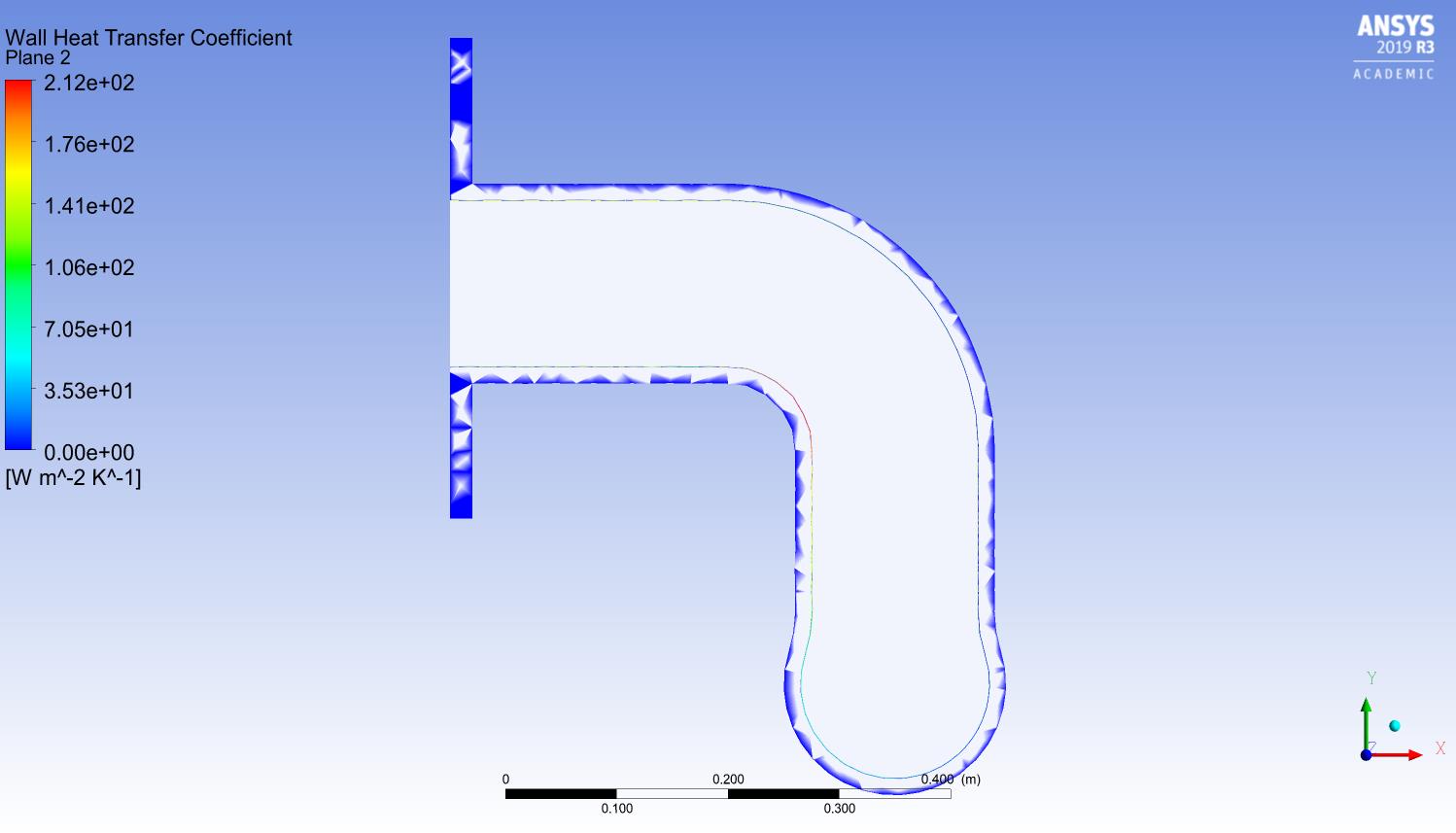


      I think this is the issue with graphic card rendering. But I am amazed because I am using 4GB Nvidia GeForce GTX 1650. 


      Your help is appreciated. 

    • faisal14
      Subscriber

      Please find the inserted images

Viewing 3 reply threads
  • The topic ‘Issue with image viewing in CFD post’ is closed to new replies.
[bingo_chatbox]








