To perform a restart analysis for a run that got terminated abruptly before the end time, or to increase the termination time, as in your case, a simple restart is the recommended one.
For an MPP run, the LS-DYNA solver will create dump files such as d3dump01.0001, d3dump01.0002, d3dump01.0003, etc. in the directory where your input deck is located. The number of dump files will be equal to the number of cores used for the solve. For example, if 4 cores are used, 4 d3dump files are created as below:
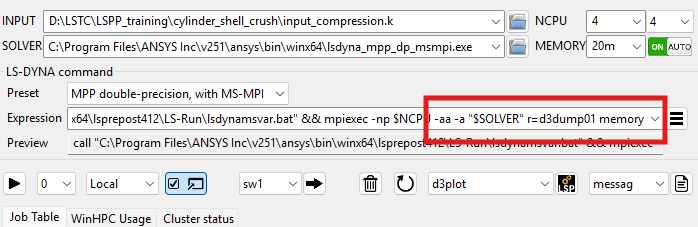
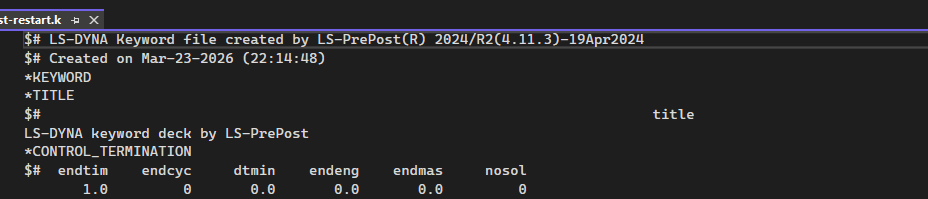
In order to use simple restart, you will need to create a new input deck with a modified end time (*CONTROL_TERMINATION). Please note that this new input deck should only have modified keywords. In the input field, you should point to this new input deck with modified keywords (in your case only *CONTROL_TERMINATION), and in the expression field, replace i=$INPUT with r=d3dump01 in the command line of LS-RUN, such as below:
Always make sure to use the same solver settings (Version, cores, precision, MPI).


















 You are navigating away from the AIS Discovery experience