

TAGGED: fluent-ansys
-
-
January 18, 2022 at 7:41 pm
cnorrie5
SubscriberJanuary 18, 2022 at 10:20 pmKarthik Remella
AdministratorHello Are the inlet and outlet boundaries specified on a solid object? Also, are these external boundaries for your computational domain?
Karthik
January 18, 2022 at 10:27 pmSubscriberthe yellow box in the first image is the domain
January 18, 2022 at 10:33 pmAdministratorAnd could you please point me to the Inlet & Outlet boundaries in Ansys Meshing tool?
January 18, 2022 at 11:31 pmSubscriberFar end is inlet near is outlet in the yellow picture
January 19, 2022 at 12:01 pmRob
Forum ModeratorYou're in Workbench Meshing, and the surfaces look OK. However, you also have four parts, is that correct?
January 19, 2022 at 12:11 pmSubscriberThe top image is from Fluent the bottom is from Meshing, Yes I think so. I was advised to manually input my contact regions to solve my mesh interfacing issues.
January 19, 2022 at 12:20 pmForum ModeratorYellow in Fluent implies an interface zone. Please post the boundary condition & cell zone list from Fluent so we can see what's going on.
January 19, 2022 at 12:34 pmSubscriber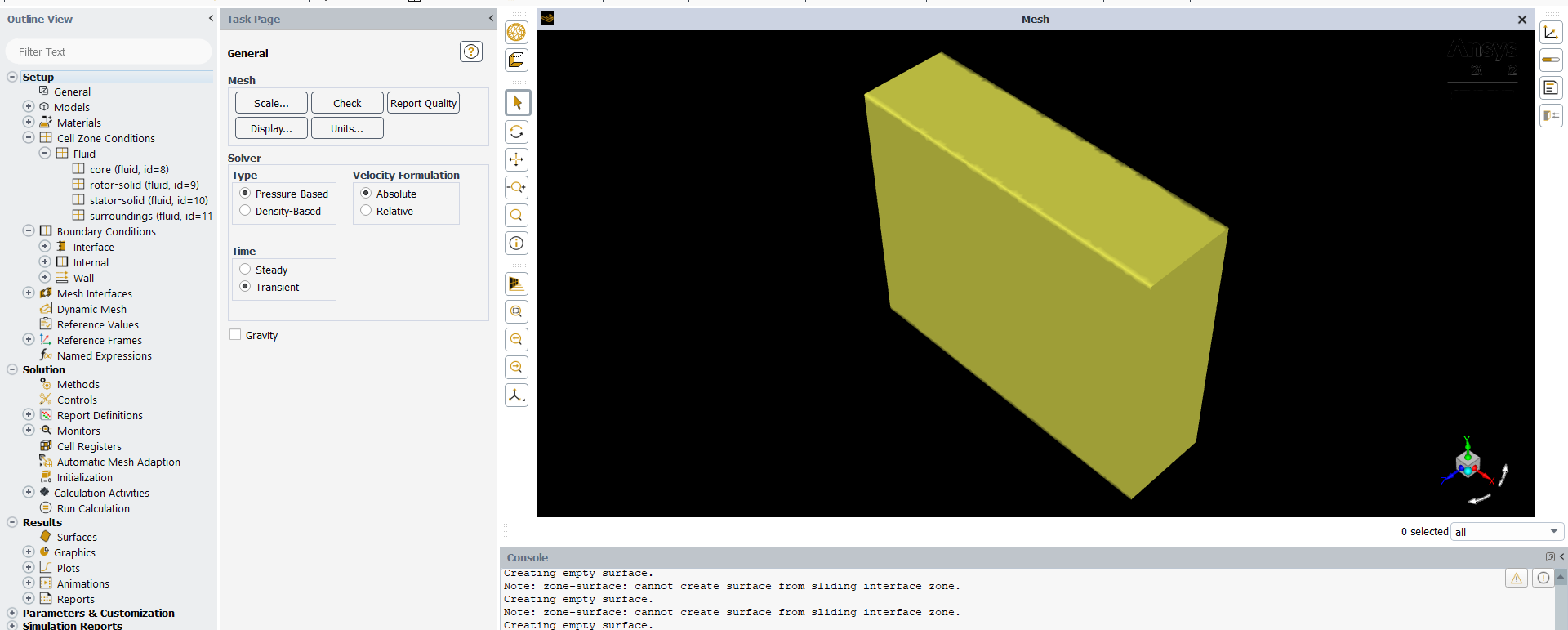
January 19, 2022 at 12:35 pmSubscriber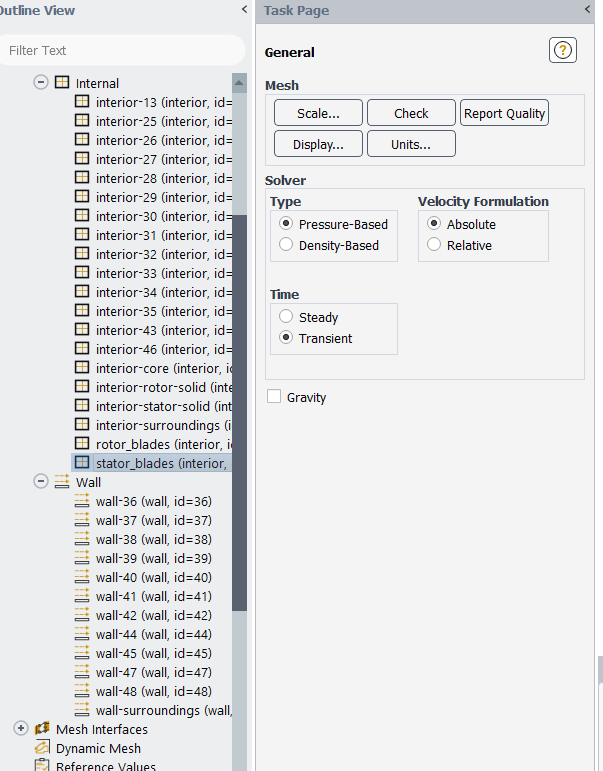
January 19, 2022 at 2:55 pmForum ModeratorThat's odd, the surface labels should pass to Fluent. If you click on the inlet label in meshing how many faces are in the zone?
January 19, 2022 at 4:06 pmSubscriber1 Face
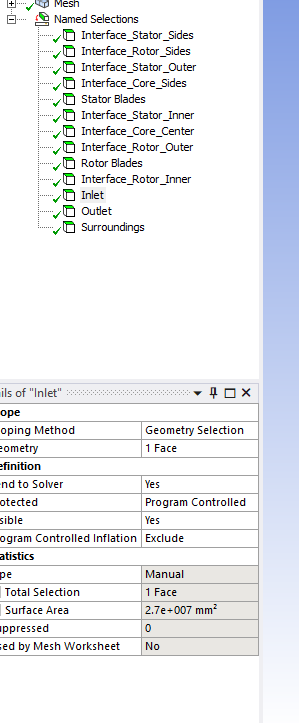
January 19, 2022 at 6:28 pmForum ModeratorAnd no wall-surroundings. If you click on File - Export what do you see when you read that mesh into Fluent standalone mode (instructions at the top of the Fluids section on how to do that).
January 21, 2022 at 5:03 pmSubscriberApolgies for the delay, i was unable to respond due to the forum being down.
this is the warning that I am getting now
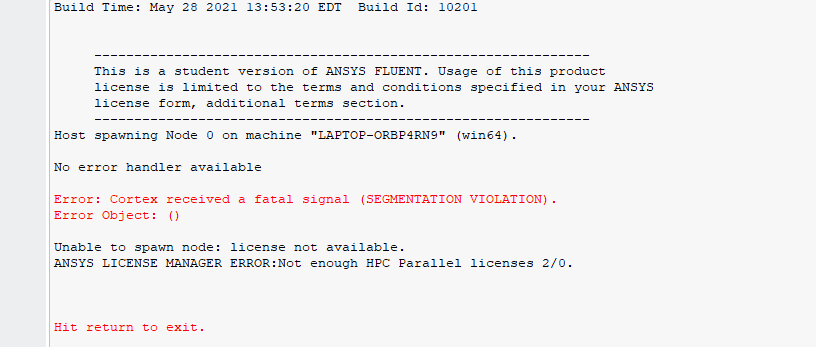
January 21, 2022 at 5:23 pmSubscriberI have read some other forum questions regarding this error but i have had no issue with it prior with this machine.
January 21, 2022 at 5:30 pmForum ModeratorWeird, try a restart. It looks like the licence manager isn't active. or will know more.
January 21, 2022 at 7:33 pmSubscriberI tried a restart however it is still not working?
I am also unable to shut down FLUENT
January 21, 2022 at 7:46 pmSubscriberthe icon is still there but I cannot access it
January 24, 2022 at 11:00 amForum ModeratorTry using 127.0.0.1 as the IP and check the parallel interconnect options. There are threads in the Installation part so please check there.
Viewing 18 reply threads- The topic ‘Inlet/ Outlet not appearing.’ is closed to new replies.
Innovation Space Trending discussions
 Top Contributors
-
peteroznewman
 6625
6625 -
scabo
 1906
1906 -
Dennis Chen
 1469
1469 -
javat33489
 1311
1311 -
Shyam Prasad V Atri
1022
Top Rated Tags
© 2026 Copyright ANSYS, Inc. All rights reserved.
Ansys does not support the usage of unauthorized Ansys software. Please visit www.ansys.com to obtain an official distribution.
-



The Ansys Learning Forum is a public forum. You are prohibited from providing (i) information that is confidential to You, your employer, or any third party, (ii) Personal Data or individually identifiable health information, (iii) any information that is U.S. Government Classified, Controlled Unclassified Information, International Traffic in Arms Regulators (ITAR) or Export Administration Regulators (EAR) controlled or otherwise have been determined by the United States Government or by a foreign government to require protection against unauthorized disclosure for reasons of national security, or (iv) topics or information restricted by the People's Republic of China data protection and privacy laws.

 You are navigating away from the AIS Discovery experience