TAGGED: ansys-cfd-post, turbo-machinery
-
-
January 16, 2026 at 9:27 am
James411project
SubscriberHi everyone,
I am currently working on a simulation of a two-stage turbine using Ansys Fluent and performing post-processing in CFD-Post (Turbo Mode).
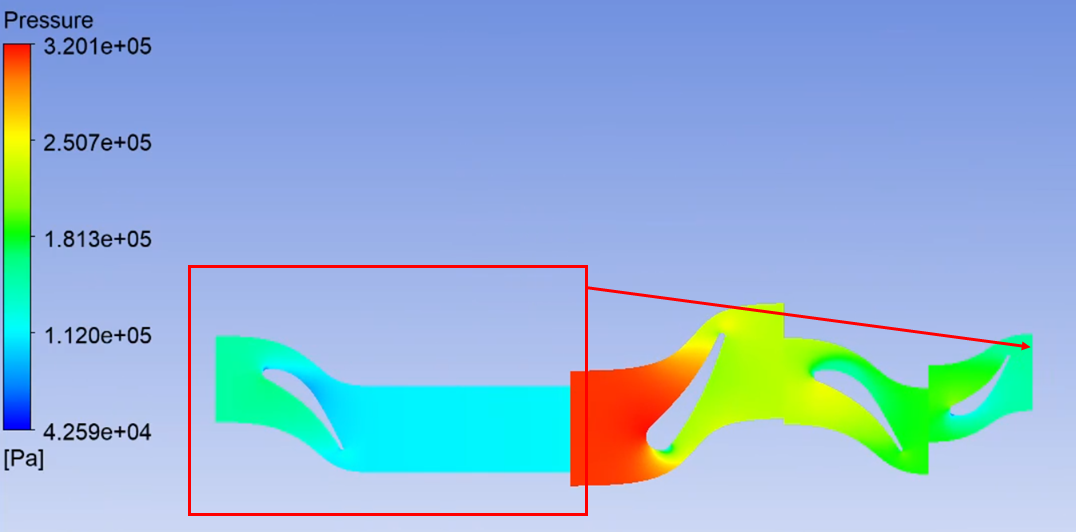
I have encountered a topology recognition issue during the Turbo Initialization step. The software fails to correctly identify the sequence of the blade rows. Specifically:
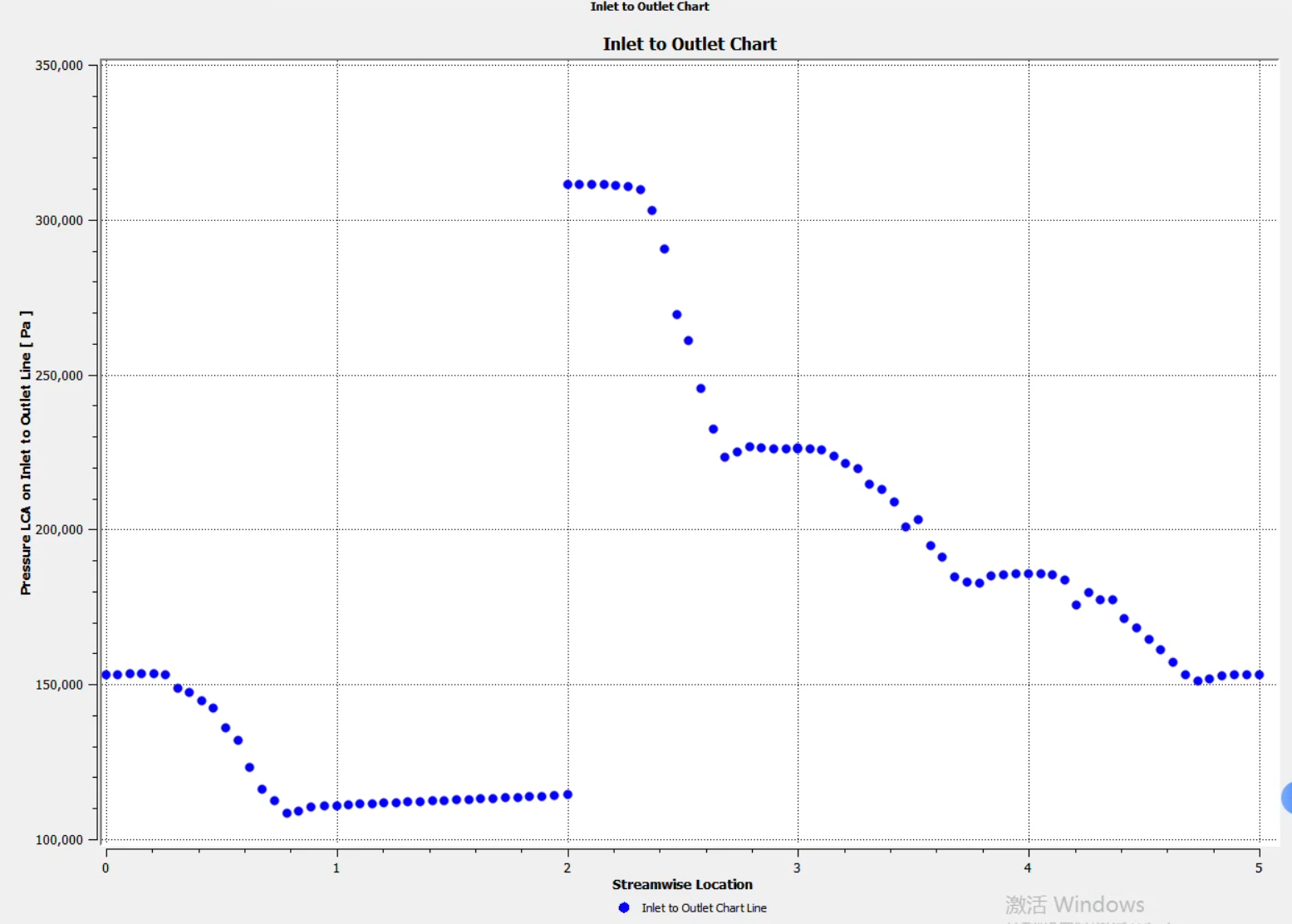
Wrong Component Order: The topology detection places the last two components (Stage 2) at the top of the list (Inlet side), while the actual first stage is placed at the bottom (Outlet side).
Incorrect Streamwise Direction: Consequently, the Streamwise coordinate (0-1) seems to be inverted or calculated based on this incorrect order.
I have checked my domain names, but the auto-initialization still misinterprets the flow path.
My Questions:
Is there a way to manually reorder the components in the Turbo Initialization tab to correct the topology?
Could this be related to the definition of the Rotation Axis (e.g., flow is in -Z direction but axis is +Z)? How should I adjust the axis definition to fix the streamwise sorting?
Any suggestions on how to fix this topology issue would be greatly appreciated.
Thanks in advance! -
January 16, 2026 at 2:27 pm
Petros
Ansys EmployeeIn CFD-Post, go to Edit→Optios...→CFD-Post→Turbo and tick off the Disable automatic component ordering. Load the case, go to the Turbo tab and when prompted to auto-initialize all components click No.
Then right click each component and Initialize in the correct order.
-
January 17, 2026 at 6:09 am
James411project
SubscriberThank you for your reply
-
- 您必须登录才能回复此主题。
-
4924
-
1613
-
1386
-
1242
-
1021
© 2026 Copyright ANSYS, Inc. All rights reserved.