TAGGED: external-model, geometry
-
-
February 4, 2025 at 1:07 pm
tanmay.singhal
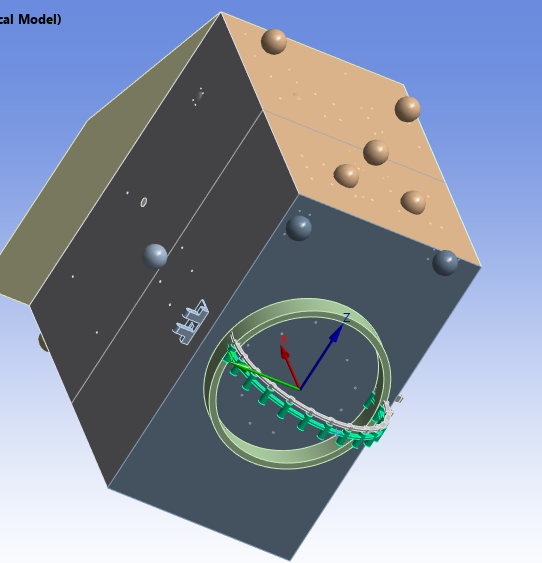
SubscriberI have this green ring in the NASTRAN .dat format. ( The green ring near the coordinate system )
I have imported it along side my geometry. the green should be rotated by Y-axis 90 degree.
I am new to importing external model. How can i rotate it in workbench or do i have to convert them and do it somewhere else? -
February 4, 2025 at 2:58 pm
ErKo
Ansys EmployeeHi
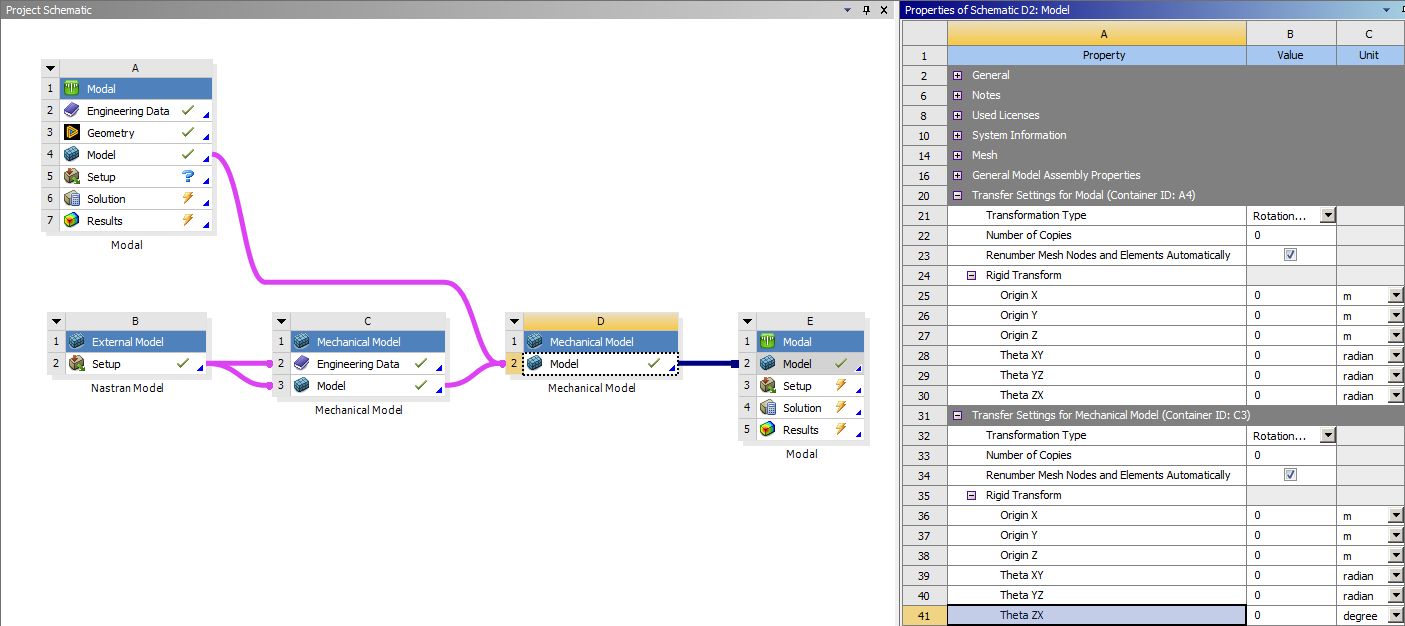
In the external model there is a Rigid Transformation tab (under Properties/Property at the bottom left of the window).
Set the rotation as needed there.
All the best
Erik
-
February 5, 2025 at 6:07 am
tanmay.singhal
SubscriberÂ
Hi Erik
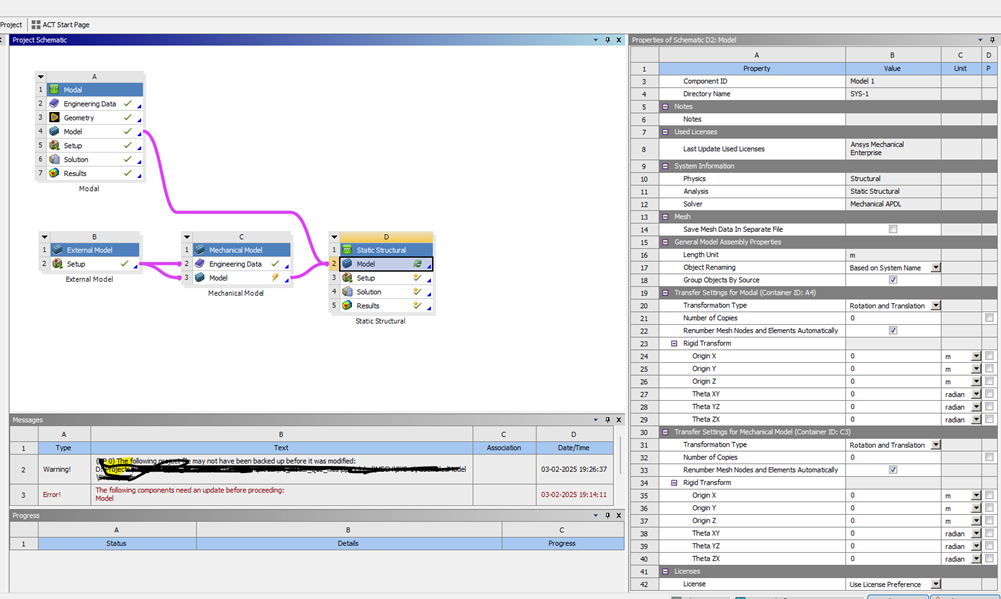
I am not sure about the properties / property at the bottom left of the window. But in the right side it shows rotation and it works fine.
Interestingly, this option is coming only when I am integration external model while using static structural option.When i go only for integrating with modal analysis, this option doesn’t come.
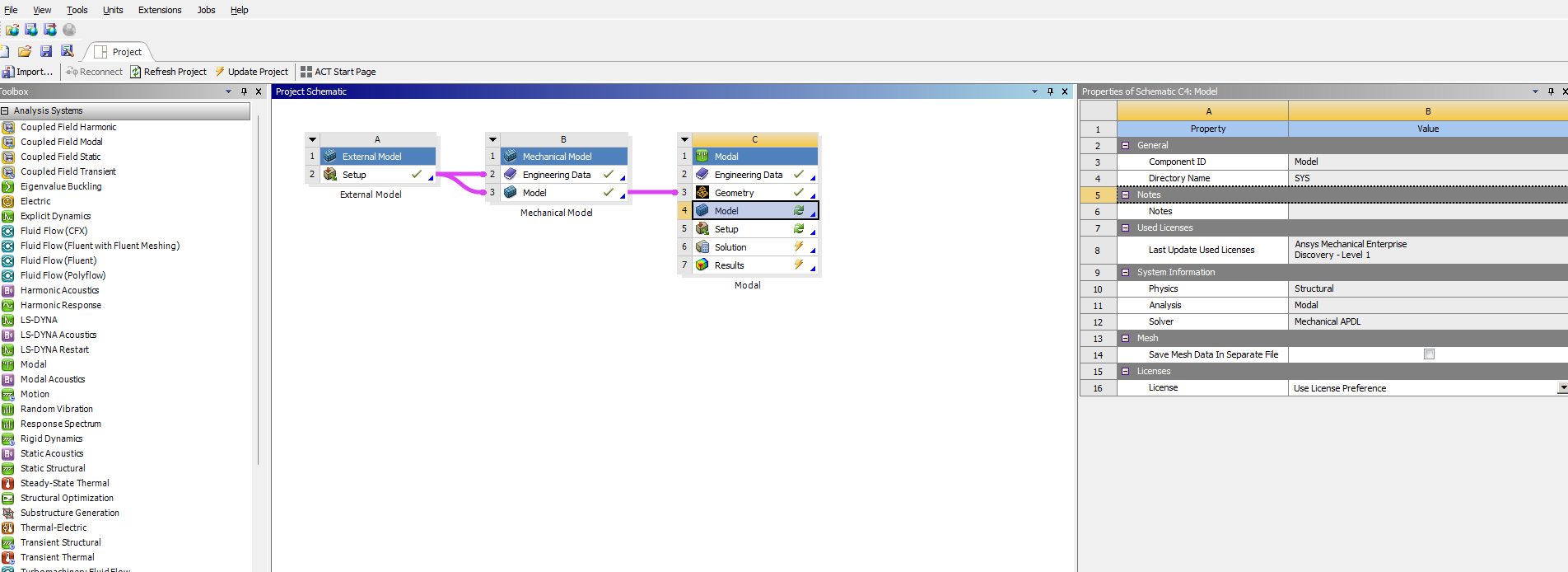
I have and existing model in MODAL analysis and I am attempting to bring an external model and integrate it.
-
-
February 5, 2025 at 7:35 am
ErKo
Ansys EmployeeHi
In the external model there is a Rigid Transformation tab (under Properties/Property at the bottom left of the window).
Set the rotation as needed there - see image below that shows this properties (It starts from cell A17 in the below image)
https://support.ntop.com/hc/article_attachments/4402706601491
All the best
Erik
-
February 5, 2025 at 5:40 pm
peteroznewman
SubscriberWhen integrating an Ansys Modal with an External Model that reads in a Nastran file, I see the ability to transform each model in the D2 Model cell as Erik described. It don't matter if that links into a Modal or a Static Structural model in system E. Note that you must change the Units in Workbench to Display Values as Defined to input rotations in degrees.
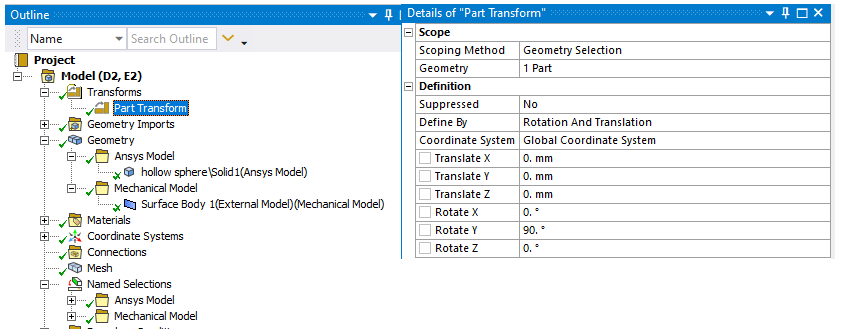
Another way to to achieve the same result, but with more graphical feedback is in Mechanical. Insert a Part Transform object under the Model branch and pick the bodies you want to transform.
-
- You must be logged in to reply to this topic.
-
6485
-
1906
-
1458
-
1308
-
1022
© 2026 Copyright ANSYS, Inc. All rights reserved.